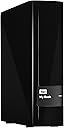
💼 Backup like a boss — secure, speedy, and spacious storage for your professional edge.
The WD 4TB My Book Desktop External Hard Drive combines massive storage capacity with USB 3.0 speed and hardware encryption, making it an ideal solution for professionals seeking reliable, secure, and fast backup. It includes WD Backup and Acronis True Image software for easy data protection and comes with a 5-year warranty, ensuring long-term durability and peace of mind.


| ASIN | B00KU686HI |
| Additional Features | Portable |
| Best Sellers Rank | #594 in External Hard Drives |
| Brand | Western Digital |
| Built-In Media | Hard Drive, USB Cable, AC Adapter, WD SmartWare Pro Software, Quick Install Guide |
| Cache Memory Installed Size | 6 |
| Color | Black |
| Compatible Devices | Desktop |
| Connectivity Technology | USB |
| Customer Reviews | 4.5 out of 5 stars 4,630 Reviews |
| Data Transfer Rate | 5000 megabits_per_second |
| Digital Storage Capacity | 6 TB |
| Enclosure Material | Aluminum |
| Form Factor | 3.5-inch |
| Hard Disk Description | Mechanical Hard Disk |
| Hard Disk Form Factor | 3.5 inches |
| Hard Disk Interface | USB 3.0 |
| Hard-Drive Size | 6 TB |
| Hardware Connectivity | USB 3.0 |
| Hardware Platform | PC |
| Installation Type | External Hard Drive |
| Item Weight | 2.3 pounds |
| Manufacturer | WD |
| Media Speed | 1 |
| Mfr Part Number | WDBFJK0060HBK-NESN |
| Model Name | My Book |
| Model Number | WDBFJK0060HBK-NESN |
| Number of Items | 1 |
| Read Speed | 5 gigabytes_per_second |
| Special Feature | Portable |
| Specific Uses For Product | Personal |
| UPC | 718037826318 |
| Unit Count | 1 Count |
| Warranty Description | 2 years |
J**E
Another solid WD product
I purchased this drive largely based upon a specific need for a USB 3.0 product with 4TB of storage. I've owned many WD internal and external HD products over time and have not had any drive failures to date over many years. I purchased this drive specifically as a backup storage drive attached to a Synology 1813+ NAS unit. This required a reformat to EXT4 as the drive comes natively formated in NTFS. The Synology NAS schedules backup to this drive of selected folder shares using the "Time Backup" software available from Synology. I'm not utilizing any of the software included from WD with this drive (backup, cloud, etc.) as the Synology NAS has its own software for each of these purposes. The drive itself is similar in size to other My Book drives. The plastic casing is certainly not as nice as the aluminum finish on the WD My Book drives that I have for my Macs, but it is similar to the black of the Synology unit and overall looks good. The power adapter is reasonably sized (not a brick), and the unit comes with a USB 3.0 cord for use with its single USB 3.0/2.0 port. WD provides a 2-year warranty with this product. There are cheaper drives with similar specs available from other companies. However, having had drive failures with Seagate over the years, I'm unwilling to take chances with other options. It's important to backup your valued files, and WD drives have played a major role in my backup solutions over time. If I have issues with this drive, I'll update my review. This seems to be another winner from WD! Edit/Addendum: Following my review, another Amazon user asked me an excellent question, "Does the USB connection to the drive feel flimsy?" This is a very appropriate question given concerns raised with the prior generation of this same My Book device. While I don't own the previous My Book version in question, I did check the USB connector on my device. The supplied USB 3.0 cable seems to be stable in its connection to the rear port of the My Book case. I can't physically make it move horizontally or vertically with any significance - unless I were to apply excessive force. Modest attempts at movement of the USB cable did not disrupt the connection. I don't plan to move this My Book from one place to another (it's connected to my NAS), so I suppose that I won't be able to comment well on wear-and-tear issues with respect to the USB connector. Other My Book devices that I own are the Mac Firewire/USB 2.0 version. Those have never struck me as flimsy. Update 1/18/14: Since writing my original review, I've purchased a 2nd unit which I reformatted for Mac OS X and use for "time machine" backup. Both drives are functioning well and have had no issues. I'm still very pleased with the quality and function of the drives. Reading through a number of the questions regarding this drive, it's clear that the term "cloud backup" as assigned by WD to this drive is a bit of a marketing stretch. As has been noted by others, the "cloud backup" option is not intrinsic to the drive, but an add-on service provided by Dropbox and facilitated by WD software that a user may choose to run on an attached computer (I don't personally use or recommend that others use WD software). These drives are nothing more than a WD drive, in an enclosure, with a single USB 3.0 connection. If you are looking for "cloud" capability, other product options do exist. I do hope that WD changes its description of drives such as this in future marketing.
O**R
A Nice Solution to the XBox One Storage Shortage.
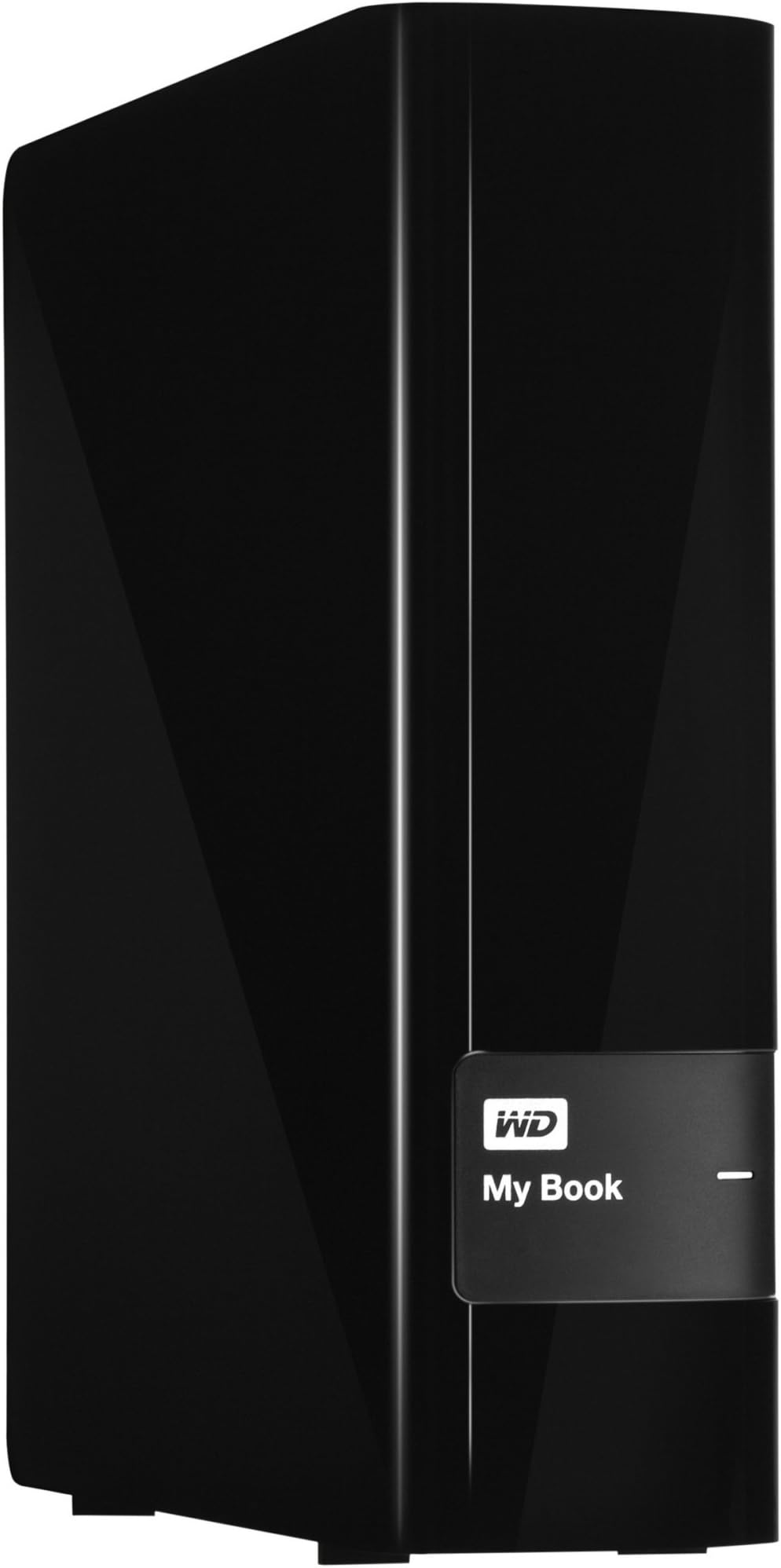
NOTE: THIS REVIEW WILL COVER USE ON THE XBOX ONE ONLY. As X1 owners will understand, the internal hard drive isn't anywhere large enough to hold many games, now hitting the 30GB range. Just by installing 3 games, over 30% of my space was used. Not good, so an alternative was necessary. I chose the My Book line over the My Passport because I wanted the unit to stand as it's shown in the picture, which is necessary due to my setup. The My Book stands about 2x higher than the console vertically, but can also be laid atop horizontally, if one chooses. The unit requires additional power, so be prepared to find another outlet. The built-in transformer makes for a larger plug, so if you intend to plug into a surge protector, you will need to be aware this may not fit among other plugs due to its size. I've only had this unit for about 2 days, but so far, it's working perfectly. For XBox One owners, here's some basic information: -When you connect the drive and turn on the console, you will need to go into Settings - Manage Storage to prepare the unit. The console will automatically detect the new USB drive. -You will need to format the drive before you can use it. Start the process. The console will ask you to name the device, if you wish to do so (I named mine Pipboy 3000). The format takes less than one minute. -The final question will ask you if you want to use the device as the primary drive. I recommend this option since every download and save will go to the external drive rather than the internal drive. You can always change this option at a later time. Transferring (moving) games from the hard drive to the ext drive is pretty easy and straightforward. Ryse was the only game that took a while, but that's because it's 30GB in size. Despite the size, it still moved in less than 4 minutes. It's important to note the drive speed is irrelevant here. The 5400 RPM isn't going to be used to its maximum since the USB 3.0 is what will control the speed of data transfer. That said, I did not notice any additional time being added to loading screens (Assassin's Creed IV). If you're looking for additional space, I recommend this unit. Remember: this is only valid for the XBox One through experience. PS4 owners should do more reading to ensure the drive will perform as expected. Thanks for reading and have a great day.
S**I
USB desktop drives
time to buy another one! I was worried this woudl arrive DOA .. that these precise instruments were too delicate to be tossed around by ups or usps. but it arrived.. and worked .. and is working fine.. 4 TB (3.75TB) is nice. They hold so much info tho.. a failure would be catastrophic so i'm going to buy one just to back up stuff i already have. (the only failure i have had with these so far is when i dropped one that was spinning 3feet onto hard surface.. it continued to work till powered off.. but it never booted again.. I have 4 variations of this on my desk.. and i will buy several more in the future.. only drawback (other than if you drop one that is powered) is that they sleep when not used.. so when you go to use them you have to wait 10 - 15 seconds for the drive to spin up. This is a noticeable irritation.. but preferred to having the drives fail sooner.. they all seem to run quiet and cool.. in my history of these things i have had one failure (other than my catastrophic droped one). but it was not the drive. it was it's power supply.. (i had the leftover power supply from the one i dropped tho so i was saved!) .. that reminds me i need to check on amazon for buying a backup power supply for these. (the one i dropped was my oldest and first drive 750GB.. its ps was higher amps than the newer ones.. the newest ones are these 4 TB versions. These are precision instruments and should NOT be moved while in use.. I Dont know if drives park themselves these days.. (remove heads from platters for transportation and handling) but i would always disconnect the drive in windows.. before handling it.. and even then only when power is off to it. the drives spin very fast and gyroscopic forces would probably ruin the drive if you just moved it around while spinning... and 4 TB of data is a LOT to lose! I have 5 of these now.. and will continue to buy them.. i love these drives. amazon has the best price too i think.
M**N
Works For Me If I Keep It Simple
Basically I purchased this drive to make a backup of data on my original wd my book live duo which is running RAID. Basically the data on the drive is not data that needs to be updated on a regular basis, It's just videos, pictures and some music. The drive maybe connected for about a week or two to do a backup and then disconnected and put away in the event I need the backup. Once I copy all data to this drive I then verify the data by re-copying the files to a different location to make sure that I can get my data back. I've had one of those wd my book live duo with RAID go bad and had to return the entire unit. After I received the replacement, I recopied the data from the usb drive that I kept in a safe place onto the replacement wd duo drive. The process of backing up and restoring my data went by pretty simple. Unfortunately the original USB drive (Seagate) died after four months and was sent back for repairs/replacement. I have no idea when I'm going to get that replacement back! Anyway, I'm using Windows 8.1 with a system with usb 3.0 ports, I had a problem connecting the drive cable to the actual drive. The connector on the drive arrived bent and I had to pry the connector on the drive a little wider so that the cable would fit in it. Before I give any speed info on the 4TB WD My Book USB 3.0 let me give you and idea of my system and network configuration first. Intel i7 3770 3.4GHz Intel DH77DF ITX Motherboard Crucial Ballistik 16Gb DDR3 PC3-12800 Memory Intel 335 SSD 240Gb Hard Drive 6Gbs Antec ITX Vesa-110 Case Windows 8 64bit Upgraded to Win 8.1 Onboard Intel Pro Gigabit Ethernet Cisco/Linksys E3200 a/b/g/n Gigabit WiFi Router Belkin 5-port Gigabit Switch Cat 6 Cables 3 - 4Tb My Book Live Duo Running In RAID (Gigabit Connection) 4 - WD Live Media Hub 1TB (Gigabit Connection) The info is based upon the speed shown under the Win 8.1 file copy details. The files are approx. 500mb up to 8Gb in size and everything is copied to and from the WD 4TB USB 3.0 external hard drive. (The test was done using 200Gb of the same video files for each test). I noticed the speed would drop a little as it started to copy the next file in the queue but it would regain full speed after a couple of seconds. Reading data to and from the 4tb wd usb 3.0 drive was basically the same for each port or internal drive tested. Here are the reading I got: Using Gigabit Ethernet to the WD 4tb connected to USB 2.0 Port Min - 24 MB/s Max - 38 MB/s Using Gigabit Ethernet to WD 4TB connected to USB 3.0 Port Min - 43 MB/s Max - 68 MB/s Using Internal SSD 6GBs Hard Drive to WD 4TB connected to USB 3.0 Port Min - 59 MB/s Max - 76 MB/s Basically reading and writing from the WD 4TB USB 3.0 gave me pretty much the same results. In my opinion; for an external drive it seems to transfer files pretty fast and I'm able to move 2TB of video files over Ethernet to this external drive in approx. 7-Hours, Usually when I use a USB 2.0 port it takes almost 15 Hours. The only problem I found was the USB 3.0 port on the hard drive needed a small screw driver to force open the metal connector that was not allowing the cable to connect to the drive. This was a real bummer if you're not a DIY or careful type of person then chances are you'll be returning the drive since one false move and the inside plastic connector of the USB female end on the drive could end up broken voiding the warranty. The next thing I found is that the drive may takes a couple of seconds to spin up from sleep mode which it seems to enter quite frequently, maybe some folks may or may not find this annoying. Some folks may say the are having trouble waking the drive as a share when it goes to sleep as a network drive but I've not experienced this problem on mine so far. It may take a little while to respond from sleep mode but it does come up after a few annoying seconds later. I hope this helps you understand what you're getting if you're planning on purchasing one of these drives. In closing, I'd say this is a pretty decent drive although it could be a bit cheaper on the price in regards to the Seagate central 4TB USB 3.0 but I've already given up on the reliability of the Seagate drives to even consider them.
A**E
Paired with Airport Extreme, makes it the same as 4TB Time Capsule, but much cheaper
I bought this to enable the time machine features on my Mac computers. I have the new Airport Extreme, and I was looking at the Time Capsule from Apple, but I was hesitant at how much money they cost, and the fact that you can't upgrade their storage capabilities. So, I did some reading to find that you can add a USB hard drive to the Airport and get the same features. I limited my search to USB3.0 because many of my machines are connected with 1Gbps wired Ethernet, and I want the backups to be fast. Well, I am not disappointed. If I backup with WIFI it is actually not that bad, except the first backup, which is many GB in size. Otherwise the incremental backups are pretty quick, wired or not. So, this is a single 4TB hard drive in an external case. I can't believe this costs less than $150. It is amazing. Anyway, connected to my Airport the drive powers down when it is not in use, so that I know it will last a long time. It takes a few seconds to power up when I am ready, but this causes no real issues. The installation was a breeze. I plugged it into my Airport, opened the app. Went to the File Sharing and Disks tab, and added the disk. That was it. From the Mac I went to time machine and picked the shared disk as my backup, and it even recognizes it as a Time Capsule. I also use it as a network drive. Why not, it is HUGE, right? It is really quick, and has never caused me a problem. As a result, I get incremental backups on a near hourly basis. I can get the state of a file from days or weeks ago. I feel really safe with this. My old MacBook died, and I got the new MacBook Pro Retina, and I followed the restore from backup option, told it to not mess with the OS, just the apps and the saved files, and when it was done I had everything back. What more could you ask for. For under $150, the piece of mind I get for having 4TB worth of incremental backups is huge. I got the same drive and setup my parents to backup both of their computers on it. It is plenty big for this, too. They are thrilled. [...]
P**.
You can use this on an everyday basis and it speeds things up greatly
Most of the attention this product has received here in reviews is for its most obvious role -- as a backup storage unit. I have found that this device functions VERY well as real time augmentation for your internal hard drive. I own a relatively new (August 2013) HP-ENVY 17" laptop with a screaming processor, 16GB of RAM and a 1TB internal drive running both Windows 7 and Windows 8.1. The machine has 4 USB 3.0 ports. No reason to put in 2.0 USB ports at all since 3.0 is backwards compatible. My first addition to the setup was a SIIG 7-port standalone (4 USB 2 and 3 USB 3) box to augment the four USB 3.0 ports on the computer. I now have a 64GB thumb drive by Silicon Power and the new WD My Book (both USB 3.0) each connecting to the laptop through the SIIG box. I was using an older Seagate 1TB drive as my backup, but I had begun recording the entirety of my CD collection and my lady's, as well -- in all this amounted to over 400 CDs. I directed iTunes to store everything on the Seagate, and I was not unhappy with any aspect of that decision EXCEPT the USB 2.0 connection to it left discernible lag time after making a selection through the iTunes interface. Upon receiving the WD My Book, I copied all my existing files from the Seagate to the WD. Since iTunes was looking for the F: drive whenever it was used, I renamed the Seagate and then made the WD unit the F: drive. I was quite pleased to find that the response time between the songs database and iTunes interface was faster than it had ever been before -- and that includes my time using my old Panasonic laptop where iTunes was accessing the C: drive. I have similar results for accessing photos and videos that are stored on the drive. If you have USB 3.0 available to you, I am sure that for most uses you will be pleased with the access time you get using this drive. My sample size is only a week, but to this point I am 100% pleased with the WD product.
B**M
4TB on my Xbox One
I bought this specifically to use it as an external storage option for my Xbox One, which was down to less than 10% available when they released the update that allowed external storage in early June 2014. If you are considering this drive as an external drive for your Xbox One system, I can assure you it handles the task quite nicely! When I plugged the drive into an available USB 3.0 slot on the back of the Xbox One, the Xbox One immediately recognized it as an external storage device, and asked if I would like to format the drive. Formatting was very straight forward and very quick. The Xbox One OS also gives you the opportunity to name the drive, which I kept at the default "External" so you can tell internal storage from external storage. Another nice feature is that the Xbox One gives you the option to always install new content to the external drive until it is full. If you select this option, then anything that is installed from this point forward will be installed to the external drive, as long as it is connected. It's a great drive, very quiet, very quick, and I have no issues playing games off of it rather than the internal drive. Again, if you are considering this for an external storage option for your Xbox One, do it!
D**S
Not what I wanted
I have an older computer and need some backup to find room for the movies I'm downloading as well as backing up my drawings and documents. This device is not ideal for that purpose. Pros: quiet (most of the time) can go into standby (as long as it isn't automatically backing up anything AT ALL) Runs cool, looks good, nice and stable on the desk. Cons: the software sucks big time. Good for a total newbie maybe since it seems aimed at the user who wants to back up all classes of files like movies, documents, or photos, but for someone who just wants to back up specific files, not so good. Source Forge has much better software (for free) IMO. Some of my gripes is that the software prevents my XP machine from going into standby - even if it is set to back up monthly, it will keep the computer on 24/7 just so it doesn't miss its allotted backup time/day? It wants to phone home even when I turn off the automatic update and is running in my task list even when it is told not to turn on via windows msconfig "startup" programs (so it must be running from the registry) Windows treats it like any other usb storage device - so every time I power the computer up I have to look at the silly windows prompt that wants to know how I want to use the mixed files on the F/G/H drive it happens to be - and when I want to unplug a flash drive I have to consider that I'm turning off the drive I really want and not the "my book" Performance with USB 2 is glacial to say the least. Copying from the My Book to a flash drive is a reason to find something else to do since it may take hours. Then I come back to find Windows hung up wanting to know if I really wanted to copy the one Read Only file, in a group of files. Grrr... The drive I got is noisy. Makes a high pitched uneven whirring sound. The reason I left WD drive ages ago is that they were unreliable. I can use it, but find myself unplugging the power supply since there's no on-off switch and I don't trust it. Plan B is to add a PCI to ESATA card, and external ESATA drive, and junk this piece of detritus, and put a Samsung or Hitachi drive in the ESATA case. My old solution was to just use USB2 powered portable drives and put them in a safe place when the backup is done - the My Book is more hassle IMO. Just for the hell of it, I went on line to see if I could open the case and install a power switch on the front. The two utube examples I found turned out to be made by professional data-recovery specialists - that certainly doesn't bode well. Since writing the above I implemented plan B and that has proven far superior to the WD My Book. My compact IBM Think Centre was pretty well maxed out with 2.5" SSD and 1 TB 2.5" drive packed into the slot for one full size drive (all it was designed for). I added Vantec 6-Port SATA II 150 PCI Host Card, for 4 Sata drives with 2 external eSATA ports, and a Sabrent 3.5-Inch SATA/SATA II to USB 2.0/ESATA external enclosure. Windows treats it like a normal hard drive with its own assigned letter, windows can put it in standby if I'm not using it, and all the hassle with the WD/Windows software is out of the picture. If you already have a spare SATA connector/port on the mother board you only need the $20 enclosure and not the $25 PCI card - although you still need an adapter to go from the SATA connector to a computer mounted external eSATA connector (same game just designed to be sturdier) The external enclosure came with cables for both the eSATA and USB connectors (so I can move files via the USB port if the need should arise. The only complication with Plan B was that I had to use the disk manager in windows and reformat the 80 GB test drive to NTFS before windows would use it. The Vantec card was shipped with a CDROM for RAID data backup (if backup was your interest in getting a My Book, but like I said Source Forge has lots of good free utilities if that is what you need) In retrospect, I'm sorry I wasted the money on the WD My Book. I guess I can pop the case on the MY Book and transfer the hard drive into another eSATA enclosure so it won't be a total waste.
S**.
Delivery was prompt. The hdd worked as expected.
V**D
Works good with my Xbox.
Works beautifully on my Xbox One. Visible difference in loading times.
E**ん
前触れ無しで突然のアクセス不能
この製品を2015年10月に購入し、Macbook Pro13 Mid2012にて使用していましたが、8ヶ月ほどで急に接続が途絶えたりとアクセスが不安定になってきました。 そこで修理を依頼したところ、「良品との交換」となり、アメリカからそれが送られてきました。 その後しばらくは問題なく使用出来ていましたが、交換から2年10ヶ月ほど経過した2019年4月に、突然アクセス不能となってしまいました。 市販のディスクユーティリティー等を試してみても認識できず、内部に保存されてあるデータは結局取り出すことができませんでした。 異音やアクセス不安定などの症状があれば新しいHDに交換するのが常識ですが、そのような前触れ無しにいきなりアクセス不能となってしまうようではWD社のHDを再び使用する気にはなれません。
Z**R
WD Great, however their subsidiary G Tech Bad People, read on
I confess to not having spiked it in via the usb 3.0 yet, however the unit appears 100% and should perform as robustly and reliably as all my other WD products, NONE OF WHICH (Western Digital only) I HAVE EVER EXPERIENCED A PROBLEM WITH!! I can only say this about Western Digital products - others hard drive manufacturers like Samsung hard drive division (since bought by Seagate, which subsequently was then bought by Western Digital) have in past proved dismally unreliable, and customer service was lacking in my several experiences with these brands, as well. G-Tech, now owned also by WD, proved the worst ever experience, worse even that the dismal Samsung and the dismal Seagate. And it wasn't even about the products, which are ok. It was the executive attitude there at G Tech in California toward us global consumers (distrustful, arrogant, smug and self-satisfied, and blatantly outwardly hostile) that gave me the utter creeps, as I experienced a certain executive at that company (G Tech) who was downright sleazy and paranoid when I dealt with her on a matter related to their product line - I own 4 G Techs, but would never bother with that brand no matter who owns them now, as the company's core team as represented by this key marketing employee has demonstrated some lousy attitude toward customers, I discovered. Lady Marketing exec at G Tech, if you read this you know who you are and you simply suck as a brand builder and aren't half as smart as you think you are, you smug wonk. I will never forget that B%^$#& executive at G-tech and I hope her bosses threw her to the curb by now like yesterday's trash, for she is indeed a true brand liability. She knew so little about the technology she was representing as a Marketing head, and it was via her that I realized how far we consumers are being conned on pricing for these basic peripheral, and how little we are respected and valued by the executive team that gets paid the nice salaries there at G Tech. Get over yourself lady Marketing head at G Tech, you know who you are and yer shi^ ain't that special. She reminds me of the scumbag cd music execs at the big name music studios from an earlier era who were disdainful of both consumers and the recording artists as well – just give them their go^da8n money and everyone be damned... G Tech execs are just not likeable people, I discovered. They have issues. Moving on... WD is the reliability leader in the external hard drive realm. So assuming this WD unit performs as it should (which I have no doubt it will), I will comment on the speed of the Amazon transaction itself... It was expedited with great efficiency and precision. Yet another win for Joe Consumer, as this unit was at a "great" price point. Now if this general product category would only begin to lower its prices and keep them there, I would be thrilled. As it is, one has to be patient until such a deal as this price point makes its appearance. I feel these hard drives are generally selling here in Canada for more than is necessary for WD and the others to turn a profit, and I wish they would rethink their pricing strategy to enable consumers to avail themselves more of this technology with less concern for the high prices. More units sold (greater economy of scale) will net WD great profits and will benefit consumers simultaneously, as opposed to socking it to us with these (on average) $250-$300 per 6TB drive prices... this reminds me of the way the cd was used to exploit / extort the western consumer into parting with more cash than was necessary to purchase a simple prerecorded cd. The vinyl album pricing (moderate expense) soon enough gave way to the duplicitous collusive industry pricing of the cd industry, which became something of a rip-off. With external hard drives, they don't need to go for the kill price to succeed, but these consolidated hard drive manufacturers (and WD owns quite a few recognized hard drive brands under its umbrella). In my opinion, the industry jacked hard drive prices some years ago complaining their manufacturing infrastructure in Thailand was compromised due to destructive typhoon. OK, boys that ship has sailed long ago and you have your Porsches parked in your garages and your new home renos done now, so lay off on the overheated prices for these pretty basic pieces of modern technology that will in some few years essentially be obsolete tech. OK I'm done now. But WD does make a great hard drive regardless, so buy WD as they have earned this loyalty.
M**F
Buen producto a buen precio
El precio está muy bien. EL paquete tardo un poco en llegar pero sin ningún problema. Lo único malo es que como casi todos los WD, su diseño de plástico puede llegar a hacerlo un producto fragil. Es importante saber que si planeas estarlo moviendo de un lugar a otro, conviene comprar un disco portátil que ademas no requiera un eliminador de corriente como este. Fuera de eso, el producto es bueno, con mucha capacidad y velocidad, es USB 3.0
Trustpilot
3 days ago
3 weeks ago