


🎶 Take your studio on the road — create, control, and captivate anywhere!
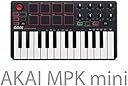
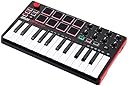
The Akai Professional MPK Mini MKII is a compact, travel-ready MIDI controller featuring 25 velocity-sensitive synth-action keys, 8 backlit MPC-style pads, 8 assignable Q-Link knobs, and a 4-way thumbstick for pitch and modulation control. Designed for seamless plug-and-play USB connectivity with Mac and PC, it includes onboard arpeggiator functionality and four memory banks for preset storage. Bundled software like Hybrid 3 and MPC Essentials empower producers to compose and perform with professional-grade tools wherever inspiration strikes.





| ASIN | B00IJ6QAO2 |
| Additional Features | Thumbstick & Built-in Arpeggiator |
| Best Sellers Rank | #63,101 in Musical Instruments ( See Top 100 in Musical Instruments ) #232 in Computer Recording MIDI Controllers |
| Brand | Akai Professional |
| Brand Name | Akai Professional |
| Color | Red |
| Compatible Devices | PC |
| Connectivity Technology | USB |
| Connector Type | USB |
| Control Method | Touch |
| Control Type | Keyboard Controller |
| Customer Reviews | 4.5 out of 5 stars 19,895 Reviews |
| Global Trade Identification Number | 00694318015599 |
| Hardware Interface | USB |
| Hardware Platform | PC/Mac |
| Human Interface Input | Keyboard |
| Included Components | Akai Professional MPK Mini MKII | 25-Key Ultra-Portable USB MIDI Drum Pad & Keyboard Controller with Joystick, VIP Software Download Included, IOGEAR 4-Port 2.0 Hub GUH285 (Black), Hosa USB-205AF Type A to High Speed Extension Cable, 5 feet, Photo4Less Camera and Lens Cleaning Cloth |
| Instrument | Keyboard |
| Instrument Key | Any |
| Item Dimensions D x W x H | 7.13"D x 12.52"W x 1.73"H |
| Item Type Name | 25-Key Portable USB MIDI Keyboard With 8 Backlit Performance-Ready Pads, 8-Assignable Q-Link Knobs |
| Item Weight | 1.6 Pounds |
| Keyboard Description | Ergonomic |
| Manufacturer | inMusic Brands Inc. |
| Manufacturer Part Number | MPK Mini MK2 |
| Material Type | Rubber |
| Model Name | Old model |
| Model Number | MPK MINI MK2 |
| Number of Keys | 25 |
| Platform | Mac OS X |
| Product Dimensions | 7.13"D x 12.52"W x 1.73"H |
| Product Style | Old Model |
| Special Feature | Thumbstick & Built-in Arpeggiator |
| Supported Software | MPC Beats |
| Total USB 2.0 Ports | 1 |
| Total USB Ports | 1 |
| UPC | 615435500935 694318015599 |
| Unit Count | 1.0 Count |
| Warranty Description | 1 year parts & labor. |
C**E
Fun and cheap, but with a learning curve.
This is a great piece of equipment for a beginner musician, but there IS a learning curve, so please be aware of that when buying. What you are purchasing is a MIDI controller (Musical Instrument Digital Interface). Unlike a synthesizer, MIDI controllers do not produce sound without software. It's basically just a tool to control computer software. So after you've downloaded the software and plug it in, you will still not have any sound generated until you've set everything up properly and loaded sounds onto the pads. So I feel it is slightly inaccurate to call it a "plug-in and go", as some people do. Pros: - Its easy to use AFTER you have learned how to set up and use it. - Its fun. - A good way to get into digital music making. - Budget friendly. Cons: - The software setup is kind of intimidating but luckily there are easy-to-find tutorials to help you. - Akai itself doesn't seem to have much assistance in actually using the controller. Every useful tutorial I found was by someone else, not the company. It would be nice for them to take the time to make more tutorials. Unless I just didn't find them? Everything I found just had to do with setting up the software, nothing really about HOW to actually use it. -The software that is included is limited. You can't use the knobs with MPC Essentials, you need Ableton or something similar for that. Or rather, I should say, you can't use the knobs for effects in your track. I believe you can use it for other things but I still don't quite understand that part. I am still learning to use this but it has gotten significantly funner to use as I have learned more about it and found sounds I like. Just as a tip: - Make sure you know where all your files are saved when you setup the software. You will need to know where your VST stuff is so you can load it into MPC Essentials. -Use Program 2 when you're finally ready to start loading sounds in. Program 2 has the pads laid out in order in the software, so everything correlates properly. -Read the manual and do a lot of research if you are new to it. It's worth the time, trust me.
P**X
My favorite portable MIDI controller
This is a seriously sweet controller! Not perfect, but excellent for portable work with a MacBook or an iPad. I would say I don't understand why there are so many negative reviews, but I do. They are mostly from folks who just didn't understand what they were getting into... This is a MIDI controller. As such, it must be attached to a device that can interpret it and produce sound (Logic/GarageBand on a Mac, or GarageBand on an iPad, for instance). If you just want to tinkle the keys it'll work out of the box with either, but to really get some use out of it you're going to have to load the Editor software and dig in a little bit. I did a bit of research, and was able to map out the things I wanted to do. As it turns out, Apple has 16 drum sounds that are available for the drum kits (not drum machines) in both GarageBands (Mac & iOS) and Logic. Better yet, they share 16 note numbers to trigger them. So I was able to setup the 8 pads with all 16 sounds using the A/B switch, and was able to group the sounds physically on the pads so it worked for me. I used two different "Prog"s, so I could have 2 different layouts, and then used my P-Touch label maker on the smallest font to create labels that tell me which sounds are where. I had to cut the labels with scissors to make them fit between the pads, but it worked and now I can see exactly what's where even when I haven't used it for weeks or months. I did the same thing with the knobs. Assigned basic values (Channel Vol, Pan, Modulation) to the most convenient knobs, then picked some of the more esoteric MIDI CC values so I could play with them for the other knobs. And labelled the whole mess so I would remember it. The sensitivity of the keys and the pads is great; better than the LPK25 or the LPD8 I think. Doesn't have aftertouch, but that's about all I can see missing (and that isn't a reasonable expectation at this price point). My only problem was connecting it to an iPad Pro, but I think I've got that figured out. Using just the Apple Lightning to USB Camera Adapter didn't work; I got "Cannot Use Device. MPKmini2: The connected device requires too much power." Turns out I needed to connect it through a USB hub. I used an unpowered Satechi hub I had handy and it worked. That's got a long cord, though, so I'm going to try using a very inexpensive Sabrent 4-port unpowered USB 2.0 hub with a 6" cord. That should do the trick. The AmazonBasics 4-port 2.0 hub would be another option... The Editor software for this is MUCH easier to use than many I have tried. It's more straightforward than the editors for the LPK25 or the LPD8, and beats the Korg nano editors shamefully. And don't get me started on the Roli BLOCKS editor... Overall, this is the nicest portable MIDI controller I've found. Get the Khanka case for it and you'll be all set. Just make sure to put some dryer sheets or something in the Khanka case before you put the MPKmini in there; the case smells like something died... :)
T**T
Good mini keyboard.
Works as it should, and can be customized quite a bit. A little small for large hands, but its not standard size(mini) so that was expected. It does not play sound directly and needs to be connected to a computer and software to function correctly.
B**T
I'm no expert but...
I bought this at the full price of $100 (at least that's what it was going for at many music stores I visited in person, and what Amazon's pricing was consistently). Now I'm no expert on MIDI or keyboards or sound stuff in general. However I do know music and electronics. I'm an amateur musician trying to make it into the scene. Here are my thoughts on this keyboard/MIDI controller: After much research and thought, I decided to go with this product over the equivalent Novation, ARTURIA, and M-Audio products. They were all around the same price when I made the purchase. When I opened the MKII I was impressed by the quality and feel of the keyboard. It is a good sturdy weight--heavy enough to not shift when playing but not light enough for me to question the manufacturing (mind you, this was bought with the intention of setting up a home recording studio, NOT on-the-go, so I didn't plan on taking it out of the house any time soon). The piano keys felt like the standard plastic keyboard, which is far from the feel of an acoustic piano, which I'm used to. The keys are also smaller so keep that in mind. Although the MPK Mini does have Octave up/down controls, with only two octaves to play on at a time, I soon realized that I would not be able to play both left and right hands like I would on a normal piano. The joystick is cool, I never figured out how to use it for pitch/modulation bending but that may just be my impatience. Arpeggiator works well, I find the Tap Tempo button to be a little hard to press consistently because of the height of the button. Octave buttons flash more frequently the high or lower you go. Drum pads were very nice, honestly I was not expecting that level of quality. Each one lights up when you touch it. I found that it is a little less sensitive than my liking, but it works fine. Knobs have less resistance than I'd prefer, so to me it does not seem as high quality as the rest of the keyboard, however they are convenient and easy to use with Ableton Live. The pad bank button is red when on "A" and green when on "B". I didn't really use the three included software because it was slightly confusing to use and I had a friend walk me through Ableton Lite. All in all, the Akai MPK Mini MKII is a great product, I'm impressed with the quality. I actually ended up returning the product because I would like to pursue live recording first, but this gave me a good idea and a glimpse of the future. I recommend this to anyone who is interested in MIDI and production, if you end up not wanting to go down that road it's very easy to return!
T**N
Best MIDI controller on a budget!
I'm a full-time student at a university, and on the side I like to make music--so I'm not doing anything huge here. I was looking at budget MIDI/USB controllers a couple months ago--and I came across the Akai Professional MPK Mini 25-Key Ultra-Portable USB MIDI Keyboard Controller . I was about to get it, but I saw people saying that the pads had a somewhat bad hit detection. After looking at some videos I confirmed this to be true, but there was also an easy fix for it (the electrical tape fix). After more research I saw that there was a second version of the MPK Mini coming out, except this one apparently had updated pads AND a new control knob (which I REALLY wanted). I figured I'd wait it out and buy it when it came out! So, I did and here's my review: As a preface, I was looking for a MIDI controller mostly because I make live music with programmed drums, and I wanted to get velocity-triggered pads to make them sound more realistic. I also make Instrumental Hip-Hop in the style of Nujabes, so I was keeping that in mind as well. Generally, I just wanted a really well-rounded keyboard that I could do a huge variety of things with. As soon as you plug the controller into the computer, the pre-loaded drivers install themselves and then you're ready to go. I had no issues with this step, and I'm using Windows 7. After that I loaded up my DAW of choice (FL Studio), and loaded a channel to get going. Everything was already completely working. I didn't have to mess with the MIDI settings at all! I actually didn't even know that the KEYS were also velocity-sensitive before I bought this keyboard, so that was a pleasant surprise as well. The pitch & mod knob by default on most things for me was pitch shifting, but in whatever DAW you use you should have no trouble mapping the knob to whatever you want. This being my first controller, everything else was on point 100%. I was worried about the pads still having the same hit detection issue as the last model, but that's not the case. In fact, by the time I got around to the second use the pads got MORE sensitive. You honestly don't need to hit very hard to get maximum velocity. What's also great is that there's a "full level" button which always plays the pads at max velocity no matter how hard you hit. I highly recommend reading the manual when you first get the keyboard, as it explains all the features pretty much on one page! Lastly, I'd like to talk about the arpeggiator. I think it's really nifty, and I love it a lot, but there's a serious problem I've been having with it. It doesn't automatically sync the tempo up to the computer, and it doesn't always play right when you hit the keys (I'm assuming that it's either one of the settings causing this, or something in the DAW itself--I'm still just a noob when it comes to MIDI controllers, so I'm sure that the MIDI clock isn't set up correctly). But since the arpeggiator runs on the tempo, you have to manually sync it up to the computer, and even then I still have issues. I'm sure there's a trick to make it auto-sync, but I haven't found it yet. It's just annoying when I'm trying to record with the arpeggiator and it doesn't start playing right when I hit the keys--it gives it about a one-second delay 60% of the time, even when I play right on the beat and/or I'm NOT recording. So, all in all, I HIGHLY recommend this to anyone looking to start out with a really well-rounded MIDI controller. It has so many features that seriously cannot be beaten for the price you pay. Pros: Great price Improved pads--overall very sensitive on my part Lots of control knobs and multiple programs/banks High variety of settings for arpeggiator and pads Velocity-sensitive keys/pads Worked immediately from initial plug-in Fast response Cons: Arepeggiator issues (most likely a DAW sync issue) Had a couple issues with mapping the knobs (probably the VST itself) Joystick was a little jerky at first, but it works in pretty quickly I still can't believe that I only paid $100 for this. Too incredible of a deal.
P**K
This is a fantastic little midi-controller
This is a fantastic little midi-controller. I use it with my Mac Mini (OS X 10.8.5) running Logic X (it will also work with GarageBand and most other DAW's) and it works very well. It also works well with my M-Audio sustain pedal, it has a port for a sustain pedal in the back (in case you were wondering.) The packaging was fantastic. Included is the Keyboard, USB-Midi cable, instructions, and information on where and how to download your included software. The keyboad itself looks great. It is very streamline and has a great color scheme. A unique feature is the 4 way joystick for modulation and pitch control. I have to say I like it better than a typical wheel style control you see on other midi-controllers. It really helps keep the size of the keyboard down since you don't have to include those bulkier pitch and modulation wheels. It really helps make this a portable keyboard. Though someone who is use to the wheel style control might not like this feature. It takes a minute to get acclimated to. Right now my only complaint is that the keys are a little smaller than I was expecting. As you can see in my pictures, each key is about the size of a penny. They are completely usable but a little hard to get used to if you are use to a full size keyboard. This may or may not matter to you. If you have big fingers, I may recommend looking for something else. Of course this is not the manufacturer's fault, they list "mini keys" in the first description of the product so I am not going to knock any stars for that. I just thought they wouldn't be quite so mini. But the upside is that it makes the overall footprint very small, smaller than my computer keyboard infact. Also, unless you have nothing else, this isn't really the type of keyboard you (or atleast I) would use to put down a lot of notes. I think it's more for editing and mixing than for creating and composing, but if you really needed to you easily could. I think would be really neat if they made this same controller with normal sized keys. They make one similar (Akai Professional MPK25 25-Key USB MIDI Keyboard Controller with MPC Pads) but it has a lot more going on and is $80 more. Maybe I will invest in that someday. If you have larger fingers or don't like the mini-keys go check that one out. Anyway, in summary, fantastic little midi keyboard. Good price, great packaging, and great usability. I think this is a good keyboard to start out with as a beginner and even a good keyboard to have floating around if you are a pro. Pick it up, I don't think you will be disappointed.
C**O
Convenient, user-friendly, and portable.
Convenient, user-friendly, and portable are three words that I would use to describe this amazing mini keyboard. I would recommend this product to anybody who want to learn, develop, or continue with music production. For beginners it is ready to use and highly customizable for more the more experienced music producers. For the live performers, I would steer away if you want a keyboard that does not need much pressure to be played. I will further explain this when talking about the features. Not much setup and installation is needed to be able to use it with your favorite music software and it uses USB connection, which is what makes it convenient and user-friendly, allowing compatibility with different systems or platforms and quick installation. There is a little bit of a wait for some software downloads that are included with the keyboard, but it is not needed to be used with other software. What about the features? - Keys: Although a bit stiff, the keyboard is responsive and comfortable to play. I wouldn’t recommend for live performances though; the keys are a bit too stiff for the nature of playing live. - Pads: It is amazing to make beats as well as play samples set to its touch pads. These pads have a comfortable size, they have a good feel, and are very responsive to different patterns of touch. Joystick: Another nice feature that comes with it is the thumb-controlled pitch-bend and modulation joystick, it works very well and has a quick response. - Arpeggiator: Also, the built-in arpeggiator is fun and easy to use, it is something to play with while making music. It has different settings in terms of tempo and repetition - Knobs: This feature I personally haven’t used much, but there are also 8 knobs that are fully customizable to different settings. depending on which software you are using with the keyboard, you can set these nobs to volume adjusting, filters, and many other audio manipulations. In conclusion This product is all around well-made and comes with a lot of features that are very useful to any kind of music producer, or player. It is very convenient with USB connection, user-friendly, and portable for making beats on the go. Responsiveness is very good and it is comfortable to use, but then again, the keys are a bit stiff which might be a small inconvenience to people who want to focus on live performing.
A**H
Not bad, but really lacking in a clear focus / purpose
I would rate 3.5/5 or even 3.6-7, but can’t do that and these reviews are skewing high, so it’s a 3 as much for what it is as the fact that it’s skewing higher than I feel it should. Were it already a 3 I’d likely round up. This is a decent mini keyboard/controller unit, but here’s the thing: While it’s cheap for Akai, it’s still decently pricey, and you don’t really feel the value or quality. To start, it’s really, really mini: This can be good, if you are always on the go with it, but honestly, considering this requires a DAW, how many people are traveling with this? I can’t imagine any pro would go for it, it’s possible an aspiring amateur on a budget might, but even then there’s far better, more durable stuff for live shows and stuff like that. This is plastic, which is fine, the 225 is plastic, but this really lacks the solid feel. That means that even before considering the keys and layout, the general size is only for someone doing production on the go - plug this into a mac with ableton and you’d be ready to go. However, anyone traveling to produce is gonna have better gear, or more specialized gear, so I pretty much can only see it being useful for a hobbyist that wants to travel with a usb keyboard and is low on space. Since even the most fervent hobbyists will take a break on vacation, this deems a stretch. Besides the overall size, the key size and synth action isn’t likable, and if you’ve got large hands like me, it’s rough to be precise. The other main problem is the odd arrangement. For size, they made pitch/mod into a joystick, but its placement and action isn’t ideal - the wheels are better. Buttons are arranged alright, but then you have 8 pads and 2 banks, plus 8 knobs. No sliders, no presets / record, just that stuff. It’s cool to have some knobs and pads, but why? Without the ability to save and load presets, you’re constantly mapping the knobs when you reload the program (or switch VSTs, etc.). I’m still learning the 225 but you can definitely save mappings, and different okes for different DAWs or VSTs on it, lacking a screen, the mini doesn’t let you do that stuff. Also, I consider sliders important as well, if I’m gonna control the DAW I want some sliders for track level adjustments. Sure, knobs can do it, but there’s only 8, and it’s less visual. Realistically, nobody needs a controller. It’s all about streamlining your workflow and making it quicker and easier. I’m not sure this does either. The 225 has the same control faults. but is at least good at being a keyboard, so the pads are a nice extra. Really though, especially on this, the pads are generally unnecessary. For most applications that need pads, you can get the 16-pad version for the same price. For actually making drum beats, that’s reasonable. 8, eh, especially placed where they are. Sure, 2 banks on the mini mean 16 sounds, but switching banks doesn’t flow naturally - better for changing instruments, say, than expanding the range. So there you have it. Akai makes great hardware, but the pro level stuff costs. Even the lower-level MPK 225 or the MPC Touch pale in power to something like the ren or MPC X (The touch maybe an exception, it looks pretty good). Only one other thing, their cheaper pad, goes for $100, and that one makes more sense to me. People want pads for all sorts of reasons but may not want the $400 unit. However, for keyboards, especially basic synth mini 25 keys, there’s a ton of competition below $100. IMO, it’s just not Akai’s space. There are countless other keyboards for $100 or less that lack the pads and perhaps knobs, but have better keys, key action, and usually, mod/potch wheels. There’s certainly even decent semi-weighted options for up to 88 keys, though you do get what you pay for, and a full size keyboard for $50 isn’t going to be great. That’s why I went for the 225 after the mini. I don’t even want more keys, I have a larger keyboard but most of the time I’m not jumping octaves that much, and there’s a button for when I want to. That’s true of the mini ae well, though I don’t love the placement of the octave buttons. The pads seem better on the 225, but they’re good on the mini - that wasn’t the issue. Far greater an issue were the keys and mod wheel or lack thereof. The synth action is unsatisfying, too muxh rebound and not that smooth. As mentioned, size was just too little. The entire keyboard is smaller than 25 regular keys. My larger (49) keyboard also has knobs and sliders. making it preferable to map anyway. If you also have others , unless they’re really cheap, you’ll likely prefer them. IMO, for most, step up to the 225 or find one in your budget with more (or less, focused) features. If piano feel is important, and I’d think it is, otherwise why not use your keyboard?, then this won’t cut it. Really most synth actions won’t. Still, if you really love Akai and can only afford it, you could do worse for sure. Just know if you’re likely to get frustrated or sick of it, you’ll probably stick out past the return window, eventually replace it, and pay more in the end., Alsu, this really doesn’t feel appropriately solid for anything but travel.
R**Z
Increíble producto, 100% RECOMENDABLE
Adquirí este producto en febrero y después de utilizarlo durante 4 meses seguidos puedo decir que en efecto la calidad es excelente, el teclado sigue respondiendo igual que desde el primer día al igual de los knobs y los pads. No hay duda de que resistirá todavía mucho tiempo, su respuesta es muy rápida con el DAW que se esté utilizando y con cualquier Plugin VST, tiene controlador de Pitch en forma de palanca y puede alcanzar todo tipo de notas con los botones de Octave Up y Octave Down. Recomiendo este controlador ampliamente! Es muy ligero para poderse transportar con facilidad (realmente no pesa casi nada) ADJUNTO FOTOS PARA QUE PUEDAN APRECIAR SU CALIDAD DESPUÉS DE 4 MESES DE USO COTIDIANO, una maravilla para todos los que producimos música!. Lo recomiendo y no te defraudará.
J**.
Compacto y de buena calidad.
Compré el Akai MPK mini para facilitar el trabajo en composiciones y mezclas. Me ha sorprendido gratamente ya que por el precio que tiene es muy versátil y funcional. Me esta ayudando mucho a la hora de componer y realizar automatizaciones en los instrumentos virtuales, además de que permite aportar un grado de humanidad sobre el parámetro velocidad bastante útil. En resumen, muy contento con la compra, lo recomiendo al 100% si estas pensando en comprar un controlador MIDI de tamaño reducido y portátil. PROS: -Compacto y fácil de transportar -Funcional desde el primer momento -Permite controlar los valores que quieras si lo configuras adecuadamente -Estéticamente es bonito CONTRAS: -Se nota que es un teclado para "principiantes", lo cual no significa que no sea de calidad -El cable USB es bastante corto
A**A
The best budget midi controller for your home studio.
Akai mpk mini is the best midi controller at present in the market. All the knobs and built quality are of premium quality. You'll not feel that cheap plastic body. The keys are velocity sensitive, the knobs are smooth and the touch pads are responsive and are of good quality. On an all you get a great deal for this price . It's worth penny.I have been using it and its really helpful in projects. note :- midi controllers are mainly helpful to make beats and for chords purpose. Hope this review helps you.
D**O
Custo beneficio otimo
Produto entregue bem antes do prazo, novo e em otimas condiçoes, custo beneficio excelente...
B**I
Professionalität steht für AKAI und auch für diesen Midi-Controler...
Hallo, ich habe mit vor dem Kauf so meine Gedanken gemacht, taugt das was, soll ich das Geld ausgeben, bringt das was? Diese Fragen sind mir so durch den Kopf geschwirrt. Und mit einmal dachte ich genau ein Versuch bringt alles an's Tageslicht. Alle Fragen und alle skepsis waren im nu dahin als ich den Midi Controler in den Händen hielt in der Sonder - Edition in Weiß. Kurz Zusammengefasst: AKAI Professional MPK Mini MKII White - Portables 25 Tasten USB MIDI Keyboard, 16 hintergrundbeleuchteten Performance Ready Pads, 8 Q Link Regler, Vier Wege Thumbstick, VIP 3.0 & Software Paket(MPC Essentials,VST's: Wobble 2 & Hybrid 3 in der Vollversion) nach der Registirerung. Mit dem beigelegten USB Kapel mit dem PC verbunden die Software installiert & die Virtuellen Instrumente diese dann registriert und schon ging es los. Ich bin überwältigt wie vielseitig das Gerär ist und mit dem Editor des MPK Mini kann man alles schnell umändern ohne Ahnung von Programmieren haben zu müssen oder irgendwelche professionellen Lehrgänge gemacht zu haben. Man muss sich mit beschäftigen aber einmal den Dreh raus ist alles ein Kinderspiel und schnell und einfach zu bedienen. Die Verarbeitung ist wie man es von AKAI kennt sehr genau mit vie Liebe zum Detail. Die Beleuchtung ist angenehm in Rot und Grün gehalten. Der Midi Controler lässt sich schnell integrieren in eine DAW(Digitale Audio Workstation) zum Beispiel: FL Studio oder Reason. Jedes virtuelle Instrument lässt sich über dem MPK Mini steuern und macht echt laune auf mehr. Ich bin sehr zu frieden mit diesem Produkt und es ist jeden Cent wert. MFG Marcel Zu dem Produkt
Trustpilot
2 weeks ago
3 weeks ago