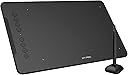
Desertcart purchases this item on your behalf and handles shipping, customs, and support to Romania.
🎨 Elevate your art game—where precision meets portability!
The XPPen Deco 01 V3 is a professional-grade drawing tablet featuring a large 10" x 6.25" working area, ultra-responsive 16,384 levels of pen pressure sensitivity with 60° tilt support, and 8 customizable shortcut keys. Its ultra-thin 8mm design and broad OS compatibility (Windows, Mac, Linux, Android, Chrome OS) make it the perfect portable tool for artists, designers, and creatives seeking precision and efficiency in digital sketching, painting, and photo editing.


| Active Surface Area | 10 polegadas x 6,25 polegadas |
| Asin | B07VKB37HZ |
| Best Sellers Rank | 3,076 in Computers & Accessories (See Top 100 in Computers & Accessories) 3 in Graphic Tablets |
| Box Contents | Graphics Tablet, Stylus |
| Brand Name | XP-Pen |
| Colour | Black |
| Compatible Devices | Android, Mac, Windows |
| Customer Reviews | 4.5 4.5 out of 5 stars (8,118) 4.5 out of 5 stars |
| Display Type | LCD |
| Item Dimensions L X W | 35.1L x 21.7W centimetres |
| Item Weight | 570 Grams |
| Manufacturer | XP-PEN |
| Manufacturer Part Number | DECO01V3 |
| Model Name | DECO01V3 |
| Model Number | DECO01V3 |
| Native Resolution | 8192 levels |
| Network Connectivity Technology | USB |
| Number Of Items | 12 |
| Number Of Packs | 1 |
| Operating System | Android,Os,Vitrines |
| Pressure Sensitivity | 8192 Levels |
| Product Features | Stylus tilts up to 60 degrees / 8 DIY shortcuts / 8192 pressure levels / compatible with Windows, Mac OS, Chromebook, Android |
| Product Warranty | 2 year manufacturer |
| Screen Size | 10 Inches |
| Specific Uses For Product | Drawing / Signature / Osu |
| Target Audience | Artists, Illustrators and Graphic Designers |
| Unit Count | 1.0 count |
| Upc | 654913039529 |
User
Great value
This is a great drawing tablet for beginners because it's cheap and also sensitive enough that whatever you gesture with the pen is almost always what will appear in your art software. There is a slight learning curve with how to hold the pen and how much pressure to use, but once you've done a bit of drawing it should become second nature.If you've never used one of these basic drawing tablets before then I can tell you straight away that tablets with built in screens are superior for most things, but entry level drawing tablets like this one are the best way to figure out whether you actually want to use a tablet at all. Why do I say this? For some reason, some people are just better with mouse and keyboard. You really need to know how a tablet feels before you can say it's for you. You might end up feeling like the tablet provides no benefit to you over mouse and keyboard, and if that's the case then you won't have spent a lot of money figuring that out when you buy a basic drawing tablet like this one.If you buy this tablet and enjoy using it but later feel like you're missing something then you can upgrade to a tablet with a screen and draw your art directly, rather than feeling a bit disconnected looking at a screen that's not in the same place as where your hand is gesturing. It's a difficult thing to get used to if you're already confident with pen and paper, which is why a lot of people do prefer the screen tablets, but obviously they're much more expensive. If you don't draw with pen and paper and are starting out digitally then this might not be a problem for you at all.If you buy this tablet and feel like it's doing the job then there's no reason to upgrade to a screen tablet, as long as you feel like your art is being produced as fast as possible and without any resistance. I bought this tablet and produced some art which was very rewarding to me but I also found it difficult and time consuming because as I said before, there's a disconnect between what's on screen and what's in your mind and about to be drawn with your hand which is not in view of the screen. I eventually bought a screen tablet as well, which felt easier to use but took some time to set up because it's actually a monitor and requires cloning the main computer screen whereas a basic drawing tablet is just an input device to replace your mouse. Each device has its own quirks, I suppose.After using both types of tablet, I tend to prefer line work on a screen tablet, but have no problem switching back to this basic tablet for shading. This basic drawing tablet weighs less and is quick to set up, so despite having a screen tablet, I would not want to get rid of this basic drawing tablet because it's still useful to me.I know this review hasn't really told you much about the quality of the product because I feel like the product is not what most people are really curious about at this price range, they just want to know a bit more about how things work because in most cases they're a first time user. I can say though, that this product is punching above it's weight and the box contains everything you need to get started, all constructed out of decent materials. I find it hard to believe anyone would be disappointed with this drawing tablet, based on the quality and value.
User
Great little pad, great value.
I'm no expert so I only have my opinion of the only drawing tablet I've ever used as a beginner.It's very easy to use, very comfortable, comes with a glove that's very nice to wear as you just slide over the pad very smoothly 😅Love the pen as it doesn't need charging, has no batteries but still has functional buttons.Comes with a protective cover for the drawing zone on the padWrites quite nicely even with the protective cover and seems to be nice and responsive with a nice pressure range.I am surprised by the value to be honest, I wasn't expecting anything this decent for the price.
User
Good tablet, but there are a few issues
I've used graphics tablets for everything -- complete mouse replacement, generally -- for many years.The brand you already heard about -- remain the best and most expensive.Most of the alternatives, in the past few years, have been okay but the stylus has required power -- usually a AAA battery and occasionally something rechargeable -- which is fine but adds weight.XP-Pen now make tablets that come with a passive stylus. Which is the thing that the Big Brand have had forever and was one of the main benefits. So this had to be worth a try, particularly since my previous tablet was getting a bit unreliable.So the good stuff: the tablet comes with a protective, translucent sheet (also handy for tracing) and the whole thing is responsive, easy to install, configure and use (once you've switched off its default setting of using Windows Ink, anyway) and has a nicely professional look.The bad stuff: if you're anything like me, you're going to need to configure two of the customisable buttons on the side of the tablet to replace the buttons on the stylus.I can't easily pin down exactly why the stylus doesn't quite work for me. It might be something as simple as the positioning of the buttons; they might be slightly too hard to press, there might be something not quite right about the driver. Whatever the cause is, if you use a button on the stylus, it causes the pointer to move slightly before the action you intended happens -- which can mean you right-click (if that's the action you have mapped to the button) somewhere slightly different than you intended.I'm used to mapping middle-click to a tablet button. But I've never had problems with my preferred button mappings before (the front button is double-click, the back is right-click) in any tablet I've ever had, from any manufacturer apart from XP-Pen.The tablet's good enough that I've decided to live with it, in the hope that it proves to be a driver issue and they notice and fix it. But it's the only thing that prevents me from giving it a whole-hearted recommendation, sadly.
User
100% Grab This!
WOW! Amazing bit of kit. I just did some 3D works and it works really nicely. Very impressed with the outcome & inclusion of the half glove for misclicks.
User
Excellent device!
bought this for my son so he can use with his maths tutor online. Works great and easy setup.
User
Great gift and surprisingly good quality
I bought this tablet as a gift for a friend who’s been wanting to get into digital art, and it ended up being a much better choice than I expected. I’m not super techy, so I was a bit nervous about whether it would be easy for them to set up, but it connected to their laptop without any hassle. The pen feels nice and light, and the drawing surface is bigger than I thought it would be in a good way.My friend started sketching on it straight away and was genuinely excited about how responsive it was. She kept saying how smooth the lines felt and how the pressure sensitivity actually made a difference. The shortcut buttons were a nice bonus too; I didn’t even realise they’d be that useful until she pointed it out.
User
The "scroll" facility is a nightmare
ok, so the pad is a good size and works ok to a fashion. However, not all software seems to work well with it, Plane 11 and 12 seems to not always recognise the pen selection and other software has just locked up. more importantly and the most annoying is the was you scroll or don't!My old Wacom pad is a dream just press the left click button and scroll, not with the XPPen. The only way I have managed to get it to scroll is programming one of the set buttons and then having to hold this whilst you scroll. I have done lots of research and videos but no easy way with just the pen to scroll. For that reason it's been placed back in its box for a "rainy day" or spare! you really have to go a long way to beat a Wacom pad. PS using Mac OS 14.2.1
User
As good as the Wacom Bamboo series. Exceptionally good product for the price.
Received this product today, so will write a more comprehensive review in about one month's time so will give a general star rating for now until I have an idea of how well it works compared to my other tablet.Delivery: Was able to track package very accurately with frequent updates up to the time of delivery.Packaging: Came in original box with plastic over box where stickers were applied for address etc..Contents: Tablet, glove, pen, pen holder and 8 nibs, tablet screen protector, user manual, guide for android & IOS devices, guide for android & IOS computers, cable, micro USB adaptor and a thank you card from XP pen to customer.General: No issues downloading drivers, or adjusting settings.Usability: This drawing tablet is on par with and works as well as the Wacom tablet that we had before. It is much less plug and play than Wacom. The programmable hot keys are nice but not entirely necessarily as if you are not learning your workflow, you won't find yourself using it over the keyboard. Still the option is nice to have. Except for the buttons on the pen that are squishy and not immediately responsive and sometimes don't work as well as they should. Apart from that, the pen works fine. All in all just as good as the Wacom Bamboo series. Exceptionally good product for the price.
User
Buena superficie de trabajo
La uso bajo Windows 11. Tiene una superficie amplia y dispone de ocho teclas de acceso rápido configurables. Es cierto que ocupa bastante sobre la mesa, es más grande que un DIN A4
User
Für den Preis in meinen Augen eines der besten Tablets, das auch unter Linux läuft
Ich habe mir dieses Tablet vor gut 3 Jahren gekauft und verwende es hauptsächlich für digitale Kunst. Meist nutze ich dafür Krita unter Linux. Und hier kommt schon ein großer Pluspunkt: Das Tablet, sowie auch die meisten anderen Produkte von XP-Pen funktionieren nativ unter Linux. Für Druckstärken- und Arbeitsbereichanpassung sollte man sich allerdings den von XP-Pen zur Verfügung gestellten Treiber herunterladen. Ich wsr überrascht, dass Linux hier auch komplett abgedeckt wurde und ich das Tablet nach Belieben konfigurieren konnte.Der Stift ist solide und verfügt über 8192 Druckstufen. Damit lassen sich in Krita oder Clip Studio Paint organische Linien ziehen. Natürlich sei angemerkt, dass die Lernkurve bei einem displaylosen Tablet sehr steil sein kann und man die Hand-Augen-Koordination dafür erstmal trainieren muss. Die Ersatznibs lassen sich für den Stift problemlos hier für wenig Geld ordern, doch bis ein Nib erstmal abgenutzt ist, kann es schonmal ein Jahr dauern.Das Tablet ist also perfekt zum Einstieg geeignet. Durch den fehlenden Bildschirm gibt es kein Parallax und das Gefühl beim Zeichnen ist angenehm. In meinen Augen ist es den Wacom-Äquivalenten vom Komfort und dem Preis deutlich überlegen.Ein noch besseres Gefühl mit dem Stift habe ich mit dem Stylus vom XP-Pen Artist 12, das ich ebenfalls besitze, da dieser gefühlt noch sensibler auf die Druckstufen reagiert. Trotz dem Umstands, dass ich mit dem Artist 12 ein Tablet mit Bildschirm besitze, komme ich immer wieder und auch für den Großteil meiner Zeit zurück auf dieses Modell, weil es schlicht, günstig und effizient ist. Klare Kaufempfehlung von mir! Das gilt im Übrigen auch für die Firma XP-Pen allgemein. Seit Jahren bin ich dort Kunde und wurde nicht enttäuscht, nur immer wieder positiv überrascht.
User
Worth the wait
The delivery was a bit slow but honestly worth the wait.Responsive enough to let me draw the girlfriend I will never get.5/5
User
really good
perfect
User
A great affordable drawing tablet
Delivered fast and smoothly! Everything is placed neatly in the box, works well especially after downloading the driver to your laptop. Having some trouble with the mobile version but other than that its great!!
Trustpilot
5 days ago
1 week ago