🚀 Upgrade your desktop WiFi game with zero compromises!
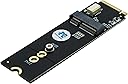
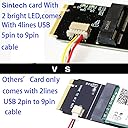
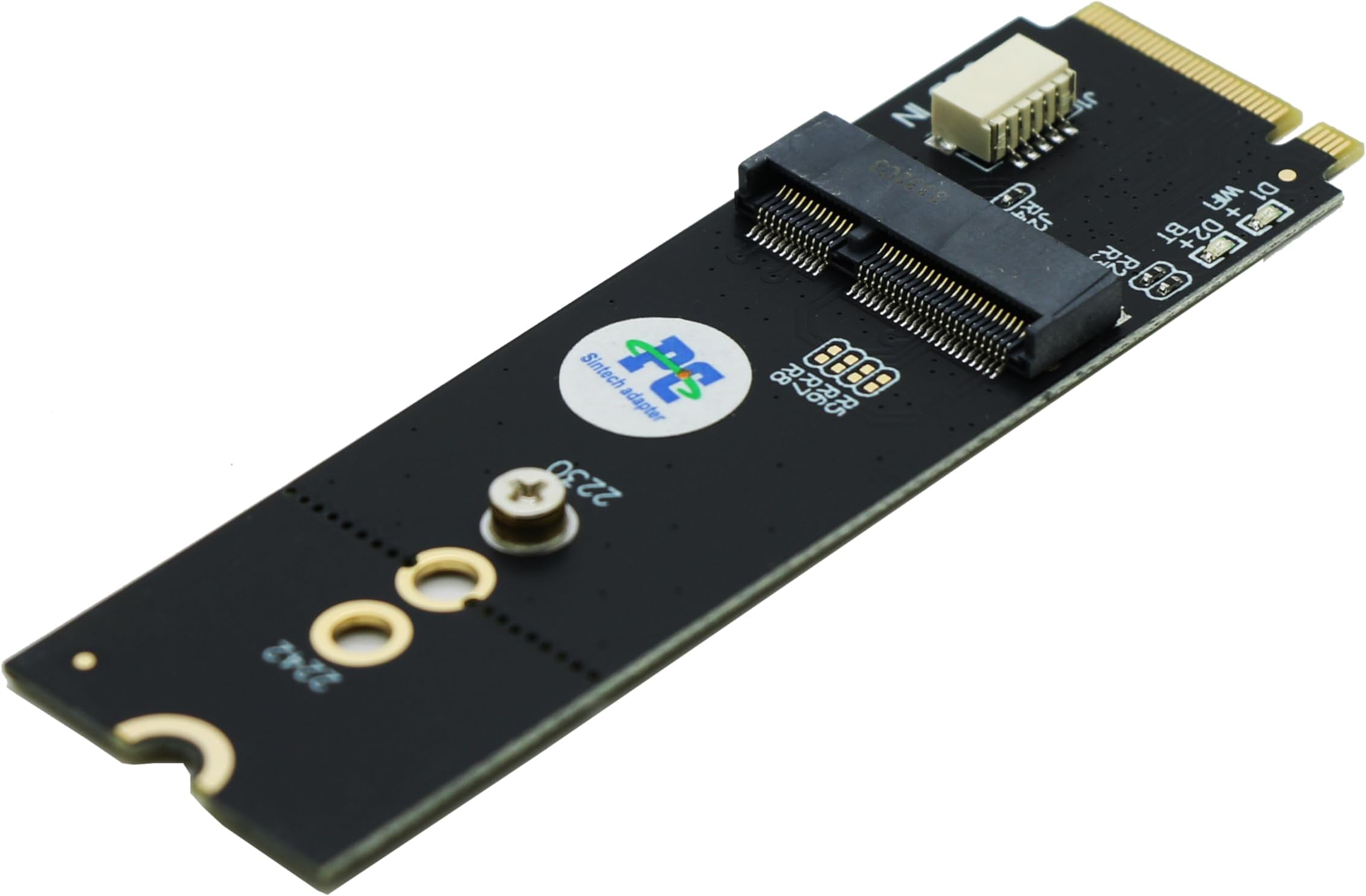
The Sintech M.2 M-Key Adapter Card converts M.2 Key-E or A+E WiFi/Bluetooth modules to fit M-Key slots on desktops, supporting PCIe 1X and USB 2.0 interfaces. Compatible with Intel 7260, 8260, 9260, and newer AX200/AX210 cards, it enables plug-and-play wireless connectivity without extra drivers. Perfect for compact PCs with limited PCIe slots, it includes a USB 5-pin cable to enable Bluetooth functionality, making it a versatile and hassle-free upgrade for professional setups.


| ASIN | B07WBXP632 |
| Best Sellers Rank | #144 in Internal Computer Networking Cards |
| Brand | Sintech |
| Color | Black |
| Compatible Devices | Desktop, Laptop |
| Compatible Operating System Family | Windows |
| Customer Reviews | 4.5 out of 5 stars 144 Reviews |
| Data Link Protocol | M.2 E key |
| Data Transfer Rate | 500 Megabits Per Second |
| Hardware Interface | Bluetooth, PCI , USB, USB 2.0 |
| Item Weight | 0.01 Kilograms |
| Manufacturer | Sintech Electronic |
| Mfr Part Number | VAR7421 |
| Minimum Required Operating System Version | Windows 10, Windows 11 |
| UPC | 701017253761 |
| Warranty Description | 6 Months |
E**Y
Stellar product, with no issues so far.
This item performs spectacularly. I’ll start with the cons: I can only think of 1, and really it’s not a con if you consider the nature of this item. The con that isn’t really a con is that obviously you’re using an m.2 slot for this, but if you’re looking at buying this item anyway that is a sacrifice you’re willing to make. Now for the pros, which there are several. 1.) this item actually is more compatible than the description let on. I had an Intel AX200 (AX200NGW, or Wifi 6, or 802.11ax) from an internal WiFi card. This item does not list this WiFi card among the compatible chips, but it certainly is. I have the some connection speed as when it was in the networking card as I did when it was finally setup. 2.) If you already had a WiFi card in your pc but had to get rid of it, this is a great way to ensure you still have WiFi, and there are no extra drivers to install. Of course, you can only make use of this if you have an m.2 slot you’re willing to spare. 3.) Bluetooth is enabled with this device, as long as you connect the supplies usb cable to the card and to the header on the motherboard. 4.) Considering that many of the new RTX cards are larger than 2 slots, this is a great alternative for small form factor PCs. My pc is an M-Atx, so I only have 3 PCIE slots, and they are ordered in such a way that my GPU covers all of them. I bought this hoping for the best and it pulled through for me, so maybe it will for you too. They also supply a tiny (non-magnetized) screwdriver to help with installation if need be. Overall, great experience with this product so far. I will update if any issues arise.
O**5
Brought wifi/Bluetooth to my Mobo
Worked with my Intel AX210.
E**T
Was a straightforward install with an Intel AX210 card
Took off one star for not including a M.2 screw for the motherboard. The carrier board seems well made and worked with no issues on my B550M mortar motherboard and an Intel AX120 wifi card. Great for an MATX build.
J**P
Looks really slick and matches my gigabyte-brand hardware
I can’t fully test this yet due to my gigabyte motherboard having built-ahead with plans to use the M.2 (M2Q) slot via support from the 11th Gen Intel CPUs that haven’t been released yet. However, I was able to plug in the USB header and test out the Bluetooth functionality of my attached M.2 type E Intel wifi/Bluetooth card, and it appears to work great! One thing to potentially note is that this adapter appears to get its “ground” through the USB connection. After installing the m.2 adapter with my Intel wifi/Bluetooth card installed on it (but not having connected usb yet) II touched my motherboard and got a hefty shock that shut down the board. I duplicated the results three times to ensure it wasn’t from static electricity due to dry Utah air. After plugging in the USB header, I no longer had this issue. So, it might have something to do with my wifi card being adapted through this adapter or the static in the air; but, I suspect it’s the adapter card causing the issue.
B**D
Easy way to get Coral AI running when the pins don’t align.
I use this for a coral AI accelerator and it works well, it was simple to install and can resist the heat generated by the coral chip.
J**Y
Working well for WiFi and Bluetooth functionality.
I got an Intel WiFi card because I wanted WiFi that worked in Linux also. I used the second m.2 slot on my Gigabyte B550M AORUS Pro mobo (Ryzen 5600X). That second m.2 slot goes through the B550 chipset PCIe instead of directly to the CPU's PCIe controller. This install required an adapter sled because this WiFi card is keyed for an A or E key pin configuration (that's how it does Bluetooth also). So I also got the Sintech M key to E key adapter sled. The sled connects into the mobo's m.2 M keyed slot (typically used for a SSD) and then the WiFi card plugs into the E keyed slot on top of the sled. Then a cable goes from the sled to a USB header on the motherboard for Bluetooth function, while WiFi uses the PCIe bus.
G**Y
It fits perfectly and works! M.2 Key M to mobo and on itself is m.2 key a/e
Bought this specifically for the motherboard (Gigabyte b550i pro ax) I’m using the don’t have pci e x1 AND I bought an intel i210t1 that’s pcie x1. This name m.2 adapter adapts my other adapter that I mistakingly bought that’s m.2 key a/e. This adapter installs like a regular nvme m.2 easily. Boots up and windows see my intel mic just fine. It works!
W**.
Works great as described.
I bought this to convert an M.2 A+E card to M.2 M key (NVME) PCIe and does just that. Works really well so far. PCB is thin but it will probably hold as no real force is applied after installation. A good price from my perspective.
Trustpilot
2 weeks ago
3 weeks ago