We remain fully operational. Our teams are working around the clock to ensure your deliveries continue safely.

DOWNLOAD THE APP


Customer Services
Copyright © 2025 Desertcart Holdings Limited
DOWNLOAD THE APP


Buy anything from 5,000+ international stores. One checkout price. No surprise fees. Join 2M+ shoppers on Desertcart.
Desertcart purchases this item on your behalf and handles shipping, customs, and support to Romania.
🚀 Elevate your workspace, elevate your game.
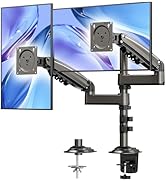
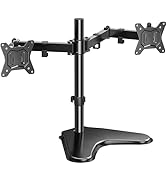
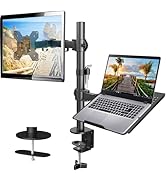
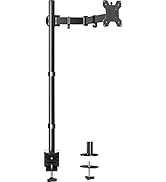
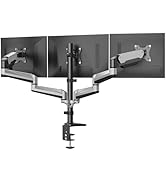
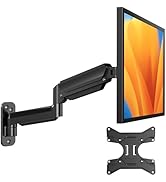
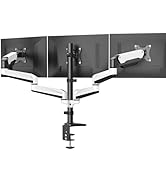
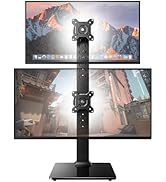
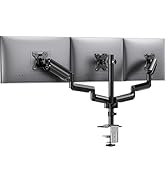
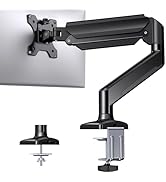
The HUANUO FlowLift™ Single Monitor Mount supports 13-32 inch monitors weighing 4.4 to 19.8 lbs, featuring full adjustability with tilt, swivel, and 360° rotation. Engineered with automotive-grade materials and tested for durability, it offers a stable, ergonomic solution that installs in just 3 minutes with dual mounting options for versatile desk compatibility.


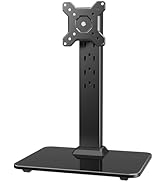




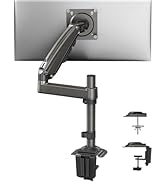
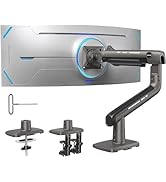


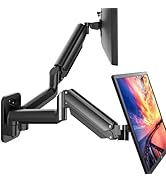










| ASIN | B07T3KCQ94 |
| Best Sellers Rank | #4 in Computer Monitor Arms |
| Brand | HUANUO |
| Color | Black |
| Compatible Devices | Monitor |
| Customer Reviews | 4.6 4.6 out of 5 stars (15,845) |
| EU Spare Part Availability Duration | 5 Years |
| Enclosure Material | Alloy Steel |
| Manufacturer | HUANUO |
| Maximum Tilt Angle | 85 Degrees |
| Maximum-Supported Screen Size | 27 Inches |
| Minimum-Supported Screen Size | 17 Inches |
| Mounting Type | Tabletop Mount |
| Movement Type | Articulating, Rotate, Swivel, Tilt |
| UPC | 810174341058 |
J**S
Perfect fit for my Alienware AW3425DW, sturdy, smooth, and worth it
I’m using this HUANUO monitor arm with my Alienware AW3425DW (34 inch ultrawide), and it handles it perfectly. Setup was simple, and the arm feels solid with zero wobble once tightened. The gas spring adjustment took a minute to get right for the monitor’s weight, but once balanced, it moves smoothly and stays exactly where I want it. Cable management is clean, the clamp is secure on my desk, and the overall look is sleek. I was a little unsure if it could support a heavier ultrawide like the AW3425DW, but it’s been completely stable. No sagging, no slipping, just solid performance. If you need a reliable, affordable mount that can hold a large monitor, this one works great.
Z**S
Great budget arm if you set it once, but adjustments are stiff
For around $30, this is a solid upgrade over a stock monitor stand and it immediately improves desk space and the look of a setup. If you mainly want a cleaner aesthetic and do not plan on constantly moving your monitor around, it does the job. The downside is that it feels budget when you actually adjust it. When I move the monitor closer or farther, the screen can slightly tilt, which means I have to re-level it afterward. That would not be a big deal, except tilt adjustments are very stiff once you tighten everything enough to keep the monitor from drifting. You basically have to tighten it hard for stability, and then fine tilt adjustments become annoying. A few minor notes: The base has a logo sticker, but it comes off easily. It is not especially sleek compared to more premium arms. My desk is thick (metal frame underneath), and this arm’s clamp range is part of why I bought it in the first place. I bought mine in 2022, so I cannot speak to newer revisions. I still rate it highly because it works if you tighten everything down and treat it like a “set it once” arm. If you want smooth repositioning and easy tilt changes, spend more on a better gas-spring arm.
J**D
First Time Mounting A Monitor, Easy Peasy!
As the title says, this was my first time mounting a monitor. Actually I have never mounted anything! I usually keep my monitors on their stand or TV's on a console. I recently purchased a Dell S2721D to use as a dual monitor and larger screen for my Steam Deck. Unfortunately the base of the monitor stand was HUGE! It also only allowed the screen to tilt up or down, I needed more. So a quick search on Amazon and I found this stand, what intrigued me was that it used gas for tension instead of coils. It also had a huge range of motion and tons of good reviews and was very affordable. Come day of delivery I unboxed it, read the instructions and went to work. First piece of paper included separately from the instruction manual was directions on what to do if your desk has a metal frame and then wood boards on top of the frame. This was my case, I needed to take an extra step to make sure the base of the mount was secure to my desktop. The instructions suggested using either a piece of wood to place under the desk next to the frame or a book, this way there is something there the same thickness of the wood + frame which would allow the gromet of the stand to catch onto something instead of just the lip of the metal frame. I went with a thick book and it secured perfectly! Next step was to remove the plastic frame from the lower arm and the upper arm so I could feed my wires through. This is where I hit a slight snag, the screw for the bottom arm was in an awkward area, the provided Allan key/Phillips head combo was too small to get a good fit into the screw head and only took a couple of twists to realize it could strip the screw head. Luckily I had a different screw driver and with a little effort I was able to get the screw out and the piece open. I placed my two HDMI wires and the power wire through the top cover first, made sure there was enough slack at the top and then screwed the plate back onto the top arm making sure it was not too tight. Then I pulled the cables down through the bottom plastic plate and screwed it back onto the bottom arm. Once I knew I had enough slack I tightened both covers. Next up was actually mounting the monitor. I removed the 4 screws that were already in the monitor and replaced them with the screws provided with the stand as they had larger heads. I screwed in the top two just enough to keep them secure and then hung the monitor onto the top of the plate which was secured to the arm, think hanging a picture frame. Now that the monitor was hanging on the plate, I slowly let go of the monitor as to avoid having the arm slam down or dropping the monitor which is a little less than 10 pounds. It hung with no issue, the arm didn't even go down in the slightest ( there's that gas power! ). I then secured the bottom two screws to the plate and tightened the top two screws, we were fully secured! I plugged in the power, the two HDMI cords and then rotated the screen 90 degrees to make it vertical and make sure I had enough slack for the monitor to rotate that far without causing pressure on the cords. Once that was done I pulled more of the cords down through the arms. Last step was to reduce the tension of the arm so that the arm could move up and down without too much force. I reduced it just enough to allow full movement yet keep the monitor in its place once released. Now I have full motion of the monitor, I can move it almost anywhere I need to to have the best view possible. This stand is solid, functional and the best bang for your buck!
Z**H
Great stand, forward/back tilt could use some improvement
The mount does what it says it will, it has good cable management, good support/doesn't fall down even at full articulation, the arm has good articulation and is easy to move yet stable. Installation is simple. The reason for 4/5 is that the tilt function is... challenged. Side to side (left/right axis) tilt is great, it's the tilting up and down that's a problem. There seem to be two settings of friction to the up and down tilt- too loose or too tight. I can't run it on the loose side or my monitor will fall forward/backward. When I make it just tight enough not to fall forward, the only way to tilt it is to grab the monitor with both hands and jerk it in/out at the top/bottom to break static friction. And this is as loose as it can be without moving on its own. It feels like I'm going to break the monitor or the joint on the arm when trying to get articulation in this axis so I just set it and adjust my chair instead. The monitor is easily rotated clockwise/ccw as well, it's literally just the forward/back axis that is poorly designed and is weirdly notchy- like it's trying to lock into place after being set but then won't let go for adjustment. Anyways for $35 or whatever it's on sale for I would absolutely buy it again. Just make sure your chair is adjustable to make up for the fact you won't want to be changing the monitor height itself much.
W**L
Amazed by the flexibility of this thing. Really can turn at any weird angles which helps my work. I’m able to turn the monitor to face the visitors as well back to an angle where people standing could see. Love the hydraulic sound that comes with it that sounds like robocop. Only downside is I still haven’t figure out how to loosen the adapter holding the monitor. The instruction is to use the Allen key but it doesn’t fit. Need to check online on this
A**.
La instalacion es algo tediosa o complicada siendo solo 1 persona pero fuera de eso es muy bueno para monitores de 24-27 pulgadas
A**X
Facile à monter et de bonne qualité
M**N
Perfect fit for my Lenovo legion r27s and it is very smooth and it has a very nice spring, easily adjustable and it fits on lots of desks, but it isn’t very stable on very large desks which have a big table top height, either way its a very good monitor arm and I would recommend this because its very stable and cheap
J**D
Awesome
Trustpilot
2 days ago
3 weeks ago