Desertcart purchases this item on your behalf and handles shipping, customs, and support to Romania.
💡 Upgrade your space, command your light—smart living starts here!
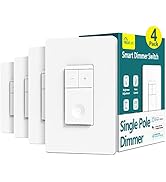
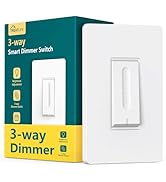
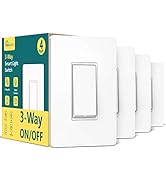
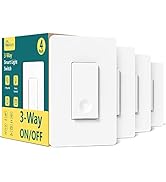
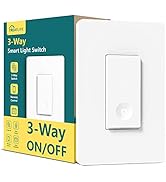
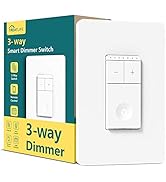
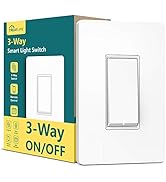
The TREATLIFE Smart Switch 4 Pack offers 2.4GHz WiFi connectivity with a robust 1250W power capacity, enabling seamless voice control through Alexa, Google Home, and SmartThings. Designed for easy, secure installation with standard sizing and screwless faceplates, these FCC-certified switches empower users to remotely manage lighting via the SmartLife app, create automated schedules, and enjoy reliable performance backed by a 2-year warranty and dedicated customer support.


| ASIN | B07WWYQJFR |
| Actuator Type | Push Button |
| Best Sellers Rank | #40,179 in Tools & Home Improvement ( See Top 100 in Tools & Home Improvement ) #145 in Electrical Light Switches |
| Brand | TREATLIFE |
| Brand Name | TREATLIFE |
| Circuit Type | 1-way |
| Color | White |
| Compatible Devices | Android, iOs |
| Connectivity Protocol | Wi-Fi |
| Connector Type | Screw |
| Contact Material | Plastic |
| Contact Type | Normally Closed |
| Control Method | App |
| Control Type | full |
| Controller Type | Amazon Alexa, Android/iOS, Google Assistant |
| Current Rating | 10 A |
| Customer Reviews | 4.5 out of 5 stars 4,193 Reviews |
| Included Components | Household |
| International Protection Rating | IP65 |
| Item Dimensions | 5.63 x 5.83 x 4.57 inches |
| Manufacturer | TREATLIFE |
| Material Type | Acrylonitrile Butadiene Styrene, Plastic |
| Model | bosma-171 |
| Mounting Type | Wall Mount |
| Number of Items | 4 |
| Number of Positions | 1 |
| Operating Voltage | 120 volts_of_alternating_current |
| Operation Mode | ON-OFF-ON |
| Part Number | bosma-171 |
| Specification Met | FCC |
| Switch Type | Push Button |
| Terminal | Spst |
| UPC | 756171582837 |
| Unit Count | 4 Count |
| Warranty Description | 2 years |
| Wattage | 1250 watts |
W**M
Great smart switches!
I bought these smart switches because I wanted a uniform look throughout the house and I had a variety of switch types to replace. We have standard on/off switches, but we also have 3-way switches and a dimmer switch. Furthermore, I wanted to replace the need to pull fan chains with dimmer switches as well. I found several companies that had on/off switches that looked nice or dimmer switches with cool functionality, but this was one of the only brands that had all of the types of switches for which I was looking. Being firmly entrenched in the Google ecosystem (my wife, daughters, and I all have Pixel phones, we have Google Home, Nest Minis, or Hubs in every room, and we have Google Nest Hello doorbells), I really wanted something that would work with Google Home as well. Finally, as we have over forty switches in our home, I wanted something that was a little more budget-friendly. These Treatlife switches seemed to check all of the boxes, so I bought a four-pack of each of the three types for a first run: standard on/off switches, dimmer switches, and 3-way switches. When they arrived, I briefly read through the instructions and pretty much jumped right in. If you've ever installed a light switch before, this really wasn't anything new, but, even if you haven't, the included instructions make it simple to attempt for the first time. There's also no guesswork involved since, as opposed to the screws on the back of ordinary light switches, these smart switches come with color-coded (as well as labeled) wires, a few inches in length, to which you make the connections using included wire nuts. All the necessary hardware is also included in the box. As mentioned above, each switch comes with four or five wire nuts (depending on the switch type), as well as the screws to affix them inside the junction boxes in the wall. They even come with screwless, snap-on faceplates, which look really nice, but which I opted to forego because, as mentioned above, I was looking for uniformity throughout the house. No sweat, though, because I was able to pick up a ton of matching faceplates from Home Depot for just a few bucks, and these smart switches work with any standard faceplate. That is not to say that everything was sunshine and rainbows. I did have a few issues during the installation phase that I should probably mention at this time, but I believe that most of them are due to my unique situations. The biggest thing that I ran into was that, being smart switches, there's a lot of electronics that go into them, and those electronics take up space. The "inside" of the switches, the part that goes into the junction box, are significantly larger than a standard switch that only goes in as far as the toggle mechanism and screws require. This isn't a problem for a single light switch in a junction box made for a single light switch, but, as things scale up, fitting three switches into a triple junction box along with all of the wires going to all of the various fixtures, things got a little tight. On a very much related note, many of my double and triple boxes have four or more white (neutral) wires inside the box, all bunched together in a single wire nut. Adding three more white wires for these three new smart switches didn't really work with the existing wire nuts, nor did it work with the included wire nuts (which are obviously designed for joining two wires and not seven). Luckily, I had extra oversized wire nuts lying around from previous projects, but, again, that's something you can easily pick up from Home Depot, Ace, Lowes, or wherever, without much hassle. For some of the black (hot) connections, there were already small "jumpers" that the previous electrician had used to wire things together, which made it a little easier to use the supplied wire nuts. Once I got everything installed, setting up the "smart" features was simple, though not as simple as it could have been. First of all, you need a smartphone to set the switches up. I'm assuming for most people that shouldn't be a problem, but it is worth mentioning. My phone had trouble with the QR code not going to the right place to download the required SmartLife software, but I manually typed the name into the Play store and found it with no problem. That could have been out-of-date documentation in the box or it could have been a problem with my phone. When you first power on each switch, the LED on the switch will rapidly flash red to indicate that the switch is ready to be set up. If you don't get it set up in time, no problem, just hold the switch down for five seconds and it will begin to flash again. My problem was that the software kept having errors setting up the switch in this mode. However, there is a second mode (hold the switch down for another five seconds and it will begin to slowly pulse red) in which the switch sets up its own WIFI hotspot that you then connect to on your phone to do the setup. This mode worked like a charm for me. After trying the "fast" mode on the first four switches that I installed to no avail, I didn't even bother on the remaining switches and exclusively used the "slow" mode, which, ironically, was much quicker for me. Once all of the switches are added to the SmartLife software, you could stop there and be 100% happy with your setup. The software is easy/intuitive to use. Switches can be grouped into rooms within the house. You can group the switches for one-tap access, create simple automation, etc. And you can sit on your couch and control the lights in other parts of the house with a touch of a finger to your phone. I wanted to go the extra step of integrating my new switches into my Google Home so that I could control them with my voice, though, so there were a few extra steps. First, when I opened my Google Home app, it already recognized that I had added SmartLife, and prompted me to connect the two. After doing so, it quickly recognized all of the new switches and allowed me to add them to my existing rooms in Google Home. The only thing I think could have been better is if it had recognized that the rooms in SmartLife had the same names as the rooms in Google Home and automatically grouped the lights accordingly. I'm sure there is a use case that I am not thinking of to explain why it doesn't work that way, but that's really my only complaint when it comes to integrating with Google Home, and that could very well be a Google problem rather than a Treatlife problem. I've had the switches installed for about a week now, and things are still working great. I love being able to say "Hey, Google, turn on the living room fan and reading lamp" while I'm still in my bedroom and having everything ready for me when I walk out. I also like that I don't need to walk through my entire house before bed to make sure that all of the lights are out. I can just say "Goodnight" and everything turns off. The switches themselves are attractive, as far as light switches go, and relatively unintrusive. They have a good analog feel to them when pressed. The 3-way switches are "smart" enough to know when a light is on or off even if the other switch in the pair was used to toggle the light. The dimmer switches are press-to-turn-on/off and then touch-and-drag-to-dim, which did take a little getting used to, but I find that I like it a lot more than the separate on/off and up/down buttons on similar smart dimmers. Plus, if I want the lights or fan at 25%, I can just touch my finger at that point on the touch strip and it will jump right there, which you can't do as easily with an up/down button. Of course, I tend to just say "Hey, Google, set the overhead light to 25%" and be done with it. Overall, though, I could not be any more pleased with these smart switches. They are exactly what I was looking for, they work as advertised, and I haven't had a single problem with them since installation (I will update this review if I do). So far, I've smartened up my living room, master bedroom, stairs, and landing (overlooking the living room), and I'm looking forward to putting in my next order.
M**L
Reliable Smart Switch with Excellent Long-Term Performance and Customer Support
Reliable Smart Switch with Excellent Long-Term Performance and Customer Support I have been using the TREATLIFE Smart Switches for more than two years, and I would like to share my long-term experience rather than just my first impression. The switches have performed very well with both their smart features and everyday use. They work reliably through the Treatlife app, and the integration with Alexa voice control has been convenient and responsive. One of the main reasons I trust Treatlife compared with some other smart switch brands is the reliability of its cloud-based platform. Many smart switches may appear similar in terms of features and app functions, or also their physical appearance and interface in their app, but the real difference is often the reliability of the connection between the device, the company's cloud service, and your home network. With Treatlife, remote control has remained dependable. Even after I moved to a different part of the country and installed the new but same switches in the new home, they continued to work just as reliably as before, allowing me to control them remotely without issues. Another reason I have confidence in Treatlife is the company's willingness to support its products. I did have one switch that completely failed after about six months of use. After contacting customer service and going through a few troubleshooting steps to confirm that the switch was defective, Treatlife promptly sent me a replacement. They also kept me updated on the shipping status throughout the process. This level of support gave me additional confidence in both the product and the company. After more than two years of use, most of my Treatlife switches are still working well, and the combination of reliable performance, convenient smart features, and responsive customer service makes me comfortable recommending them. If you are looking for a dependable WiFi smart switch that works well with Alexa and provides reliable remote control, Treatlife is a brand worth considering.
C**K
Good Smart Switches - Easy to Install and Integrate with Alexa
My motivation for Smart Switches was the ability to have some automations and be able to close the light without going to the actual room. Firstly I wanted my Porch Light to turn on as soon as someone rings my Video doorbell. Also, I often left lights on in rooms before going into the next room and it was a pain to go back to the earlier room to switch it off. These switches addressed both my requirements. I was able to set up Automations to turn on Porch Light on the Doorbell Ring. I also was able to integrate the switches into Alexa so that I can turn off the lights on Voice Commands. I was also able to set up automations to turn off lights after a certain time. After researching several different switches, I chose the Treatlife product as it has an excellent review rating and is competitively priced. One of the important points distinguishing these from KASA switches was the unlimited amount of automations that you can setup on these switches. KASA limits to three automations. Product was well packaged with clear instructions (including images) and necessary components for installation. It had Foam in between to prevent switches from rubbing against each other as well. The First install took me around 45 minutes. This includes connecting to WiFi and linking with Alexa for voice control. The next two switches I was able to install in 40 minutes though most of my time was spent in cramming all the wires into the very limited space available in the Junction Box. With two switches, it takes quite a bit of effort to cram everything in. The last switch gave me some problems while connecting to WiFi but I restarted the switch and then it was able to connect. I wasn't able to use the Wall Plates provided with the switch as my installs were all on 2 gang wall plates. I bought some inexpensive ones from Amazon. I would have liked them to have the option of including single Gang Plates or Double Gang Plates. The look and feel of the switch is excellent. The switch has a nice button with a small depression. The built in LED light glows when the switch is off which helps locate it in the dark. The only cons I felt about this would be that the whole switch feels very plasticky. I would have preferred the part with the screws to be metal similar to my old switch. Overall a very good product. I am pretty sure, I will be buying more of this switches to install around the house.
A**S
Initially, the switches turned ON then immediately OFF...but then I discovered the solution.
I put two of these switches in the main bathroom. One switch for the light and the other for the fan. The installation and setup were straight forward, as hoped. I was able to quickly connect to the switches using the Smart Life app. They worked great with the app turning on/off. Through the app, I set up the switches to automatically turn off, 10 min after being turned on. This features was important to save electricity as I have kids and a wife that never remember to turn the lights/fan off. I tested the program and it worked great! However, when we started using the bathroom, the switches took 2-20 presses to get the switch to stay on. Most of the time pressing the switch turned it ON, then immediately OFF. I tried pressing the switch in different areas, using different pressures, and for different lengths of time. The switches seem to stay on by chance. On one occasion, I found myself in a rush to get on the toilet. Entering the dark bathroom, I tried clicking the switch 3 times to turn the lights on, without any luck. I finally had to sit on the toilet, in the dark, before I had an accident. This product was not going to work out. Any guests coming over would have issues turning on the light. Bummed, but determined. After messing around with the Smart Life app, I discovered that if I turned off the automatic "turn the switch off after 10 min" program, the switch functioned just fine. It turned on every time it was pressed. So the issue was with the automatic program on the Smart Life app. I fiddled with the program for a while and finally got the program to work as I wanted and the switch to turn on with one press. To set up a switch to turn off after a certain time, launch the Smart Life app, then at the bottom go to Smart, then Automation tab, and click the + in the upper right... *** Incorrect Setup*** I originally created the automated setup below, using Countdown: When device status changes -> [selected switch]-> Switch 1 -> ON Run the device ->[selected switch] -> Countdown 1 -> 600 sec -> Save Click + in the Task area -> Run the device -> [selected switch] -> Switch 1 -> OFF -> Save ***Working Setup*** Using Delay, instead of Countdown, made the switch work properly When device status changes -> [selected switch]-> Switch 1 -> ON Delay -> 10 min -> Next Click + in the Task area -> Run the device -> [selected switch] -> Switch 1 -> OFF -> Save Using delay instead of a countdown made all the difference. Now the light switch turns on with a single press. I went from being very frustrated to very pleased!
R**E
Electrical install and Wi-Fi setup, easy. Putting in the wall, not so much.
I’ve gotten obsessed in the last couple weeks with smart device integration. It started with a couple of smart bulbs, then a couple of smart plugs. After buying more smart plugs, I decided on a set of smart wall switches. I bought the TreatLife switches because of their low cost, Tuya compatibility, and good reviews. I got them yesterday and installed one today in my bedroom. Install during the day. It’s a bit awkward to do it at night, because, you know, darkness in an unlit room. (Ask me how I know.) I’ve done switches and outlets before so I know to shut off the breaker, TEST TO ENSURE VOLTAGE US ACTUALLY OFF AT THE CIRCUIT. (Sometimes in older houses, the breakers aren’t marked correctly on the panel. Ask me how I know.) I used a non-contact tester, and also a voltmeter just to be sure. Turns out even though my existing switch only controls one light fixture, there were 2 or 3 line wires and 3neutral wires in the box. I got the connections done ok with the supplied wire nuts, and used slightly larger nuts for the multiple wire connections. I turned the power back in and tested, switch worked as expected using the push button. I went into the Tuya app (NOT the TreatLife app, because I didn’t want to set up yet another use account), told it to search for the switch, and was connected in less than 2 minutes. It turns the lights off to let you know. I didn’t even have to switch my phone to the 2.4 GHz signal. Very easy and seamless. I set up an automation where I programmed it to delay and then turn off, if turned on. I set up a 2 minute delay for testing, and Poof! Off they went after 2 minutes. I changed it to 2 hours and then went to shut off the breaker to put the switch back in the wall. That’s where things got a bit unexpectedly difficult. Because of the number of wires and nuts in the box, and because the body of the switch seemed to be rubbing against the inside of the box. It wouldn’t sit flush to the wall. I had to press or tap it in with my palm, and then lined up the mounting screws. Tightening the screws deformed the weak plastic tabs so it wouldn’t draw in fully. I also found for some reason the supplied trim plate wouldn’t stay clipped into the switch. I found another plate with screws and screwed it on; thankfully the switch had extra holes to allow using another plate. Even then there’s a small gap to the wall. I thought maybe I should try to file off some material from the inside of the Bakelite box, but as I already had it in I decided to leave it. Maybe some double-sided tape will be the cure. I really wish the tabs for the mounting screws were metal, or a thicker plastic, or had stiffening ribs. One of these design and construction enhancements made guy have allowed it to draw closer to the wall and avoid an unsightly gap. I do like the small unobtrusive light on the switch so you can find it easily in the dark. Even after more than 2 years in my home I still fumble for it sometimes. No more. So I got that going for me. I tried to put one in my bathroom so that I can leave the lights and exhaust fan on with a delayed auto-off. However there’s no neutral wire in that box, so no go. I did put one in the laundry room and it was a bit easier. I liked these enough that I ordered a set of the 3-way switches. (I have a separate review for those on that product’s page.)
C**N
Easy to use and intuitive indicator LED
I bought 4 of these 4 years ago and they all are still in service. I use it with SmartLife- Smart Living app by Volcano Technology Limited on Android and it works well. LED is intuitive: it is on when the load is on and off when the load is off.
S**S
Treatlife, a real treat! Wish I had installed more dimmer switches (but these are nice)!
It’s been about a year since we installed 28 smart light switches throughout our home (26 being the Treatlife brand). I delayed providing a review to get some runtime in and now feel fully qualified to provide meaningful feedback. Currently, Treatlife offers three types of smart switches: dimmer switches, 3-way switches, and these normal single pole switches. They also offer different models, which I presume operate the same, but this review does not cover them (I don’t know which are the newer styles). Installation for all three of the switch styles we purchased is very similar and well documented instructions are provided. The 3-way switches can be installed as either 3-way switches (two switches operate the same light) or standard, single pole switches. This flexibility helps when planning the number & type of switches to purchase (they are cheaper when purchased in packs of four). What Treatlife does not offer is a combination 3-way dimmer switch. Physical installation is not difficult; a neutral (usually white) wire is required to provide current for the smart circuitry. Most of the “dumb” switches you replace are unlikely to have neutral wire connections, but unless your home is 40+ years old you are likely to find a neutral wire in the switch box. If you do have an older home, it would be wise to check for those neutral wires prior to ordering these Treatlife switches. Once installed with the power restored, the Smart Life – Smart Living App will walk you through connecting your smart switch to your home Wi-Fi network. I found that some of the switches were automatically found and added by the Smart Life app, but others I had to follow the in-app step by step instructions. In any case, connecting these switches to the network was not difficult. More on the originally recommended Smart Life – Smart Living app later (apparently Treatlife has their own app now). One word of caution regarding installation. These switches are very bulky, and the exteriors are of all plastic construction. One needs to neatly tuck in wiring to manage space within the electrical box. Because of the plastic construction, overtightening can cause binding. I found that if I overtightened the bottom screw, especially, the switch often wouldn’t operate correctly (i.e., pressing the switch may not turn the light on/off). So, manage the wiring in your electrical box and avoid overtightening to prevent binding and ensure proper operation. I was pleased to find out that for a pair of 3-way switches, only one switch must be replaced with a Treatlife 3-way smart switch for full functionality. I verified that it does not matter which of the two 3-way switches are replaced (in a 3-way switch circuit, one 3-way switch is connected to the line, or power, and one switch is connected to the load, or light, while the 3-way switches have two parallel lines running between them). Anyway, one doesn’t need familiarity with a 3-way light circuit to follow the provided smart switch installation instructions and only one of the 3-way switches needs to be replaced. All three smart switches have a discrete, circular indicator light. The color of the light tells you if the switch is connected to the network (red is not connected, white is). The indicator light will blink fast while connecting to the network, but the best feature is that they glow softly in the dark when the light is off. Indicator lights are also provided at the top of dimmer switches to indicate the brightness setting. Only on two occasions has one of our smart switches disconnected from the network. It hasn’t happened in months and I don’t know why it happened (two different switches on different days). The switches were not visible from the app when disconnected from the network. The switches can still be operated manually when disconnected from a network. The fix was as easy as pressing the reset button on the switch (see included instructions – easily accessible). Upon resetting, they auto connected to the network and were again visible in the app (all settings were retained and automatically re-applied). I have noticed that upon rebooting the Wi-Fi router or upon return of power after a power outage all the switches quickly reconnect to the network. A nice feature of the dimmer switch model is that lights gradually ramp up and down when being turned on and off. The lights dim/brighten at the perfect rate and it’s easy on the eyes! I wish, now, that I had purchased more dimmer switches – for as many as have bulbs that are dimmable – instead of single pole switches. The single pole switches are about 20% cheaper, but if I had known how much I would appreciate the dimmer switch feature set I would have gladly purchased & installed more dimmers. Keep this in mind when planning how many and what type of switches you want. These single pole switches are nice, but use the Treatlife dimmers instead wherever possible. The Smart Life – Smart Living app on the Google play store was the Treatlife recommended companion app when I purchased these switches. It has worked remarkably well, not just for these switches, but for nearly all subsequent smart home devices (the exceptions being ecobee Smart Thermostat and Kwikset Halo deadbolt, which each have their own proprietary smart apps). Since my purchase and setup, Treatlife has come out with their own companion smart app. My comments on the app address only the Smart Life – Smart Living app by Volcano Technology Limited (which I believe is or was affiliated with Tuya Inc.). I’ve had good success with this app and don’t intend to change to the Treatlife app. Since these Treatlife smart Wi-Fi switches were my first smart home devices, my only control option initially was through the recommended Smart Life – Smart Living app. The app is easy to obtain (Google Play Store – look for the one by Volcano Technology) and walks you through initial setup. As I recall, your first step is to create & name a “home” within the App. Then you add smart devices that you want to control and there are a TON of categories (i.e., Electrical, Lighting, Sensors, Large Home Appliances, Small Home Appliances, Kitchen Appliances, Exercise & Health, Security & Video Surveillance, Gateway Control, Energy, Entertainment, Industry & Agriculture, and “Others”). Each category has many device types. You want the Electrical category and either the Switch (Wi-Fi) device for this product & the 3-way switches or the Dimmer Switch device for the Treatlife dimmers (naturally). Once your Treatlife switch is installed and the power is restored, just open the App, click on the plus (+) icon at the top, select the category & device as mentioned, and follow the on-screen step-by-step instructions to connect. It’s all very easy. You’ll add the device to your home in the App, choose a room (optional) and rename the device as desired. Organizing your home, rooms and devices in the app is all part of the fun! All your smart devices are listed upon opening the app and they are controlled from there. You may arrange the devices in any preferred order, and you may view devices by room. One of the best features is the Automation. Have a closet light that is left on habitually? Set up an automation to turn it off after a time delay. Tired of coming home from a long day at work only to see that nobody turned off the porch light and it’s been on needlessly during daylight hours? Simply set up an automation that turns it off every morning at sunrise. A few automations are shown in the pictures. I will say there are no app instructions that I could find, but playing around will yield results without too much difficulty. The most complex automation I’ve created so far (a lot of trial & error for this one) was auto dimming the Master Bath lights within a specific time period, with the additional conditions that the light could be brightened once turned on, but they would dim again upon turning them off. No more fumbling with the dimmer while groggy during nighttime business – just turn on the light with no worries of being blinded! Tap-to-Run is another type of automation feature I have only recently played around with in the app. Once set up, a single tap will operate multiple devices. We have a Tap-to-Run established that turns off all but one light in the common areas to establish “Movie Lighting.” Thus, the normal Automations run whenever the conditions are met and Tap-to-Run actions require user activation. However, when it comes to operation, whether single devices or multiple devices via Tap-to-Run, Alexa via a smart echo speaker is Queen! Alexa integrates seamlessly with the Smart Life – Smart Living app! Honestly, my opinion is that without a smart speaker a smart home isn’t all that smart. Alexa is the perfect choice for a home assistant. “Alexa, turn off the Family Room Light.” “Alexa, turn on Movie Lighting.” The Smart Life – Smart Living app is required to create Automations or add smart devices (Alexa recognizes the new devices the instant they are added). But once you have a smart speaker, the app will rarely be used to operate the Treatlife switches. Alexa adds additional functionality in another way: establishing device grouping. With groups established within the Alex app (not the Smart Life app) additional commands are available. “Alexa, turn off all the lights.” “Alexa, turn off the downstairs lights.” “Alexa, turn off the lights in the Living Room.” I set up Google Home and the Google Assistant just to try it out. It does integrate with the Smart Life – Smart Living app, but frankly, Alexa is superior to Google (however I won’t explain why here since it has nothing to do with these Treatlife switches). I highly recommend these Treatlife switches as a start to anyone’s smart home project. The convenience of having remote operation of all lights in the home cannot be overstated. Alexa, Treatlife and the Smart Life – Smart living app; a terrific trio!
G**I
Life Savers
Pros - Excellent deal when bought in bulk - Two modes of smart app installation in-case one fails. - Alexa Integration works well - LED indicator for nighttime Cons - Larger profile make it hard to fit multiple of them a multi-switch gang box - EZ Connect mode doesn't work all the time - Screws are not strong enough - Would prefer push-in connectors I have recently installed all kinds of smart switches throughout the house. Products by Tessen, C by Ge, Enbrighten, and now the Treatlife products. These new 3-way switches are a life saver! You only need to install one of these on a 3-way or 4-way switch. You do not have to replace all the switches, which is what happens with Enbrighten. On a 3-way switch you can replace either of the switches with only this new smart switch. On a 4-way switch you have to replace either the load or the line switch. You cannot replace the switch which only has the traveler wiring. Combine these with a bulk order of 4 of these in one box, and you can replace 12-16 switches!!! The difficult part is getting them to fit into your gang boxes. Single gang boxes will be the easiest install, but trying to fit multiple of these into 2/3/4 wide gang boxes can prove really difficult. There can be a lot of cabling, a lot of twist on connectors, plus these larger profile of these devices when compared to typical dumb switches and you are looking at brute forcing a lot into the gang boxes. Because of the pressure I was forcing, the screws that come with these do not hold up, they broke in half in the gang box. I used the screws from the original dumb switches which were stronger. You might have to convert to push-in connectors, or remove as much of the extraneous cabling as possible. As far as installation goes I prefer the Enbrighten devices which come with push-in connections and have a smaller profile. I was able to install the switches bigger gang boxes, as long as the other switch was a dumb switch or a smaller profile Enbrighten switch. The only one I had no choice is the gang box I took the photo off, it had to be forced really tight, and the plastic cover had to be "shaved" to make it fit into this switches. Next was adding the switches to the Smart Life App. That goes smoothly most of the time with their "EZ Connect" mode, if the "EZ Connect" mode doesn't work the "AP Mode" worked reliably. Alexa integration works well and adds the devices right away. Overall very happy with them, but took a good amount of time to install them properly.
Trustpilot
1 week ago
1 month ago