

๐ฑ Smart watering that saves water, money, and your lawnโs vibe.
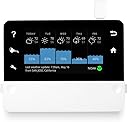
The RainMachine Touch HD-12 is a 12-zone smart Wi-Fi irrigation controller featuring a vibrant color touchscreen and advanced weather forecast integration from multiple trusted sources. It operates independently of the cloud to protect your data and ensures efficient watering by dynamically adjusting schedules based on hyper-local weather data. Compatible with major smart home platforms and offering remote control via iOS, Android, and web, itโs EPA WaterSense certified to help you save water and money while maintaining a lush garden.


| ASIN | B00CT5PNBU |
| Brand | RainMachine |
| Brand Name | RainMachine |
| Color | White |
| Customer Reviews | 3.9 out of 5 stars 1,103 Reviews |
| Display Type | LCD |
| Item Type Name | Smart Wi-Fi Irrigation Controller, Compatible with Alexa |
| Item Weight | 11.04 ounces |
| Manufacturer | Green Electronics LLC |
| Material | Plastic |
| Material Type | Plastic |
| Model | HD-12 |
| Number of Items | 1 |
| Operating Temperature | 15 ยฐC |
| Part Number | FBA_HD-12 |
| UPC | 859285004001 |
| Unit Count | 12 Count |
| Warranty Description | Manufacturer warranty for 2 years from date of installation |
S**E
I think I finally found a smart irragation controller I like... only one little issue to resolve
I received the RainMachine HD-12 today from Amazon. I've had several controller in the past... I started originally with a stock Rain Bird unit that was installed with my system. I immediately knew that it was not going to do the job, so a couple years back I moved to OpenSprinkler, a controller I built from a kit. This unit served me well, but the one feature I really wanted was the weather integration, which by the time it was available on OpenSprinkler my hardware was obsolete, which meant I was going have to upgrade hardware to take advantage of it. Since an upgrade was inevitable, I decided to take a look at what else was on the market. For better or worse (worse as it turned out) I decide to go with a Blossom controller. Blossom is fairly new to the market and I though they had a solid product. As it turned out, the hardware was great, but the software was riddled with issues. I sold the Blossom and today, after much research, I received the RainMachine HD-12. What drew me to this unit was the long track record, the open API, weather integration, the fact the unit could be totally controlled from the unit's touch screen (important if you have folks come to maintain your system) and most importantly the unit does not rely on a cloud service to run. If you are reading this review and trying to decide on a controller, in my opinion, this one single point should weigh heavy in your decision. If there is a problem with the service, the internet or the company just plain goes out of business-- where does that leave you? It leaves you with not so smart of a controller. So, if I love the RainMachine so much way only four stars you may ask. Well, my brand new controller arrived with a defective zone. One of the 12 zones will not activate. I know that things are going to happen, so I'm not so concerned about this one issue. What is more important to me is how a company stands behind their products-- I think that says a lot. I have sent an email to their support and I'm waiting to see how they handle my problem. From everything I've read in other reviews about Green Electronics I have no reason to believe that I will get anything less then stealer service. Once I know more I will update my review. UPDATE: I was contacted by support within a couple hours and they informed me that I needed to do a firmware upgrade to fix my issue. The upgrade was a simple process that I completed from the Rainmachine app on my phone and only took a few minutes. After the upgrade my issue was resolved. I'm impressed with the quick response from support and my HD-12 is working great now. I'll update my review again once I've used the HD-12 for a while. UPDATE (9-25-16): I've been using the Rain Machine for a while now and it still works as well as the day I purchased, no issues. Green Electronics has update the firmware a few times and has added additional features. One I really like is the ability to choose other weather data providers, such as Weather Underground. Weather Underground is a whole weather eco system on it's own, which allows me to get weather data from other user's stations, one as close as a mile from my home. If you pick multiple providers then it averages the data from all your choices. Using weather data to help control the amount of water I'm using has saved me 80% over a conventinal "set and forget" stock controller... and that is a good return on my investment.
A**R
The Ultimate Sprinkler Controller System: The RainMachine.
Rain Machine or Smart Machine? I guess the name needs to be associated with rain, water, etc. This is a Smart Sprinkler System Controller. It has all kind of features. One of then, and always thought about is the following: If it is too windy, don't do any watering. The wind will blow away half of the water. No sure how efficient is that feature with this controller. Also I like the feature that I can have my own weather system, and feed the data to this controller, and this will reflect 100% accuracy how is the weather in my backyard. In my opinion, all weather reporting systems(like NOAA) is that they used sensors installed no really close to your house. So the weather will be very different in my house at 2800 feet compare to 2300 feet where the sensor is installed. Any way, I got it yesterday, installed it, tested it, it works! Weather Underground is a little different, still I find differences how is the weather in my backyard and the closes sensor they are using to report weather. Here are some pictures how I installed it. Now, this is not my idea, I got this idea from another reviewer here on Amazon. Why I did this? Just look some of the wires, very thick wires. These wires will break the connectors of the RainMachine. Here is one thing that I dont like about the RainMachine: The Mickey Mouse thing for the WiFi. The pictures these guys(RainMachine guys) posted, the WiFi adapter thing is white, so chances are you will not pay attention until you get the controller. When I saw that I thought: what the heck is this thing? Well they mickey mouse the controller to make it WiFi compatible. UPDATE 06/06/18 The Rainmachine has been working without a glitch. The feature that I like the most is the: Weather-Adaptive Watering. It adjust itself accordingly to the weather conditions. Too hot? It increases the watering time. Too cold? It decreases the watering time. I changed the power transformer, I did not like the cheap transformer included with the rainmacine. During the installation using this Orbit box: https://www.amazon.com/gp/product/B000VYGMF2/ref=oh_aui_detailpage_o05_s00?ie=UTF8&psc=1 I found that the transformer puts out 31 volts! The reainmachine is supposed to be designed for 24 volts, so I ordered this transformer: which is also class-II : https://www.amazon.com/gp/product/B004VMVDTA/ref=oh_aui_detailpage_o04_s00?ie=UTF8&psc=1 Now this transformer is 24 volts(actually 26 which is only 2 volts above the 24, but not 7 volts like the black transformer included with the rainmachine), and has more current, 1.6A to be precise, the transformer included with the rainmachine is only 0.75 A Having more available current will not hurt the rainmachine, having more volts will fry the rainmachine. The new transformer has an LED that indicate that the power is present. UPDATE 01/18/19: Rain Machine Rain Machine, save water save money! I just love the Rain Machine. Because is easier to control it (turn OFF, turn ON)due to the fact that is WiFi, definitely I saved water, therefore I saved money. I just paid my water bill, it was about 15 Dollars less compare to previous years! Mine is installed in the garage, during this time the garage gets cold, during summer time it gets very hot, of course we dont like to go to the garage when is too cold or too hot. Just grab the iPhone and control the Rain Machine, and from anywhere around the world. How nice is that!
J**G
Looks impressive, software is flaky,
UPDATE 4/7/16 Some things I learned tinkering around. Number 1, when you call product support, if they can't answer your question you will be asked for your email address and then a Zendesk ticket will be created. You'll get an email requiring you to register in order to follow along with the case. Number 2, if you want to SSH into the unit, just checking the SSL checkbox and clicking change isn't the whole process. If you just try to SSH into it at this point you'll get an error. You'll want to make sure you installed or have the executables for PuTTY, PuTTYGen and Pageant. First, run PuTTYGen and create a public and private key. Save these two files out somewhere safe and copy the full string in the "Public key for pasting into OpenSSH authorized_keys file". Maybe park this in another file named SSH-RSA.txt. Then open Pageant and in the tray, right click and select "add key". Browse to your private key file and add it. Then, browse to your RainMachine at https://<ipAddress:8080/api/4. In the first box beneath POST auth/login enter your RainMachine password you assigned when you went through the setup wizard on day one. Then click POST auth/login. You should get a popup window with an access_token: and a hash code. Close that window and scroll down to the bottom and find the box for RSA SSH Key string. Take the string you copied from PuTTYGen and paste the ENTIRE string in there beginning with ssh-rsa and ending with rsa-key-some random numbers. All of that, then click the link above the box POST dev/import/sshkey (SPK3 only). NOW, yes, you can launch PuTTY and SSH into the unit. When it asks for your username give it root, no password. Bingo-bango, you're in with root privileges. So glad they published that process nowhere. Number 3, the NOAA, MetNo and PWS parsers (the three I use) all are hard-coded to check in at six hour intervals. That's no bueno. You can verify this by browsing to https://<ipAddress>:8080/api/4/diag/log and reviewing the boot process. You'll see the parsers show the interval 21600 - as in seconds between check-ins. Look for the line like "*** Registering parser NOAA Parser with interval 21600". They didn't expose a way you to easily edit these but it is possible. SSH back in and change to /rainmachine-app/RMParserFramework/parsers/. 'ls' the directory and you will see Python files for each parser. The only editor they bundled is vi - so have fun with this. You want the .py files. Leave the .pyc files alone. Copy the original file so you have a backup, then in vi edit the parser file for your selected service. You'll see in the NOAA file they set it to 6 * 3600 for six hours. In others they specified 21600 seconds. Either way works as evidenced in the log file you read earlier. Make the change, save the file and reboot the RainMachine. I have mine set to update every 30 minutes. Number 4, my unit is running Android 4.3 (JellyBean) using API version 18. Number 5, I cannot find a way to force the display backlight to stay on permanently. Product support stated it cannot be done but that several requests have been made fro this feature. We'll see what happens. Number 6, If you enable SSH and click change in the web UI, the next time you load the page it will be unchecked. You'll come to rely on just trying to SSH into it to see if it's on or not. Number 7, if you set up remote access then you can access the unit at my.rainmachine.com. If you want direct local access (and you do, don't you?) then you can't just browse to the unit. There are two ports depending on http or https, and neither are default. To browse in http then use http://<ipAddress>:18080. For https use https://<ipAddress>:8080. But both of these take you to the API web UI. Fun but not the UI you probably want. To get to the same UI as remote access provides you need to use the same URI's as previously stated but put a /ui at the end (ex: https://<ipAddress>:8080/ui) ORIGINAL REVIEW I don't know. It's a little frustrating. Mounting it was a breeze. The template gives you drill marks so it's a no-brainer. I ran the wires in-wall so it's cleaner looking so that added some complexity regarding where to drill for the wires to poke out but I got it. The initial setup is simple - just a Q&A session. No issues joining WiFi or finding my location. Identified my zones and labeled them. So far, so good. I loaded the app on my iPhone and iPad and both linked up with no issues. Then I logged in with Chrome from my PC. It seemed easier to do it this way BUT, I found out then that something is up - Zone 1 when programmed this way shows up as Zone 2 in the iOS app. So I ended up programming it all through the app. Using IE worked ok but Edge would save my settings and not show them. Very strange. Even Ctl-F5 wouldn't refresh the data. Opening in another browser would show the new values. Soooo... I would recommend sticking to the app for programming and browser for reviewing. The programming is rather flexible and I really like the ability to split up run times with interval watering so a 45 minute run can be split up into multiple intervals with a custom delay between the intervals. They call this cycle and soak. It works pretty well. I live in Phoenix and I question a little about the setup suggestion of setting the zone runtime to be for a typical summer day. When I do that, it reduces the runtime as expected for spring time; however, it still seems to be too much water. I would watch your soil wetness for the first few runs as I now have soggy areas because it didn't reduce the water duty as low as it should have. So it needs to be babied for the initial setup period. $259 is a lot of money. I kinda wish I could have bought the Rachio Iro Gen2 to compare - and I still might! Other than that I really like it.
8**5
Oh no you didn't!!
Very impressed with this -- read through most of the reviews until my eyes hurt and I knew I wasn't going to gain any better knowledge. First, it's easy -- EASY to switch from a Hunter Pro-C traditional sprinkler controller system to this, remove the zone and COM wires from the Hunter, add it to the RainMachine (RM) and then add the AC, then watch the magic happen (it's not really magic, but it turns on, boots up and goes through setup -- whether or not that's magic for you is really person dependent). Found my wifi router right away and got about -60 dB with reported FULL bars... a bit weak on the dB, so i am buying a Panda USB 802.11N wifi usb/antenna from amazon (have this on other computers and love it) to increase the signal strength. Setup was a breeze, and easy to mate with the iphone app that I downloaded from the app store. Worked right away -- named my 12 zones, and love Love LOVE!!! being able to toggle on/off the zones on my iphone .. it's like a very cheap not-at-all-like-the-real-thing version of the water/fountain display at the Belagio in Vegas. Well, my little kids love it anyway. OCCASIONALLY I get "network timeout" or "cannot find sprinkler" despite great LTE signal (when away from home) or great wifi signal on the iphone and RM, while at home -- therefore I'm buying a new usb dongle to see if I can decrease these errors. Haven't really tracked for more that two weeks it's brain/decision-making on the weather and withholding sprinkling due to rain on the way or active rain, and it's been a very wet chicagoland summer so while it's been raining, I have not see it sprinkling. I can see how this thing will save me money over time. Historically, before this thing, i would just toggle my sprinkler off when it was raining or if we were anticipating rain. I never went through the trouble of using a rain sensor. The touch screen is great, very responsive and not cheesy... the resolution on the device is no "retina display" from Apple, but it's good... as good as the original iphone resolution - and do you really need anything else. Will be interesting to see how my irrigation company responds to this technology -- they usually used a remote port connection on the Hunter Pro-C to attach their remote to turn on and off zones when the started or stopped the irrigation for the season -- will see if they'll be comfortable using my iphone to essentially do the same thing. Or they may freak out. So -- buy this. You will not regret it. and it's amazon, they'll take half eaten cheetohs in a ziplock bag back if you don't like it... gotta love it, risk free purchasing. Warm regards you crazy lawn irrigating people.
J**N
Great improvements over the original model. Great web/mobile apps and easy to set up.
This is actually a replacement for a 12 zone unit I bought in 2014. I originally gave the unit a four star rating, because upon receiving the unit I discovered that if you have a master valve or a pump, you have to use zone 1 to control it, so you lose a zone. I ended up having to double up two small zones. Worked okay, but now that the original one failed I bought the 16 zone and hence the rest of the review: Due to some improvements, I've changed my review to five stars. First, since Green Tech. developed this system, we early adopters were their "beta testers" Over the years they made several changes and updates. The one thing I found difficult was trying to access/control the unit remotely. I basically gave it up. One day a few weeks ago, I noticed on my tablet that the icon had changed. I clicked on it and told me I had to associate an email address for remote access. I did, and it sent a verification email. Then suddenly my controller is now visible on my tablet. This was a surprise as I didn't know they had made this upgrade. Aside from the remote access, this unit uses NOAA weather to adjust your watering times. You can fine tune how much "adjustment" you want, and you can even set some zones to ignore weather settings. This is imperative to zones that may not benefit from rain, such as flower beds under overhangs. You don't need a remote rain sensor. This does even better. Here in Central Texas where I live, we can have a quick ten minute shower that doesn't amount to much but it is enough to wet a rain sensor. This might cause your system to miss a cycle, and by the next cycle your grass is screaming for mercy. This system simply adjusts the timing to compensate for the quick shower, if the rain affects soil moisture (calculated by NOAA figures) I've been using it now for a couple of years and it has vastly improved the quality of my yard, and kept an eye on water usage. I am still disappointed though that they have not given the master valve it's own connection. You still have to give up zone one if you have a MV, or a pump. I'm going to attach some screen shots of the web app. You'll see a bunch of odd watering times, and only a short history as this just got installed yesterday. It's great that you don't have to stand out in a hot garage to program. I did it at my computer while sippin' a nice glass of Merlot, enjoying the AC!
W**R
Sleek and Powerful, Works Great
We had a Rainbird 7 zone mechanical controller when we moved in the house, it was okay but there were several drawbacks and I felt for the long term it would be better to spend the money for a smart controller. I was really annoyed at Amazon for their super slow shipping, but that's for another review; in two weeks minus a few hours, I had my RainMachine. It was smaller than I expected, but very clean looking. As for installation and operating instructions, there was just the minimum. Connecting the controller was simple and straightforward, and they even supplied a small screwdriver to the zone wire connections, nice. Once it was powered up it led me through the set up and connected to the internet. I was able to choose a password for remote access. One of the more important decisions is telling it how much water you would want on a typical mid-summer day. Once it has this bench mark amount, then it will automatically adjust downward from there, and if you allow it, it can adjust upward during extreme situations and water extra. This is a very flexible controller- for instance, you can specify what vegetation each zone contains and maybe it treats them differently (they don't say). I have it set for every other day, but to skip Saturdays. One thing that was recommended to set up is port forwarding, so in the event that the support from Green Electronics ever stopped the controller would still go fetch weather forecasts and continue to operate as designed, unlike most other brands. I had need to contact customer support to ask about some of the settings, and got a quick and helpful response- specifically we live in a windy area and have loose, sandy soil. I was able to change some global settings that adjust for plant sensitivity to wind and how much of the water that comes down will be available to the roots and for how long. These were all questions I had never wondered about, I had to talk to our landscaper for advice. They also directed me to a web portal (still in beta testing) that allows me to operate and monitor the operation of the unit from my laptop (there is an app for smartphone/tablet that is available, but I don't have either of those devices). All in all, this was easy to set up, easy to use, looks good, is quiet (unlike our mechanical timer), maintains correct time after power failures, is so flexible in settings . . . I love it. I hesitated to buy this because it does cost more than some other controllers, but I'm glad I did it and I think the grass will, too. The fact that we should save money on our water bill is also nice.
S**B
Great sprinkler controller, except the first one died on the same day!
Oh - I wanted it to work so bad! Am tired of rain-sensors that do not work, and this unit will calculate the watering needs based on temperature, precipitation and forecast -- great idea - right? What could go wrong, you ask? Got it yesterday, took me 30 mins to move the wires from my existing RainDial unit to this one, and turn this on! Slow touchscreen and webpage, but bearable! Set it up with Wifi, home address etc. and with three programs for my 7 zones. 30 minutes later, tried connecting to the unit over WiFi again -- but this time -- no response! Tried turning on the screen -- it is dead. Unplugged the power supply, and plugged it back in -- still dead! Measured input voltage - 28V AC -- so, transformer is fine; it is the electronics inside the unit that is fried! Unplugged all wires, let it sit around for hours, and plug in just the power --- still dead! Tried the reset button multiple time -- dead as a brick! It is installed in my heated basement and all my zone valves function normally wand continue to do so with my trusty RainDial. It is not like we had rain or thunderstorm -- so, this is the most gentle operating condition, and yet it died! So, this is very fragile electronics, and people are going to use it under much more harsher operating conditions (in the garage, or outdoors). I doubt if this will last too long for the others who have given it 4 or 5 stars, but time will tell! Did I mention, there is no ground wire -- my trusty RainDial has one! Bottom line, it is too delicate for the stated purpose, and I am glad it died now, rather than a year later. BTW, do not expect free returns on defective products -- you get to pay $20 to ship it back all the way to California!! Still - better to lose $20 now, than $250 a year later when it is out of warranty! What a disappointment! *** Update May 8,2014 *** Shortly after sending back my product, got email from Green Electronics offering to refund my shipping charges and send me a free one! Wow - awesome service! Upgrading to two stars for the generous gesture! Makes me think it was just my bad luck, otherwise they will go broke offering free products to everyone whose product died! I do not feel good taking freebies; so offered to pay half, in return for an extended warranty! If they do take me up on my offer - I will come back and update this review with my long-term experience with the product! *** Update July 19, 2014 It's been 6 weeks now, and my replacement has been working great. So, let's say the initial failure was simple bad luck, and rate the product based on its performance - it is real good, but has some room for improvement. First, the Positives. It takes into account predicted and recent precipitation and evaporation/transpiration to adjust the runtime - it does so real well! First half of June was rainy - and it ran my sprinkler only 10% of the full demand. In the second half, it even scaled run times to up to 120% of normal. If you want a sprinkler that you want to set and forget, there is nothing else like it. If you don't mind the $250 price, it is definitely the smartest sprinkler around. Now, let's look at areas that could use improvement. 1. I like to water deep, but once or twice a week. This controller seems optimized for daily watering. For example, if I water only on Sundays, and it rained heavily the Thursday before and is going to rain again Wednesday, it would run my Sunday program, whereas my weekly water needs are probably satisfied by the rain. 2. I like each zone to run at least 5 minutes to ensure the Sprinkler head has time to do a full sweep. This one may scale a 10 min runtime down a minute - I think you should be allowed to set a minimum runtime for each zone. 3. Combining 1 and 2, a suggestion to RainMachine folks - instead of adjusting the runtime, can you adjust the number of days per week it runs? For example, in summer - run every day; but in cooler/wetter climate, instead of running for half the time, run on alternate days? 4. I like to have a program that cools the lawn midday during heat waves. Products like EtherRain let you set programs that run only on hot days - RainMachine does not seem to have that capability. They also allow you to program the sprinkler not to run on winter months - whereas for RainMachine, it is based only on temperature. So, if my sprinkler is set to run at 4am, when it could be frosting, while afternoon highs could be 70 - i think he RainMachine may kick in, and in effect damage my lawn. I prefer to set it not to water from October through March - but RainMachine does not allow me to enable/disable programs based on calendar. 5. The app and the browser works fine, but I do not see my watering history/logs in them. RainMachine - could you add that capability please! So, I updated the rating to 4 stars - as in very good, but not perfect! Let's look at its long term performance and upcoming software updates - it has a real potential to earn my 5 stars! I will update my review again based on how this performs over the next few years.
B**T
RainMachine works as advertised
I just installed a RainMachine ( replacing a CyberRain Pro Cloud Controller which didn't actually vary the watering times based on daily downloaded weather forecasts as it advertises it does but only varies them quarterly based on some sort of historical data ). While I've only had the RainMachine installed for 5 days, I did check to see if it actually varied the watering times based on it's daily calculated watering percentage ( you set the watering time for each zone at what it would require on a typical summer day and the controller varies it down based on the forecasted hi & low temps from NOAA as well as projected rain. It will also increase watering if the forecasted temps are significantly higher than the average summer temps for your location ). It does vary the watering times based on the daily weather forecast exactly as advertised. The iPhone & Android apps run a little slow and could use some tweaking & upgrading but do allow you to fully program the controller as well as activate manual watering. The controller has a built in browser & can be accessed from either Safari or Google Chrome browsers from any computer on the same network. It's wifi enabled and the wifi is actually a thumb sized USB wifi unit that plugs into an external USB port on the top. A second USB port on the top is probably for future expansion. The whole front of the unit is a capacitive color touch screen display which not only displays the 5 day weather forcast and what percentage of the watering time you have set it will water that day ( if it's a day you have scheduled ) but also either the last 30 days or last years savings. You can also fully program the unit from the touch screen. The firmware is also remotely upgradable for future enhancements or improvements. It also does not require a manufacturer supported server to calculate and transmit the daily weather based watering times to the controller with the reliability issues that they can cause. Like all of the Ethernet enabled controllers it isn't perfect ( I'd really like it to use the feed from my personal weather station via Weatherbug or Weather Underground but that would probably require a manufacturer supported external server and inject the reliability issues that their use entails ). While the unit doesn't have a provision for directly attaching an external rain sensor like some other units, it's a simple matter to connect any type of rain sensor that has a normally closed contact. Just connect the common wire of the sensor to the common terminal of the RainMachine and connect the common wire from your valves to the other wire of the sensor. You can connect the power leads from a wireless sensor to the power terminals on the RainMachine to power the rain sensor receiver. I wired my Toro wireless rain sensor in this way and it works fine. This way, if it rains when it's not forcast to, the rain sensor will prevent irrigation. One feature I'd love to have is the ability to use my personal weather station weather data via weatherbug or weather underground instead of NOAA data as it would be more accurate being from my actual location.
Trustpilot
2 weeks ago
4 days ago