


Desertcart purchases this item on your behalf and handles shipping, customs, and support to Romania.
🎨 Elevate your creativity with precision and color that commands attention!
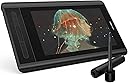
The XP-PEN Artist12 is a compact 11.6-inch Full HD drawing display featuring 8192 levels of pen pressure sensitivity and a 100% sRGB color gamut for vibrant, true-to-life artwork. It includes a programmable slim touch bar, 6 shortcut keys, and a battery-free, ergonomically designed pen with an eraser. Compatible with Windows and macOS, it supports major creative software and comes with a multi-function pen holder and glove, making it ideal for professionals and aspiring artists seeking precision and portability.


| ASIN | B07GNK18VJ |
| Active Surface Area | 65.93 square inches |
| Additional Features | Pen |
| Best Sellers Rank | #18,941 in Computers ( See Top 100 in Computers ) #76 in Graphic Tablets |
| Brand | XPPen |
| Built-In Media | Digital Pen |
| Color | Black |
| Compatible Devices | laptop, desktop |
| Connectivity Technology | USB |
| Connectivity technology | USB |
| Customer Reviews | 4.4 out of 5 stars 11,646 Reviews |
| Display Type | LCD |
| EU Spare Part Availability Duration | 1 Years |
| External Testing Certification | nao |
| Item Dimensions L x W | 36.4L x 21.9W centimeters |
| Item Weight | 907 Grams |
| Manufacturer | XP-PEN |
| Mfr Part Number | Artist 12_SML |
| Model Name | Artist 12 |
| Model Number | Artist 12_SML |
| Model name | Artist 12 |
| Native Resolution | 1920x1080 |
| Number of Items | 1 |
| Number of Packs | 1 |
| Operating System | Windows 10, Windows 8, Windows 7, macOS 10.10 and higher |
| Operating system | Windows 10, Windows 8, Windows 7, macOS 10.10 and higher |
| Pressure Sensitivity | 8192 Levels |
| Pressure sensitivity | 8192 Levels |
| Screen Size | 11.6 Inches |
| Software Update Supported to Date | unknown |
| Special features | Pen |
| Specific Uses For Product | Drawing, Photography, Animation, Fashion, Sketching, Image Editing, 3D Sculpting, Art Painting, Architecture Design, Note-taking |
| Target Audience | Teacher |
| UPC | 758232357309 |
C**O
My Personal Fav Tablet
If you're looking for a decent price drawing tablet with display this is one of my top choice. Easy to set up and very good color display. Downside: Lots of cable and its short too. The pen isn't really sync well with the screen, i.e let's say that you pressed on something, the cursor will show a few millimeter away from where you're pressing. Last but not least, this isn't really a con, but what is displayed on the tablet will not be the same as to what is displayed on your PC/Laptop screen due to different screen color resolution.
M**D
جودة عالية
جودة عالية مقارنة بالسعر تغليف ممتاز توافق تام مع جميع البرامج
J**.
Product serial number not working
I cant register the product to get the free software. The serial # number of the product was not working on the xp-pen office website. The online support regarding with this this issue only respond once, I had many followup and get no response from it till to day since I requested the support. Now my tablet was not useful from the day I recieved the product.
B**E
Artist
best
H**1
good product
perfect
M**N
Great
Great
A**D
Screen issue
I used it for 1 month and now the screen turn on and off
A**.
اسلاك كثيره
صعب توصيلها مع الهاتف
G**A
Mesa artista 12 detalhes finos e precisos
A mesa é muito boa, era como imaginei tem uma ótima qualidade, tem bastante detalhes em cada trabalho.
B**A
Great display tablet
I have not had this for very long but I'm so far pleased with it. This is not my first graphic tablet but it is my first display one. The XP-Pen Artist 12 is a display graphic tablet which must be plugged into a laptop or monitor for it to work, it is not functional as a standalone product just to be clear. Inside the box includes wires to plug in, several wall mounts for different regions, a drawing glove, a screen cleaning cloth, some manuals, the pen (which also has an eraser on the other end of it as well as extra nibs in the holder) and of course, the tablet. There is no stand included. Display: The display matches the monitor almost perfectly. There may be a small difference color-wise but it is almost undetectable. The working space is slightly smaller than 12 inches (and forgive me if I'm off as I am not the best when it comes to measuring) so it may feel a little small at times. The contrast and color scales are customizable in the settings so you may adjust it to better replicate your computer monitor. But do be aware that turning up the brightness (buttons on the side near the input plug) on the tablet itself may also affect the contrast and cause things to look weird. If you have overhead lights on while using it, you may notice some glare issues that can obstruct your vision. As the display is not laminated, there is a small observable gap between where you place your pen and where your cursor appears on the screen. This parallax issue is easily overcomable in my personal experience and doesn't actually affect the way you draw but it may bug you if you are prone to being displeased by that. Pressure and Drawing Experience: The pressure sensitivity is rather decent (I'm no expert though) and though the display looks smooth, there is a grippy, textured feel to drawing on it. The pen detection distance is rather short, however, so the pen tip must be pretty close to the screen at all times if you want to hover over something without clicking or drawing. I am satisfied with the drawing experience though. Because there is no stand included, you may find yourself in awkward positions or practicing poor ergonomics so I do recommend purchasing one. Shortcut keys: The tablet includes short cut buttons to the side and a scroll wheel all of which are mappable in the settings. The scroll bar is not very sensitive but its still useful. The pen also has a shortcut button on one of its sides but is incredibly inconvenient to use as it rests flat and is therefore undetectable by feel. You'll have to stop what you're doing to look at it if you're determined to use it and there have been times where I gripped a little too hard after habitually rotating it and accidentally pressed it while drawing. Software: You must first uninstall any drivers from other brands you had installed and then search for the XP-Pen drivers on their official website. I have not had any driver issues but there may be select software incompatibilities that you should be aware of. I used Paint Tool Sai on my previous Wacom tablet before getting this one only to find that XP-Pen has some strange issues with the program. The pressure sensitivity completely stopped working and the pen eraser is rendered obsolete. The pressure sensitivity can be fixed by installing and using a special version/pack of Paint Tool Sai but I am not aware of any eraser end fix. Durability: I researched about this Tablet before buying and this aspect was completely inconclusive. I used to have a Wacom graphic tablet and I wanted a display (that wasn't Wacom prices) but I was concerned that I would spend a good 200 dollars for a month or two of use. Obviously the XP-Pen Artist 12 isn't a tank and should therefore be treated with utmost care. There is an included warranty but I hope to never need to use it. I will most likely update this aspect after further use down the line. Price: This one speaks for itself. The price tag is so good for a display tablet, its near irresistible. Overall, the XP-Pen artist 12 is a great display tablet, especially for the price and I can wholeheartedly recommend it.
M**O
Prima tablet
Ik heb deze tablet gekocht voor mijn vrouw. Ze wilde eigenlijk een "blinde" van Wacom maar tijdens onze zoektocht liepen we tegen deze aan die voor een vergelijkbare prijs een scherm biedt. Ik teken zelf niet, maar kon me voorstellen dat dit veel en veel fijner werkt. Dus we hebben de gok genomen, na wat reviews te hebben bekeken, en deze tablet gekocht. Ik ben niet bekend met de concurenten, ook niet met Wacom, dit is onze eerste tablet voor tekenen maar hij is erg prettig en mijn vrouw is er dolgelukkig mee. Ik raad hem dus ook zonder meer aan voor mensen die een keer willen proberen of digitaal tekenen iets is voor ze. Het werkoppervlak is groot genoeg en het scherm is erg scherp en mooi van kleur (al ben ik geen kenner en zal er natuurlijk voldoende op aan te merken zijn als je gaat kalibreren en zo, maar ok, in deze klasse (zowel van tablet als artiest :+ ) doet dat er niet zo veel toe. De pen zelf ligt lekke rin de hand en zelfs ik kon er prima mee schrijven, het is echt net of je op papier werkt.
L**O
Para trabajar con soltura y calidad incluso en los viajes
Como usuaria anterior de otras soluciones de tabletas gráficas basadas en monitores (trabajar sobre el dibujo), puedo decir que esta solución de XP-Pen es una opción muy buena para cuando tengas de dibujar en viajes, acabar trabajos en casa o demostraciones en la casa del cliente. Qué recibiremos con el pedido? Dentro de una cuidada caja muy trabajada nos espera la tableta en todo su tamaño, detrás tendremos el cargador con los adaptadores para 3 diferentes enchufes, manuales, garantía y tarjeta de fidelización, puntero dentro de un estuche redondo con varias puntas de repuesto y todos los cables necesarios, a saber: Un complejo cable que, en el extremo de la tableta es conexión USB C y en el otro extremo una conexión triple (HDMI, USB para el táctil y USB para alimentación (para el cargador incluido)). Además un extensor de cable USB para poder tener funcionando la tableta a mayor distancia del enchufe y por último, un adaptador de HDMI a MicroDP (Mac). Os dejo una fotografía (4ª) con el montaje completo ordenado con un par de bridas de velcro. Preguntado al fabricante, no existe la posibilidad de una conexión directa USB C a USB C. La tableta, al ser un monitor de 12" FullHD LED IPS, necesita al menos 5V y 2.5 Amp que no es capaz de alimentarse directamente del portatil. Una vez todo conectado, Windows 10 detectará y dejará funcionar la tableta sin añadir driver alguno, si bien el fabricante insiste en utilizar los últimos drivers descargados de su web, estos nos facilitan la configuración de los botones adicionales (parte izquierda de la tableta) con las funciones que nosotros queramos. Funcionamiento Para Windows 10, la tableta es, y así se comporta, un monitor externo adicional, que podremos configurar a nuestro gusto. Por defecto se configurará con su resolución de 1920x1080 (FullHD) y será el monitor nº 2. Podremos configurarlo a la resolución y posición que nosotros queramos, windows se adaptará a nuestro gusto. El lápiz interactua como un ratón con su botón derecho incluido. También es compatible totalmente con Windows Ink. En las pruebas realizadas con el simple SketchBook Pro (disponible en la Windows Store) hemos sido capaces de probar que el programa reconoce los niveles de presión y escribe más grueso o más fino dependiendo de la fuerza con la que actuemos contra la pantalla. El puntero no necesita alimentación alguna. Con su tamaño de 12" nos cabrá perfectamente en el mismo maletín del portatil, el puntero viaja dentro de su estuche redondo con las puntas adicionales. Tal vez la conexión directa por USB habría simplificado enormemente la complejidad del cableado y el cargador, espero que tomen nota para futuras versiones.
W**I
Super Grafiktablet mit kleinen Abstrichen
Das Tablet funktioniert einwandfrei und genau. Es arbeitet mit allen meinen benötigten Programmen ohne Probleme zusammen, der Anschluss an den Computer ist selbsterklärend und die Konfiguration ist bei einem Standard-PC mit 1 Bildschirm einfach. Lediglich das sehr unflexible Anschlusskabel in Verbindung mit dem Micro-USB-Stecker macht mir etwas Sorgen, da diese Verbindung nicht sehr stabil ist. Der kleine Winkelstecker wackelt bei jeder Bewegung des Tablets beim Zeichnen; wie lange der Stecker bzw die Buchse das aushält, wage ich nicht zu sagen. Hier wäre eine stabilere Verbindungsmöglichkeit wünschenswert. Interessant wird auch die Installation des Tablets bei einer 2-Monitor-Konfiguration des PC, dh 2 Monitore arbeiten an den DVI-Anschlüssen der Grafikkarte. Dies ist für Fotografen und Lightroomnutzer wahrscheinlich die Standardkonfiguration. Das Tablet habe ich über die HDMI-Buchse der Grafikkarte angeschlossen und es fungiert hier als 3. Monitor. Bei meinem PC ist dann das Tablet der Hauptmonitor, dies kann auch nicht geändert werden. An sich kein Problem, aber gewöhnungsbedürftig. Die Anzeige wird dann, wenn das Tablet angeschlossen ist, auf alle 3 Monitore erweitert. Es gilt dann nur mehr die Monitore in der richtigen Reihenfolge in den Windows-Anzeigeeinstellungen festzulegen. Wird das Tablet vom USB-Anschluss getrennt, erfolgt die Anzeige wieder automatisch über die 2 Monitore. Was auch noch anzuführen ist, dass der Stift zeitweise auf der Oberfläche des Tablet ganz schön kratzt, was auf die Displayschutzfolie zurückzuführen sein dürfte. Alles in allem ist das Tablet für den Preis sicher eine Option. Das Arbeiten mit Programmen wie Lightroom, GIMP/Photoshop und den diversen Zeichenprogrammen wie Krita usw funktioniert sehr gut und ist eine wesentliche Erleichterung gegenüber der Bedienung mit der Maus.
Trustpilot
2 months ago
1 month ago