Desertcart purchases this item on your behalf and handles shipping, customs, and support to Romania.
🚀 Elevate your mobile productivity with Fusion5’s sleek power-packed tablet!
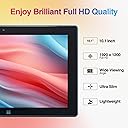
The Fusion5 10" Windows 10 Ultra Slim Tablet PC combines a sharp Full HD IPS display with an Intel Quad-Core processor and 4GB RAM, delivering reliable performance for work, study, and light gaming. Featuring a full-size USB 3.0 port and 64GB storage expandable via SD card, it offers versatile connectivity and ample space for your files. Lightweight and ultra-slim, it comes preloaded with Windows 10 S and a 1-year Microsoft 365 license, making it an ideal device for professionals and students seeking portability without compromising on functionality.


| ASIN | B07HY8X46F |
| Age Range Description | Kid |
| Aspect Ratio | 16:10 |
| Battery Average Life | 5 Hours |
| Battery Capacity | 18 Watt Hours |
| Battery Cell Type | Lithium Polymer |
| Battery Power | 18 |
| Best Sellers Rank | #91,786 in Computers ( See Top 100 in Computers ) #1,557 in Computer Tablets |
| Brand | Fusion5 |
| CPU Model Number | Z8350 |
| CPU Model Speed Maximum | 1.8 GHz |
| Camera Description | Front, Rear |
| Cellular Technology | 5G |
| Color | Black |
| Compatible Devices | USB, HDMI, Bluetooth compatible devices |
| Configuration | 4GB RAM, 64GB Storage, Intel Quad-Core, Windows 10 S |
| Connectivity Technology | USB |
| Customer Reviews | 4.2 out of 5 stars 3,440 Reviews |
| Display Resolution Maximum | 1920 x 1080 |
| Display Type | LCD |
| Display resolution maximum | 1920 x 1080 |
| EU Spare Part Availability Duration | 12 Months |
| Front Photo Sensor Resolution | 2 MP |
| Generation | 4th Generation |
| Graphics Coprocessor | Intel HD Graphics |
| Graphics Description | Integrated |
| Hard-Drive Size | 64 GB |
| Hardware Interface | Micro-HDMI, USB 3.0 |
| Headphones Jack | 3.5 mm |
| Human-Interface Input | Microphone |
| Included Components | [AC Adapter, USB Cable, User Manual] |
| Item Dimensions L x W x Thickness | 26L x 1.7W x 1Th centimeters |
| Item Weight | 0.69 Kilograms |
| Lithium-Battery Energy Content | 18 Watt Hours |
| Manufacturer | Fusion5 |
| Memory Slots Available | 1 |
| Memory Storage Capacity | 64 GB |
| Memory storage capacity | 64 GB |
| Mfr Part Number | FWIN232+ |
| Model Name | FWIN232 PLUS S1 |
| Model Number | FWIN232+ |
| Model Series | Fusion5 |
| Model Year | 2018 |
| Model name | FWIN232 PLUS S1 |
| Native Resolution | 1920 x 1080 pixels |
| Number of Items | 1 |
| Number of Packs | 1 |
| Number of Rear Facing Cameras | 1 |
| Operating System | windows 10 s |
| Operating System Family | Windows |
| Operating system | windows 10 s |
| Other Special Features of the Product | USB Host |
| Photo Sensor Resolution | 5 MP |
| Processor Brand | Intel |
| Processor Description | Quad Core Intel |
| Processor Speed | 0.8 GHz |
| RAM Memory Installed | 4 GB |
| RAM Size | 8 GB |
| Rear Facing Camera Photo Sensor Resolution | 5 MP |
| Screen Size | 10.1 Inches |
| Screen size | 10.1 Inches |
| Set Name | Standard Set |
| Size | 8GB RAM |
| Speaker Description | Dual stereo sound |
| Specific Uses For Product | Entertainment, Productivity |
| Style Name | Stylish |
| Supported Audio Format | MP3, WMA, AAC, FLAC, ALAC, APE |
| Total Usb Ports | 1 |
| Unit Count | 1.0 Count |
| Video Capture Resolution | 2 megapixels or lower |
| Video Processor | Intel |
| Warranty Type | Full |
| Wireless Compability | 802.11ac |
| Wireless Technology | Bluetooth, Wi-Fi |
J**K
Excellent Performance at a Low Price
I got this tablet for internet browsing, casual digital art, and some light gaming, and it accomplishes all of these tasks quite well! The only minor complaints I have are with the touchscreen/mobile capabilities of Windows, which are not the fault of the tablet itself. Internet browsing For typical internet browsing, there are no real performance concerns. Everything is pretty much as fast and responsive as you would expect on a typical modern computer. You might have some trouble with more performance-heavy situations, like having lots of tabs open or playing games in the browser. But these are not the reason I purchased the device. Digital art apps My kindergartener often uses this device to use the free art software TuxPaint. It works surprisingly well for this, especially considering the app was not designed for touchscreens! I have not tried more “serious” apps in this area like Photoshop or Krita. Light gaming This device has no trouble with simple 2D games like mazes, solitaire, etc. It even manages to provide a decent experience (20-30 FPS) with simple 3D games, like Cat Simulator and Minecraft, if you turn down some graphical settings. This is a big plus for the device, considering the price. Minor complaints It seems like Windows 11 still doesn’t quite have the touchscreen-only experience figured out. If you go fullscreen with a web app in the browser, the only way to exit fullscreen seems to be using a keyboard. While playing a fullscreen game, the only way to switch to another app seems to be swiping up from the bottom to reveal the taskbar, and sometimes this fails to work. And some apps get very confused and messed up when you change the device orientation. But again, these complaints have more to do with Windows and specific apps than with the device. If you’re looking for a heavy gaming device, look elsewhere. But if you’re looking for a lot of value packed into a VERY low price point, this might be perfect for you! Oh, and it does come with S mode enabled, but the Windows Store app makes it easy to disable that forever when you try to install an app that isn’t compatible with it.
D**E
Cargador UK.
No me ha gustado que viniera con enchufe UK. He tenido que buscar un adaptador. No especificaba esto, por lo menos claramente. Me planteé pedir funda con teclado, pero no me arriesgo a que no sea en español.
P**E
rc
tendras la forma de colocale un teclado y soporte a la tablet
D**M
An excellent portable computer
I bought the Fusion5, 10.1”, 4/64 tablet to replace a p a i n f u l l y s l o w 5 year old netbook I used on vacations and coincidently a portable DVD player that gave up the ghost during our last vacation. Being a sceptic and in view of the modest price, I read and digested all 173 (at the time) reviews and 120+ queries, coming to the conclusion that a mere half dozen or so less than good reviews were unlikely to reflect the true nature of the unit. I have been using it for a couple of weeks now and am more than pleased with my purchase. From the outside it seems as well built as any of the competition (apart maybe from the odd ones with metal cases) and with its price/ memory ratio, is excellent value. It is apparently as fast as my Win 7 desktop, albeit with the odd slight delay with touch screen selections. Frankly I am not impressed with Win 10, but this is hardly the fault of Fusion! Some have commented that the on-screen keyboard covers a large proportion of the screen. I hope they have by now found out that the keyboard icon at the bottom right permits moving the keyboard and changing its size. Keyboard response is immediate with no delay. Win 10 does not have the capability to play DVDs. Microsoft have cunningly removed this facility from Win 10 and expect users to pay an extra £12 to buy an app from their online store. Better to download VLC media player which is free and according to experts, far better than the MS offering. Need an office program? Use Libre Office or one of the other excellent freebies. If you don’t like touching and dragging on the screen, or using the trackpad of the optional keyboard, a Tecknet or similar wireless mouse works perfectly. Regarding playing DVDs, though not over complex, this was not a plug and play process. I bought a USB DVD player off the auction site for £10, but plugging directly into the tablet (and using VLC media player) it would not work. I queried this with Fusion, who replied immediately, explaining that the tablet used a phone chipset and could not provide the power for the external unit. Next purchase was a powered USB hub and a USB to 3.5mm male barrel jack cable, to connect to my TomTom sat nav power supply (5volt DC). Bingo! DVD player runs normally and tablet now plays DVD faultlessly. NOTE: Do not use an extension cable from the PSU to the hub as the voltage drop will cause the tablet to attempt to power the DVD player, which will then not function. Standard 1m max. cable only. I concur with the comments on the speakers, but do any tablets produce decent sound? Sound is adequate for normal net surfing, but for music or DVDs, better to add an external speaker (wired +/- £5, bluetooth +/-£8). Someone commented that there was no light to indicate charging. My unit has a small red LED above the screen. On when charging, off when charge complete. One thing I really wanted was the ability to run Google Earth, as my desktop hasn’t the graphic capacity to run the latest version. GE Pro runs perfectly on the 4/64 64 bit Fusion tablet. The Emartbuy wallet/folder for the Fusion is great value at £10, particularly if you have Amazon Prime for free delivery! It protects the tablet well, the sockets are all accessible from the side and it converts to a deskstand to hold the tablet at a sensible viewing angle. The tablet will need to be removed from the folder to use the camera though, as being a universal folder there is no port for the camera to “see” through. To sum up, a great value, versatile, portable computer, with good customer service from Fusion. All these units are made in China, including IPhones and Galaxies, so given reasonable intelligent care, there appears to be no reason why the Fusion should pose any more problems than the competition.
C**”
Good small portable Windows tablet/computer
I purchased this Windows 11 Home tablet because I work in the entertainment industry as an audio professional and my digital recording equipment required a Windows tablet to interface with it. The Pro's for this tablet: Price, Price, & price. Its a small lightweight very affordable full windows tablet (not android or iOS). I have had it for about 2 weeks and it appears to have full functionality of a Windows Laptop minus the additional snap on magnetic keyboard (sold separately). The touch screen is very responsive. The device will run MS Office & back up to MS Cloud (with a subscription). The Screen is a full HD resolution screen. The tablet has a variety of needed inputs: micro HDMI, USB, USB C, microSD slot, headphone output, and a 12volt power input. The manual states that the USB C supports fast charging but I was unable to test this as I don't have the proper USB C fast charging cable and it is not supplied. Accessories that come with the device include a 12v DC to 110v AC power adapter and a USB C to USB adapter. The Cons of this device would be Battery life is about 4.5 hours. I could not get it to charge via USB power block and I could only charge via the 110v to 12v power converter/cable, the audio speaker quality is poor and doesn't provide a loud volume. In my use the tablet seemed a bit laggy when multiple applications/programs were in use. I have the 256GB SSD model. I does appear that it might be upgradeable. All in all I am satisfied with the device for my needs and it seems to be a very capable device for internet usage and email. I have not tried streaming video on the device.
Trustpilot
2 weeks ago
2 weeks ago