Desertcart purchases this item on your behalf and handles shipping, customs, and support to Romania.
๐จ Elevate your digital canvasโcreate like a pro, anywhere, anytime!
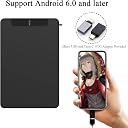
The VEIKK VK640 is a compact 6ร4 inch graphics drawing tablet featuring 8192 levels of pressure sensitivity and tilt function for precise, natural strokes. It includes a battery-free pen and 6 customizable shortcut keys, compatible with Windows, Mac, and most Android devices. Ideal for professionals and educators, it supports popular office and online teaching software, backed by a 1-year warranty and lifetime support.
| ASIN | B08P2WWT36 |
| Active Surface Area | 24 square inches |
| Best Sellers Rank | 11,009 in Computers & Accessories ( See Top 100 in Computers & Accessories ) 36 in Graphic Tablets |
| Box Contents | OTG adapter, Battery-free Pen |
| Brand | VEIKK |
| Brand Name | VEIKK |
| Colour | black |
| Compatible Devices | Desktop, Laptop, Smartphone, Tablet |
| Connectivity technology | USB |
| Country of Origin | China |
| Customer Reviews | 4.3 out of 5 stars 1,279 Reviews |
| Display Type | LCD |
| Item Dimensions L x W | 26.2L x 19.5W centimetres |
| Manufacturer | VEIKK |
| Manufacturer Part Number | VEIKK |
| Model Name | VK640 |
| Model Number | VK640 |
| Model name | VK640 |
| Native Resolution | 5080LPI |
| Network Connectivity Technology | USB |
| Number of Items | 1 |
| Operating System | Os,Windows,Android |
| Operating system | Os,Windows,Android |
| Pressure Sensitivity | 8192 Levels |
| Pressure sensitivity | 8192 Levels |
| Product Features | hot key |
| Product Warranty | 1 year manufacturer |
| Screen Size | 6 Inches |
| Software Update Supported to Date | unknown |
| Special feature | hot key |
| Specific Uses For Product | Gaming |
| Target Audience | Teacher |
| UPC | 195893199020 |
| Unit Count | 1.0 count |
C**N
Professional & Portable
Iโve been a freelance digital illustrator for 5 years now and, over the years, Iโve found that the quality of a tablet does have an effect on the quality of your work. Iโve used 6 tablets over the years aside from this one from various brands and can honestly say that Veikk tablets are my favourite in both price and quality. The VK640 is smaller in size but big on personality. My goal with this tablet was to have something I could take with me to my day job so I could continue to draw on my breaks and increase productivity. The wire comes pre-attached to the device which removes the instability Iโve found with having a connecting wire thatโs micro USB/ C to USB. It also makes the setup much easier as itโs a case of downloading the correct drivers for PC and plugging straight in, or adding the right attachment and connecting it to phone. It comes with both Micro USB and USB C adapters so should work with almost any device aside from some models of iPhone. For ibisPaint, the pen pressure is seamless and accurate right from the second itโs plugged in. With MediBang Paint Pro, be sure to check your settings and ensure itโs set to pen mode to allow the pressure sensitivity to provide you with the full experience. On PC, once the drivers are installed, the tablet works perfectly with Clip Studio Paint, MediBang Paint Pro, Krita, Drawpile and SAI 2.0. I was able to get straight back into my workflow without any interruptions and the pen pressure kept my lines consistent and my shading clean. I suffer from arthritic pain and dislocations. A pen thatโs both non-slip in terms of grip and flared at the tip for easy handling is something I look for in a device to minimise pain and inaccuracy with strokes and this device delivers both as well as enough spare nibs to last a fair few years of even daily use! Iโve been using this tablet every day at work now for the past week and Iโve been thoroughly enjoying expressing my creativity without boundaries or limitations.
T**A
Great Value and Quality Product - Pleasantly Surprised
I brought this product with the intent to replace my old tablet for PC and I'm so glad I did. My old Wacom Intus Pen & Touch Small (2013) was old and worn, time for a change! I hadn't heard of this brand before so was hesitant at first since there are no other UK reviews. It arrived the next day (delivered to a UK address) and the drivers were easy to install/set up with my PC with its own interface similar to the older Wacom settings I used before. The pen feels soft to draw with and much better than my rigid old pen and feels like using a paintbrush and It was easy to adapt to from my old tablet and produces high-quality output. It works well with Clip Studio Paint and Adobe Suite. I was surprised at the number of accessories the product came with. A glove, USB to USB-C adaptor, pen stand and sheath, multiple pen nibs and a remover, super handy! It's the perfect size for me, and even has a left-handed setting (as seen in the picture) that allowed me to set the hotkeys and draw without pressing any keys. My only negative comment on this tablet is that the USB connecter attached to the tablet is not removable and I feel this may lead to wear and tear in the future - as with any long term cable usage considering it is portable. I would highly recommend buying a cable manager/carry case if you intend to use it on the go a lot to help protect it. Overall, it's of great quality for value and would suit entry-level and beginners as well as more experienced digital drawing artists. Happy with my purchase.
L**S
Great alternative, for basic use.
So I was sent one of these to review, and whilst it functions well - it still has a few bugs for those that have a more complicated setup. Firstly. Package was beautiful and really made you feel like you've bought a quality product. The tablet is decent size (around A5 size) and came with a ton of nice accessories. The pen was a nice weight and the grip on it felt very comfortable. The stand for it is nicely designed to not only hold the pen, but to also contain a few spare nibs (which a ton extra were provided) and also act like a nib remover tool too. Other extras included were alternative adapters for android phone connection, and a nicely branded drawing glove (As well as more nibs). Once setup properly, the pen works well, and whilst it had some teething issues - I could use it almost as well as I used my usual setup. Results were sharp and worked on every program I tested it on, mostly GIMP as it's the program I'm most familiar with. Sensitivity worked well, and as said before, the pen feels nice in the hand. The only downside is... this has a lot of problems with my usual setup. In order to really give this a fair trail, I had to run this on my spare laptop, and this will be what I will mostly be using it on now. However, I stream my work, and as such - I have a double screen setup, one vertical monitor, one horizontal... and this is where a few "minor" problems occured. Trying to set the tablet program up caused a few confusing errors, sometimes it would be offset, sometimes it would think each screen was the wrong rotation. I tried numerous things to correct it, it just wouldn't work until I unplugged the second monitor - which is no good to me. Hence why I tested it on my laptop instead. As said, it works fine on a single screen setup, but with my current professional setup - I can't use it for that. Another issue that took a bit of adjustment was the sensitivity. Hovering your pen above the tablet would usually make the cursor appear, but not activate anything... sometimes it activated things - either dragging things which I didn't want dragging, selecting things I didn't want to select, etc. Simply fiddling between the program and the tablet settings eventually got a result I could deal with. Overall, this has taught me, that whilst the product can't be used for what I need it for, it's ideal for a cheaper tablet on a single screen setup, and the quality of the physical items are top notch. I have faith that a future update to the software is more than likely able to fix any of the problems I've encountered, and that Veikk's products are a decent alternative to more expensive models... If you have a single screen setup, give em a try. :)
C**D
Great all-around tablet!
This tablet is definitely for those that are on the move a lot. Itโs small size is perfect for packing into your bag and taking with you, if you want to do work on the go! Although, I still tested it on my computer, and ran into no problems at all. Like other products from Veikk, the drawing experience is superb. The battery-free pen feels responsive and has a lightweight feel to it, meaning itโs not going to put too much strain on your long drawing sessions. The tip if the pen glides across the paper-like surface, and has a good amount of friction too. The overall feel is extremely natural, especially with 8192 levels of pressure sensitivity, meaning you can draw as hard or soft as you like, and then pen will have no problem picking up your input. The tablet can be connected to an Android device and makes full use of the pressure sensitivity in various art apps, with no installation! I tested it on my Google Pixel 3 and Google Pixel 5, running Android 11, with Medibang Paint. After turning on pressure sensitivity in the settings of Medibang, it felt no different to drawing on a full desktop program. Due to itโs small size, as I mentioned earlier; itโs a nice tablet to take with you if youโre travelling, especially if youโre using a laptop as a student. The Veikk 640 comes with 28 spare nibs, a drawing glove, a pen stand and USB-C and Micro-USB adapters for mobile phone compatibility. On the side of the device are 6 programmable hot keys that are in a perfect spot if youโre using it left, or right handed. On the desktop, the tablet area, and pen pressure can be fully customised to your liking, as well as tablet orientation and what shortcuts are mapped to the hot keys on the tablet, and the two hotkeys on the side of the pen. The software works great, and I had no issues at all using it to draw with! Overall, thereโs not much more to say about this tablet. It does everything right! The only personal issue I have with it is the small size. Iโm used to drawing on larger surfaces, so this took a while to get used to, however, thatโs nothing to do with the tablet itself and is a personal preference. I would highly recommend this as a good starter tablet, or for those that want a tablet that they can neatly put away, or donโt have a lot of space to draw. Definitely giving this a 5 star rating. An extremely well rounded product from Veikk!
B**.
Great tablet for an even better price!
I brought this tablet to replace my old tablet which sadly had died and wanted to try something new, so I decided to go with this tablet. Can I just say this tablet it worth every penny and took minutes to set up. All you have to do is follow the instructions which come in the box and your done. In the box it comes with a very cool pen stand, that is also used to hold extra nibs. A drawing glove which is very stretchy and will fit most hands, a nice fabric sleeve to put your pen inside. Two adapters which you plug your USB into for your phone (Note there is no iPhone adapter) so you can do artwork on the go and a device to remove the pen nibs. All this comes free with the tablet. All this included for under ยฃ50! The Tablet has 6 Macro keys which is an added bonus as I can set them to anything I want. The pen also has a button which can be used as an eraser and another button which can be used to select things. All these extra functions will help make things easier when it comes to making art. I use Paint tool Sai to create artwork and this works great, it is very reactive and smooth. I have also used in Photoshop and again this works great. However I have not used any other programs apart from these two. I cannot wait to use this fully and create artwork. Again I would like to say that I fully recommend this product for all range of artists who are looking for a reliable tablet and at a good price.
J**T
Convenient, Good Value for money, Portable, Small
The veikk vk640 is a pretty good, lightweight, easy to use graphics tablet. It's responsive and clean and great value for the price. I am also a student, and this tablet is very compact (about the size of an A4 sheet folded in half) and easy to transport to classes! I'd recommend grabbing this if you get the chance as it is more than capable of handling most art tasks! The sensitivity and pressure detection from the pen works well! It is wired so does not need a battery or anything, the pen comes with many fresh nibs, and it also has a USB adapter that allows it to fit in my USB3 ports, which is handy as my other USB ports are already full! Super convenient! Installing the drivers is a simple "plug in and play" affair on Windows 10, and using this with Adobe Illustrator and Photoshop I had 0 issues at all.
L**E
Easy to set up, simple to use
Great little tablet. It's such a great price too, so it's perfect for beginner artists. I've been drawing for years now and I was happy with the reponsiveness of the tablet and I really enjoy the smaller size too as it can be put away easily. I'd recommend this if you're just starting to draw digitally and would like something cheap but good quality to start out with!
M**Z
My favorite Veikk tablet so far
My favorite Veikk tablet so far. This is my newest Veikk tablet and itโs by far the best made tablet that I worked with, made by this company. The packaging is improved comparing to the earlier Veikkโs products and it looks much better! Everything has its own place and every single thing is well protected, which is standard for this company. There is many things inside the box. Much more than needed to be honest:). You can find here a thank you card, instructions/warranty, artist glove, adapters (for mobile devices), loads of spare nibs (a lot of them. Honestly...) with a tool for replacing them, a stand for the pen and nibs, a pen with protective pocket and a tablet itself (it has 6 buttons that are fully customizable and it looks solid). Veikk did a really good job with the design of this tablet. Everything seems to be improved over the older models. Tablet looks good, the stand for the pen is very nice addition and my favorite improvement- the look and build of the pen! It looks way better than the old ones. Itโs covered with soft coating, witch is nice in touch and prevent slippery. The drawing experience is on the highest level. Itโs one of my favorite pens. Iโm working on 3D modeling lately and this tablet is perfect for this kind of job. The pen is not coming in the way with gizmos or menus in 3d apps (as in pen display). Small size is perfect because modeling doesnโt require large gestures and I have extra space on my desk. The only thing I donโt like is the cable which is not detachable, but itโs only my opinion.
F**O
Mi nieta estรก encantada
La pequeรฑa que la estรก usando estรก feliz
N**Z
Excelente
Llegรณ bien y me ha funcionado bien y trajo todo lo necesario.
R**A
Conforme alle aspettative
Ottimo prodotto, comprato come regalo per le mie bambine di 11 anni appassionate di disegno..comodo che si colleghi al cellulare!
H**S
ใใใใใใจใใใ
่จญๅฎใจใใงๆ้ใฏใใใใใฉๆ ฃใใใไฝฟใใใใใจๆใ
J**R
Muy util
Muy buena para escribir rรกpido y ahorrar libretas
Trustpilot
3 days ago
3 weeks ago