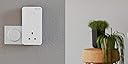
⚡ Power your home with unstoppable mesh speed and zero dead zones!
The devolo MESH 2-2400 Wi-Fi 5 Whole Home Kit includes three high-performance mesh adapters that combine tri-band Wi-Fi 5 and a 2400 Mbps powerline backbone to deliver seamless, ultra-fast internet coverage throughout your home. With six gigabit Ethernet ports and compatibility across major operating systems, it’s designed for stable 4K/8K UHD streaming, smooth remote work, and effortless network expansion.


| ASIN | B08R3Z9HPY |
| Best Sellers Rank | 34,789 in Computers & Accessories ( See Top 100 in Computers & Accessories ) 61 in Powerline Network Adapters |
| Box Contents | 3 x Mesh WiFi 2 |
| Brand | devolo |
| Brand Name | devolo |
| Compatible Devices | Desktop |
| Compatible Operating System Family | Linux, Windows |
| Compatible devices | Desktop |
| Customer Reviews | 3.9 out of 5 stars 101 Reviews |
| Data Link Protocol | Gigabit Ethernet |
| Data Transfer Rate | 2400 Megabits Per Second |
| Data link protocol | Gigabit Ethernet |
| Data transfer rate | 2400 Megabits Per Second |
| Global Trade Identification Number | 04250059687615 |
| Hardware Interface | Ethernet |
| Hardware interface | Ethernet |
| Item Dimensions L x W x H | 15.2L x 7.6W x 4H centimetres |
| Manufacturer | Devolo |
| Manufacturer Part Number | 8761 |
| Minimum Required Operating System Version | Ubuntu 14.04 Trusty Tahr, Windows 7 |
| Model Number | 8761 |
| Product Warranty | 3 year manufacturer |
| Product dimensions | 15.2L x 7.6W x 4H centimetres |
| Unit Count | 1.0 count |
A**N
Wifi in every room
Pro's Deliveres fast Wifi to every corner of the house I now get 100Mbps in all rooms (3 bed house). Easy to setup. Manual is easy to understand(except one page see con's) App is easy to understand. Power pass through! you don't loose a socket No drop outs yet. Con's Bulky adapters. The manual fails to tell you which adapter is No.1 when you press the Powerline LED button... Is it the adapter connected to the router?? Mine failed to setup via WPS so I manually setup the SSID and Password. No biggie.
P**R
Great WiFi, great product but setup is not straight forward.
I have a reasonably complex home network of ~30 devices including phones, tablets, PCs servers and Cameras. I was looking to improve the WiFi reception throughout the house so purchased these devices. I installed the nodes without too much problem following the manual using the phone app. Although everything appeared to be working correctly I found that all of the devices that could only use the 2.4 GHz band (like my Ring Cameras & doorbell) would not connect to the new network. After a search with Google, I separated the 2.4 GHz and 5GHz bands by giving them different SSIDs. I couldn't find a way of doing this on the phone App (which is a bit unreliable) so used the browser interface to the devices which is really good (but insecure). Once I made the changes, everything started to connect with no issues. In Summery my experience of the Devolo Mesh WiFi is: * Great WiFi * Great Functionality. The browser setup and features such as the "guest" network are excellent * Poor phone App * Setup was a little more complicated than expected. POST INSTALLATION UPDATE. The powerline connection on one of the three nodes kept failing (2-3 times in a 24 hour period) and needed to be turned off and on again. I referred the problem to Devolo technical response and got a fairly patronising RTFM response. I believe the issue was happening because I have 2 electrical distribution boards in my house, one for the kitchen and one for the rest of the house. The adapters do not seem to be able to establish a robust connection unless all the nodes are connected on one board.
I**S
Finally.....
Great item. Using for both Powerline and Wifi in a rental. Great coverage with the Wifi Mesh 2. Allows for a second SSID for guest IOT stuff. It also supports WPA3 as well as WPA2 etc and 2.5/5ghz Wifi. There is also support for 802.11r 'Fast Roaming' which works fine. It also has parental controls (not used) and wifi schedules (not used), along with some basic neighbor detection logging. To configure, I did not use the app as its pretty awful on Android and Windows. You can use http/https to access the device when it has an address. You can use HTTPS but it does not force redirect. Some settings are synced between devices others are not. I'd really like to find the API as think that would help. Support appears to come from Germany and is not so good. I had an issue where the first adaptor had updated to the latest firmware and the other two would not (was DNS related) The product seems to be called Mesh Wifi 2 sometimes and the product support page as little or no firmware downloads Easy to deploy, stable and has pretty decent speeds. I'd like to see a CLI, logging (even syslog) and additional SSID support, even if it were multiple guests.
M**S
Products works
The instructions seem really simple, but they presume it's just going to work. The auto cloning of the router gave me issues. I could not get it to work, I followed the instructions perfectly every time and tried 6 times. No dice. I did the manual install and that worked first time no issues. I recommend you get your wifi name and password and just do the manual setup. It takes less than 5 minutes. In case you are interested I have a BT Smart Hub 2. These adaptors get very hot very quickly. My old powerline adaptors got a little warm, but nothing like these ones. The good news is that the speed is rather good. I'm happy with that. Now that the Wifi mesh is working the coverage is very good throughout the house.
A**H
Fantastic in theory, very disappointing in practice
We have 200Mb/s FTTH broadband from Virgin Media. Our house has 4 floors, and the Virgin Hub 3.0 could just about reach everywhere, but was slow and patchy in spots. We wanted a system that would provide fast WiFi connectivity everywhere. We got the Devolo WiFi Mesh 2 system (with 3 adapters), and my initial reaction was that it was great. The powerline connections are decent, with about 300Mb/s throughout at worst, so more than enough for us. With the adapters well placed, we get a strong signal and great WiFi bandwidth pretty much everywhere. However, having used the system for a while, we've seen lots of sticky client issues, where our mobile devices, specifically Apple phones and laptops, get a slow connection when we move around the house, likely because they don't switch access point. Turning the device's WiFi off and on again fixes it. The whole point of getting a mesh network system is to solve exactly that problem, and it doesn't. The advice I got from Devolo tech support was to turn the mesh functionality off! Also we've had moments where our devices just can't connect to the network at all. Frustrating. In addition, the devices don't have router functionality, so you can't pair them with a modem; you need to connect them to a router.
H**T
Impressive coverage and speed
Straightforward to set up and use. The 3 plugs provide complete coverage throughout the house. Some points to note: 1. When installing, the instructions tell you to turn off the WiFi on your existing router so that the Devolo plugs can take over. It is very important with Virgin Media Hub 3 that you only disable the WiFi, and NOT put the router into Modem mode. I did this and it didn't work. Disable the WiFi using the advanced settings and you'll be golden! 2. We have two fuse boxes (a new extension required a new RCD box) and the plugs work across the old and new! On the original fuse box, the upstairs and downstairs sockets are on different circuits. No problems at all. 3. There is a guest network which you can configure once the standard setup is complete. Find the IP address of one of the plugs (easily found using the app) and connect to it using a browser. From here you have a web interface which you can use to set up the guest network. The supplied instructions don't mention connecting directly to the plugs for additional configuration, which they really ought to.
M**S
Great mesh network (but only through powerline)
I have had previous generations of Devolo tech so this was a next step into full mesh home setup. They’ve made the setup of the products and network really simple and effective through the Devolo Home Network app and in 10 minutes, I had both a three and a two unit set paired up to be a home network of five of these really easily. (Devolo setup used to be a nightmare of trial and error, so they’ve really sorted this out). What’s important to know is how Devolo achieves its ‘mesh network’ and that’s through powerline connection and wifi hotspot units that broadcast the powerline connection and mesh it together that way. The unit that connects to the router with ethernet sends the powerline connection to all other mesh units and these each create their own meshed wifi zones. Lots of other companies use wifi rebroadcast to create a mesh network. There are pros and cons to both approaches but I expect the Devolo mesh network to be pretty stable (a speed test on each unit is reporting maximum up and down mbps). From experience with older Devolo units, the odd power demand from an appliance (a boiler starting, for example) can cause brief outage; but only for a second or two). Watching which unit my phone is connecting to as I walk around the house (using the Devolo app) shows it switching efficiently to the nearest unit without dropout of connectivity. Where the system falls short for me is that you have to have a house and grounds where everything is on the same electrical circuit. I needed one of the units to give a wifi mesh zons in our garage (gym space) but because the garage is on its own electrical circuit, the powerline doesn’t work). I had (mistakenly) thought that Devolo Mesh used powerline and/or wifi rebroadcast to give a double layer of network connectivity and so assumed (though to assume makes an ass out of ‘u’ and ‘me!) it would be possible to disable powerline connection to just have that garage unit take a wifi rebroadcast. No such luck - this isn’t possible and so is something to be aware of if having multiple electric circuits in your home/grounds applies to you. My own solution in the end was to add a TP-Link Mesh Extender in the garage gym that is now successfully rebroadcasting wifi from the nearest Devolo unit in the house. Not perfect but working well. My only real negative in the whole Devolo setup was the brief call to Devolo’s customer support number. I explained my want with the garage gym and asked if it were possible to disable the powerline connection on the garage unit to just achieve wifi rebroadcast connection. A German company has a German call centre which is expected and fine but the person didn’t seem to understand the nuance of my query and sort of mansplained me saying ‘powerline is how mesh networks work’. In truth, that’s how Devolo’s mesh networks work and mine works very well thus far but it’s not how all mesh networks work so I felt a bit patronised and ‘told’ rather than helped. On balance though, so far this is a solid and efficient setup that was easy to get going with. (Just note the point about outbuildings and potential of separate circuits).
M**M
Provides WiFi access around the house
I have used Devolo products before and the mesh WiFi provides additional benefits of a more stable and reliable WiFi signal across multiple floors of my house. It was quite easy to set up, but you need to read the instructions very carefully to understand the full capabilities. For example, there is no physical WPS button, instead there is a "soft" button that must be set up via the Devolo console application on your PC. I would have preferred the Ethernet sockets to be on the bottom of the plugs, as in the previous generation of Devolo products.
Trustpilot
2 months ago
1 month ago