Desertcart purchases this item on your behalf and handles shipping, customs, and support to Romania.
๐จ Unlock your creative geniusโno subscription, no limits!
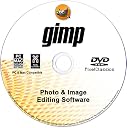
GIMP Photo Editor 2026 on CD is a professional-grade, fully featured image editing software compatible with Windows (7 through 11) and Mac OS. It supports over 20 file formats including Adobe Photoshop PSD files, offers a comprehensive suite of editing tools, and comes with a lifetime licenseโno monthly fees. The package includes a multi-platform DVD-ROM disc and exclusive access to 2.7 million royalty-free stock images, making it a cost-effective powerhouse for designers, photographers, and creatives seeking a robust Photoshop alternative.
| ASIN | B06WP73RDN |
| Best Sellers Rank | #82 in Software ( See Top 100 in Software ) #5 in Photography (Software) #43 in Mac Software |
| Customer Reviews | 3.3 3.3 out of 5 stars (849) |
| Date First Available | February 16, 2017 |
| Item model number | AZUS0002-01A-FBA |
| Manufacturer | PixelClassics |
| Package Dimensions | 5.25 x 5.25 x 0.1 inches; 0.63 ounces |
M**Y
GIMP 2020 - DVD WAS EASY TO INSTALL
I had been looking for a simple photo-editing software that (sort of) compared to Picasa (RIP). And this may be the one. Although I have not had the time to test it thoroughly, from what I have seen it may serve my purposes. I did not want to use my remote DVD unit so I downloaded the program following the seller's well-detailed instructions. For the price, it was worth the try. The expensive programs I have take too much time to adjust each and every picture.
B**R
Don't go there!
I bought this product to edit photos that range in age 80 years to present day. Black & white, color, Polaroid, faded and just plain old. This was suppose to be the best but it turned out to be the worst. The cd install was one of the worst I have seen. Errors during install and it said could not find the application to install the manual. This is even after I guided it to the correct folder. Apparently, the version installed is not the version the manual guide install was looking for. So I fought with there only to find that it did install? What the? The app opens to a home page that looks like code rather than something a user can navigate through. Very disorganized and displayed in small print across both sides of the screen. Never seen anything like this. It is going to be hard to use and/or navigate through trying decide where to go and do the things you want. Manual guide says it is 800 pages. Can you imagine trying to find something in that? Don't know who said it was the best but to me it is pure chaos. It's free but had to pay to have it shipped. Downloading it is out of the question due to the problems it causes. But I am stuck with it until I can find something useful. Don't go there, you'll be disappointed, like me.
M**!
Good Value
Received undamaged condition. Software design satisfactory. Two user levels available are difficult or professional. Software is functional but not intuitive. Help is available. Installs easily. Operates properly.
M**V
Gimp is powerful enough to satisfy most amature photographers
Gimp software is an intuitive photo editing program, that at a fraction of the price of Photoshop, allows anyone the chance to create some incredible artwork from their photos. At $10 for the CD, Gimp is powerful enough to satisfy most amature photographers, and perhaps even some seasoned pros who are looking for an alternative to Adobe's yearly ransome. I am a pro photographer, and I refuse to subject my privacy to the cloud. I just got Gimp and have been pleasantly surprised by the myriad of features it offers. While it is not Photoshop, it does have the ability to keep the average hobbyist busy.
G**R
Good and bad, but no ugly
I am a user of Photoshop Elements. My 15 year old mac is showing signs of giving up the ghost, and the new mac won't run my old version of Elements. I have no interest in letting Adobe get their claws into me. I decided to give Gimp a try. I never used much of the capability of Elements, so I had hopes that Gimp would meet my limited needs. I just finished editing a series of mineral photographs with Gimp. In general it does what Elements did. It has some glitches. The tool bar sometimes is in a different location and partly unusable. On occasions the image jogs partly of the work area and won't go back. I can't use the pencil tool after using text. The instructions use different terms than are used on the display. However, the help feature is readily available to set you straight without going back to the instructions. In summary, it does what I need, but annoys the heck out of me at times.
L**A
GIMP Photo Editor
I re-rated this after returning the product and they only returned 1.86 to me. It said free returned. Because of this, I rated this as a one-star because it was hard to understand and use. I did Adobe Photo and it was so much easier than this one. This item was sold as a one-time payment, I was hoping that GIMP Photo Editor would do what Adobe Photo did. I am sure it does, but It was just too hard to learn and because of my time, I had to create the flyer I had to move on to something more user-friendly. Which was the Adobe Photo. I am very good at learning software applications, but this one was extremely difficult for me to use. So for all of you that are at a level 8 in software apps (rating 1-10), this most likely would be good for you.
R**E
CD programs
The CD programs work great, no problem loading on my computer and the programs are very efficient and easy to use
E**W
Not recommended.
Very disappointed with this product. I have been using the free version of Gimp for a long time but cannot do some things with photos that I want to. I thought purchasing the CD it would have more features. Received it today, loaded it and discovered it has the very same features as the free version, Sent it back this afternoon. I would not recommend buying the dis as it will not accomplish any more than the free version.. Just check your free version for periodic updates
Trustpilot
2 weeks ago
2 weeks ago