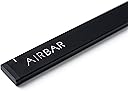
Desertcart purchases this item on your behalf and handles shipping, customs, and support to Romania.
✨ Transform your laptop into a touchscreen powerhouse—no upgrade needed! 🖥️
AirBar by Neonode instantly converts your 13.3" Windows 10 laptop into a full touchscreen device using a sleek, magnetically attached sensor bar. Plug-and-play with no software installation, it supports multi-touch gestures and works with fingers, gloves, styluses, and more—boosting productivity and modernizing your workflow effortlessly.
| Additional Features | Touchscreen |
| Age Range Description | Adult |
| Asin | B06WWQ3FRK |
| Best Sellers Rank | #33,544 in Computers & Accessories (See Top 100 in Computers & Accessories) #1,149 in Laptop Replacement Screens |
| Brand Name | AirBar by Neonode |
| Color | Matt Black |
| Customer Reviews | 3.8 3.8 out of 5 stars (944) 3.8 out of 5 stars |
| Global Trade Identification Number | 07350000980028 |
| Included Components | AirBar Touchscreen Sensor, Instructions and legal folder |
| Indoor Outdoor Usage | Indoor |
| Item Dimensions | 325 x 5 x 17 inches |
| Item Form | Bar |
| Item Nype Name | Neonode 13.3" Windows 10 Laptops, Matt Black (NNABC2950XU01) |
| Item Weight | 51 g |
| Manufacturer | Neonode |
| Manufacturer Part Number | NNABC2950XU01 |
| Manufacturer Warranty Description | 1 year warranty against manufacturer defects. |
| Material Type | Neonode |
| Model Number | NNABC2950XU01 |
| Number Of Items | 1 |
| Number Of Pieces | 1 |
| Pattern | Solid |
| Product Style | Win |
| Recommended Uses For Product | Laptop |
| Reusability | Single Use |
| Set Name | AirBar for 13.3" Windows 10 Notebooks |
| Shape | Irregular |
| Size | 13.3" |
| Subject Character | American |
| Surface Recommendation | Window |
| Target Audience | Adults |
| Unit Count | 1 Count |
| Upc | 853661007020 |
| Water Resistance Level | Not Water Resistant |
User
Brings new life to an old computer!
AMAZING!! Turns an old Toshiba laptop into a touch screen computer.So far I have tried the product on a laptop with Win-7 and Win-10 OS. The Win-10 version loaded appropriate drivers instantly and I was up and running. Win-10 is designed for devices such as this, Win-7 is not and may not work (did not work for me).The sensor bar sticks to the bottom of your display screen via a magnet (on the sensor bar) and a metal plate (affixed with double sided tape). You might have to replace the tape so the sensor stays in place.PRO - Works great, I love it! You can use your finger or fingers to draw or use as a mouse. You can even use a feather, if you had one. Accuracy depends on your screen size in reference to the size bar sensor your have. Win-10 has a calibration option to try to fine toon the accuracy. If you reach outside the screen area but within the sensor, you will hear a loud beep alert.CON - The USB cable is on the right side only, and it is short. If you do NOT have a USB port on the right side of your monitor and that port is close to the monitor, you may have difficulty plugging in the device. The manufacturer recommends you get a USB extension cable; these are sold by the foot from most suppliers. I have found shorter USB extension cables, but they are too short. You CANNOT just flip the device around in order to use the USB ports on the other side of your computer. The max screen size is 15.6", no currently known plans to manufacture larger screen versions; though may I suggest 20.1" and 17".
User
Pardon me. It's very rare to see...real magic.
This review is for the Neonode Airbar for 15.6" Display.TL;DR │ What kind of sorcery is this?! It just works. It's also TRUE plug-and-play.- - - - -I do not understand why this is not yet popular. It's not every day that I am left speechless, but there is nothing more to say.WHAT I LIKE │ + │+ Adds touch. It amazed me, trully.+ True plug-and-play and idiot-friendly.+ Detachable with magnets.+ Well designed.WHAT I DON'T LIKE │ × │× A little expensive.× Non-removable/replaceable cable.PACKAGE │ ✓ │✓ Simple box packaging.✓ Magic bar.✓ Printed materials.✓ Air.It kind of works similar to a Kinect. It's an innovative application of motion sensor technology.- - - - -HOW TO INSTALL- Just make sure to align the top of the airbar to the bottom of the screen (not more than 3mm from the bottom), and also align the left and right screen to the left and right white marker line on the airbar.- - - - -VERDICT: I highly recommend this product. It's a must.★★★★★ | 5 stars out of 5. Very well designed product.Questions? Hit the comments!This review is for the Neonode Airbar for 15.6" Display.
User
Be Careful With The Magnets
I've had my AIRBAR a few days now and I appreciate the quality of life features it affords me. It is proving to be an effective touch screen device, and it's so neat. I really love the design! However you should note a few things:1. While removing the bar from my screen a few times, it accidentally slipped out of my fingers and landed on the keyboard face of my laptop. The magnets at the rear of the bar, being in such close proximity to the electronics within the body of my laptop, resulted in the screen turning off and Windows Explorer crashing. Windows Explorer restarted normally once the AIRBAR was lifted from my laptop's keyboard, and I haven't experienced any lasting effects due to the occurrence. It happened a few times, and I won't be experimenting any further to analyze the effect. The fact that the magnets are stuck to the face of my laptop screen is therefore concerning. My solution is to use butterfly clips, and some sponge padding, to secure the bar onto the screen, instead of the magnets. It doesn't look pretty, but I don't mind it.2. The instructions related to the positioning of the bar should be used as a guide. The user should really adjust it's position accordingly to achieve the required accuracy of touch, especially at the upper extremities of the screen. The vertical markings on my AIRBAR are not the best positions for lining up my screen.
User
Not worth it...
After seeing this on Unbox Therapy, I bought this to make my computers (an Acer Chromebook and an ASUS X555YA Windows 10 laptop) touchscreen capable, since I have trouble at times with a mouse.Sadly, it really didn't work with either one.On the ASUS, every time I touched a text box, the on-screen keyboard would show on the screen. This was an inconvenience, because the keyboard worked just fine. Tapping the 'X' in the corner of the keyboard, then retapping the text box just brought the on-screen keyboard up again. Lather, rinse, repeat.It would not work at ALL with my Acer Chromebook, even though the box states it is compatible with Chrome OS. I tried multiple times and nothing happened when tapping on the screen.I then tried it on a Linux Mint 18 system we have lying around, and while it worked, it was VERY glitchy while on the screen. Pages would not scroll as it should, and would not tap on buttons I chose. I tried to forward an email to my daughter, and instead of tapping 'Forward' as I had, it tapped on 'Reply.' I do realize this is not made to work with Linux systems, but this was just an experiment to see if I had received a faulty bar.It's an awesome concept, but I think it'd be better to just save up to get an outright touchscreen system from the start.
User
Instructions recommend 3mm. Test then adjust as needed BEFORE sticking on the magnets.
Works good. May need some adjustment for each laptop. For example, the instructions say to mount the airbar 3 millimeters below the bottom edge of the screen, this is equal to the thickness of the cord attached to the airbar. When I did this, it works except for the top edge was off calibration, meaning I could not close windows that were full size because I could not reliably click the red X on the top right corner of the screen.Following the instructions got 95% of my screen accurate, but you should check the accuracy around all edges BEFORE mounting because the sticky magnets are difficult to remove after mounting.What worked for my laptop was mounting it very close to the bottom edge.....instead of 3 mm, it was more like a half a millimeter(see picture). Now calibration was spot on over 100% of the screen. Down side is when I touch any icons near the bottom edge, I'll end up touching the airbar. Not a big deal for me. Over all, I'm happy with the product.
User
Works, but not quite as the vid would lead you to believe. Great technology, but needs refinement.
The width of the airbar is too large to fit under the bottom edge of my laptop screen, and I think that will be the case for many smaller laptops. If you look closely at the video, you will see that the margin under the bottom edge of the screen on the laptop they use is quite large. So when I place the airbar at the bottom of my screen, it cuts off more than 1/4 inch of the bottom of the viewing area of the display.However, you don't really need to use the magnets. I leave the airbar off the laptop and just put it in place when I need to have a touch screen, which fortunately is not that often. There's no real magic to putting it in place--you just place it there, lean it against the screen, and it works fine. Then take it away when you're done.It is a bit of a hassle using it that way, because you have to unplug it from the computer when you set it aside, or you will get interference with the display. An on/off switch would sure be nice to eliminate that little irritant.
User
Very Impressed
Oh wow, truly plug and play. Works very well in Windows 7, even when not advertised as such. To attach you only need to pull out the thin piece of papers protecting the sticker on the back, and put it under your monitor a bit, put the usb and happy touching . Suggest to not putting too much pressure on your screen if you don't want to have problem in your monitor.Recommended if you have 15.6 laptop which you want touch screen, Beware you must have USB on your right side of your laptop to attach this, otherwise you need extender.By the way, there is a small button which I don't know what it is for on the right (need to research) and sometime it is making sound if it is attached to usb but not to monitor. Also the airbar is attached using very thin metal on your monitor, using 2 thin pieces of circle (diameter around 1cm or 3/8"), and about 1/32 inch thick / 0.5 mm.
User
AirBar products are discontinued
It is a nice concept in that it is nice to be able to add touch screen functionality to a PC where it is not native. Unfortunately, I would not recommend purchasing this product now as Neonode has stopped producing and selling AirBar products.From the Neonode website:"Neonode has stopped producing and selling AirBar products."The paperwork mentions the ability to obtain extra magnets from Neonode. That is no longer applicable. They no longer send extra magnets.After initial installation, I was able to get it work the few times I tried using it. It seemed to work OK. Updating the firmware is difficult. Many of the links no longer work.
User
superb
Initially I felt disappointed as it did not work to my speed of touch. Later day2,3 onwards I understood how touch works slightly different from mouse actions. I would say this replicated actual touch screen by upto 95%. The remaining is lag but in few days you get accustomed and understand how to make best use of touch. Recommend for Hobbyist. I now take it everyday to work and it has become an essential part of navigation. The attention and jealousy obtained from coworkers is priceless.
User
Increíble producto
Increíble producto, 100% recomendado, funciona perfectamente en computadoras con Windows, excelente respuesta al tacto y fácil instalación, uno de los mejores gadgets
User
Airbar écran 15,6"
Très bon matériel et fonctionne super bien sur mon "Gamer Erazer ", l'effet est immédiat et ce sur n'importe quelle prise Usb 2 ou 3 de votre ordi et avec absolument Windows 10 (cindition requise). La sensibilité de l'écran est énorme au touché, vraiment magique et chouette comme matériel. Seul petit bémol, le aimants fournis avec sont trop léger pour le poids de l'airbar, donc pour ma part j'ai mis un ptit morceau de papier collant 3M par dessus et tout est ok depuis. à chacun sa méthode lol... A conseiller... De plus le fournisseur est super sympa, et vous offre son aide en casde problème avec la commande. Encore un grand merci pour tout. ;-)
User
the Air Bar is truly amazing. It is so simple to use
This product, the Air Bar is truly amazing. It is so simple to use , just plug in and it works immediately turning my Acer laptop into a touch screen.For a customer that is not a technically fluent ,it has transformed my laptop into a much more useful computer. As a photographer images are extremely important, and with this Air Bar am able to move, expand with ease. Additionally it really is light as air, and so easy to transport. Excellent piece of kit. I am using Windows 10 and it seems to be completely compatible. I was met with lot of negative views prior to buying,when i enquired in well known retail shops ,who either said it didn't exist and even if it did, could not possibly work. I cannot rate this product highly enough from design, ease of use, quality, converting my current laptop into a much immediate touchscreen.
User
No funciona
No funciona.
Trustpilot
1 week ago
4 days ago