Buy anything from 5,000+ international stores. One checkout price. No surprise fees. Join 2M+ shoppers on Desertcart.
Desertcart purchases this item on your behalf and handles shipping, customs, and support to Romania.
⌨️ Elevate your workflow with the MX Mechanical Mini — where precision meets power and style.
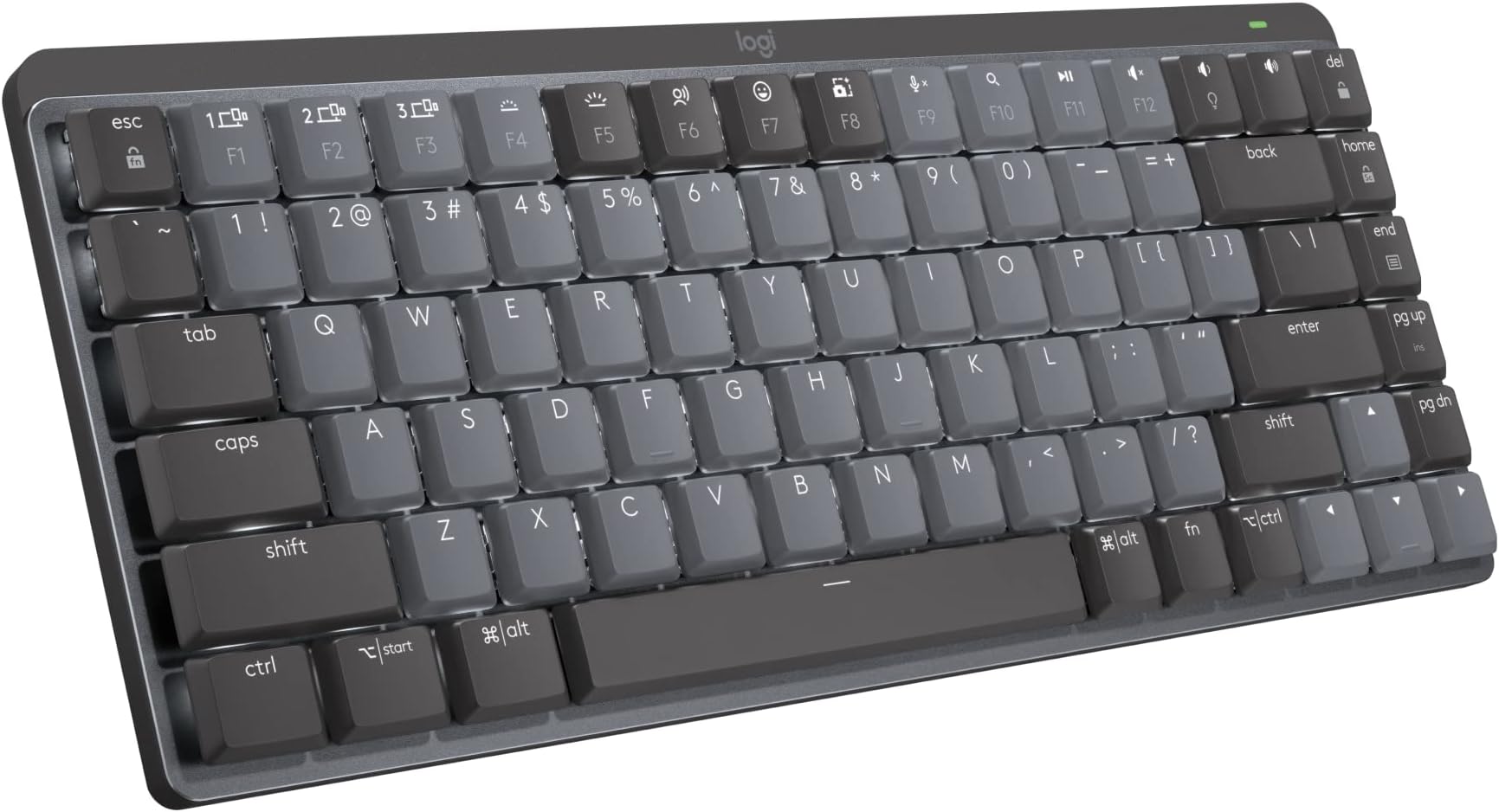
The Logitech MX Mechanical Mini is a compact, wireless mechanical keyboard featuring low-profile linear switches for smooth, fast typing. It supports multi-device Bluetooth connectivity across major OS platforms, smart backlit keys that adapt to your environment, and USB-C quick charging with up to 10 months battery life without illumination. Crafted with metal and recycled plastics, it balances premium build quality with sustainability, designed for professionals seeking ergonomic comfort and seamless productivity.


| ASIN | B09LJWXD6M |
| Additional Features | Illuminated |
| Antenna Location | Office |
| Best Sellers Rank | #28 in Computer Keyboards |
| Brand | Logitech |
| Built-In Media | Logi Bolt Receiver, Master Series MX Mechanical Wireless Illuminated Performance Keyboard, USB Cable, User Documentation |
| Button Quantity | 19 |
| Color | Graphite |
| Compatible Devices | PC |
| Connectivity Technology | Bluetooth, Logi Bolt |
| Customer Reviews | 4.3 4.3 out of 5 stars (498) |
| Enclosure Material | Information Not Available |
| Hand Orientation | Ambidextrous |
| Item Dimensions L x W x H | 5.18"L x 12.31"W x 1.03"H |
| Item Type Name | Keyboard |
| Item Weight | 1.7 Pounds |
| Keyboard Backlighting Color Support | Single Color |
| Keyboard Description | Mechanical |
| Keyboard Layout | QWERTY |
| Manufacturer | Logitech |
| Model Name | MX Mechanical Mini |
| Model Number | 920-010551 |
| Number of Keys | 104 |
| Number of Sections | 2 |
| Power Source | Battery Powered |
| Series Number | 10551 |
| Style Name | Linear (smooth typing) |
| Switch Type | Tactile |
| Theme | Office |
| UPC | 097855174499 |
| Unit Count | 1.0 Count |
| Warranty Description | 1 Year Limited Hard Warranty |
C**O
Great premium looking keyboard
Great keyboard with a premium feel. The build quality is solid and sturdy, and the design looks very clean on the desk. The keys have a soft touch with a pleasant, quiet sound that makes typing comfortable. The backlighting is also excellent and very convenient in low light. Overall, a great mechanical keyboard for both work and everyday use.
C**.
Premium keyboard for the office
Since being relegated to 100% remote work as a programmer, I finally put together a dedicated desk space at home. Unfortunately, my Corsair Strafe mechanical keyboard didn't agree with my new docking station and it was doing downright dangerous things like repeating keystrokes or dropping out altogether. Not a good thing for someone working with live production machines. So I tried the only other keyboard/mouse that I had, which was the entry-level Logitech wireless set. Not terrible for the money, but not really the caliber of keyboard/mouse that you'd want to work on all week. So I decided to splurge and step up to a premium wireless keyboard and mouse. I chose the Logitech MX Mechanical with linear (red) switches and the Logitech MX Master 3S mouse. Honestly, I wish that I had made this choice a long time ago, because I am deeply in love with both of these items as daily drivers for work. The keys are so satisfying to type on. They're not clicky (that'd be the blue switches instead) but they have a very pleasant resistance and overall feel to them. It just feels...premium. There are more shortcut keys than I will likely ever take advantage of, but I've already taken a liking to the mic mute, volume controls, and brightness adjustment shortcuts. The size and weight are perfect for my setup. It's a full-size keyboard with 10-key numpad but it's noticeably more compact than my Corsair mechanical keyboards. Wireless connectivity is a plus, which keeps the desktop uncluttered and allows me to type on my lap if I want to lean back for a while. Bluetooth setup was painless, and it allowed me to connect directly to my laptop instead of using the included USB dongle. I only have a couple of gripes about it. First is that the function key row is too close to the number key row. There isn't a familiar gap between the two, so it's been tough for me to use the function/media and number keys by feel. And the num lock key isn't immediately identifiable by its icon so I have to hunt for it any time I need to toggle it. Overall I'm extremely happy with the keyboard, and I'd highly recommend it to anybody looking for an office-worthy piece.
M**F
The best keyboard I've used. And, I've used many.
A typical keyboard snob here. I've used all different kind of cherry, panda, topre, kailh, etc. So many HHKB, Leopold, Drops, Das, Ducky, and so many customs. But, last a few years I used nothing but Logitech MX Keys just because being flat was easier on my wrists. And, high-end keyboards almost always come with own quirks. I absolutely thought my days with mechanical keyboards are over until I tried this, MX Mechanical Mini. By far this is the best keyboard I've ever had. It's not as flat as I want it to be. There is no palm rest that works with this low profile. But, the build quality, function, and the typing experience. Yes, the typing experience is actually quite amazing. It's better than topres I had. I got the linear and if you know how to type lightly - which is perfect with low profile keyboards like this. This really does feel as good or better than many $400 customs I had. Oh, and how fast it switches between devices. I have PC connected via Bolt and iPad via Bluetooth. It almost instantly switches. By far this is the best keyboard for me.
C**Z
Perfect and comfortable, some glitches on MacOS
The good - I'm using this keyboard with MacOS and Linux; got the Tactile switches and are really comfortable and fluent, I haven't heard complains from others while typing close to the mic. - The built quality is excellent, is not as heavy as MX Keys but is not moving around while typing either. - On Linux, the Solaar application helped nicely to set it up with the only exception of the lights presets which get reset each time I connect to that PC. the good point here is thanks to the Open Source Community though. - The battery seems to last longer than the short lived MX Keys battery The bad? - Anything said below is overcome by the good things and comfort. - It was hard to decide and get to the idea of having the mouse taking other USB because it uses a different sensor than previous MX devices. - The low profile switches are not as low as MX Keys, consider adding some 0.7" thick wrist rest. - And finally The only glitch I've got so far is on MacOS some applications stop detecting the Options|Start key after pressing another key once (for example while scrolling up at iTerm) the workaround was to change the shortcut to something else (pageup instead of Options+pageup). - Lack of official support for Linux.
D**M
The best keyboard for work and semi gamer
I love this keyboard. I had a chance to test it at Office Depot and eventually went home and and shop for one on Amazon. 2 days later it arrived and I'm using the keyboard now to type this review. I bought the linear version because I prefer the smooth key stroke. But you can't really go wrong with tactile or clicky version either. It's just personal preference. The keyboard itself is very well built and stable. It also has the perfect size keys width. The best part is also great for gaming too. It's expensive for a keyboard but imo it's worth the investment. Im a very picky person when it come to device that i use everyday so it need to be premium and has good features. I prefer full size keyboard because it's more versatile and i need the 10 keys for calculating numbers at work. Imo this keyboard is excellent. Thanks Logitech.
H**N
Best Bluetooth office keyboard ever. Trust me, long lasting battery life. You can interchange between 3 devices including both window and maxOS keyboard layout. You can still feel little bit of mechanical keyboard yet maintain quiet noisy for office environment. Also it’s super light!!! So you can carry around with your work laptop. However the body is plastic and the space key makes squeaky sound. Price can be little bit considering but I rather buy one nice keyboard than bunch of cheap Bluetooth keyboard that you will never use.
A**R
Typing: great typing experience, good quality key caps and switches. The red switches aren’t too loud either. Features: the Logitech software offers lots of customizability. Can connect to 3 devices at once. Great battery life. Keyboard illuminates when you put your hand close to it. Conclusion: The only downside is the price, if you have the money for it, it’s a great choice that should last a long time.
M**C
Good keyboard. Battery lasts a very long time.
T**E
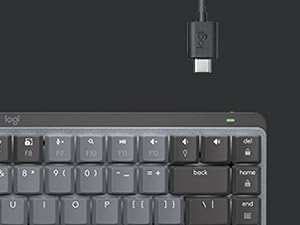
As a professional writer, I have very specific needs in terms of keyboard and their aesthetics. The MX Mechanical Mini is a dream. Its features suit me, the size is perfect and the clikety clacks it makes are music to my writer's ears. With a USB-C charging port, it works seamlessly with modern docking stations (see picture). It holds its charge for a long time and even has a fun emoji 😎 key. I got two at home and I could not be happier.
W**M
The keyboard sounds even outstanding even in stock. The keyboard is fast and easy to get used to, from membrane to mechanical, so a solid keyboard for me.
Trustpilot
1 month ago
2 weeks ago