Desertcart purchases this item on your behalf and handles shipping, customs, and support to Romania.
🎥 Master your creative universe with Stream Deck+ — where pro control meets sleek style!
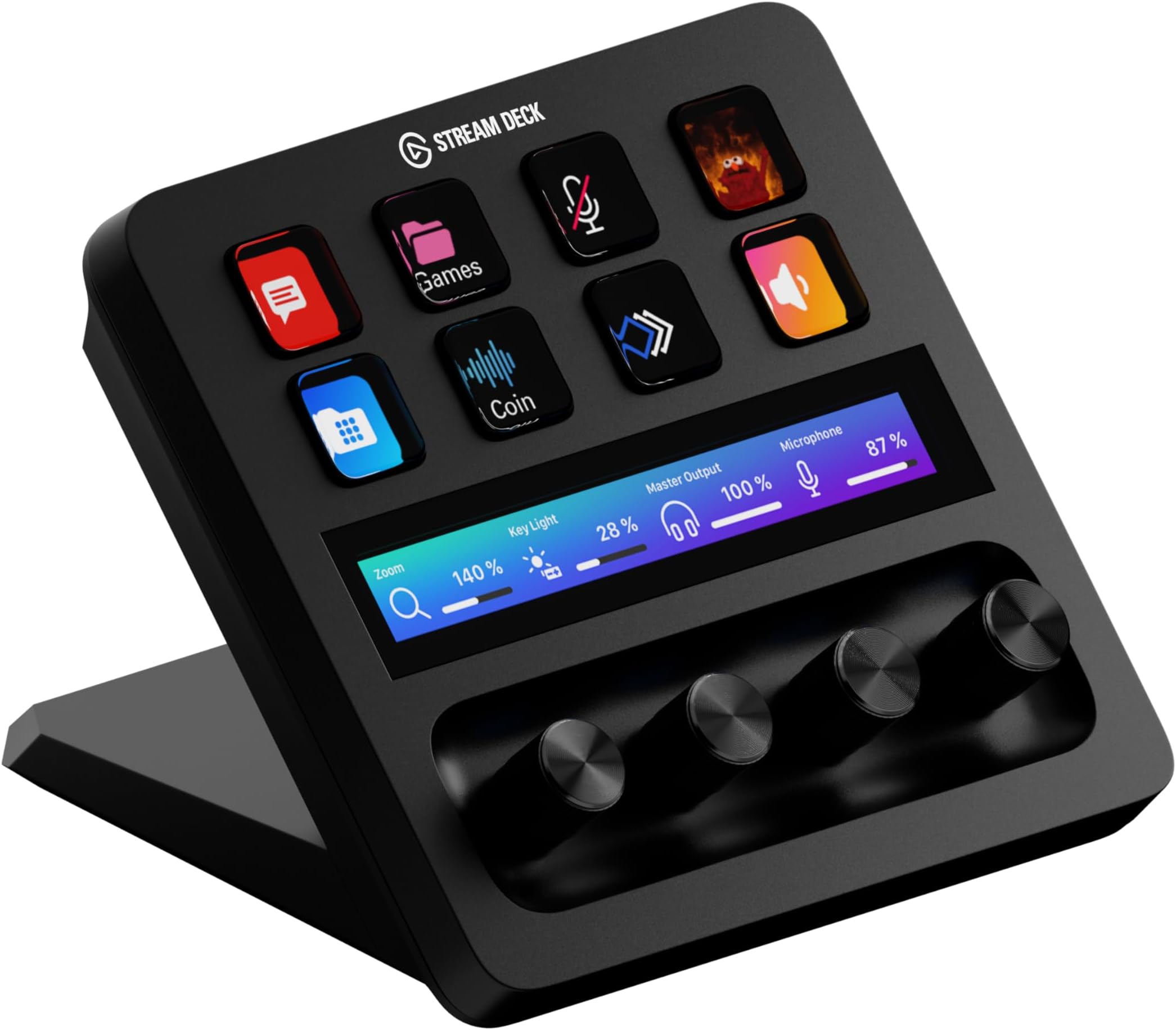
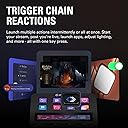
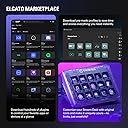
The Elgato Stream Deck+ is a professional-grade, fully customizable control surface featuring 15 tactile LCD keys, a touch strip, and rotary dials. Designed for video editors, streamers, and content creators, it enables multi-action triggers, smart profile switching, and seamless integration with popular apps like OBS, Twitch, and Spotify. With USB-C connectivity and studio-quality audio outputs (XLR, TRS, RCA), it centralizes control of audio, video, lighting, and productivity tools, dramatically enhancing workflow efficiency and creative precision.


| ASIN | B0BJL8SJ59 |
| Audio Input | USB-C |
| Brand | Elgato |
| Brand Name | Elgato |
| Connectivity Technology | USB |
| Connectivity technology | USB |
| Country of Origin | Taiwan |
| Customer Reviews | 4.6 out of 5 stars 4,417 Reviews |
| Frequency | 20 KHz |
| Included Components | USB Cable |
| Item Dimensions D x W x H | 14D x 13.8W x 11H centimetres |
| Item Weight | 470 Grams |
| Item weight | 470 Grams |
| Manufacturer | Corsair |
| Manufacturer Part Number | 20GBD9901 |
| Model Number | 20GBD9901 |
| Output Connector Type | XLR, 1/4" TRS, RCA |
| Power Source | Corded Electric |
| Power source | Corded Electric |
| Product Warranty | 2 year manufacturer. |
| Product dimensions | 14D x 13.8W x 11H centimetres |
| UPC | 840006645146 |
| Voltage | 1 Volts |
J**T
Really great tool, helped speed up my workflow. It feels robust and easy to setup!
Benefits for Video Editing: Efficiency: Video editors can dramatically speed up their workflow by assigning common tasks to the Stream Deck+ buttons and dials, cutting down the time spent navigating menus or remembering keyboard shortcuts. Tactile Feedback: The physical buttons and dials provide a satisfying tactile experience that keyboard shortcuts lack. This allows editors to focus more on their project and less on hunting for commands or settings. Multi-functionality: The ability to customize each key and dial for specific software allows editors to create highly specialized setups, saving time and ensuring that all necessary tools are readily available. Enhanced Focus: By centralizing control on a single device, editors can maintain focus on the creative aspects of video production without being distracted by software navigation. Conclusion: The Elgato Stream Deck+ is a valuable asset for video editors, offering a high degree of customization and control. Its integration with popular editing software, combined with its tactile input options, makes it a powerful tool to enhance workflow, save time, and improve precision in editing tasks. Whether you're an amateur or a professional, the Stream Deck+ can significantly elevate your editing efficiency and creativity.
K**N
Top Quality
The Elgato Stream Deck + in White is an absolute upgrade for anyone who wants more intuitive control over their workflow. The build quality is top-notch as always solid, premium, and the white finish looks stunning on a clean desk setup. The combination of customizable buttons, touch strip, and rotary dials makes it incredibly versatile. Assigning actions is super easy through the Elgato software, and the dials are surprisingly useful for adjusting volume, switching scenes, or controlling lighting with real-time precision. Everything feels smooth and responsive. What I really appreciate is how well it integrates with OBS, audio mixers, and productivity apps. Whether you're streaming, video editing, or just want quick shortcuts for daily tasks, it adds genuine efficiency. A bit pricey, yes but you can feel where the money goes. If you want both functionality and aesthetics, this is one of the best tools you can put on your desk. Highly recommended.
A**O
A beautifully engineered, well made product
A beautifully engineered product. The rotary encoders are solid and precise and the touchscreen works very well. To really get the best out of the Streamdeck range, you should augment Elgato's own software with the free open source Bitfocus Companion product. This adds enormous power and flexibility to these products and overcomes many of the issues that others have reported. It works alongside Elgato's own software and allows you to do amazing things like define separate actions for rotating the encoders left or right, provides feedback so that the button states always reflect the active state on the controlled device, and many other things, including live VU meters back from a Yamaha mixing desk.
G**S
Do you NEED knobs?
The very first question you need to ask yourself is... Do you NEED to have analogue knobs? I only say this because there is seemingly no way to program the knobs to do any function other than the very basic light control, zoom control, volume control. Even out of the box it only does basic audio system level control and you need plugins to control other app volume and I can't even find a plugin to do Microphone volume. If you have an Elgato light like the key light air, mini or key light then this is 100% worth it to turn it off and on whenever and change the brightness and temperature. Though you can adjust these using buttons on the normal streamdeck. I found that for me, it's worth it to quickly adjust volume in Discord, zoom and teams call while also controlling my light on the fly for recording. The rest of the functionality is brilliant, it's your usual very well made, easy to use and set up streamdeck. The buttons are satisfying, the product feels sturdy and the productivity is amazing. You can absolutely spent DAYS configuring this to do all manner of things. I just wish I could make the screen and knobs do something when they are not in use, or put placeholders there as the buttons can be pressed in. So I wish I could use them as normal streamdeck buttons too. It's not well advertised but the screen above the knobs is also a basic swipe touch screen so you end up saving buttons by removing the "Next page" and "Previous Page" buttons allowing you to put more controls up top. If you don't need the knobs stick with the normal Mk2, Mini or XL.
R**B
A must for streamers. Solid kit.
I used Stream Deck before getting the +. If you stream this is a must. I'd tell anyone who's looking to buy a Stream Deck to just pay the extra cost and get the +. Great bit of kit.
H**Y
Great for Content Creation.
AMAZING Product for content creation and so many things such as games hotkeys, windows hot keys so much to do! One thing about this product that I really like is the ability to have action wheel for audio adjusting on the screen, making streams much easier to adjust. It also provides me with more flexibility and options for many things.
T**Z
Perfect.
Game changer. It's not cheap but it's the most well known brand for this type of product and it has a great compatability with a wide array of software that you can control from the buttons and dials. The virtual stream deck software works really well too. I use mine to control my input and outputs. I also use it to control Spotify. It's so handy as you can record macros etc and once you've set it up it just works every time.
A**R
Works well, but you do have to set it up manually
Reading down the one star reviews I’m seeing they were all from 2022 when it first came out, so I don’t know if the software/firmware was still in development with it having been released early. The other criticisms I’m seeing — that it doesn’t work with the eg Adobe suite out of the box — I can see as being fair criticisms on the one hand if you’re buying a programmable shortcut controller and expecting it to work without having to program it, but on the other hand, personally that’s not a problem for me, because I actively want to program it myself — I don’t want the shortcuts and icons for somebody else’s workflow, I want the shortcuts and icons which I use for *my* workflow, and it’s not a big deal to rustle up those icons in Photoshop. The knobs can also be mapped to shortcut keys, so it’s easy enough to map them to the left and right keys for frame by frame paging through the clip with a push of the button to make a cut action, and like its predecessors it recognises the application in current focus and automatically selects the correct set of shortcuts for the icon. And the + variant only having eight buttons and four knobs isn’t as much of a problem as it first looks, because you can page through to get more shortcuts by swiping on the touchscreen. For me I’d say the headline price of £200 was a stretch in terms of value to me personally, but I got it for £140 in the Amazon sale, and I’d say it has been well worth it for me for that price.
M**E
From Button Mashing to Command Center — The Elgato Stream Deck Is Pure Gaming & Streaming Magic
The Elgato Stream Deck has completely transformed my daughter’s gaming and streaming setup — and I don’t say that lightly. What immediately stands out is how intuitive and satisfying this device is to use. The customizable LCD keys, smooth dials, and touch strip turn complex actions into effortless, one-tap commands. Scene changes, audio adjustments, app launches, macros — everything that used to interrupt her flow now happens seamlessly and instantly. The visual clarity of the keys is excellent, the responsiveness is spot-on, and the overall build quality feels premium and purpose-built. This isn’t a gimmicky accessory — it’s a serious productivity and performance tool disguised as a sleek piece of hardware. What I love most is how quickly it becomes indispensable. Once it’s set up, you wonder how you ever streamed or gamed without it. My daughter raves about it daily, not because it’s flashy, but because it actually makes everything easier, faster, and more enjoyable. If you’re a gamer, streamer, content creator, or even a power user looking to streamline your workflow, the Elgato Stream Deck is absolutely worth it. It’s one of those rare products that lives up to the hype — and then exceeds it. Highly recommended.
A**E
Great Addition to your Set up
This has been one of my best purchase in 2025, I bought this primarily for my MSFS and have enjoyed using it too for other apps. Fully customizable buttons, touchscreen and dials a must have for productivity and gaming enthusiasts.
S**.
Un peu cher mais super quali !
Top
M**E
A Game-Changer for New Streamers
First Impressions: Right out of the box, the Stream Deck Plus felt solid and well-made. Setting it up was a breeze, and I customized it to fit my needs in no time. What I Liked: • Ease of Use: The 15 programmable LCD buttons let me set up hotkeys for quick access to essential functions, making managing my stream and other apps much simpler. • Extra Controls: The rotary knobs and touch screen add flexibility for adjusting audio and other settings. Now, I can easily tweak my mic volume or switch scenes in OBS without hassle. • Customization: Being able to personalize each button with icons and even GIFs is awesome! My Stream Deck now looks just the way I want it. What Could Be Better: • Software: Occasionally, the Elgato software can be glitchy. Some plugins have crashed or didn’t work correctly, and the plugin installation site can be slow. But overall, it’s manageable. • Price: For a newbie streamer, the cost might seem steep. However, considering its functionality and build quality, I think it’s a worthwhile investment. Conclusion: The Elgato Stream Deck Plus has become an indispensable tool in my streaming setup. Despite a few minor issues, I’m thrilled with the purchase. If you’re starting out in streaming and want to enhance your broadcasts, I highly recommend checking out this device. Hope my review helps! Good luck with your streams!
R**M
Love quick access to short cuts like volume and mute
Perfect piece if gear. Exactly what i was looking for. Have not looked at all the features yet
Trustpilot
1 day ago
2 months ago