Desertcart purchases this item on your behalf and handles shipping, customs, and support to Romania.
🖱️ Elevate your workspace comfort and control—because your wrist deserves the best!
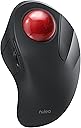
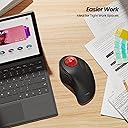
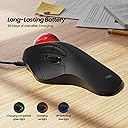
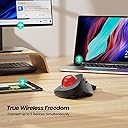
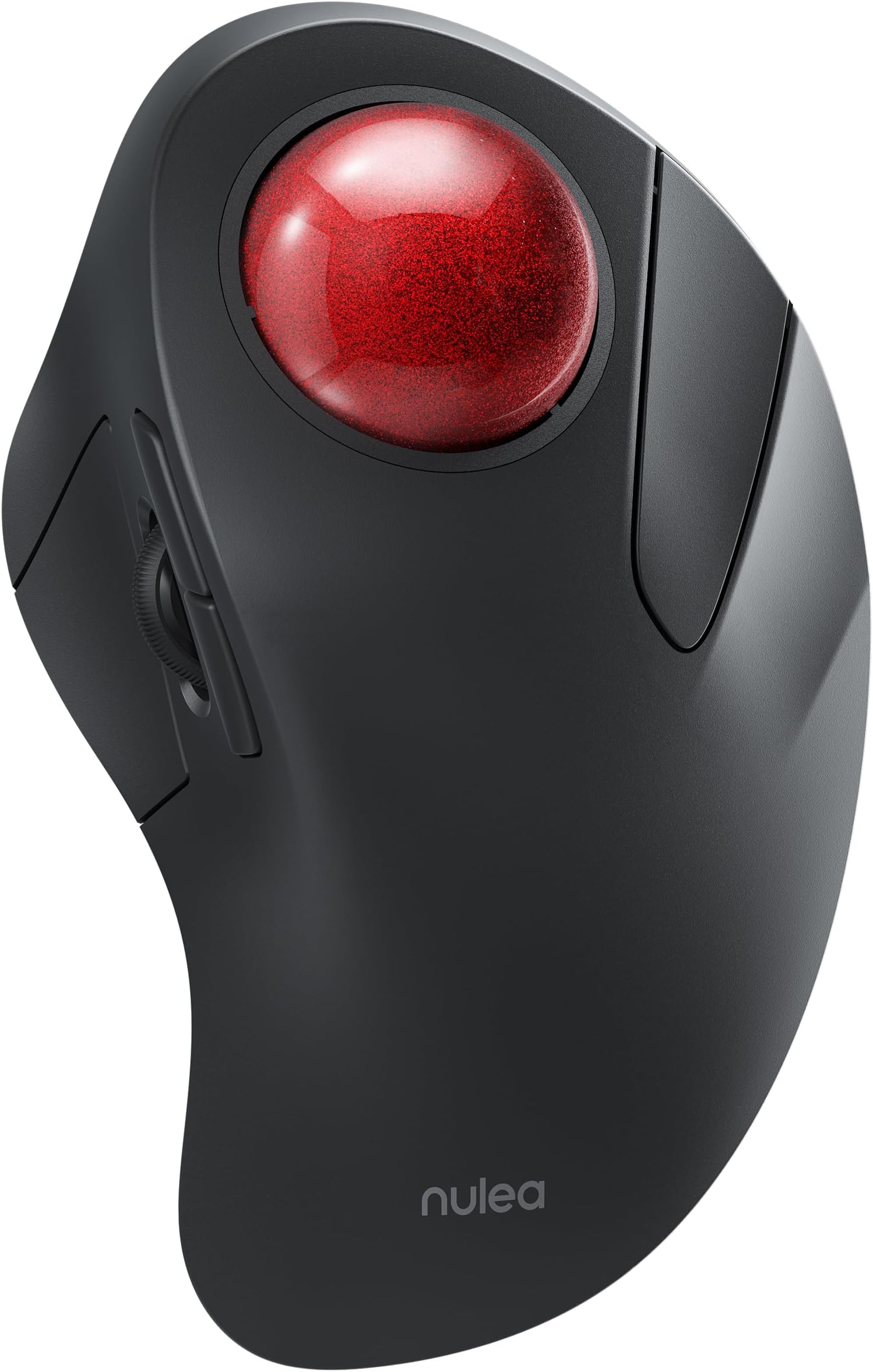
The Nulea M505A Wireless Trackball Mouse combines ergonomic design with advanced precision, featuring a 44mm index finger trackball and 5 adjustable DPI modes. It offers true wireless freedom by connecting to up to 3 devices via Bluetooth or USB receiver, compatible across PC, Mac, Windows, iPad, and Android. With a rechargeable battery lasting up to 60 days and a compact design ideal for small workspaces, it’s engineered to reduce wrist strain and boost productivity for professionals seeking comfort and efficiency.


| ASIN | B0BKLGJPQT |
| Additional Features | Wireless |
| Antenna Location | Indoor |
| Battery Average Life | 90 days |
| Best Sellers Rank | #180 in Computer Mice |
| Brand | Nulea |
| Button Quantity | 6 |
| Color | A-Red |
| Compatible Devices | PC, Laptop, iPad, Mac, Windows, Android |
| Connectivity Technology | Bluetooth, USB |
| Customer Reviews | 4.4 out of 5 stars 2,159 Reviews |
| Enclosure Material | Plastic |
| Hand Orientation | Right |
| Hardware Platform | Mac, PC |
| Item Dimensions L x W | 6.6"L x 2.2"W |
| Item Weight | 195 g |
| Manufacturer | Nulea |
| Minimum Required Operating System Version | Mac OS 13 Ventura, Windows 11 |
| Model Name | M505 |
| Model Number | M505A |
| Mouse Maximum Sensitivity | 1600 dots_per_inch |
| Movement Detection | Trackball |
| Movement Detection Technology | Trackball |
| Number of Batteries | 1 Lithium Ion batteries required. (included) |
| Number of Buttons | 6 |
| Operating System | Windows, macOS |
| Power Source | Battery Powered |
| Range | 10.0 meters |
| Special Feature | Wireless |
| Style Name | Modern |
| Unit Count | 1 Count |
| Warranty Description | 30 |
D**.
First trackball mouse, easy transition, excellent mouse
Updated - one year later. I bought this mouse for home use as well and couldn't be happier. I bought one for a co worker and she's a convert. I tried a different trackball mouse (uses your thumb instead of your index/middle finger) and found it was very tiring for my thumb. I also tried a "vertical" mouse; it worked ok but it wasn't as "natural" feeling nor did it give me as much relief as the Nuela does. The sensitivity of the track ball is adjustable, similar to how you would adjust the responsiveness of regular mouse; this makes a world of difference is usability. My only caveat is if you play FPS games. I occasionally play FPS games, and I can *mostly* use the Nuela mouse for them. When I play a FPS, I dig out my old "normal" wireless mouse and put it on my desk so I can quickly switch if I need to. I'm accustomed to using a mouse with a scroll ball/button, forward/back buttons, and left and right click buttons. I transitioned with ease to this mouse, and LOVE it. I bought it for my work computer, but am considering buying it for my home computer as well. The trackball mouse is very comfortable to use and seems to be helping with my tennis elbow problems. I've been using it for 3 weeks , and overall I'm extremely pleased with the transition. First, I had to set the trackball sensitivity. It was just awful until I found the setting that worked best for me (just a few tries with an easy to use interface). Then, I had to figure out how to use the trackball. This sounds odd, but I wasn't sure if I should use my index finger, middle finger, or both. Ultimately, I use a combination of my index and middle finger on the trackball, and use my ring finger for the right click button. This was an intuitive/thoughtless transition. Thumb buttons and accessibility: Using my thumb for a left click was also a very easy/thoughtless transition. I was less confident about the placement of the forward/back button, as they're above the scroll wheel, but I've found this isn't an issue at all. The hardest adjustment has been the scroll wheel. There's just not as much movement capability with my thumb as there is with my middle finger (which is what I used to control the scroll wheel on a traditional mouse). I can do it, and I've adjusted, but it's slightly more effort than a traditional mouse. As an alternative, I can press the scroll wheel button, which then allows me to control scrolling with the trackball. After 3 weeks of office usage, I'm thrilled. With the exception of very few tasks (relating to precision work, like drawing in paint which I do very little of) I'm 100% converted and competent with the trackball. I expect that as I continue to use the trackball, my comfort in using the trackball for precision work will increase. To conserve the battery, the mouse goes to "sleep" after some period of time, but it wakes up quickly with the click of the mouse. I've yet to charge it, you do need a USB-C cable to charge it. I can't comment on it's suitability for gaming, as I use it at work, not home. Given my challenges with precision use of the trackball (like for drawing in paint), that would definitely be a more difficult transition for me were I to try it with any of my first person shooter games. To be very clear - I can move the trackball around just fine in word and for selecting links, etc. It's literally just things like trying to free draw a straight line in paint or something similar that I'm not as good at, yet. If you're considering a trackball mouse (and you're not left handed), this is a GREAT choice. The functionality is excellent and it's very comfortable to use. I appreciate the color choices available, and the price at $32 was reasonable.
N**Y
Excellent product, and outstanding customer support!!!
I absolutely LOVE this mouse! I have a tear in the tendon of my right wrist, and using this mouse has made all of the difference in the world, by taking the pressure and strain off of my wrist. After just a few days of using this, the pain has diminished greatly and even the swelling has gone down. It's very ergonomic, and operates very easily and smoothly. Also, their support team is OUTSTANDING! I'm extremely technically challenged, and they were able to walk me through setting it up, and answer ALL of my questions. I normally hate "chat" discussions, but they were amazing, sending me detailed pictures and diagrams of what I needed to do. The mouse itself is very well made and high quality. I am SO pleased with my purchase, and their customer support!
T**A
Finally!!!
I had been using the center ball logitech mouse for a loooong time. Was really tired of the cord, and I had been searching for a wireless that felt like the logitech. All others almost hit the mark but there would be something I didn’t like. The angle of the ball, the scroll wheel, latency issues, etc. small things. This one hit the mark!! I love this mouse. It feels so comfortable and mimics the feel of the logitech. It also can connect to 3 different sources. Super handy since I have 3 different computers. So happy with this purchase!!
I**E
Compared to the Elecom Huge
I have been a fan of the Elecom Huge trackball for years, I found it to be best replacement for the MS Trackball Explorer from years past, though it was a completely different design. When I saw this trackball, it reminded me so much of the original Trackball Explorer that I had to give it a try. This review will mostly be comparing it to the Elecom Huge. Buttons: While I love the Elecom Huge, it's not really designed for smaller hands like mine. The left button on the Huge is a bit too far away for my thumb to reach comfortably, so I have had to swap the Forward and Left buttons in the software, not a big deal as it's easy to do, but it's an out-of-the-box ergonomic drawback. The left button on the Nulea is more "flared" out, so it's much easier to reach with my thumb (by pressing "downward" instead of "inward") and therefore requires no re-mapping of buttons. Which brings up another important difference: you cannot re-program any of the buttons on the Nulea, fortunately, the buttons are laid out in a familiar pattern that is easy to learn, but could be a showstopper if you don't like the current button assignments and don't want to mess with third-party utilities. The Elecom also comes with 3 extra programmable buttons and can do horizontal scrolling, which the Nulea is incapable of doing. ** UPDATE: I thought I would miss having the extra re-programmable buttons, but it hasn't affected me that much at all ** Ergonomics: The Elecom has a flatter design with a nice soft rest for your palm and the huge ball makes moving across a 4K monitor screen a breeze as it doesn't require much rolling effort to go from one side of the screen to the other. The Nulea has a more raised design, and while it lacks the soft palm rest of the Elecom, it's still quite comfortable. The Nulea has a smaller ball, so there is more noticeable rolling to get around the screen, what i could do in one smooth motion with the Elecom, requires a little extra afterward to get there on the Nulea even at the highest DPI setting, so i had to adjust the pointer speed in Widows to compensate. ** UPDATE: After two months of daily use, it is still very comfortable to use, no stress or strain at all ** Battery life: The Elecom Huge can go for months at a time between battery changes, but does require physical batteries. I haven't owned the Nulea long enough to know how long it lasts on a charge, but it uses a rechargeable battery (and USB-C), and you can continue to use it while it's recharging, so that's a plus. ** UPDATE: After 2 months of daily use, I have not needed to recharge it. However, it does "sleep" after some period of inactivity, requiring you to click a button to wake it back up. *** Overall: So far I would say if you want a programmable, feature rich trackball, go for the Elecom Huge. If you want a nice comfortable trackball reminiscent of the old MS Trackball Explorer with no bells and whistles, then go for the Nulea. **UPDATE** After 15 months of continuous daily use, one of the bearings failed, causing the ball to no longer roll smoothly. However, I liked it so much, that I have purchased a replacement.
A**S
Pretty damn good (rambling)
I don't really have a lot to say except this was my first finger-operated trackball and it was quick and easy to adapt to felt amazing both ergonomically and in terms of the actual trackball itself and the ergonomics of it are just amazing. I really love it. I don't really use the scroll wheel very much. I prefer to hold one of the buttons and then use the track ball for 2D drag based scrolling. But because of how good the track ball feels, that just feels incredible. It's like the best scroll wheel ever made because it's a track ball. I really appreciate that there's a sort of sculpted vertical tilt to the whole body of the thing, but that's not enough vertical tilt for me coming from a vertical mouse, so I actually used a magsafe charger mount thing to mount in a vertical position, and that's been great. In fact, it's almost like enhanced some of the other ergonomic aspects I really like, like the way the thumb area is kind of sculpted to fit the hand, and the way the body fills your hand out. As far as the general, like, feel of the device, it feels shockingly high quality and sturdy and rigid (and I love the soft touch plastic) for its price. But based on the weight and the slight tendency to slide around a little bit on the rubber feet and stuff like that, I think it's, you know, it's still possible to tell that it was a device on the cheaper end, but it feels like a device that's worth maybe $60 or even $80.
K**T
Perfect mouse!
First trackball mouse I had was the Kensington Expert Mouse, remember?! I LOVED IT over the regular mice of the day! I then upgraded to a Kensington Orbit trackball and I thought I was something with that wheel. Then went with the grey Kensington Orbit Wired Trackball for a while opting for wired for video editing... then a wired Logitech Trackman Marble Trackball... before switching back to a moving mouse, the Victsing Vertical Wireless Mouse. I actually really liked the "vertical ergonomic" nature of the latter. However, with big screens of today, I tired of using the regular mouse in a limited area picking it up to continue large movements... Picked this guy up last week, and I LOVE LOVE it! Got back the hang of the trackball, and no more sore wrist. I can scroll with my index and middle fingers across the entire screen in a sec... but also pinpoint slow and accurate movement just as easy. I can use my ring finger for right clicks. I'm getting my dexterity back with my thumb using it more than I did with my vertical mouse. The buttons are super soft with a nice silent but very slightly audible "click". The wheel is convenient, also used with the thumb. The ball is super smooth, key will be to keep it clean underneath to keep it moving smooth. The ergonomics don't tire the hand a bit, not at all! Benefit of trackball is it stays stationary! Don't need any room to move it at all! Time will tell if the ball movement stays smooth, but I think with simple cleaning, it should. I use this for video and audio editing, as well as for business apps, it's perfect for all of it. Haven't charged it even once after a couple weeks use, so happy about the wireless functionality, should last a long time on a charge! So glad I found this!
J**Y
Index finger controls track ball, Very slow wake up response
This was an awkward tracking mouse to adjust at first, BUT it is easier to track more precisely using my index and 3rd finger compared to using thumb on my Logitech. I don't quite like using my thumb for primary Left click. The position on the sloped Left side, with the scroll wheel right above is not user interface friendly. The scroll wheel tends to get in the way of trying to click. I find it difficult to click (with thumb) and drag and move the trackball, so I use my Left index finger to click and then move and drag with trackball with Right hand. That's just how I've managed working with this trackball. I am keeping this mouse because I do tend to get hand and wrist pain easily from being on a mouse for too long. Having several that I can rotate between seems to help me not develop the same repetitive soreness as easily. For this price point, it works well enough (for now) so that it's useful. One of the biggest CONS for me is how LOOONG this can take to wake up. Honestly sometimes I don't see a response for almost a minute, and I have to switch to another mouse while Nalea wakes up to respond. The mouse is quite large, but it means that there is more space to rest your full palm. Maybe not the most ideal trackball mouse, but for this entry level price, it's decent and tracks well and seems sensitive enough for basic browsing and editing, word processing.
M**M
Replaced my Logitech T-BC21 with this
Been using this for a week now and liking it. Replaced my Logitech T-BC21 trackball, which I'd been using for 20+ years and gave this a try. Smoothness of the ball is good. L & R clickers are functioning well. If Nulea could change the position of the scroll wheel and back/forward buttons and put the scroll at the top and buttons in the middle that would make accidental "unwanted" touching of the scroll wheel better. Cons : the M505A does not work well on my older Windows 7 computer very well.
J**N
Cambio para mejor!!!
Tras más de 6 meses y con más de 8 horas de uso diario, puedo decir que es un gran producto!!! Cuesta acostumbrarse viniendo de un "ratón normal", pero es extremadamente cómodo, la muñeca o dedos no sufren para nada, utiliza menos espacio que un ratón convencional (al no tener que desplazarse en ninguna dirección) y la batería dura mucho (en todo este tiempo solo lo he tenido que cargar 2 veces, y el ratón funciona mientras está cargando). Lo único a tener en cuenta es que los rodamientos deben limpiarse continuamente para asegurar un movimiento "limpio". Es una tarea muy sencilla que se hace en menos de 1 minuto (extraer la bola y limpiar con un paño) Solo puedo decir cosas buenas!!! NOTA: el material no está marcado y mantiene su aparicencia como el primer día.
M**T
Bon rapport qualité / prix
Article bien conçu, esthétique et complet avec le trackball (mouvement du curseur), des 4 boutons latéraux et de la molette permettant de scroller. Avec cette configuration, on doit revoir ses habitudes étant donné que l'équipement ne bouge plus contrairement à une souris standard, mais uniquement la boule avec les doigts > Même si l'équipement est imposant, ça reste un choix judicieux quand on a un petit poste de travail ou que la surface est vitrée - soucis avec le laser des souris optiques (d'autant qu'il peut aussi servir de repose-main) Ce modèle est sans fil grâce à son dongle (là aussi on évite un câble qui traine sur le bureau) La batterie [non remplaçable] se recharge via un port USB-C (câble fourni) et j'espère qu'elle durera dans le temps NOTE : Modèle pour DROITIER UNIQUEMENT (dommage de ne pas l'avoir précisé dans le descriptif de l'article)
C**T
A good example of a tracker ball mouse. Supports wireless USB or Bluetooth.
Now I've gotten used to it, I like it. First "ball mouse" I've ever used in 30+ years so my muscle memory took some time to adjust. It comes with a wireless USB dongle (plugged into the base). Or you can use Bluetooth mode - there's a button on the bottom for switching modes. I've used both wireless USB and Bluetooth and they both work fine. I like the fact no mouse mat is needed. It works on my coffee table or on the sofa next to me. I wanted a top-ball mouse as my thumb is not as dextrous as my fingers. My right hand sits very comfortably on the mouse. The mouse has back+forward buttons which are handy in web browsers for going back a page and then forwards to the previous page. No need to move the mouse to the top left of the screen for the "<-" and "->" browser buttons. I charged it up on arrival. USB cable included for this. It's been running a week on a single charge, and I've been using it a lot. My previous mouse (single AA battery) would have died by now. The ball is removable for cleaning and has a decent weight to it. It'll hurt your foot if you drop the ball on it (I did this...). If you don't have space for an A4 mouse mat, or simply want to use a mouse on a sofa cushion without it sliding all over the place, then this is ideal.
H**N
Just received and immediately impressed
Just received it and unboxed and tried it out. First impression is that the design is exactly what I am looking for and how it feels while being used. The texture is pleasing (although I have doubts that this matt texture can survive more than a year’s use of daily 5 hour use) and the positions of the trackball and buttons are placed where I want them. Both left and right click buttons click downwards and not inwards which is a positive thing for me. The DPI switch which easily allows me to determine the speed of the arrow travel each time I touch the ball is a godsend compared to other trackballs. This trackball has a rechargeable internal battery - which I hope will last a long time. Always found that rechargeable devices often die due to the battery. It comes with a 2.4Ghz dongle or useable with Bluetooth connection. I have not tried using the rechargeable cable as a direct wired connection to the computer yet but I do not think a wired mode is an option. Will update on this later. Overall on initial impressions and use, this trackball is better than I had hoped and as a trackball user (Microsoft, Logitech, Elecom, etc.) this has so much promise. I will update again in a few months. If my impression is sustained through use in the months ahead, I plan to buy a few for my family and myself at home and office.
A**U
Ottimo mouse a sfera
Questo mouse M505 Nulea è ottimo per chi vuole iniziare ad utilizzare o già utilizza mouse fissi con sfera di movimento. Il mouse arriva completo di cavo di ricarica USB-c, ricevitore Bluetooth e libretti di istruzioni, uno in italiano e uno in inglese. I materiali con cui è realizzato sono buoni e ben rifiniti, al primo contatto con la mano la sensazione che da è di una superficie morbida e liscia. La connessione con il PC è stata semplice: è sufficiente inserire la chiavetta Bluetooth 2.4Ghz nel Pc, selezionare BT1 con il pulsante nel retro del mouse, tenere premuto il pulsante 3-5 secondi fino a che la luce non lampeggia, andare alla voce "aggiungi o rimuovi dispositivi Bluetooth" nel vostro pc ed aggiungerlo. Se come me siete pignoli con la precisione di puntamento del vostro mouse, è possibile regolare i DPI del dispositivo tra 5 modalità (200-400-800-1200-1600) premendo l'apposito tasto nel retro del mouse. Ogni tasto in questo mouse è personalizzabile al 100%, la sfera scorre bene e non ho riscontrato difficoltà nell'utilizzo. Il mouse ha una batteria interna che ne permette un uso davvero longevo prima di effettuare la ricarica, ogni 30 minuti il mouse entra in modalità stand-by, è possibile sbloccarlo premendo il tasto alla destra della sfera. Se cercate un mouse ergonomico che non fa fare sforzi eccessivi alla mano o al braccio, questo può fare al caso vostro. Consigliato
Trustpilot
1 month ago
2 months ago