🎮 Upgrade your Steam Deck with style and precision—because your console deserves to be as unique as you are!
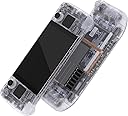
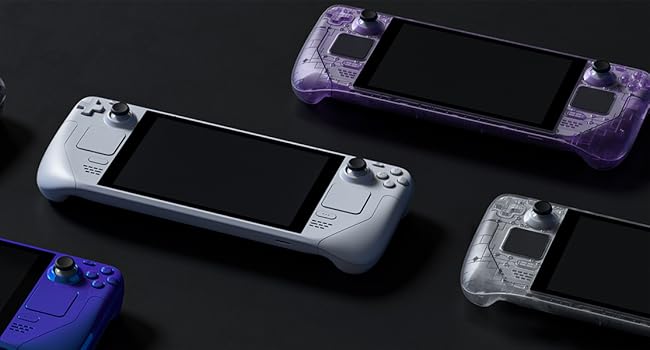
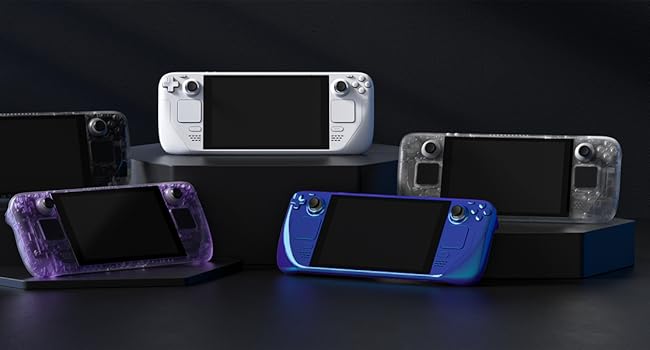
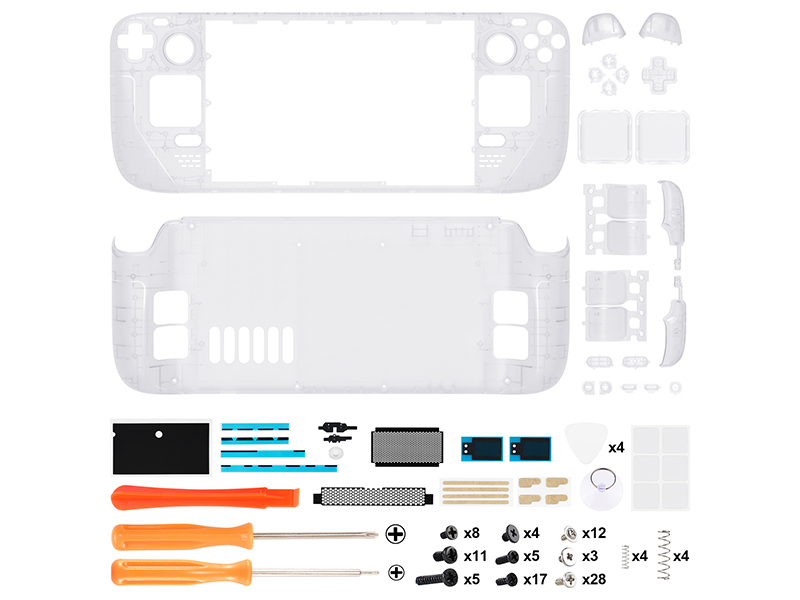
The eXtremeRate Transparent Clear Custom Faceplate Back Plate Shell is a premium replacement housing kit designed exclusively for the Steam Deck LCD (2022). Made from durable ABS material, it includes a full set of buttons and all necessary tools for a complete DIY console makeover. This precision-engineered shell offers a perfect OEM fit and a striking transparent look, elevating your handheld’s style while maintaining original functionality. Installation requires advanced electronic skills, supported by a detailed video guide to ensure a flawless upgrade experience.


| ASIN | B0C77ZPYHZ |
| Best Sellers Rank | #7,606 in Video Games ( See Top 100 in Video Games ) #1,987 in Legacy Systems |
| Customer Reviews | 4.4 4.4 out of 5 stars (354) |
| Date First Available | June 6, 2023 |
| Item Weight | 0.353 ounces |
| Item model number | QESDM001 |
| Manufacturer | Extremerate |
| Product Dimensions | 0.79"W x 0.39"H |
J**L
Very nice shell, but a complicated swapping process
Very impressed with the quality and fit of this shell. Everything is molded exactly the same size and dimensions as the Valve shell originally. It looks great, has a fantastic feel and surface finish, the buttons all fit together perfectly and work as expected, the instructional video is *very* thorough and good. I'm particularly impressed with the detail of the shell, it includes replacement and color correct pieces for every single button, including the power/volume buttons, trackpad covers, the shoulder buttons, etc. Most of the time I've seen console replacement shells they usually only replace the "main" parts they can get away with. This is a super thorough kit! My only complaints, if any, are that the screws given with the kit are just jumbled together in a single bag and it's very difficult to tell which ones are supposed to be used where. That said - and this is absolutely no fault of the replacement shell - this is a *really* intricate process to totally disassemble the Deck. Valve made the thing pretty repair friendly, the entire console can be disassembled with screws, *except* the screen. The screen is adhesion-ed on to the console, removing it is a stressful and frustrating process, and you risk damaging/breaking the screen in a couple ways. There's also quite a few fragile ribbon cables inside with very small and finicky latches, pay attention to how the latches are flipped up and the cables removed, don't yank on them too hard! The instructional video included with the kit is REALLY good, it's also REALLY long, don't skip it, don't try and find some shortcut, spend the time to sit down and follow along. A few tips from my swap: - Keep your screws really organized, I have a magnetic screw organizer mat, but some small bowls or piece of cardboard with some tape on it also works great. Don't mix the screws up! - When you remove the screen, be VERY careful not to stick the guitar pick/spudger too far under the screen, the instruction video says "don't do more than 3mm" but doesn't explain _why_ - the ribbon cable connecting the screen's panel to it's controller is very close to one of the side edges, it's very easy to damage especially when you're jabbing in there with a metal pick to try and pry the screen loose. Damage that cable and you'll need a whole new screen!!! - Replacing the trackpad covers is the only other really difficult part, the trackpad sits on a funky wavy spring along with it's vibration motor for the haptics feedback, then the cover with the actual "tracking" part is snapped on top, there's several ribbon cables and sensitive springs around it, so go slow and take your time! Use a hair dryer or heat gun to warm up the top of the trackpad before removing it from the adhesive - Highly recommend getting a couple nicer spudgers or guitar picks for disassembly, the ones included in the kit are pretty cheap
Y**N
Amazing, and super cool look!!
I was a little scared to try and open up my my favorite handheld pc! But I built up the courage and did it. It was a long and tedious process, but it got done. The buttons feel so good, just like OEM buttons, and screws that came with the kit honestly are a very good quality. I lost a couple of my OEM and the ones that came in the kit for it perfectly! Honesty if you are thinking about getting this or another brand, get eXtremeRate! Even there videos online were easy to follow, just an FYI though, this little project will take you between 3-5 hours.
M**L
Awesome looks despite some minor flaws
Looks good, cheap in price, comes with necessary tools, and the instructions were simple enough to install. My only complaints are (1) shell cracked/split on the front/underneath the screen, and (2) the provided grip buttons don't seem to give a positive click when installed. I ended up using the black grip buttons from the original steam deck shell (had to drill them out with a 1/8 inch bit) and everything is better. I would buy this shell again and recommend it to a friend.
T**E
Stellar product
I purchased this with absolutely no experience in disassembling electronics, and was able to successfully complete this without causing any serious damage. I feel that this frame is higher quality than the stock model, and looks really nice overall. The guide video provided does an amazing job at being clear about how to safely remove pieces, or reattach them. I did have a few instances where it felt the components were easier to remove in the demonstration than they are in a stock model, but they still provided a good guide. I do have some words of advice for anyone interested in doing this themselves. 1. Keep track of your screws. I labeled and stored my screws throughout the entire process, which majorly helped when it came to reassembly. 2. Be extremely patient during screen removal, it is ridiculously scary and stressful, and much harder than it looks in the video, I would recommend buying an iOpener, as a hairdryer with the suction cup provided was simply insufficient to remove the adhesive and lift the screen. 3. Be careful when cleaning the adhesive residue off of the screen, I unintentionally scratched up my bezel, which is fortunately only a cosmetic issue, however if that matters to you, then practice hefty patience and caution at this step. 4. Be careful of your cables, multiple times I had to backtrack because I trapped cables under components. 5. Use a heat gun, hairdryer, or iOpener if any adhesive feels like it won’t come away safely, it’s not worth the risk. 6. When working on it you can put the deck face down in its case to make sure you avoid damaging the joysticks. Finally, I found this project to be fun and well worth the effort, but I would not recommend it to anyone who is impatient, or can’t handle stress well. I spent about 7 hours working on this, and I would recommend anyone attempting to do this to prepare for even longer.
R**N
Great option but know what you’re getting into.
Swapping shells is no joke but this was worth it. The instructions were very through and the quality of the product is fantastic. The swap took about 5 hours and I highly recommend having a 7-10 small bowls or containers for all the different screws. Make sure you keep the parts you remove organized. The glow on this body is convenient when it’s dark but not bright enough to distract from gaming. When it is in the light, the color is almost entirely a frosted transparent white. You would not immediately know it glows in the dark and I love that. It is worth noting that you can mix and match some of the buttons if you prefer the original’s feel or you want some extra flair. I kept some of the original buttons and it was not an issue other than the back paddles. I did not realize the back paddles are fuzed to the original Steam Deck’s back. Good luck!
B**E
Honestly this is one of the best shells I've come across, let alone for the Steam Deck. It feels great, looks fantastic and fit together arguably better than the stock shell. Mine creaked when the shell was pressed below the screen and this one didn't, so clearly done something better than Valve to sort that out! I did keep the original buttons though as it looks quite cheap going with all purple - but that's just me. The kit had everything you need to swap and Extreme Rate have a YouTube video that was really well done and easy to follow, so I'd recommend watching that like I did. I can't fault it and whilst this isn't a reflection on the shell, it's definitely not for the feint of heart. You take everything apart, including the screen (which I'd never done before) so I wouldnt do it as your first ever shell swap. If you do though, watch their video, take it slow and keep track of which screws go where so you don't ruin any of the posts with the wrong screws. My tip: I used several egg pots and scrap paper to say what they were - worked well!
P**N
Perfect fit, with a good video writeup of how to assemble it. This is not a beginners kit, it will require some knowledge of electronics to complete, as well as 4+ hours of time.
H**.
Alles wie beschrieben, sehr passgenau. Einbau erfordert aber handwerkliches Geschick.
A**S
Bin super zufrieden mit dem Ergebnis und wie unser Deck jetzt aussieht. Hab wie viele die originalen Tasten für einen schöneren Kontrast behalten und ich denke die Bilder sprechen für sich. Das Gehäuse sitzt genau so gut wie das originale und der Kunststoff fasst sich deutlich angenehmer an als der alte. Mittlerweile wird auch kein Metall Pick mehr mitgeliefert, stattdessen 4 an den Spitzen angeschärfte Plastik Picks. Auch wenn der mitgelieferte Saugnapf nicht unbedingt optimal ist war das entfernen des Bildschirmes damit am Ende deutlich einfacher als ich erwartet hatte. Der gesamte Umbau und die vielen Teile organisiert zu halten war zwar durchaus anspruchsvoll, aber nicht so schwer wie man sich das erst mal vorstellt. Hat sich absolut gelohnt 💜
G**A
Producto excelente, mi steamdeck es el modelo original y quedo a la perfección. Solo hay que ser muy organizado para no perder las piezas ya que la instalación si tiene su grado de complejidad.
Trustpilot
2 weeks ago
2 weeks ago