Desertcart purchases this item on your behalf and handles shipping, customs, and support to Romania.
🖨️ Print smart, print fast, print fearless.
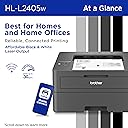
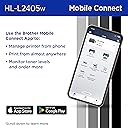
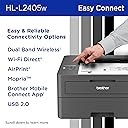
The Brother HL-L2405W is a compact monochrome laser printer engineered for home and home office use, delivering sharp black & white prints at up to 30 pages per minute. Featuring dual-band wireless connectivity and USB interface, it supports versatile device connections. The 250-sheet tray and manual feed slot handle everyday and specialty media with ease. With the Brother Mobile Connect app, manage printing remotely and enjoy a toner refresh subscription trial for hassle-free supply management. Backed by a 1-year warranty, this printer combines efficiency, reliability, and cost savings in a sleek, space-saving design.


| Additional Printer Functions | Print Only |
| Asin | B0CPL7HRQN |
| B W Pages Per Minute | 30 pages_per_minute |
| Best Sellers Rank | #1,298 in Office Products (See Top 100 in Office Products) #2 in Laser Computer Printers |
| Brand | Brother |
| Built In Media | AC Power Cord, Drum Unit, Toner Cartridges |
| Color | Black |
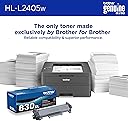
| Compatible Cartridge | TN830, TN830XL, TN830XL2PK |
| Compatible Devices | Laptops, PC, Smartphones, Tablets, iPhone |
| Control Method | App, Touch |
| Controller Type | Android |
| Customer Reviews | 4.1 4.1 out of 5 stars (2,331) 4.1 out of 5 stars |
| Display Type | LCD |
| Duplex | Manual |
| Hardware Interface | USB |
| Initial Page Print Time | 8.5 seconds |
| Ink Color | Black |
| Item Dimensions D X W X H | 14.2"D x 14"W x 7.2"H |
| Item Type Name | Laser Printer |
| Item Weight | 15.1 pounds |
| Manufacturer | Brother |
| Maximum Copy Resolution Black And White | 1200 x 1200 dots_per_inch |
| Maximum Copy Speed Black And White | 30 pages_per_minute |
| Maximum Media Size | 8.5 x 14 inch |
| Maximum Print Resolution Black And White | 1200 x 1200 dots_per_inch |
| Maximum Sheet Capacity | 250 |
| Model Name | HLL2405W |
| Model Number | HLL2405W |
| Model Series | HL-L2405W |
| Number Of Drivers | 4 |
| Number Of Trays | 1 |
| Other Special Features Of The Product | Envelope Printing, Network-Ready |
| Output Sheet Capacity | 100 |
| Paper Size | Up to 8.5 x 14 inches |
| Power Consumption | 450 watts |
| Print Media | Envelopes, Labels, Paper (plain) |
| Printer Connectivity Type | USB, Wi-Fi |
| Printer Output Type | Monochrome |
| Printer Type | Laser |
| Processor Count | 1 |
| Resolution | 1200 x 1200 |
| Series Number | 2405 |
| Specific Uses For Product | Home, Office |
| Total Usb 2 0 Ports | 1 |
| Total Usb Ports | 1 |
| Unit Count | 1 Count |
| Upc | 012502672715 |
| Warranty Description | 1 Year Limited |
| Warranty Type | Limited |
| Wattage | 450 watts |
User
Fast, Compact, and Reliable Printer
The Brother HL-L2405W is an excellent monochrome printer for home or office use. The wireless setup was quick and easy, and the printer connects smoothly to phones, laptops, and tablets. Print quality is very sharp and professional, especially for documents and reports.I also like how compact it is because it doesn’t take up much desk space. The printing speed is impressive, and the machine operates quietly compared to other printers I’ve used. Overall, this printer delivers dependable performance and great value for the prIce
User
Decent Printer for the price
Just received this yesterday and today spent about 2 1/2 hours setting up. Most of the set-up time was either my laptop was running slow or the brother set up was slow. Either way it was fairly easy and pretty painless. The only hitch came when trying to connect wireless, and here I tried a few time with the recommended way. Unfortunately after a couple of attempts it would not work, so I had to manually input the information. Once the screen showed it was ready to type the network password with the up down arrows it seemed a bit time consuming but was actually easy. This was the only glitch I had during the whole process. I guess I could have given a four star, but then again it's just how the machine talks to the router. I had read that other people had this same problem so I was prepared for it. Overall the printing speed compared to my old inkjet was fairly quick, which is a given for a laser printer. Happy with the printer as it is fairly decent and at a decent price.
User
Unnecessarily Complicated to Set Up, Unnecessarily Complicated to Use
I print from my laptop, never my mobile device. Setup for this printer is via a QR code, so after spending more than an hour going through the registration/setup process, I was only able to use the printer via my phone. Useless to me. At the very end of setup, there was a message to go to the Brother website to setup to print from my computer. Geez!!! Just show the computer setup option without having to scan the QR code and wasting time setting up on a device I never print from. I then spent another hour+ setting up for my laptop.Before printing, I clicked the Brother Print&Scan icon to register my printer. It didn't recognize the password on the back of the machine and it didn't recognize the password I'd assigned from the mobile set up. Brother wanted me to enter the serial # on the back of the printer. I'm old. My eyesight isn't great and after 4 attempts to enter the serial #, which BTW, cannot be displayed as you input it, there was no way to confirm if I'd made a mistake keying the # or if it was because I couldn't tell if the last digit of the serial # was a zero, letter O or a Q, and besides, by that time I was too tired and too irritated to continue because I'd already spent more than 3 hours unboxing and setting up. Setting up this printer was ALMOST as bad as getting a new computer and trying to figure out all the settings.Next, I set up the dashboard. After entering all the required info, I received a message saying that processing dashboard setup would take an hour, please be patient. OK, it was 10pm. I was not in a good mood. I tried to turn off the printer by pressing the power button. The machine stayed on even after multiple attempts. I said the F word and unplugged the printer. (The following day, there was enough light to read the display and I noticed a "Shutting Down" message after pressing the power button, so after waiting patiently, the machine did finally shut down.)At 7:54am the following morning I received an email saying my dashboard was available! Whoo Hoo! - only 10 hours later, and only to find out that the "dashboard" was designed to sell me products, not to configure print options as I'd expected.I spent the next 7 hours procrastinating weather or not I had the sanity and/or energy to actually test the printer. I finally sucked up and tested the printer, which worked like a charm and gave me decent quality albeit somewhat dark prints. As an artist who uses B&W photocopies in my collage work (the main reason I bought the printer), I did appreciate that the copies are more like old school photocopies that lack the shiny quality so often part of photocopies from Staples, etc. nowadays. The matte prints are easier to hand color with colored pencil or watercolor. And, MOSTLY, I also appreciate that I can now print from home instead of having to go to Staples every time I get a collage inspiration.Would I recommend this printer? No. Setup is definitely unnecessarily complicated - even for a 71yo former software analyst. The footprint is bigger than I expected, and because I'll only be using it intermittently and the manufacturer tells me not to keep it plugged in when not in use, I will probably find it a hassle to crawl under my desk to plug and unplug it every time I want to use it.Edit: I discovered that I can make lighter prints from MS Word by selecting "Printer Properties" then selecting "Advanced Printing Options" and clicking "Toner Save Mode". The lighter prints are exactly what I was hoping for and I'm happy to conserve toner to extend the toner cartridge life. I've run an extension cord to make plugging and unplugging the machine relatively easy. Patience has taught me that when the machine is in "Deep Sleep" mode (which happens within seconds of printing), I have to press the power button then wait for the machine to enter "Sleep" mode. Once the machine is in "Sleep" mode, I can finally press the power button again to shut down the machine.Edit #2: Changed rating from 3 stars to 1 star. The annoying things I've discovered about this printer after using it for a couple of weeks are #1 despite selecting collate from my print options, machine always prints the last page first so I have to hand collate everything AND #2 I have repeatedly selected toner save mode and pressed the default button within documents AND I've also set toner save mode from my default new document, AND I've tried to set toner save mode from the Brother icon, but the machine will not set toner save mode as a default - meaning I have to select toner save mode from the advanced settings EVERY time I print a document!
User
Wireless setup that actually just works
My last printer died and I was done dealing with a cable every time I needed to print something. This connects wirelessly and prints from my phone, iPad, and laptop without any setup drama, it found the network and just worked. Black and white only, which is a non-issue for home use. It's simple enough that anyone else in the house can print something without asking me for help first, which was the actual goal. Quiet, compact, does exactly what I needed.
User
Good printer with difficult wi-fi setup for older macs. (But it works!)
I had an older Brother printer that was 15 years old. This one is lighter but also made like most things today, more flimsy. I noticed that especially with the paper tray. It feels like one drop would shatter it. I have an older Mac and though the wired setup was easy as most reviewers mentioned. But getting the wifi setup was a pain. I followed directions and it still took several hours. I unplugged modem, printer, computer off multiple times and it would still not recognize the printer. What finally worked for me was dumping the driver and reloading. This time it automatically pulled up Bonjour and airprint which made things easier and the wi-fi works! Woo hoo! I have High Sierra (yeah, I know) so wasn't sure the wireless would connect. It prints well, and does print out of deep sleep which I didn't expect from other reviews. I hope this printer lasts as long as my old one, but since most products die faster now I would be surprised. I did not setup refresh because I don't print much and all the reviewers said it is highly annoying and full of ads. I didn't have to load any software - just the driver. I don't print from my phone so would probably have to download the app which was where folks were getting constant ads and updates. Wish it copied like my old printer but it's about 1/2 the price so you get what you pay for!
User
Great for basic printing needs
I decided to give a laser printer a try when I got sick of dealing with inkjet printers that need maintenance just about every time i needed to use them. I should have switched a long time ago! This printer is awesome, it's ready to use right after turning it on & works flawlessly even after the printer hasn't been used for several weeks. Installation went smoothly on my PC, as well as the mobile app on my android phone. I haven't had any problems printing whatsoever and the printed documents look great
User
Great printer, highly recommend
I have only had this printer for a few days and I hope this review is not too early, but it is really wonderful. This one replaces an older version that was not wi-fi enabled and worked well only with a cable hook up. I was very happy with that one too, but the cable did not work with my newer model Mac, so I researched for a laser printer that had wi-fi and the cable connection ability (in case my wi-fi was out). This model does both very well. The cable connection worked right away, and the wi-fi did too after we followed the video instructions. Just know that the device is not a full blown printer with a copier and color capability. I got really sick of those printers that always ran out of ink quickly, this laser printer works a long time before needing a new cartridge.
User
Little Workhorse Printer
It's a great little workhorse. I use it to take the wear and tear off my larger, more expensive color printer. It does a nice job for an inexpensive printer
User
Buena compra
Para imprimir documentos en casa es excelente está impresora, buena calidad de imagen, con bandeja para 250 hojas y equipo compacto pero de buena estructura.
User
Excelente oportunidad
Buen precio y calidad
User
excelente producto
llego muy rápido y en excelentes condiciones
User
Meh
Muy buena, pero gasta mucha tinta por impresión, aunque pongas "draft" en config. Pero imprime excelente y nunca he tenido problema con conexión a mi compu / cel.
Trustpilot
4 days ago
3 weeks ago