Buy anything from 5,000+ international stores. One checkout price. No surprise fees. Join 2M+ shoppers on Desertcart.
Desertcart purchases this item on your behalf and handles shipping, customs, and support to Romania.
๐ Elevate Your Display Game with Effortless EDID Management!
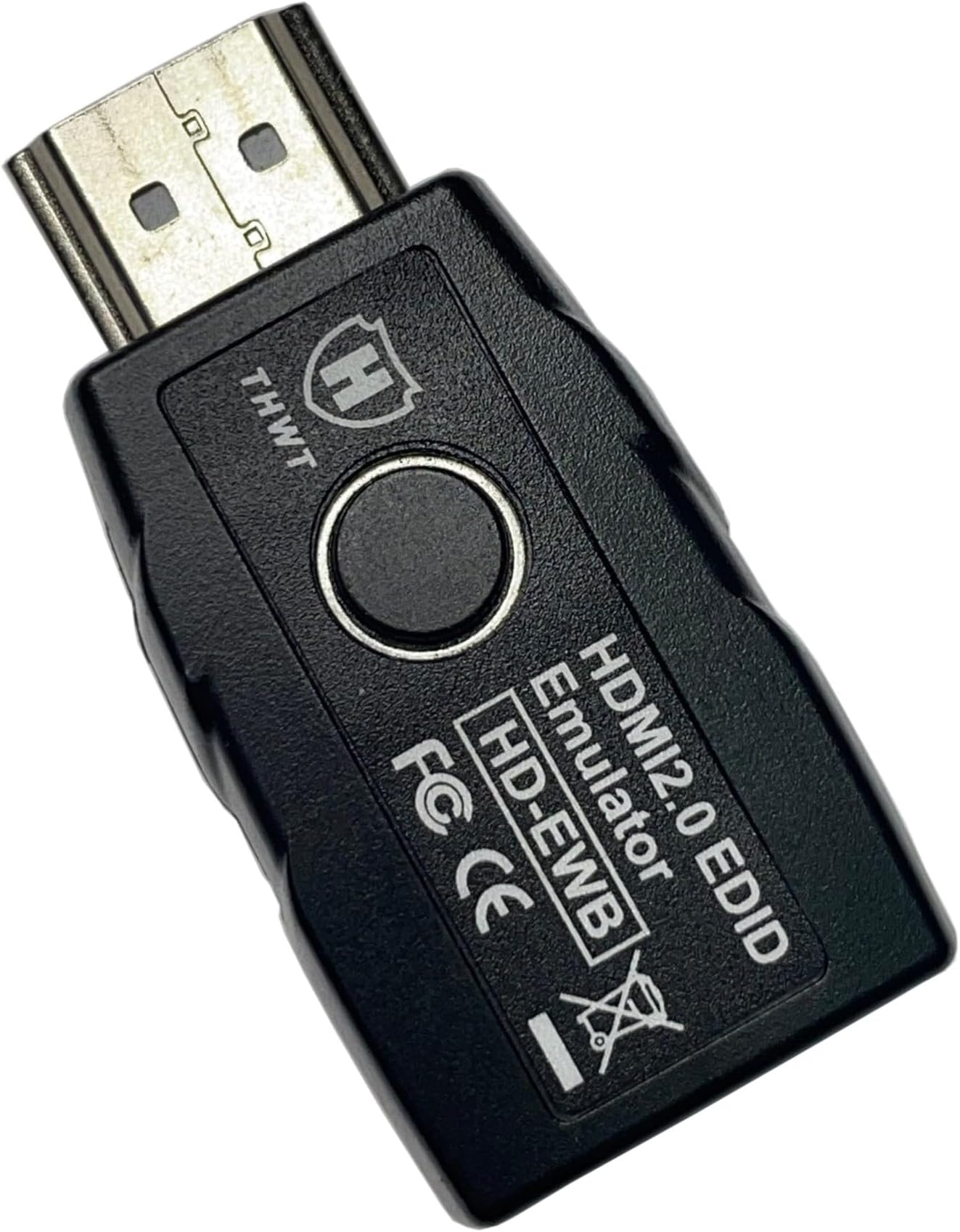
The THWT HDMI 2.0 4K EDID Emulator (Model: HD-EWB) is designed to prevent EDID loss by supporting exact copying and emulation of EDID for seamless connectivity between devices. It features a user-friendly one-button operation, high-resolution support up to 4K@60Hz, and is compliant with HDMI 2.0 and HDCP standards. Ideal for professional setups, it allows headless operation and is perfect for resolving signal handshake issues.


| Brand | THWT |
| Colour | Black |
| Compatible devices | HDMI Monitor, HDMI Video Card |
| Connector type | HDMI |
| Item dimensions L x W x H | 48 x 24 x 13 millimeters |
| Specific uses for product | PC, Projector, TV |
E**N
Works
Stopped my old Tivo from resetting to default resolution when the TV turned the soundbar off. A little expensive but it seems to work.
ใ**ใป
ๆๅพ ้ใใฎๆดป่บ
ในใใชใใฟใผใจใใปใฌใฏใฟใผใๆฅ็ถใใฆใใจใไธๆใใขใใฟใฎ่งฃๅๅบฆใ่ช่ญใใฆใใใชใใฆใใใใ่ฒทใใพใใใ ใปใฌใฏใฟใผใในใใชใใฟใผใฎ้ใซใใพใใใใจใงใ็กไบ่ช่ญใใฆๆญฃใใ่งฃๅๅบฆใๅบๅใใฆใใใใใใซใชใใพใใใ
B**M
Great work-around for M-series Macs with HDMI Extenders or KVMs
Apple Silicon M-series Macs seem to have an EDID timing issue with HDMI extenders - using this device completely worked around the issue. The computer sees as if the screen is always connected, and the EDID emulator to HDMI extender was solid. Simple to use, and didn't trigger an issue with incorrect colour space that a different preset device had. I'm using with an M4 Mac mini that couldn't get a stable connection to 2 professional HDMI extenders when directly connected. With these EDID emulators, instant stable connection. Ran a test system for several weeks straight to test reliability - no hiccups or output issues seen. Because if you have this connected on the computer end, the computer always sees the display device as connected, it works great with KVMs as well (no re-detection of display) or if you completely unplug a monitor or projector.
T**E
It makes your switching so easy: fast, seamless, not glitchy, smooth, and IMMEDIATE!
Well this thing works like a charm! So easy. So, soooo easy! Thank you makers of the HD-EWB. The THWT HD-EWB works perfect on all but my LG monitor. But I did get it to work so-so, and good enough to make me happy enough to not get bent out of shape. Its a slight delay after doing a copy of the EDID. Something is very wonky with the LG monitor so I'm not at all irritated. I still think there is a way for me to fix it based on the chain where I connect it. Anyway I will figure that out later, or at least play around with it. For now I am happy. It even works well with 4 and 5 HDMI port switches. One of my switches even has an automatic source detection and switch over based on live/dormant signals. To get that to work on that 4 port auto detect/switch HDMI switch(which I really didnt even have to play around with because I got it dont on the first try) was this: First make sure all monitors are plugged in and WORK. Then Unplug all monitors from it(simply unplug the HDMI cord from the port on the switch) with exception of the target monitor to you want to setup first(it can be in any of the ports first). Then simply unplug that from the port in the switch and plug in the emulator. Then plug that emulator into that HDMI port you just unplugged from. Wait for it to turn green and display signal, then plug the next emulator onto the HDMI cord and plug that one into the target HDMI port on the switch, wait and it will turn green. Then do it for the next, and next.... Then test it by selecting each source and it works perfectly: IMMEDIATELY and SEAMLESSLY - QUICKLY! This really is a great product! I actually couldn't believe it when it happened. And btw, my setup is 2 laptops using a separate USB-C docking station and 3 monitors: 2 Acer's, and 1 LG. On one of my laptops I had to use the VGA port on the USB-C docking station because I only had 2 HDMI out ports on it.... So I plugged in a VGA to HDMI converter and then plugged the HDMI cable into it that converter, and then plugged the emulator on the other end of the HDMI cable, then plugged that into my 4 port HDMI auto-switch - this too was immediately accepted and worked perfectly. So basically anything I threw at these emulators worked(with exception of this pesky LG monitor). I just ordered 4 more of these THWT HD-EWB emulators last night.
L**E
Fantastic. Worked perfectly for both of my needs!
I bought 2 of these. One for a TV I'm using as a monitor that would cause Windows to move all my applications back to the Laptop screen when the TV went off due to the power saving signal sent to it by Windows. Now that doesn't happen because it thinks the EDID emulator adapter is an actual screen so Windows doesn't freak out and move all the applications back to screen 1 when things go to sleep. The second one I'm using on my Shaw-Direct Satellite receiver box and an older flat-screen TV that would lose the audio sync signal when skipping ahead in a recording. So then I'd have to turn the TV off and back on again to get the audio to come back. Now this doesn't happen. I had bought a different brand EDID Emulator adapter before this one but it wouldn't pass through the HDCP signal like it claimed it would so my Satellite Receiver wouldn't work with it and would disable the picture until it was removed, but NOT this Adapter. It passed through the HDCP no problem like it said would. Just plug these adapters into the source of your HDMI signal, and then plug the other end into the cable feeding your TV/Display. It should work in "Green" mode displayed on the LED bubble. If it doesn't press the button on the bottom to turn it to "Blue" mode on the LED bubble and it will work.
Trustpilot
5 days ago
2 weeks ago