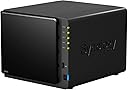

📊 Elevate your data game with Synology DS414 — where speed meets reliability!
The Synology DiskStation DS414 is a robust 4-bay diskless NAS designed for professionals and growing businesses. Featuring a dual-core CPU with floating-point unit, 1GB DDR3 RAM, and dual Gigabit LAN ports with failover and link aggregation, it delivers high-speed, reliable network storage. Its hot-swappable, tool-less drive trays simplify maintenance, while USB 3.0 ports enable fast external backups. Powered by Synology's intuitive DiskStation Manager OS, it supports extensive office applications and secure backup solutions, making it an essential hub for efficient data management and sharing.
| ASIN | B00FWUQY5I |
| Brand | Synology |
| Computer Memory Type | DDR3 SDRAM |
| Customer Reviews | 3.4 3.4 out of 5 stars (333) |
| Date First Available | October 5, 2013 |
| Hard Drive | 16 TB Portable |
| Is Discontinued By Manufacturer | No |
| Item Dimensions LxWxH | 12 x 10 x 10 inches |
| Item Weight | 4.63 pounds |
| Item model number | DS414 |
| Manufacturer | Synology America |
| Number of Processors | 2 |
| Number of USB 2.0 Ports | 1 |
| Product Dimensions | 12 x 10 x 10 inches |
| RAM | 1024 MB |
R**N
Awesome NAS and Network Appliance
I bought a DS414 a couple months ago to support central data storage within my home. The first unit I bought had one dead bay but otherwise worked fine, Amazon was great and quick with the replacement, so no stars off for stuff that happens. I have been running a Linux server/workstation for years performing various tasks, mostly MythTV and file services, running on software RAID. Recently, due to the age of some of the drives, I started encountering various problems/resyncs and wasn't feeling comfortable trusting my data on it alone, so started searching for an additional data storage device that was not another power hog. Besides the obvious use as file storage, the Synology devices can do so much more via Synology and community apps: web server, VPN server, DHCP server, audio/video/photo/file cloud server for Android or Mac phones/tablets, backup to the cloud (I'm using Amazon's Glacier service), desktop syncing server, database server, and much more. Recommend you take a look at Synology's site and peruse their add-on packages page. The single- or dual-bay Synology devices could make sense as a services appliance even if you don't need data storage, although you'd still need to install a small drive or two for DSM (the OS) and apps and their data. The unit is well built, sturdy, everything fits well, no flimsiness. The basic setup went well and was pretty obvious, starting with downloading the then-current version of the DSM operating system by the unit itself and going through some basic configuration steps. I played around with the first and replacement unit for about a month using some old drives before starting to populate with NAS-class drives. One of three of the old drives was known to have some bad sectors but still semi-usable, it dropped out a couple times while playing and the RAID handlers worked well to continue running and re-syncing when I removed/reinstalled the flaky drive; drive sync time didn't seem to be hugely different than on my Core i5 server. I'm presently using a single network port with home-class gigabit network switch. Speed of mass uploads seems reasonable for the available bandwidth. The only realy downside I've encountered is that some of the apps must be configured in multiple places and help resources are sometimes lacking. Many apps have their own configuration tool, but then you may also have to adjust share settings in the Control Panel and possibly app user permissions elsewhere in the Control Panel. This is great for security and easy enough to do, but when the add-on app doesn't mention it you may spend a while Googling to find the right answer. I think it will become second nature to check the two or three spots that may need configured after installing a new app or adding a new user. I'll give this 6 stars for the quality of hardware and availability of additional packages and subtract 1 star for lack of built-in help in some apps. :^)
J**E
Synology D414 - Excellant NAS... but a bit pricey.
This is my first rodeo with Synology. I bought this instead of a lower cost NetGear NAS that I have more experience with. I did so based on other recommendations from my colleagues. This device installed and configured easily. Looks good and is performing quite well thus far. Synology has better CPU and memory specs than the NetGear NAS in the same product category. Plus, it has twin Gigabit network interfaces so it can move data in and out very quickly. I backup multiple computers and they run very fast on our Gigabit network. I like that Synology frequently updates the firmware with bug fixes and feature tweaks. The UI is easy to launch and is intuitive enough to figure out how to configure the device without much help. The NetGear device UI is fairly straightforward by comparison but NetGear barely releases firmware updates over the lifetime of their devices. Would recommend to anyone needing fast and massive local network storage.
J**Z
It ran great for 6 months and loved it
Bought the DS414 for my home. It ran great for 6 months and loved it, hence the 2 stars. Now the unit will spontaneously reset itself to factory every few minutes rendering the unit totally useless to me. Contacted Synology support. and they are going to RMA the unit. It appears there is a known problem with the motherboards of some of these units and it shows up in about 6 months. Hopefully they have corrected the problem by now and I just got in on a bad batch but beware if you bought yours a few months ago. Otherwise, it is a very wonderful design.
S**C
Solid Software, Easy Set Up if you know a little about NAS.
I was comparing this to the DS412+ (which is the business class model) and the DS413 (older version of the current DS414). This was not much less expensive than the DS412+, but I opted for this because this model has hardware encryption built in (the DS412+ did not appear too), and I didn't need the high power of the DS412+. I was also considering the WD Cloud EX4, but ultimately decided to spend the extra because the DS414 spec indicates it should be a faster box. One thing I didn't realize is that the entire case is made of plastic, everything from the housing to the trays. However, it is solid and quality plastic, so not really missing anything. The tool-less drive trays were easy to use, and it took me about 10 minutes to set everything up. I have this running off my Airport Extreme router, through a Linksys switch (10/100 MBps, not a gigabit switch, I plan on upgrading), and it was recognized instantly on my LAN. The setup wizard seems very good, but I am still learning all the ins and outs of setting up a NAS, so even though the software seems really good, be prepared to do some learning if you are like me and new to this. That said, it does seem to be a no hassle set up for the most part (I am using a Mac on Mountain Lion) in the software. I will update this review with any observations about performance, I haven't put a lot of data on this yet and I want to see if there is any lag when trying to access files. Update 12/23/13: In Action - transferring photos to NAS was only at about 1.0 to 1.2 MBps (some peaks at 1.6 MBps) - 1.7 GB was estimated to take about 25 minutes. I am using a 2008 MacPro with an Airport Extreme and Linksys switch. Also, this computer is hooked to the local network using a Linksys AC power line converter connection. This somewhat disappointing rate might be due to the AC power line connection and maybe the WD Red drives which are only 5400 rpm. Accessing photos - immediately after finishing the upload to the NAS, I went into Finder and it took a LONG time for the thumbnails to generate in Finder (still waiting....) - this might be the MacOSX indexing the files, not sure. But during this time, it would take close to ten seconds or longer for a file to open, so there was a significant delay. I am hoping this delay goes away once the indexing is done, so I'm not going to attribute this lag in performance to the NAS, there are other weak links in the system likely. Update 12/24/13: Still having massive 10+ second lag when accessing photos - I do believe this has more to do with the Mac OSX than anything else, I've experienced this before when I "upgraded" to Mountain Lion a few months back. Some of the photos do open more quickly with a minor 1-2 second lag, so I think this is the Mac OS still working on the indexing of the photos for spotlight search. I might disable spot light for these external drives. However, when I try to access these photos from the web browser DSM software, it is a little faster, but I am still having a 2-3 second lag for photos to generate. These photos are only 2 MB size, so not sure why everything is so slow, maybe this is the trade off with NAS and the RED drives? I probably have a few weak links in my set up, I am going to upgrade to a gigabit switch to see if that is the culprit. Final Update 12/24/13: It seems my Mac has finally finished indexing all the files and generating thumbnails - now all photos open within a second, much happier now. I found that I had to keep the Finder window open showing the files for the indexing to finish (didn't seem to be doing it in the background overnight), so I learned in the future to allow the files to finish indexing before trying to access them and everything should be good. There is still a slightly longer lag when trying to access the photos from the browser based DSM software (2-3 seconds per photo), so not sure why that is. But overall it seems snappy now when accessing through Finder.
S**L
This review is one month after first install, so it's not an indication of long term stabilty, however initial indications are very positive. Packaging is good, arrived on time so all good with the delivery. Box is compact, looks smart and surprisingly light for a high performance NAS. I ordered 2x 3TB WD Red drives (I could have gone for the 4TB, the reviews on the 3TB were better. Maybe next year I'll upgrade, but no need at the moment). The easy to follow instructions worked as expected. When you first plug in the drives, be prepared to wait a few hours while they are wiped, verified and made ready. You don't have to do anything while this is happening, except eat, have a coffee, etc. After it's all ready, then you can play. Quick tip, to access the files from windows explorer, just use the location \\DISKSTATION. The documentation didn't cover this (or if it did I didn't read it). At this point you have a 3TB drive ready to go. Performance across my wifi is between 6-7MB/s so plenty fast enough for backups in the background or overnight. The box has a great feature with a USB slot at the front. Plugging in a USB drive enables faster (USB2.0 speed) copy from the separate disk to the NAS. Use this if you want to transfer your previous backup drive to the NAS (highly recommended). The user interface for the NAS is very good. Simple, clean and well styled. Installing packages is very simple. Just click the one you want to install and it will get the latest version from the internet (if newer than the CD). There is an updates button which you can also use. I haven't installed many of the packages, but the media server works very well. Easy to use and is picked up right away from the WD TV box. Having the space and speed means that the laptop drive is now mainly for working space and backups, virtual machine images sit comfortably (and quietly) on the NAS. Highly recommended and so far so good. I'll update this review in a year (or less if there are any issues).
D**A
Cela fait 18 mois que je possède le boîtier NAS Synology DS414, que j'ai rempli de 4 disques durs internes Western Digital NASware 3.0 4To 3.5" SATA. Ce sont des disques durs spécialement conçus pour les NAS, que j'ai également acheté sur Amazon. J'ai choisi ce modèle car j'ai une bonne expérience avec WD et qu'il faisait partie des modèles 100% compatibles sur le site de Synology. J'ai choisi 4 fois 4 To pour avoir 10 To en RAID, car je voulais la plus grande capacité possible avec une redondance pour sécurité. J'utilise le RAID spécial de Synology dont je ne connais pas les détails techniques, mais qui apparemment donne les meilleurs performances (d'après eux, et je ne m'en plains pas). J'ai choisi ce modèle de NAS à cause de la réputation impeccable de Synology, et parce qu'il était celui qui me correspondait le mieux dans leur gamme de NAS à 4 baies. De plus son design me plaisait. Son seul bémol était le manque de Wi-Fi (en mode point d'accès en natif), comme tous leurs modèles adéquats. L'installation des disques durs est enfantine et peut se faire à chaud. Lors des premiers mois le NAS était directement connecté à mon PC de bureau en gigabit ethernet, et depuis quelques mois il est connecté en gigabit ethernet à la box fibre familiale et est donc accessible via le Wi-Fi. Dans les deux cas il fonctionne parfaitement. Le NAS tourne en permanence, 24/24h, depuis 18 mois, et je ne l'ai rebooté/arrêté que quelque fois et il tourne comme au premier jour. Je l'entretiens bien, notamment en enlevant régulièrement la poussière qui s'accumule rapidement dans les aérations et à l'intérieur. J'ai créé des partages pour chacun des membres de la famille ainsi que d'autres pour les photos, les films ou les séries. Ainsi, chacun peut avoir accès aux contenus qu'il veut à partir de son PC, tablette ou smartphone. Certains partages sont protégés par mot de passe pour que les plus petits ne puissent pas y accéder. Le logiciel d'administration embarqué, accessible via un navigateur, est très ergonomique et permet de réaliser rapidement toutes les tâches d'administration nécessaires. Il est également possible d'installer une myriade de logiciels spécifiquement conçus pour les box Synology, mais mon NAS n'étant volontairement pas connecté à internet, je n'ai pas pu en profiter. Synology a sorti deux mises à jour de ce modèle depuis sa sortie, qui sont évidemment plus chères. Ce DS414 reste donc une excellente alternative plus économique mais certainement pas obsolète. Il est extrèmement facile à prendre en main pour les débutants du NAS et offre toutes les fonctionnalités que les utilisateurs avancés demandent.
J**O
Para los que no lo sepan, este aparato permite alojar hasta 4 discos SATA, y configurarlos para dar una fiabilidad muy alta. Internamente lleva un Sistema Operativo basado en Linux. Te puedes conectar al aparato a través de un navegador de internet. En mi caso uso Chrome. No asustarse, no hay que saber nada de Linux. Cuando te conectas te aparece una aplicación con un interfaz gráfico muy amigable y fácil de utilizar. Los puntos positivos: - Muy rápido. Es muy recomendable usar una red gigabit para explotar al máximo las posibilidades. - Permite configurarlo como RAID-SHR, lo que permite no perder ningún dato incluso si uno de los discos se estropea completamente. Y permite que uses de dos a cuatro discos, incluso de tamaños diferentes. - Puedes comprar menos discos y, según lo necesites, metes nuevos discos y los asignas al volumen SHR. De esta forma puedes ir aumentando la capacidad de almacenamiento según lo necesites. - Cuando lleva un rato sin usarse, se pone en hibernación y consume poca energía.El re-arranque es razonablemente rápido. - Además de almacenar de forma muy fiable fotos y otros archivos, tiene otras posibilidades. También he usado su nube, lo que te permite tener una nube de tipo Dropbox, alojado en este aparato y accesible incluso desde internet. Además te permite tener un versionado de los archivos, pudiendo recuperar versiones antiguas de los ficheros, lo que no te permite el dropbox gratuito. Y con posibilidad de hacer una nube de tamaño muy grande, limitada sólo por el tamaño de los discos que tengas instalados. - También te permite usar PhotoStation, lo que te permite crear álbumes web alojados en este aparato y accesibles tanto desde la WI-FI como desde internet. Y la aplicación web para acceder a ella es muy buena. No tiene nada que envidiar a otras web de fotos de pago. Y tiene la ventaja de que tú controlas cómo compartes el álbum, sin obligar a tus amigos o familiares que se inscriban en ninguna red social. - Tiene otras posibilidades, como la de hacer de servidor de cámaras de vigilancia, o instalar un organizador y servidor de videos, o Servidor de iTunes, o poder acceder a tu red casera desde internet a través de una VPN, publicar blogs, y un largo etc. Puntos negativos Sería interesante que fuera más barato. Consejos: - Antes de encenderlo has de ponerle los discos, que has de comprar aparte. En mi caso he comprado 3 discos WD RED de 3 TB, lo que permite tener 5.4TB reales si se configura como RAID-SHR. Los discos de 5" se instalan sin tornillos. Basta con introducir cada uno de los discos en una de las 4 cajas de plástico que lleva en su interior, y ponerle las guías laterales. Estas guías llevan unos 'pinchos' que se introducen en los agujeros laterales del disco y lo sujetan con bastante firmeza. - Una vez metidos los discos y cerrada la caja, has de ponerle el cable de red y el de alimentación. - Al encenderlo, el NAS arranca su sistema operativo y, a partir de ese momento, te puedes conectar a su dirección con un navegador de internet. Para localizar su dirección puedes usar el método que te sugiere Synology (teclear find[...]). Te localiza el aparato y te da la opción de conectarte a él. - Al conectarte, te sugiere que instales la última versión del software. Si aceptas, se conecta el sólo a internet, y se descarga e instala la última versión del software DSM. También te propone instalar algunos de los paquetes: AudioStation, Cloud Station (la nube), Download Station, Servidor Multimedia, Video Station (organizador de videos) y Photo Station (servidor de álbumes de fotos) - Luego te propone configurar un volumen de almacenamiento con los discos que tienes instalados. Las opciones por defecto son razonables y las acepté (lo configuré como un único volumen con protección SHR). En general la utilización de este software es relativamente intuitivo. - Para gestionar la seguridad hay que definir usuarios normales. Yo he definido un usuario para cada miembro de la familia, y un grupo de usuarios llamado 'familia' que contiene a todos los usuarios de la familia. De esta forma, cuando creas carpetas compartidas puedes asignar permisos de forma individual a cada carpeta. También, usando el usuario admin puedes configurar qué aplicaciones quieres que pueda utilizar cada uno de los usuarios o grupos de usuarios. - En mi caso lo configurado de esta forma: a) He definido un directorio compartido de datos para cada uno de los usuarios, al que accede en forma de RW cada uno de los usuarios de casa (cada uno al suyo) b) He definido un directorio compartido para dejar las copias de seguridad de tipo imagen de cada ordenador, así como los directorios para el 'Historial de Archivos' de Windows 8.1, y los setups y las claves de instalación. c) En el caso de mi hija, le he puesto una nube para que pueda acceder a la última versión de sus ficheros con apuntes desde varios ordenadores. Cuando se guarda un archivo, este se almacena en el Synology y este distribuye la nueva versión del archivo al resto de las máquinas. He configurado la nube con versionado, lo que permite recuperar una versión antigua del mismo fichero para los posibles casos en que se equivoque al borrarlo o editarlo. He configurado el versionado para que mantenga versiones antiguas durante 6 meses. d) He creado unos álbumes web de fotografías. Ya he abandonado el Picasa para siempre. (Bye, Google, bye) e) He instalado la aplicación DS-Notes para poder hacer notas de compra en el móvil compartidas con mi mujer. f) En lugar de instalar el software de backup en cada PC, he optado por usar el 'Historial de Archivos' de Windows 8.1 y configurarlo en Windows para que almacene el historial de los archivos en la carpeta compartida del Synology DS414. g) Ojo, para administrar las carpetas compartidas hay que usar el módulo 'Carpeta Compartida' del 'Panel de Control' de Synology. El módulo 'Servicio de Archivos' te permite verlas pero no permite borrarlas o renombrarlas. El servicio de Amazon, por otro lado, ha sido muy rápido y me ha llegado muy bien envuelto y sin problemas. RESUMEN En fín, yo buscaba un buen NAS para guardar con seguridad mis fotos y mis archivos, y al final le estoy sacando más jugo del que esperaba con la nube y las aplicaciones extras. Si el precio os encaja es un aparato bastante recomendable. SI el precio os resulta algo alto, os recomiendo que le echéis un vistazo al Synology DS215+. Sólo tiene espacio para dos discos, pero he visto buenas críticas de él
A**E
Vorab: ich habe bereits mehrere Synology NAS für verschiedene Funktionen in meinem Netzwerk. Für Backups von Kaufdaten wie iTunes habe ich zusätzlich ein großes zuverlässiges Datengrab benötigt. Die Synology NAS sind für die verschiedenen Modelle in ihren Rezensionen bereits ausreichend beschrieben. Sie verwenden alle dieselbe DSM Software und unterscheiden sich im Wesentlichen in der Hardwareausstattung. Lediglich die auf Unternehmen zielenden teureren Modelle bieten weitere Funktionen wie Virtualisierungsunterstützung, die man Privat nicht benötigt. Das DS414 ist in der Modellreihe eher ein preiswertes Modell für Privatanwender, was sich vor allem in der Geschwindigkeit des eingebauten Linux-Rechners zeigt. Es ist dafür ausgelegt, die verschiedenen Funktionen des NAS für eine kleine Zahl von Benutzern ausreichend schnell anzubieten. Eingesetzt habe ich das NAS mit vier identischen 3TB Platten der Western Digital Red Serie und ich habe das per Default angebotene Hybrid Raid genommen, was Datensicherheit bei Ausfall einer Platte garantiert und bei vier Platten die Kapazität von drei Platten, d.h. 9TB bei mir, bietet. Das sollte für längere Zeit reichen. Lieferung: Das NAS kommt gut verpackt zusammen mit einem externen Netzteil, zwei CAT5e Patchkabeln sowie etwas Papierkrams und CD. Aufbau: Der Einbau der Platten ist absolut narrensicher und dauert nur wenige Minuten. Man entnimmt die eingeklipsten Plattenrahmen, zieht zwei seitliche Befestigungsteile ab, legt die Platte ein und steckt die Befestigungsteile wieder an. Bei 3.5''Platten werden keine Schrauben benötigt. Dann die Rahmen wieder einstecken, Frontplatte drauf und fertig. Dass das Gehäuse aus Plastik ist, stört mich nicht. Ich habe nicht vor damit Fussball zu spielen und es wird auch wenig bewegt. Negativ: Das externe Netzteil verwendet einen kleinen mehrpoligen Stecker an einem doch recht starren Kabel. Ich traue dem Stecker und seiner Buchse nicht zu, dauerhaft bei Zug durch das starre Kabel durchzuhalten. Einrichtung: Am besten lädt man sich von der CD oder Online den Synology Assistant. Nachdem das NAS gebootet ist (dauert ca. 1-2 Minuten und kündigt sich mit einem Pieps an), findet der Synology Assistant das NAS, zeigt an, dass kein Betriebssystem eingerichtet ist und führt dann gemäß Schnellstart-Anleitung weiter. Das Herunterladen und Installieren des aktuellen DSM und Einrichten des RAIDS kann durchaus 10 Minuten oder länger dauern. Danach beginnt eine ewig lange dauernde Prüfung des RAIDS. Bei mir hat diese rund 35 Stunden (!!!) gedauert, aber man kann parallel bereits mit dem NAS arbeiten. Erst nach abgeschlossener Prüfung des RAIDS würde ich aber wertvolle Daten auf das NAS verschieben. Es kann immer ein Defekt der neuen Hardware gefunden werden; vor allem wenn man sieht wie häuffig Platten von Amazon verschickt werden. Geschwindigkeit: Da ich das 414 nur als Datenlager für Backups über NFS, Windows und Mac Shares sowie rsync einsetze, bewerte ich hier nur die reine Datentransfer-Geschwindigkeit und die ist exzellent! Als Bewertungsszenario habe ich das NAS über Netgear Gigabit Switches angebunden. Von einem Mac Mini Server habe ich dann als erste Amtshandlung eine rund 1.4TB große iTunes Bibliothek mit cp über NFS gesichert. Bei großen Daten wie HD Filme (also 1-3GB Dateien) erreichte ich effektive Schreibgeschwindigkeiten auf dem NAS von bis zu 100MB pro Sekunde bei 60% CPU Belastung (RAID Prüfung im Hintergrund kostet auch Zeit). Die Geschwindigkeit wurde also bei großen Dateien durch das Netzwerk begrenzt. Bei vielen kleineren Dateien, z.B. Musik, lag die effektive Schreibgeschwindigkeit bei 30-40mB pro Sekunde. + Einfacher Aufbau + Exzellente Geschwindigkeit des Datentransfers + Sehr leise selbst unter Vollast (die Platten machen den meisten Radau) + Unzählige Funktionen gerade für den privaten Einsatzz + Sehr flexibel bei der Zahl und Größe der Platten + Übersichtliche Weboberfläche zur Administration + Einige nützliche kostenlose Apps zur Steuerung und Überwachung + Sehr guter Support und Community - Luftiges Gehäuse dämmt Plattenradau nur wenig - Stromanschluss mit fragwürdigem schwachem Stecker; andere Synology NAS verwenden hier robustere Stecker - Hoher Preis
M**I
Il DS414 è un ottimo NAS, facile da configurare e da gestire. Insieme ai dichi WD Red rappresenta un connubio perfetto, è silenzioso e veloce. La velocità di trasferimento con 2 dischi WD 3TB Red in RAID1 è di circa 100 MBytes/s sia in lettura che in scrittura con network ad 1Gbit. Lo uso non solo come repository di files e documenti ma anche come centro multimediale. In DLNA posso visionare 2 fils .mkv contemporaneamente su 2 TV o tablet, posso sentire la musica e vedere da remoto le foto archiviate in qualsiasi parte del mondo. Inoltre, il sw è user-friendly e le apps su android completano l'integrazione dei contenuti e la multimedialità. E' anche un ottima stazione Cloud che si integra con Cluod già esistenti come GDrive e DropBox rendendo le informazioni nella nuvola ridondate e allineate con qualle di casa. E' un ottimo prodotto, costa un po' ma non ha nulla a che vedere con NAS più economici, lenti e con poche funzioni aggiuntive difficili da configurare, o peggio ancora con quelli fatti in casa con vecchi pc basati su sistemi operativi come snake o freenas e con interfacce utente spartane e complicate. Il processore non è molto potente, ma basta per gli usi normali e non sembra soffrire anche se spesso "vola" al 100% di carico. DIFETTI: L'aggiornamento del firmware non prevede il ritorno a quello precedente. Gli aggiornamenti vengono garantiti per soli 3 anni (e poi cosa dovrei fare secondo Synology......buttarlo?) Una volta passati a RAID5 non si può tornare a RAID1 senza dover reinstallare tutto da zero. Anche con SHR è lo stesso. Le 2 interfacce di rete non lavorano a divisione di carico. Peccato, perchè il link aggregation non è diffuso sugli switch/router domestici.
Trustpilot
3 weeks ago
3 weeks ago