Buy anything from 5,000+ international stores. One checkout price. No surprise fees. Join 2M+ shoppers on Desertcart.
Desertcart purchases this item on your behalf and handles shipping, customs, and support to Romania.
🚀 Elevate your network game with pro-grade Wi-Fi that means business.
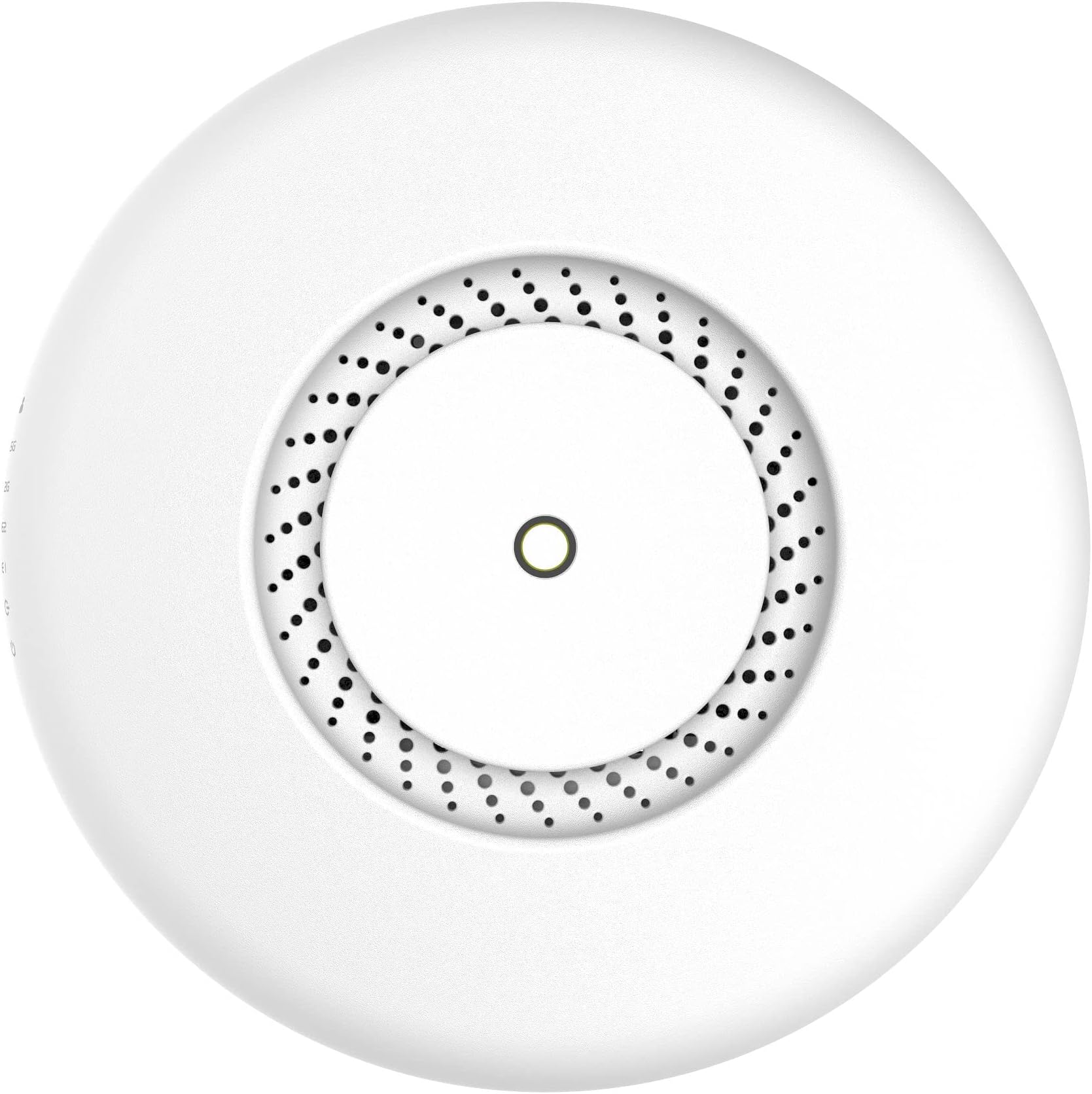
The MikroTik cAP ac is a dual-band 802.11ac wireless access point designed for ceiling or wall mounting, delivering robust 360-degree coverage on 2.4 GHz and 5 GHz frequencies. Featuring two Gigabit Ethernet ports with PoE input and output, it supports advanced routing protocols via RouterOS, making it ideal for professional and enterprise environments seeking reliable, high-performance wireless networking.
| ASIN | B079S7YLKM |
| Antenna Location | Home |
| Antenna Type | Fixed |
| Best Sellers Rank | #361 in Computer Networking Wireless Access Points |
| Brand | MikroTik |
| Color | white |
| Compatible Devices | Personal Computer |
| Connectivity Protocol | Wi-Fi |
| Connectivity Technology | Ethernet |
| Control Method | Touch |
| Controller Type | Switch |
| Coverage | Full 360-degree coverage in 2.4GHz and 5GHz bands |
| Customer Reviews | 4.4 4.4 out of 5 stars (403) |
| Data Transfer Rate | 2 Gigabits Per Second |
| Frequency | 716 MHz |
| Frequency Band Class | Dual-Band |
| Has Internet Connectivity | Yes |
| Is Modem Compatible | No |
| Item Weight | 1.48 Pounds |
| LAN Port Bandwidth | 1 Gbps |
| Manufacturer | Mikrotik |
| Maximum Upstream Data Transfer Rate | 1000 Megabits Per Second |
| Mfr Part Number | RBcAPGi-5acD2nD-US |
| Model Name | RBcAPGi-5acD2nD-US |
| Model Number | RBcAPGi-5acD2nD-US |
| Number of Antennas | 2 |
| Number of Ports | 2 |
| Operating System | RouterOS |
| Other Special Features of the Product | Access Point Mode, WPS |
| Router Network Type | Dual-band |
| Security Protocol | WPS |
| Unit Count | 1.0 Count |
| Voltage | 57 Volts (DC) |
| Wi-Fi Generation | Wi-Fi 4, Wi-Fi 5 |
| Wireless Compability | 801.11ac |
Q**N
Great functionality. Not for the average user
For a budget style access point, the system is great in a home network as a stand alone system. No other router would be needed if this is the only item for wireless. The signal is consistent and worth the buy. Keep in mind using this device with anything other than a mikrotik based network would cause complications for the user. Realistically if you a home user that is looking for a cheap access point, and this would be the only device providing routing, this will work. Using this in conjunction with any commercial home based router will only cause complications for the user. Once set up, it is a tank. In an enterprise based network, the functionality is on par with the more expensive access points on the network. Like other mikrotik devices, advanced routing protocols are available for use (VLAN separation, OSPF, BGP, etc.) providing various solutions for a network need.
B**I
Bullet proof reliable but does have steep learning curve.
I've been using Mikrotik products for a couple of years now. If you are tired of playing around with over-priced consumer networking equipment Mikrotik is your answer. Mikrotik is used by many ISPs to provide professional grade network equipment. Once the Mikrotik device is configured it will run almost forever. All Mikrotik devices (router, access points) come with what Mikrotik calls "Quick Sets" and for many many situations the Quick Set will answer your needs. Once your needs exceed the Quick Set, you'll need to do some digging on the Internet. The good news is that YouTube has tons of videos on configuring Mikrotik. And there are several forums that talk about best practices when using Mikrotik. If you enjoy playing with network technology, if you want super reliable network equipment, if you want great performance from your network Mikrotik is the answer. But the learning curve can be steep.
J**R
Complicated, but powerful small business class devices
You almost need a computer science degree to configure microtik devices, but they are extremely versatile
T**.
Tiene buen alcance
Funciona muy bien, tiene buen alcance
M**A
Much better than RBcAPL-2nD
I bought these to replace RBcAPL-2nD that were setup via CapsMan and these are much better. The 2g model had terrible range and constantly had connection issues but this model is perfect. On 2.4ghz I get great range and about 30-70mbps on a local speed test with a lot of surrounding 2.4 access points from apartments nearby. On 5ghz I get over 200mbps consistently.
D**F
A great value!
There may be similar products that are easier to configure for the typical home user, but the price point can't be beat. It took some time to figure out the proper configuration for my personal application, but once it was done, I am extremely satisfied with the performance. Having centrally controlled APs is so much easier than having to keep track of IP addresses and individual tweaks across multiple manufacturers and multiple models/versions of equipment. Using the CAPsMAN feature you can use your router or one of these CAPs designated as the manager to roll out your entire implementation whether it is a few access points or a hundred. There are a few good videos available on YT that are helpful, as well as a MikroTik online forum. The whole line of products can be configured with a graphical user interface or via command line. I used only the GUI. The coverage and speed is fantastic! You can adjust the output of the radios to find that sweet spot that gives you full coverage without needlessly blasting RF (more power is not necessarily better!).
E**S
I have two that didn't work out of the box
Network admin here. I've bought two of these, and neither did the following: 1. Provide a reliable enough web interface to configure this as a dumb ap bridge. Trying this sometimes results in the eth port becoming temporarily available, but invariably the ap locks up, and even a full reset can't bring it back. 2. Second AP I tried simply would not talk on ethernet out of the box. Didn't even try the web interface because, well, the one thing Mikrotik doesn't seem to want you via the web ui to do is use it as a dumb ap. 2. Neither could be accessed via direct ethernet connection out of the box. This means both Mikrotik's Winbox and Netinstall utilities are useless. No arp means no ethernet fun. I love Mikrotik's other gear, but their access points have a really poor OBF rate. Normally I don't 1 star items, but an access point has ONE job. Pass traffic between wifi and wired. Not be a firewall, not be an edge device, not be a controller, nor a dhcp server, nor anything else. If it can't do the basic function, it is worthless to me.
A**R
Great addition to my home network
I have used a Mikrotik router for years (RB750), but had always left wifi to the ISP router provided with my DSL. After seeing this product on Mikrotik's site, I decided it would be good to bring wifi back behind my existing RB750, and gain some control over it that AT&T doesn't give me on their router. Installation took a little reading on the Mikrotik wiki, as I don't use the Windows GUI tools for configuring my Mikrotiks, but everything was there. After setting up a security profile and enabling it on the wifi interfaces, I happily went around my house with a few devices doing speed tests. Even in the farthest flung corners of my house, performance was fantastic -- much better signal than my ISP router, plus dual band, and my family members report already experiencing higher reliability. Plus, with POE it's easy as pie to move it to the middle of the house. I live in a 1,900 sq-ft single level house, and the signal strength is excellent everywhere in the house. I wish I'd bought this thing sooner!
Trustpilot
2 weeks ago
4 days ago