Desertcart purchases this item on your behalf and handles shipping, customs, and support to Romania.
⚡ Unlock Thunderbolt 4 speeds—because your data deserves the fast lane!
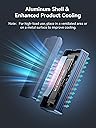
The ACASIS TBU405 Air is a premium M.2 NVMe SSD enclosure engineered for native USB4 and Thunderbolt 4/3 ports, delivering ultra-fast 40Gbps data transfers. Featuring a tool-free aluminum design with passive cooling, it supports up to 8TB SSDs and offers silent, reliable operation across Windows, macOS, and Linux platforms. Ideal for professionals demanding speed, capacity, and portability in one sleek package.
| Asin | B0DD34LH8R |
| Best Sellers Rank | #27 in Enclosures |
| Brand | FREEGENE |
| Built In Media | enclosure |
| Color | black |
| Compatible Devices | Laptop |
| Connectivity Technology | USB |
| Customer Reviews | 4.0 4.0 out of 5 stars (205) 4.0 out of 5 stars |
| Data Transfer Rate | 40 gigabits_per_second |
| Enclosure Material | Aluminum |
| Hard Disk Form Factor | 22 millimeters |
| Hardware Interface | USB4 Type C |
| Hardware Platform | Windows |
| Item Highlight | Tool-Free Installation;Heat Sink; Noiseless Design;Supports 2280/2260/2242/2230 SSDs;40Gbps;Stable speed |
| Manufacturer | ACASIS |
| Memory Storage Capacity | 8 TB |
| Mfr Part Number | 1 |
| Model Number | TBU405 Air |
| Number Of Items | 1 |
| Supported Devices Quantity | 2 |
| Upc | 781108279634 |
| Warranty Description | 2 YEAR |
User
Build your portable ssd for a lot less than buying a portable ssd
I used this in conjunction with a 2TB internal ssd and made a super fast portable drive at half the cost one at that spec would have cost me. Definitely worth putting one together yourself. Build quality is good. I’ve had it for a year and I’ve never had a problem with it. I’m running it on a MacBook Pro and I use it to store all my samples and run all my vst’s off of it for Logic Pro, and it’s been flawless so far.
User
Fantastic SSD enclosure!
I am blown away by the speeds that this SSD enclosure can deliver. I've got mine paired with a Samsung 990 PRO 4TB SSD and plugged into the Thunderbolt port of my Mac Studio. I'm seeing read/write speeds in the 2700 MB/s and 2600 MB/s range, which is so much faster than my previous 10 Gbps enclosure (which was achieving roughly 600-700 MB/s speeds). And this is with the SSD about 45% full. I use my system for video editing 4K content, and the scrubbing speed on my timeline has become instantaneous. I can quickly scrub through the timeline or jump to different parts of the video with ease... no lag anymore!Installation was super easy... just open the fully aluminum case, insert the SSD and rubber mounting plug, then push the SSD into the enclosure (no screws or screwdrivers needed). Close the cover and you're done. My Mac recognized the drive immediately. The enclosure can get warm (to slightly hot) when I'm rendering a long duration video, but that's expected of any SSD or hard drive. To keep the enclosure (and SSD) cooler, I keep the enclosure on top of my Mac Studio (which has an aluminum shell)..... this helps to dissipate heat a little better than if I were to place it on my wood desk surface.The enclosure looks great; it's sleek and minimalistic with cleanly milled heat-sink grooves. And the all-aluminum design is very-nicely machined and matches the design language of my Mac, awesome! I don't have a PC, but this is fully compatible on my Mac Studio running the latest MacOS.
User
Failed after 17 months
Failed after 17 months of light use. Tried half dozen cables, no difference, device is either not seen, or is seen but cannot read or write to the drive contained inside. Sometimes when you plug it in the light blinks and the device makes a strange repeating noise.Seller says if you bought it from anyone else besides direct from their website, to contact the place you bought it from. I bought it from here on Amazon. Amazon says contact the seller for warranty coverage. Its just a circle of "you're out of luck"won't be buying from this company again.
User
Must have for Mac mini
Better than I expected getting 3100kbps max reads on Samsung 4tb ssd.
User
Good value, questionable cooling with fanless model
Purchased this to hold my macOS photos library. It’s a very nice looking piece of hardware. It feels a little cheap just in that it’s very light but it’s kind of inherent to the form factor. It can make it not want to stay situated exactly where you put it. It’s so light that the cable you plug into it wants to determine its orientation and will easily shift it slightly until the cable has gotten comfortable. You could help this (a little?) by installing some rubber feet, but I’ve found I need to use it without feet, for thermal reasons. My NVMe drive throttled regularly while backing up my photos, until I realized setting the enclosure directly on the aluminum foot of my iMac dissipated the heat so well it never throttled since. I’m a little torn, because I consider the thermal performance a big flaw. However, it’s a flaw inherent to the class of enclosure, and they do offer one with a fan. Noise levels were very important to me so I reluctantly kept the fanless one and it’s been working flawlessly for me ever since. If I didn’t have a giant heatsink extension sitting right on my desk in the perfect spot for this drive to sit? 100% this would have been returned for an enclosure with a fan.
User
It gets very hot.
Great little enclosure. Seems to radiate the heat away pretty well since it gets super hot. I’ve had it for about 6 months now and I like it.
User
Didn't work for me
I have an M1 and M4 Mac studio. This did not work well with either. On both computers it threw out a not enough power to operate. It came down to it would only be useable with one other external drive connected. The almost half the price difference of other same types of ACASIS drives speaks for it's short comings. It might be ok for some situations but not mine so it's just my take on it.
User
Even better than expected.
I had perviously purchased a USB-C m.2 enclosure to use as a removable hard drive. It worked ok but when I started editing more videos, the data transfer rate over USB-C became an issues. Video scrubbing and playback through my editor was extremely painful. I decided to try this thunderbolt enclosure to see if it made any difference and my god, I was stunned. It performs far beyond my expectations. I can easily play and scrub through 4k, 120fps footage at full resolution without any issue. File transfers that took 10-20 minutes now take 1-2 minutes. I am very impressed.My only feedback is that I think I would actually prefer a design that screws closed. I know they market this enclosure as tool-less, and thats great, but I would prefer the security and peace of mind of a physical screw holding the drive in place and the enclosure shut. Just my two cents though!
User
Best product and achieved results as per product description
Easy install and plug and play product ,with samsung 980 NVMe M2 i was able to achieve 2754 MB/s Read & 2802 MB/s write speed perfect for 4k video editing directly from external ssd instead of copying to my local.Best product and very much satisfied.
User
Makes old iMac fast
Fantastic enclosure. I used this with an NVMe SSD as an external boot drive for my 2017 Mac, replacing the old Fusion Drive without having to open up the screen.I cloned my existing drive with SuperDuper!, connected the enclosure via Thunderbolt, and it worked straight away.Performance is excellent. Running an NVMe SSD through Thunderbolt is also faster than installing a SATA SSD internally, where the SATA bus becomes the limiting factor.The enclosure feels solid, setup was easy, and the speed improvement has been massive. My old Mac feels like a brand new computer again. Highly recommended for anyone wanting to upgrade an older Thunderbolt-equipped Mac without opening it up.
User
Fast and reliable after almost 1year of use
Quite useful and well built
User
Enclosure failed after very light use.
No warranty on this product. Beware of the seller. The enclosure failed with even with very limited use. Most likely a fake product being sold. Other enclosures bought from Acasis working fine with heavy use.
User
⭐️⭐️⭐️⭐️☆ Excellent Thunderbolt 3 SSD Enclosure for Mac Mini — but no cooling fan as claimed
I bought this Thunderbolt 3 SSD enclosure (Model B0DD34LH8R) to upgrade my Mac Mini M4, which came with only 256 GB of storage. I paired it with a 2 TB WD Black M.2 SSD, applied the thermal pad(both side of the ssd) (heat tape), closed the case, and cloned my internal SSD using Carbon Copy Cloner (CCC). After switching the boot drive, my Mac now runs from the external SSD smoothly — effectively turning it into a 2 TB Mac Mini without paying Apple’s huge storage premium.Performance is excellent — I get around 2800 MB/s read and write speeds, which matches the Mac’s internal drive speed since it’s already throttled around that level. Thunderbolt 3’s 40 Gbps bandwidth is fully utilized.However, the product description says it has a cooling fan, but it actually doesn’t. That’s misleading. Fortunately, the aluminum body and heat pad manage temperatures decently, but under heavy transfers it can get warm.✅ Pros:True Thunderbolt 3 performance (~2800 MB/s)Solid aluminum body and premium buildEasy setup and bootable on macOS⚠️ Cons:No fan despite the claimGets warm during long transfersOverall, still a great enclosure for Mac users, but the missing fan description needs correction.
Trustpilot
1 month ago
1 day ago