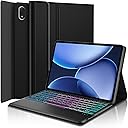
Description
⌨️ Elevate your OnePlus Pad 3 experience—type, swipe, and shine in style!
- PREMIUM PU LEATHER PROTECTION - Sleek TPU leather exterior with anti-slip soft interior shields your tablet from scratches and drops in style.
- SEAMLESS 3 ZONE BACKLIT TYPING - Illuminate your workflow with customizable 7-color backlighting—perfect for late-night productivity or creative sessions.
- INTEGRATED MULTI TOUCH TRACKPAD - Effortlessly navigate Android with smooth scrolling, clicking, and swiping—boost your efficiency on the go.
- TAILORED FOR ONE PLUS PAD 3 13 2 - Precision fit exclusively designed for your 2025 OnePlus Pad 3—no compromises, no guesswork.
- MAGNETIC DETACH MULTI ANGLE FLEXIBILITY - Transform your tablet into a laptop or a reading companion with a detachable keyboard and adjustable viewing angles.
This premium folio case with a detachable wireless keyboard and multi-touch trackpad is engineered exclusively for the OnePlus Pad 3 13.2" (2025). Featuring a durable TPU leather shell, 3-zone 7-color backlit keys, and magnetic multi-angle adjustability, it transforms your tablet into a versatile productivity powerhouse—perfect for professionals who demand style and function on the move.