





The C64 Mini USA Version
Product ID: 77553882
🎮2 USB ports for joystick & keyboard
💾Save game function
📺720p HD output
Buy anything from 5,000+ international stores. One checkout price. No surprise fees. Join 2M+ shoppers on Desertcart.
Desertcart purchases this item on your behalf and handles shipping, customs, and support to Romania.
🕹️ Relive the 80s in HD—because retro never looked this fresh!
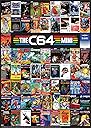
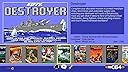
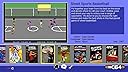
The C64 Mini USA Version is a 50% scale officially licensed replica of the iconic 1982 Commodore 64, featuring 720p HDMI output, 64 built-in classic games, dual USB ports for keyboard and joystick, save game functionality, and customizable display modes including CRT filters. It’s the perfect blend of nostalgia and modern convenience for retro gaming enthusiasts and professionals craving a stylish throwback.
| ASIN | B07GMV1X1K |
| Best Sellers Rank | #6,927 in Video Games ( See Top 100 in Video Games ) #1 in Commodore 64 Consoles |
| Brand Name | Koch Media |
| Color | beige |
| Connectivity Technology | USB |
| Customer Reviews | 4.2 4.2 out of 5 stars (1,807) |
| Global Trade Identification Number | 00884095193539 |
| Input Device | Joystick |
| Manufacturer | Retro Games |
| Manufacturer Part Number | 19353 |
| Memory Storage Capacity | 64 KB |
| Model Name | C64 |
| Model Number | 19353 |
| Platform | Commodore 64 |
| Resolution | 720p |
| UPC | 884095193539 |
M**R
Heaps of the Retro gaming entertainment and great value.
Really cool little gadget. It comes with some pretty cool games. But it also supports loading .tap (tape) .d64/d81 (disk images) and .crt (cartridge images) for thousands of games you can find online. Though for some games you will need to read the manual on how to create .cjm files which lets you customize the emulation to make the games work (though most games don't require this). By the way, the manual is excellent. Let me just get one of the bad things out of the way. The joystick as other reviews have said is as cheap as it gets. Really not conducive to accurate control but it's enough to scratch the itch and experience the c64 at least. So to really effectively use this device I would recommend upgrading the joystick right away. If you're not sure, this is my setup that I'm pretty happy with: - A mini USB hub. (2 ports provided are not enough) So a hub with 4 ports should work. - Logitech G F710 Wireless Gamepad, this controller is wireless and its supported by the C64-mini. It's a quality controller which also works with the PC. So it's versatile. - a USB thumb drive. An inexpensive USB thumb-drive should work so that you can transfer the games you download with your computer to the C64-mini. - and a regular USB keyboard. Even though a virtual keyboard is provided, and accessible through the Start button on your controller/joystick. Having an actual physical keyboard is a notable quality of life improvement. One thing I did not realize before getting the C64-Mini is how vibrant the C64 community is. There are new games being released all the time and there is a huge community of C64 enthusiasts. This little machine has sent me back to my childhood and let me relive some of the coolest gaming moments of my youth. Furthermore it has intrigued my 10 year old nephew, who I didn't expect would love these 8-bit games as much as he does. I highly recommend this to anyone either looking to experience the early days of home computer entertainment, or those looking for a retro gaming experience that won't break the bank. If retro games are your thing, C64 has thousands of games.
T**2
Great 80s Machine Nostalgic Value!
Tip #1: Make sure you update your Firmware to the newest version it is easy, the instruction on the website, just use a USB drive and throw the file onto it and update in the Tip #2: Don't compare this to modern systems it won't hold up but just have fun remembering simple times Tip #3: The keyboard is not a working keyboard but looks like a real one, but they do have a virtual or you can just plug in regular old USB keyboard with no problem, it is still super cool! --------------- If you are on the fence about buying this product, I would say just go for it! You will love it! Those of us who grew up playing on Apple IIe computers, NES, and C64, we all remember the floppy disk and fumbling with cassette tapes and other media to get things to work. I am not a Millennial nor am I Gen X I am proudly a Xennial, I had an Analog childhood but had a digital adulthood when everything changed, even though I was introduced to computers at a very young age, but was told by "teachers" to focus on doing things the old way, unless you were Mr. Wizard, who actually showed kids that computers were cool back then. These types of systems are perfect for people like me who want to have a modern nostalgic experience. Obviously the games don't compare to those of the modern world but they hold there value as remembrances. Some of the games I had played. Some were new to me. Not a complaint but a note is that the computer has no working keyboard, but that is okay because you can just plug one into the computer and the system has virtual keyboard built in. Remember to update the firmware it is on the C64 website. They have some extra games and some extra features, just use your USB flash drive.
D**E
Awesome, easy to use (relatively), must have for C64 devotees
First off, the worst thing about it is the preloaded games. There's a few good but mostly average or below games. The emulation for the most part is really good. Very crisp graphics, and good sound. The joystick isn't as horrible as what a lot of people make it out to be as soon as you get used to it. What really puts this over the top is what doesn't come out of the box. To maximize the potential some things are needed. 1. a cheap usb keyboard (I had some just lying a round, you definitely don't need or really want to use as gaming keyboard). 2. a usb hub ( I got this one Sabrent 4-Port USB 3.0 Hub with Individual LED Power Switches (HB-UM43) and its working well so far) 3. usb flash drive (i'm using a 32gb sandisk with no problems). For power i'm using a generic 2 amp phone charging base and having no problem powering everything connected. This is how i have it set up. Before doing anything else go to retrogames.biz and download the firmware update put it on the flash drive and follow instructions, this is crucial if you want to use other games and/or software. with this firmware you can play most single disk disk games off a flash drive without doing anything else (side loaded games is where the usb keyboard becomes crucial). Supported file types (that i have found) are .d64 .t64 .crt .prg .d81 (mixed success). There are some compilations for the c64 mini if you google it. Also if you want to play ultima 4, do a search for ultima 4 c64 remaster, this has a remastered version of it , one of them is a crt, so there is no problem with disk swaps. On the whole it has been a great experience and it appears they are going to keep updating it.
N**X
Great emulator, poor joystick
The emulator is great, yet the achilles heel of this setup is the joystick that comes in the box. While it may look almost like the old Competition Pro high quality joystick from sold in the 80's that was almost indestructible (thanks to a metal rod within the plastic stick, and microswitches), the one in the box uses standard switches on the board, and no metal rod inside the stick. So needless to say... mine lasted about 10-20 hours of playing (normal activity and pressure, with games such as Boulder Dash), before the plastic stick decided to break on its weakest spot (you can probably guess where). Now I have to replace the whole purchase. So be prepared to get yourself a better joystick soon, though which one to pick that has the 4 useful extra buttons on the back ? The C64 Maxi ($400) includes a better joystick variant (inside its black stick is a metal rod which won't break easily). Yet I have not seen that joystick for sale separately, at least not recently. I don't want to buy a spare C64 mini joystick for $30 as a backup, as I expect it to break sooner or later. The alternative Koch model seems not to be available any more, either. So I guess I hope that my replacement won't break until some better joystick that I can buy becomes available..
D**K
Great nostalgia in a tiny package
The C-64 mini is a great value at under $40 US. I like the interface and the music it plays. It reminds me a bit of the NES classic. The included joystick is the weak point of this system. It's nice that you can also use it with other emulators, such as RetroPie on the Raspberry Pi 4, but it feels quite stiff compared to old-school joysticks. The most serious problem though, is lack of durability from its design. Mine literally snapped after two months of moderate use. I was able to super-glue it back together, however, and it still works but seems more fragile. Fortunately, some other USB controllers will work on the system, but it is hit and miss. I was also able to update the firmware on the mini. It was pretty straightforward and added some extra games to it. The initial collection of 64 or so games is decent. Collectors from the US will recognize a lot of the Epyx titles. Quite a few other games come from across the pond, but the quality is really good, and the music is emulated quite well. You get a good mix of action, adventure, platformers, shmups, puzzles, etc. I recommend updating the firmware for a few extra gems. However....MANY outstanding classic titles are missing. There are no games here from EA, Accolade, Atari soft, Infocom, Psygnosis, Sierra, Scott Adams, etc. Fortunately, you can add more games with a flash drive. The biggest drawback to the mini is that it only has 2 USB ports. If it had 3, it would be near perfect. Here's why: You will need one port for the controller (obviously), and you'll need one port for a keyboard. Even my wireless keyboard works, which is sweet! You could use the on-screen virtual keyboard, but it's just tedious. Now, if you try to add more games (.d64 or .t64 files) with a flash drive, you would still need another USB port. So, I end up having to swap devices a lot and occasionally use the virtual keyboard. (Note - I have since fixed this problem by adding a $20 powered USB hub.) One other issue, is not with the mini itself, but with the original Commodore 64 design... After about 9 years of games, why couldn't all those software houses come to an agreement as to which port the joystick should plug into???!!! If you add games via flash, you will encounter this problem. Adding _J1 after the filename and before the .suffix will fix it most of the time. (Note - there is also a hotfix that will switch ports in-game using a 2 or 3 button combo on the controller. Make sure you upgrade the firmware first though!) Overall, it's still fun AND worth the price. If you're willing to splurge though, go for the c-64 max version.
B**E
C64 mini
The C64 mini is well made and reminds me of my C64 from my youth.. I'm not in love with the controller but it works well for playing games! With an update from Retro Games you can add your own roms.. not all work but I figure that maybe from the rip that was made.. with a bit of searching you can also add titles to the carousel but you can only add around 150 titles to the carousel the rest will be on a flash drive.. no Bluetooth or wifi and not every controller works with it but for a fun retro experience the C64 mini is well worth the time! I forgot to mention but came back to edit tonight that the C64 mini comes with about 64 games some of which are really nice but after the update from Retro Games website - it adds several more games which I wasn't expecting and some of those are well worth your time! The magic though comes in adding your own games whether it be by USB or adding them to the Carousel but I would take your time to decide which games are really worth adding to the Carousel. For example, I added Lode Runner, Spelunker, and Ultima I all of which are great games but without first checking on USB to see whether the games run like they should you might end up adding a game that doesn't work well and that's not a good thing as I'm not really sure how to take those games away once added to your main screen! Also, I like the Ultra Fit USB drives made by Sandisk which barely stick out of the console as longer ones I'm afraid might mess up the console's USB port if you accidently hit it or something but that's just my preference! Amazon has a large assortment for your USB needs! I added a picture of the Ultra Fit San Disk I use. Also, I'm adding a generic picture of the C64 mini in case someone doesn't know what it looks like. Keep in mind also, that the C64 mini's keyboard is non-working and you'll need to add a usb keyboard if you want to type or whatever on the mini.. playing games, or working in basic. I hope you enjoy my reviews and realize that I try to go into much detail as I can without being boring. I do however work long hours so I can't always get everything in one sitting. Perhaps this will help to influence your decision to purchase the mini or perhaps to steer you away from it. I will say that I enjoy mine and that is the reason I make reviews as I do to share what I think is great about some of the products I buy. Enjoy folks..
M**N
Improves 100X once you READ THE MANUAL, use a USB keyboard, + a thumb drive
Really this device is an incredibly nice emulation device, and a lot of that is due to the excellent joystick. I prefer TheVIC20, since I have a full size keyboard on that one, but this is a nice portable alternative. The only issue is that I'm not an action joystick gamer, I prefer adventure, strategy type keyboard-heavy or hybrid keyboard titles. FLAG USE(!): The thing is, I've been using emulators for decades and I just assumed some multi-disk or other odd games wouldn't work with this device - old D64 titles that I tried and gave up on. Then I read the manual. While particularly important for the VIC20 due to memory options, you need to use flag codes on some C64 files too. It's an easy, one time process. Just rename some files with an underbar and the flags in any order at the end before .D64 or .TAP so they utilize the correct emulator settings. This was very helpful. And even just learning how to swap multi-disk files. The manual is easy to follow and key. I suggest printing out a few of the best bits. If you're like me you can't stand Summer Games - AKA the "joystick buster" and just want some time with Infocom's The Lurking Horror. Or some hybrid joystick action with Below the Root. Happy gaming!
A**H
Everything but the Joystick
I came home from college one year to find my younger brother had acquired a brand-new Commodore 64 with a beautiful 1702 monitor. That was the end of that summer! Next one too... We played the heck out of it, especially games like Elite, Spelunker and Impossible Mission. We still have the C64/1702, and they both still work! However, we rarely set them up. A couple of years ago I made a retro game table using RaspberryPi/RetroPi (could very well be what's inside this thing!) It emulates the C64 very well (along with everything else), and the arcade stick was killer! Still, it wasn't very convenient, and the table took up a lot of space that my wife felt could be filled with furniture that looked a little less DIY. I was just thinking of making a second one to hook up to an existing TV when this project came along. The game selection isn't stellar, but it's lots of fun to check them out and find new titles I hadn't seen before, even if they are mostly generic platformers or side-scrollers. There are a few gems- Impossible Mission is as good as ever, it's just a brilliantly designed game. Speedball is also good. I haven't tried the side-loading feature yet but I presume it works fine, so Elite here we come! I love the raster display modes and the interface is excellent. Keyboard mode is clumsy, but they did the best they could without offering a physical keyboard. My only complaint is the joystick. I don't think it would be possible to make it more uncomfortable to use. It's difficult to get a decent grip no matter how you hold it, and it is not very precise, either. I wind up using my thumb on top of the stick so I can get two hands on it for stability. The new pain in my thumb tells me it's not a very ergonomic position! Our favorite stick back in the day was the Wico Command/Control Joystick. Maybe the next project could produce a modern version of that?! I might just have to go find one on ebay...
J**N
Very retro
A great little unit, with the official firmware update it allows you to play other C64 roms.
R**N
A Classic not to be missed!
Its a piece of nostalgia with all the classic collection to go with. Highly recommended.
H**R
Das weckt Erinnerungen
Schönes kleines Gerät. Schöne Spiele, die ich auch damals schon hatte. Besonders gut finde ich, daß man Spiele aus dem Internet herunter laden kann und mittels USB Stick auf den Mini C64 übertragen kann und somit eine fast unendliche Auswahl an Spielen hat. Und wenn mal ein Spiel auf dem kleinen nicht funktioniert, habe ich immernoch den Großen von damals.
V**A
Five stars
It is great for retro games
P**O
Una de las mejores reproducciones retro
Un embalaje y una presentación muy buenas, todo bien empaquetado y protegido. Tengo el original todavía y funcionando y con este podré disfrutar de todos los juegos sin espera. Un buen precio y una compra genial
Trustpilot
3 weeks ago
5 days ago