We remain fully operational. Our teams are working around the clock to ensure your deliveries continue safely.

DOWNLOAD THE APP


Copyright © 2025 Desertcart Holdings Limited
DOWNLOAD THE APP


🚀 Upgrade your rig with the SSD that keeps pace with your ambition!
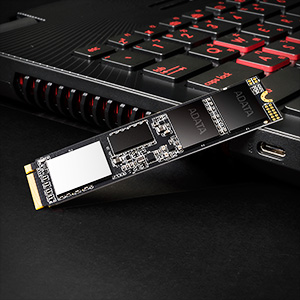
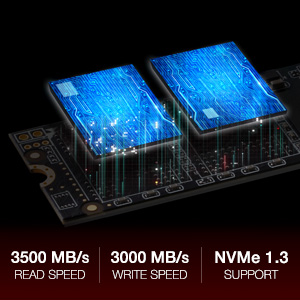
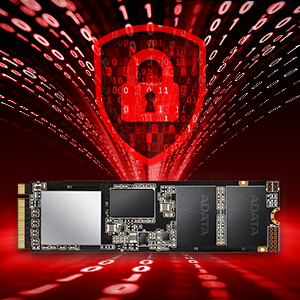
The ADATA XPG SX8200 Pro 1TB M.2 NVMe SSD delivers ultra-fast PCIe Gen3x4 speeds up to 3500MB/s read and 3000MB/s write, powered by advanced 3D NAND technology. Designed for gamers, content creators, and professionals, it features a compact M.2 2280 form factor and comes with a sleek XPG heatsink for optimal thermal management. Backed by a 5-year warranty and robust error correction, this SSD ensures reliable, high-performance storage that transforms your PC experience.


| ASIN | B07K1J3C23 |
| Are Batteries Included | No |
| Batteries | 1 Lithium Ion batteries required. |
| Best Sellers Rank | 69,678 in Computers & Accessories ( See Top 100 in Computers & Accessories ) 397 in Internal Solid State Drives |
| Brand | XPG |
| Colour | Black |
| Computer Memory Type | Unknown |
| Customer Reviews | 4.7 4.7 out of 5 stars (10,180) |
| Date First Available | 30 Oct. 2018 |
| Form Factor | M.2 2280 |
| Guaranteed software updates until | unknown |
| Hard Disk Description | Solid State Drive |
| Hard Disk Rotational Speed | 7200 RPM |
| Hard Drive Interface | Serial ATA |
| Hard Drive Size | 1000 GB |
| Hardware Platform | Mac, PC |
| Item Weight | 8 g |
| Item model number | ASX8200PNP-1TT-C |
| Lithium Battery Energy Content | 2 Kilowatt Hours |
| Lithium Battery Packaging | Batteries packed with equipment |
| Lithium Battery Weight | 2 Grams |
| Manufacturer | ADATA |
| Number Of Lithium Ion Cells | 5 |
| Number of Lithium Metal Cells | 5 |
| Product Dimensions | 8 x 2.2 x 0.35 cm; 8 g |
| RAM Size | 1024 GB |
| Series | ASX8200PNP-1TT-C SX8200 PRO |
| Wattage | 3600 watts |
P**R
High-Performance NVMe SSD for Gaming and Professional Use
I've been using the ADATA XPG SX8200 Pro 1TB M.2 NVMe Solid State Drive for several months, and it has significantly enhanced my system's performance. The drive offers impressive read and write speeds, making it ideal for gaming, content creation, and general computing tasks. Performance: The SX8200 Pro delivers sequential read speeds of up to 3,500 MB/s and write speeds up to 3,000 MB/s, resulting in rapid boot times, quick application launches, and efficient file transfers. I've noticed a substantial improvement in overall system responsiveness since installing this SSD. Installation: The M.2 2280 form factor made installation straightforward on my compatible motherboard. The drive was recognized immediately, and setting it up as the primary storage device was hassle-free. Reliability: With a 5-year warranty and support for LDPC ECC (Low-Density Parity-Check Error Correcting Code), the SX8200 Pro offers reliability and data integrity, providing peace of mind for critical data storage. Pros: Exceptional read and write speeds Easy installation with M.2 form factor Reliable performance with advanced error correction Competitive pricing for the performance offered Cons: None encountered so far Overall, the ADATA XPG SX8200 Pro 1TB SSD has proven to be a valuable upgrade, delivering high-speed performance and reliability. I highly recommend it to anyone looking to enhance their system's storage capabilities.
K**K
Drive not being detected in Windows.
This is a great drive, good speed and value for Money. The only issue I had was installing Windows 10 (2004) on to it. The drive arrived the same day (fab), installed it in the M2 slot took a few minutes. This was the only drive in the machine, checked the BIOS (X470 MO) detected instantly so this was going to be straight forward. Booted and Installed Windows 10 (2004) from USB, I got to the start setup screen and it couldn't find the drive and prompted for a driver to be loaded. Checked vendor site no drivers (as what I expected), forums said that the Evo 970 drivers are compatible, loaded them still wouldn't work. Dropped into the command windows from the repair section run diskpart I could see the drive/partition/volume but Windows still wouldn't work when running through the installer. Looked at various forums/google a fair few had experienced the same issue most didn't resolve, gave up and returned the drive. I was close to doing the same thing but I was over 5 hours in by this time, after trying various methods to resolve. When everything else failed, I was tired (early hours etc) I was going to throw in the towel. I thought one last thing, I decided to grab an old version of W10 (1604) well old, booted it up from the USB and hey detected the new drive straight away, everything worked. I run the windows updates to 1607, this took a while, downloaded the MS assistant installer, to speed up the process and upgraded straight to W10 (2004), finshing any new patches that where needed that took a further 45-60 minutes, never looked back since. This may seem a drastic approach to some people, I only mention it to try and help somebody else out who may be stuck in the same situation and potentially save them hours. Conclusion fantastic drive, on par with the EVO 970 - For me the 5 year warranty and longevity helped decide between them. Only downside, it doesn't have the built-in 256 disk Encryption that the EVO has. Nothing that Bitlocker and a TPM couldn't sort out.
L**K
Excellent value M.2 device.
I had a traditional mechanical hard drive prior to purchasing this device which was 1TB in size. It had served it's purpose and was still working perfectly fine, however I wanted to upgrade to something more modern and that would provide better speeds. I already had a traditional SSD for my OS - I have everything else (Games, Videos, pictures) on my mechanical so I wanted all this on a better drive. I'd noticed M.2 had been coming down in price and when this M.2 popped up for £99, I decide to go for it. On arrivial - install is easy - my setup is relatively modest and nothing fancy, but install was easy, slide the device into the M.2 slot screw into place using relevant headers etc - that was it. Instantly recognised by the computer and with the use of some cloneing software the full disk transfer was complete in no time. It has drastically improved the speed of my PC in accessing the large files on that drive and I would imagine has improved game performance to an extent as well. Definitely would recommend this drive, as for the price and the performance it is excellent. If I had nother M.2 slot I'd be buying another for my OS and ditching the SSD all together.
M**E
Fast with low cost
Very fast drive, zero issues migrating data. I used Clonezilla and it took 10 minutes. The speed is as advised, this is an excellent M2 drive. It cost £48 for the 512GB version at the time of purchase, definitely a great deal. A regular SSD costs about that. Highly recommend. Clonezilla is a free program that you download and burn onto a USB. It let's you clone, migrate and save images of any drive and will let you clone your existing windows 10 drive to this drive. Install Balena Etcher to as this the simplest way to make bootable USB drives and it's free too. Download both, install Balena then burn the Clonezilla image to a USB. Put the new drive in your PC, boot off the USB using Clonezilla, follow the instructions and clone old drive to new drive. System restarts and you are done. It really is as simple as that and you don't need to register for anything. You can make images of your drive too free so, it works as a backup tool too.
F**S
No meu notebook Acer Nitro 5 An517-55-78YY de 17", as velocidade alcançadas foram de R/W 3443/2718MB/s de 1TB nos testes via software CrystalDiskMark ... Velocidades incríveis para mim, pois a iniciação do meu notebook que já era rápida com um MVMe Gen3x2 da Samsung de 500GB eram da ordem de R/W 1602/743MB/s, algo em torno dos 8 segundos e mesmo adcionando novo HD SSD Sata a este notebook, ele pulou apenas para 10 segundos, e ainda a abertura dos programas ficou surreal de rápido com qualquer clique ... o único senão é a temperatura desse e de qualquer MVMe dessa categoria é a temperatura que aumenta muito, e no caso no meu notebook pulou de 30ºC para 57ºC, mesmo com o termal pad que veio na caixa, nos testes no software CrystalDiskInfo9_0_1a. Como indicado por outro comprador a caixa que vem com o produto tem muita coisa escrita em Chines e é diferente daquela caixa do anúncio, porém é o produto com parâmetros informados no anuncio, indicando que é produto novo, mas que pode ser usado apenas internamente na China ... Seu benchmark que fiz mostra que as velocidades estão compatíveis, mesmo em um notebook comprado em 2020. ... Chegou 10 dias antes do combinado ... Recomendo a todos!
C**1
XPG’nin 6000 serisi ve üzeri modelleri Apple cihazlarla uyumlu oluyor (belli model yıllarındaki yükseltilebilen NVMe SSD’ye sahip MacBook Pro/Air serileri, Mac mini, iMac, Mac Pro vb). Ben de bu ürünü Mac mini 2014 cihazım için aldım. Doğru adaptörü ve fleks kabloyu kullandığınız sürece sorunsuz çalışıyor. Cihaz PCIe x2 desteklediği için en fazla 700x750MB/s yazma hızlarını görüyor ama bu haliyle bile çok hızlı. Amazon hizmet kalitesiyle ve uygun fiyata aldık. Teşekkür ederiz.
S**I
I needed it to extend my harddisk for my lenovo Legion 5i. I was trying to find the good quality and cheapest ones. I installed it and it worked but sometimes it disconnects without any issues and if you have operating system inside it it crashed. Don't recommened to use it as primary source for your bootable. But i have not faced this issue more than twice. But i moved my system files to primary hdd source and using it as secondary. Might be a laptop thing but good to relay information.
A**S
Writing this review after a week and half. Booting speed has really improved, from 2 to 3 minutes to mearly 3 seconds. I haven't used any migration software for the OS but did a fresh install. Using a USB 3 external hard drive did not show much improvement, but may be that's because of my CPU and RAM. Game loading is really fast and I have tested it with some heavy games like battlefield 5 and ACE Combat 7, will test today with Ghost recon wildlands and shadow of tomb raider.
H**B
COK KALITELI YA 85GB LIK DOSYAYI 1.30 DAKIKADA ATTI
Trustpilot
2 months ago
3 weeks ago