
DOWNLOAD THE APP


Customer Services
Copyright © 2025 Desertcart Holdings Limited
DOWNLOAD THE APP

🎮 Level up your visual game with Acer Nitro XV272U — where speed meets stunning clarity!
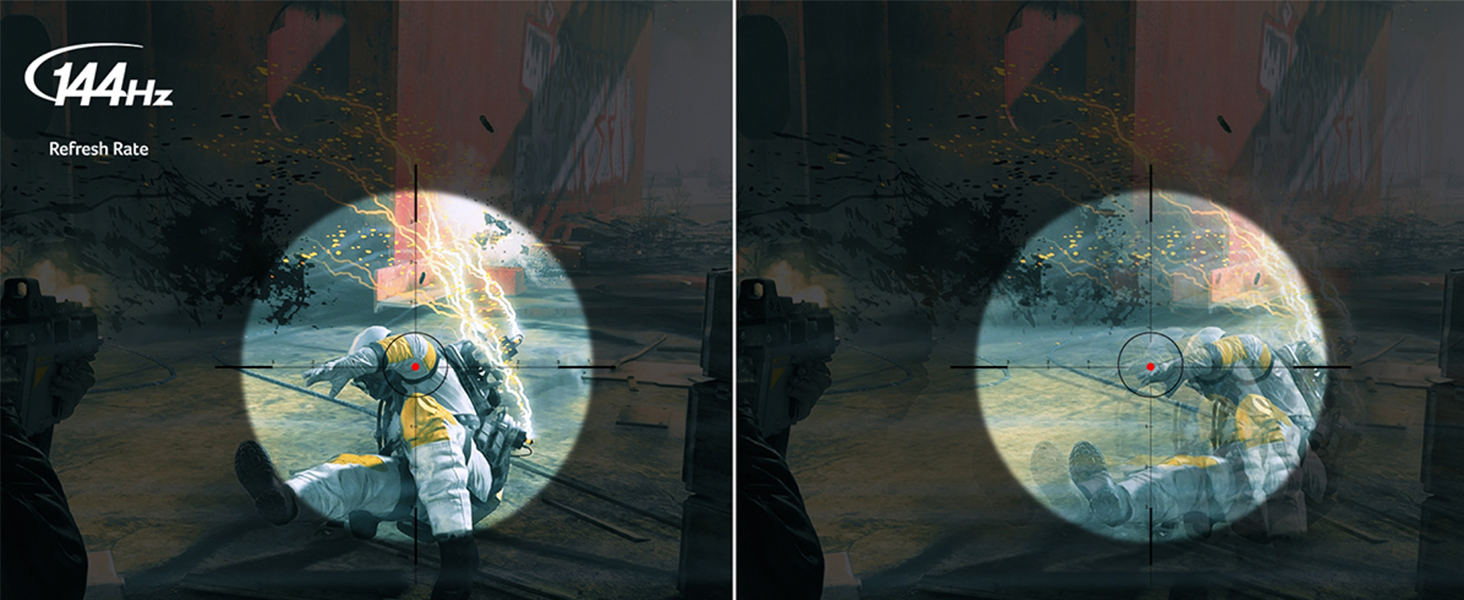
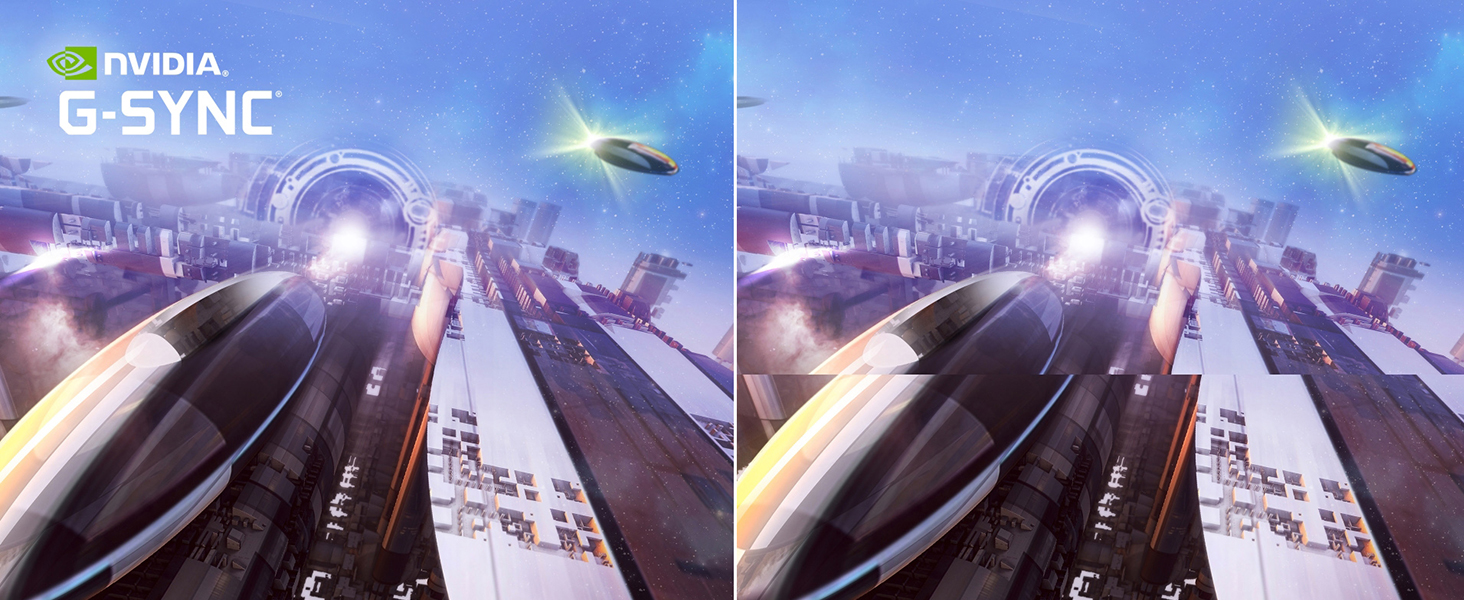
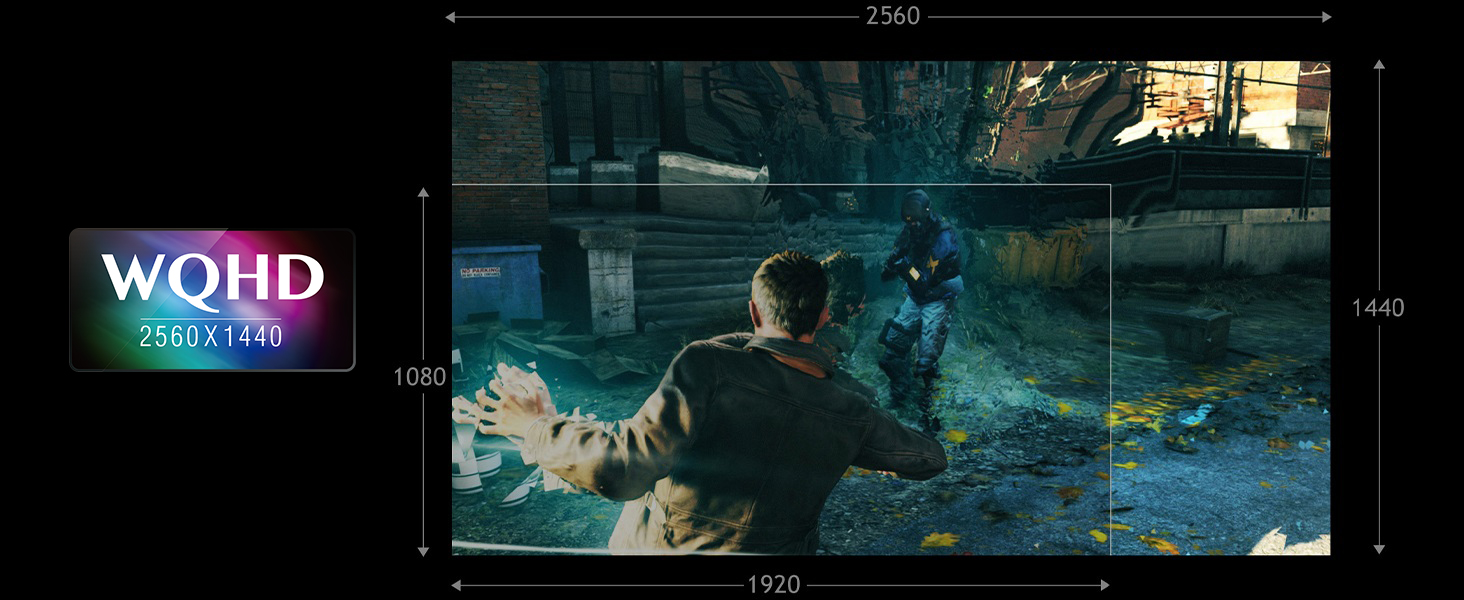
The Acer Nitro XV272U is a 27-inch WQHD (2560x1440) IPS monitor designed for professionals and gamers seeking a perfect balance of speed and color accuracy. Featuring a 144Hz refresh rate, 1ms VRB response time, and G-SYNC compatibility, it delivers ultra-smooth visuals with minimal motion blur. Its HDR400 certification, DCI-P3 color gamut, and Delta E<2 ensure vibrant, true-to-life colors. Equipped with multiple connectivity options and a sleek zero-frame design, this monitor is ideal for immersive gaming and efficient multitasking setups.



| ASIN | B07MQBPMJ2 |
| Best Sellers Rank | #147,612 in Electronics ( See Top 100 in Electronics ) #3,101 in Computer Monitors |
| Brand | acer |
| Color | BLACK |
| Customer Reviews | 4.6 4.6 out of 5 stars (2,975) |
| Date First Available | January 28, 2019 |
| Item Dimensions LxWxH | 9.2 x 24.2 x 20.5 inches |
| Item Weight | 10.82 pounds |
| Item model number | XV272U Pbmiiprzx |
| Manufacturer | Acer |
| Max Screen Resolution | 2560 x 1440 Pixels |
| Number of USB 3.0 Ports | 4 |
| Product Dimensions | 9.2 x 24.2 x 20.5 inches |
| Screen Resolution | 2560x1440 |
| Series | XV272U Pbmiiprzx |
| Standing screen display size | 27 Inches |
| Voltage | 27 Volts |
J**E
Jack of All trades for a very, very good price
Here's what you need to know: -HDR mode looks BEAUTIFUL. HDR is great for this monitor in fact. With HDR enabled, Dark Blacks, very opaque, accurate colors - most of all increased brightness and contrast, which is almost necessary with this monitor. The factory settings are a little bit dark for my tastes. Increasing brightness manually may also increase backlight bleed. Some reviewers say HDR doesn't make much difference, but it does. I bet some people do custom color adjustments, including increasing brightness, and in that case that would make HDR "LESS" noticeable, but that makes the blacks less dark. Both adjusting brightness/color settings or enabling HDR are good options, if you don't want to mess with HDR, but I prefer the HDR as I think it gives the best overall picture on this and I don't have to mess with factory settings. -GSync Capable with 144Hz refresh rates. Some users say G-Sync and HDR don't work together on this monitor... but they do. I have HDR enabled with GSync and have my frame rate max capped to 120 FPS in Nvidia Control panel. I can see that I am getting 120 FPS in games and can FEEL the difference between when GSync is on or off, so I know it works with HDR, which I NEVER turn off on this. - Crisp pictures. You can SEE the difference between 1080p and 2K. Very obvious improvement, especially with gaming. - Great viewing angles, virtually zero washout effect when viewing even from extreme angles -Solid refresh rates, to the average person, you will perceive no visible ghosting or screen-tearing in games with lots of action even with HDR enabled (which lowers response times... I don't know how low the response times are but the advertised <1ms does not apply to when any mode other that gaming/action mode are enabled. BE AWARE: Windows10 has HDR as a built in feature and it is BUGGY as heck, especially paired with NVidia cards, apparently. What will happen is that you will see the monitor colors get "washed out" and blacks will get "grayish". It will look like a cheap TN panel. With only ONE of these monitors, I didn't have much issue, but having two of these 2K monitors hooked up to my RTX 3080 and suddenly I'd have a monitor suddenly change to "washed out" when starting certain games or apps. IT IS NOT THE MONITOR if this happens to you. I believe some viewers complaining about picture quality caught the Windows HDR bug and didn't know about it or how to fix it. -Here's what I did to minimize it: 1) Enable HDR in Windows, and on the monitor 2) NVidia Control Panel > Color options... choose the option for limited and go with YCBCR 4.2.2... This is because Windows supports the HDR10 standard and you can ONLY get 8-bit option unless you enable this and go to limited mode. You will notice a small change in colors when enabling this. Everything gets slightly brighter and less subtle. In some games, you have to TURN OFF Windows HDR for it to work in the game (Red Dead Redemption 2) for example. If a monitor suddenly becomes washed out, while opening/closing apps you can toggle HDR on or off for that screen in display settings in Windows OR you can power the monitor on/off and it usually comes back to it's full HDR glory. AGAIN be aware it is NOT a monitor issue. HDR is still Buggy and half-baked in Windows and googling Windows10 HDR will give you TONS of input (some different than mine) on how to deal with this. My advice is The cool thing about this monitor is that you have the empirically superior picture that ONLY and IPS panel can offer, and you can do it with features like 144Hz refresh rates and GSync enabled. To have the IPS panel benefits, you have to enable HDR. What is also cool is that if your graphics card can't push the frames high enough in competive shooters, so you are worried about ghosting in competitive shooters with fast action and abrupt screen movements, you can have TN-panel like performance with blazing fast response times, 144Hz freesync/GSync capable refresh rates, just by hitting a button to switch modes (Action mode) (disabling HDR). The result is that it loses some brightness and contrast. This is where a person would probably want to increase Contrast and brightness, and this would make your blacks become more dark gray... ie it will look like a budget gaming VA panel, or a TN panel with better color and viewing angles. That is essentially what this monitor is: It is a very good blend of lots of well-executed compromises. It is a cheap IPS panel with great picture, but HDR is MANDATORY to get that perfect IPS experience. That is perfectly fine. It also has some moderate, usually not noticeable, backlight bleed. Again, it is a compromise in exchange for not paying $2K for this 2K IPS monitor with fast refresh rates, backlight bleed is ~50% more than a top-of-the line IPS panel. If you are a competitive gamer who just HAS to have 1ms response times and 144Hz GSync, then this monitor will do that too, but the compromise is that HDR has to be disabled (action-mode), but it will require giving up the IPS eye-candy while I play that game. Personally I just accept that I mainly play Planet Coaster and RDR2 and I don't need to ever turn off HDR in those titles with my RTX 3080. Cons (which are NOT really cons if you know about monitor tech) - SOME backlight bleed (ie when the monitor is on a black loading screen -you can see where light bleeds through the bezel in a few spots, like someone has a flashlight behind your screen and some of that brightness actually bleeds through. Backlight bleed is basically a guarantee with EVERY IPS monitor ever made. The only question is HOW MUCH backlight bleed will you get. This model is middle of the road for backlight bleed, and I have 2 of these and both bleed a little differently. I would categorize backlight bleed as noticeable, but not noticeable when gaming unless you are gaming in a dark room, crawling through a dark dungeon. - Refresh rates go UP with HDR enabled (even though you can still get 144Hz refresh rate and GSync at the same time as HDR, to get the <1 ms response times you have to change to non-HDR modes, which is something I would NEVER want to do. For these users, who just want the fastest refresh rates while having deep blacks and bright whites, you want to purchase an at least equally, if not more expensive TN panel instead. HOWEVER, TN panels will GUARANTEE relatively washed out viewing angles, poor washed-out colors compared to IPS. Here's the pros and cons of the different panel types: IPS (this monitor) Great color accuracy and look. HDR. Black blacks, white whites. Good Refresh rates. PERFECT viewing angles. Con- backlight Bleed is noticeable in a dark room on a dark game. VA Panel Can have decent color accuracy and "OK" refresh rates / response times.. Viewing angles are not great, but usually OK. Wash-out occurs when viewing from angles, but not nearly as bad as TN panels. Contrast ratios are usually between TN and IPS. Usually backlight bleed not a problem. This is the ultimate "master-of-none" panel and usually exist marketed as gaming panels at 1080p only. Nothing wrong with a VA panel if it is a good one. TN Panel Best Contrast Ratios (Black Blacks, whitest Whites). NO noticeable backlight bleed. Tied with the latest IPS panel breakthroughs for having the fastest response times and highest refresh-rates for competive gaming. You basically can't beat a TN panel for having a combination of contrast ratios and refresh-rates/response-times The CONS however, are not insignificant. The best most expensive TN panels still suffer from poor viewing angles. If you are straight in front of it, the edges and your peripherals in the screen are subtly and more progressively "washed out". This is the reason that the ideal screen for pro-gaming is usually a 24-inch TN panel because keeping the screen small keeps all the screen action in front of them, and reduces the washout that happens as the edge of the screen gets further away. The color accuracy is considered "poor" and would never be used by creative professionals, and make terrible screens for viewing movies and Netflix and such, due to the lesser color/ picture quality. These are screens just for the most die-hard competitive gamer. It is a "tool" really. This monitor looks (and acts) a lot like a TN panel (with better color/ viewing angles, worse contrast ratio) when in "action mode". The rest of the time you get all those benefits of the IPS panel listed above So just a really cool monitor. A monitor is a very personal thing, so there is no right answer to user-preference, but I personally would NEVER do anything but IPS at this point now that they have overcome the refresh-rate limits of yesteryear. It is clearly the most advanced monitor tech out right now. This is a GREAT budget entry into the 144Hz 2K IPS world.
J**L
Excellent Gaming Monitor, Good Value
After much research and testing of several other gaming monitors, I've settled on this Acer Nitro 27" 1440p IPS 144hz. Do you need 1440p at 27"? No, 1080p is OK, but 1440p gives a super sharp image and more space on the screen for tasks. Do you need 144 hz for gaming? You will be blown away by how smooth your game runs on the screen. Massive improvement over 75hz. Yes. Is IPS the best panel tech for beautiful and vibrant color? Yes. It seems like most gamers who don't know better settle for VA or even worse, TN. Unless your an e-sports competitor who requires ultra low GtG response time, there's literally no good reason to run a TN. The Acer is over a hundred bucks cheaper than it's nearest competitor of similar specs and quality (ASUS). I didn't really want to spend $400 on a monitor, but once you see the difference between the different panel techs (VA, TN, and IPS), it was very hard to settle for a lesser monitor. This monitor allows Freesync through the full range of hz up to 144hz. The more expensive ASUS does not. That was a deal breaker for me. Getting the Acer for less was just a bonus. The Asus screams high quality though and beats this one in that case for it's super solid ergonomic stand and exceptional picture. This Acer is also high quality compared to cheaper monitors such as Viotek, but the stand design results in some wobbling and the height doesn't go quite high enough for me as a tall dude. Overall, I'm very pleased with this purchase, my games look gorgeous on it. It comes color calibrated out of the box, so you really only need to dial the brightness into your preference and you're set to play. Super smooth, beautiful rich colors at a large range of viewing angles. These little details add up to an excellent gaming monitor. This monitor doesn't get much hype in social media and stuff but it definitely deserves it. I'm an Acer fan now.
M**E
Excellent 10bit Monitor
I'm more on the color accuracy side of things than gaming, but I wanted the high refresh panel for gaming when I would. I can confirm this is a native 10 bit panel, however you need to use displayport to use hdr and anything past 60hz and 1440p. Displayport 1.2 and 1.3 support 1440p 120hz 10bit chrome 4:4:4, but you need dp 1.4 to use 144hz with this configuration. Hdmi will not support this at all with 120hz, or you'll have to drop down to 1080p You can use windows hdr with this panel and see anything you want in hdr (youtube vids, hdr movies) but non hdr content looks terrible and washed out unless you turn off hdr manually in windows and the monitor settings. This is a windows problem not a display one. Any hdr content on this gets extremely bright and the blacks are still very very dark. You can use it next to a window no problem. I actually recommend you use this monitor with lots of ambient light, getting it to darken for indoor usage means you loose some shadow details Screen uniformity is amazing. See attached pictures, there's is no banding or dirty effects. Backlight uniformity is pretty good but not 100%. I didn't attach a picture because the camera made it look way way worse than it really looked in real life. I used stock settings for those screen uniformity pictures (brightness 50, contrast 50, bfi off, gamma 2.4) Its using an ahva panel from what I can tell, I dont think the viewing angles are at ips levels, and it gets too dark for an ips panel. It's viewing angles angles are still very strong though, close to that of ips screens
O**O
Excelente producto, yo lo compre en pandemia por lo que si me salio un poco caro, pero su imagen y colores se ven super. Ya 5 años con el y sigue funcionando en perfectas condiciones.
D**D
This is my first 2k monitor and IPS. I can't compare it to others except my old monitor. PROS: -IPS looks awesome -2k feels amazing, though I have to wear my glasses to see it properly -If you sit far enough, 27inch feels good but that is because I bought a new desk which is 75cm widch. -I can't say I feel any ghosting -0 dead pixels - I play in a really bright room so I can't complain about the black not being black, I don't really notice it CONS: -I had to get use to IPS and 2k, I had a lot of eye pain within the first week. I reduced the brightness and contrast so it feels good now though it's quite dark. - The stand isn't as flexible as my older TN monitor which was able to turn 180degree, 90 degree left/right. -The stand was also not build properly because one screw on the stand is not well build. The stand still remains firm and somewhat stable. I will keep an eye on this but it should be fine for a couple years. Anyway, I have a VIVO support for it. Overall, I'm , so far( 1 week or so) , really happy with it. For playing ,this image is awesome ,the build quality is great and mixe of 144hz + 4ms doesn't feel bad at all ( I used to have a TN 1ms 144hz). That is, I'm building a new pc and in a month or two, I'll edit this after playing the newest games. I bought it for 390$ CAD on amazon prime day. There is no way I can complain about this amazing product. Though, if in your country the 27GL850 or the 27GL83A-B are available from amazon , I'd buy them instead. The GL83A is about 100$ more in CAD which is a hard choice but for the price that I got this one for, I'm amazed by it.
A**A
Very happy with this monitor. I have a 3070ti PC , the picture quality is perfect 144hz makes a big difference , I am used to 60hz gaming. Feels very smooth and responsive, I did a lot of research before buying, no doubt this is the best screen for 2k gaming in this price range, it was shipped from the US, delivered ahead of the promised delivery date by amazon. if you are looking for a 2k monitor this is the perfect one.
A**A
No ghosting or dead pixels though I guess that depends on your luck from the reviews that I've read here. The USB ports are a huge plus as they work so nicely for wireless USB devices. The only downside is that it doesn't come with a DP cable 😬 but you can just buy one for cheap (though I agree, it SHOULD come with one) Overclocking doesn't increase the FPS/Hz by much, just barely managed 146Hz. Definitely give it a try and if you have bad luck, just return it.
D**C
Muy contento con éste monitor, llego un día antes de lo esperado y eso que fue de importación. El monitor es compatible con Xbox Series X con resolución 1440p a 120hz, con VRR activado, lo probé con muchos juegos y en todos cumple bien con la función, la calidad de imagen es muy buena y nítida. Se puede inclinar y ajustar altura lo que lo hace muy adaptable. Lo recomiendo mucho si quieres una opción a un muy buen precio para jugar a 2k 120, vale mucho la pena por el precio. Hay que activar en el monitor el freesync para que funcionen bien los juegos de 120 fps y sin ningún problema puedes jugar a esta tasa de refresco.
Trustpilot
1 day ago
3 days ago