We remain fully operational. Our teams are working around the clock to ensure your deliveries continue safely.

DOWNLOAD THE APP


Customer Services
Copyright © 2025 Desertcart Holdings Limited
DOWNLOAD THE APP
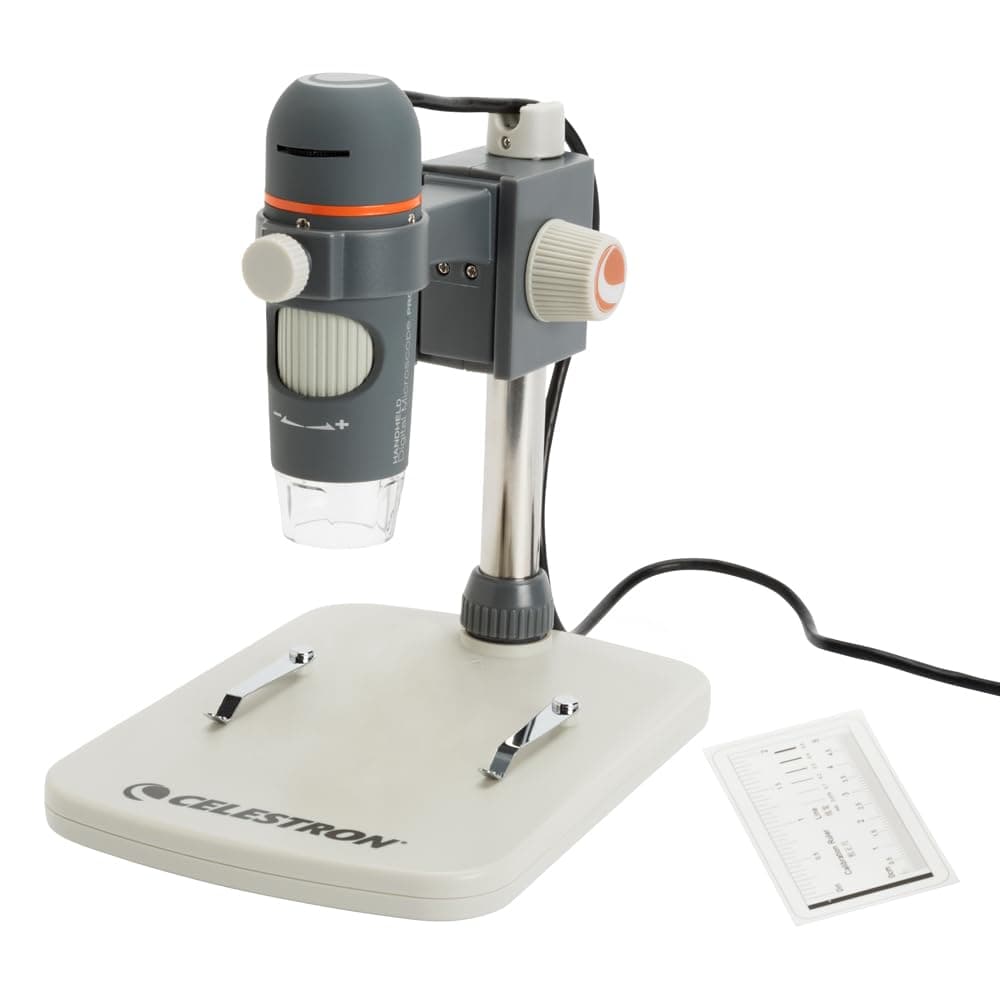


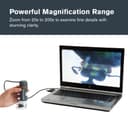
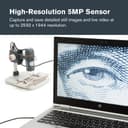
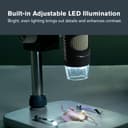
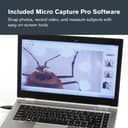
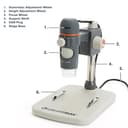
🔍 Unlock a new world of detail—because seeing is believing!
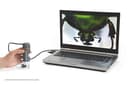
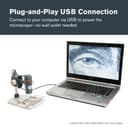
The Celestron Labs 5MP Handheld Digital Microscope offers professional 20x–200x magnification with a true 5MP sensor and 5-element IR-cut glass lens. Featuring an adjustable LED ring light, built-in polarizing filter, and USB-C connectivity, it captures high-resolution images and video on Windows and Mac. Ideal for educators, hobbyists, and professionals, it includes a versatile stand, tripod mount, and free imaging software with measurement tools, backed by a trusted brand warranty.


| ASIN | B00CMJ1I08 |
| Best Sellers Rank | #906 in Camera & Photo Products ( See Top 100 in Camera & Photo Products ) #140 in Lab Handheld Digital Microscopes |
| Brand | Celestron |
| Built-In Media | Built in adjustable light polarizing filter, Calibration Ruler, Plastic and metal adjustable stand with 1/4-20 thread clip holder, Quick Setup Guide |
| Color | Gray/White |
| Compatible Devices | Personal Computer |
| Customer Reviews | 3.8 3.8 out of 5 stars (1,008) |
| Global Trade Identification Number | 00050234443081 |
| Item Dimensions L x W x H | 1.3"L x 1.3"W x 4.44"H |
| Item Weight | 0.65 Kilograms |
| Light Source Type | LED |
| Magnification Maximum | 200 |
| Manufacturer | Celestron |
| Manufacturer Part Number | 44308 |
| Model Name | Celestron Labs Digital 5MP Handheld Microscope |
| Model Number | 44308 |
| Objective Lens Description | Achromatic |
| Power Source | 2.0 USB-C 5V (non-removable cable) |
| Real Angle Of View | 45 Degrees |
| UPC | 050234443081 |
| Voltage | 5 Volts |
| Warranty Description | 2 Years |
C**N
Amazing!
UPDATE: I've changed my review to 5 stars. I called the company, and found out that they are sending out an updated version of the scope. The older version is the one with the light adjustment on the cord. The newer version has the light adjustment on the scope. I've seen several comments complaining that they didn't get the one in the picture, but the one in the picture is the prior version. They are actually getting a newer scope. Celestron emailed me the updated driver, and that fixed it. The resolution is AMAZING. This scope is so much better than I had hoped for. It is going to be a very important tool in identifying errors in my coins. If you have a mac, call Celestron and have them email you the updated driver. I'm soooo disappointed. I've tried to connect this to 2 of my apple computers. BOTH are not recognizing the device after installing drivers, restarting, etc. I wish I hadn't spent the $$. Now I have to send it back. Beware if you have an apple.
C**N
You get what you pay for
I ordered this Celestron USB microscope after I ordered a $19 off brand one from Ebay. I take pictures of the stamped bases of Civil War bullets and the resolution of the $19 version was just not satisfactory - plus, the software was all in Chinese, the included disc wouldn't load the software to run it so I had to find it online and felt it was "iffy" (I wasn't sure if it was trustworthy). Got it working, but it just didn't give the images I wanted. Initiated a return and they offered me a $3 refund to just keep it (I don't want it). I immediately ordered the Celestron, it arrive the next day, plug and play - so simple and the results are great. Yes, it was $50 more, but well worth the price. I am a very satisfied customer
D**.
NOT for stamp collectors! Warning to ALL prospective purchasers.
Here is my (unhappy) experience with the Celestron Handheld Digital Microscope Pro (model 44308). I do not recommend this microscope to you. First of all, it turns out that Celestron is selling two models of this product (44308 and 44308B) -- but you don't know which model you will be receiving. In my case, I eventually learned that I received the 44308B -- BUT I was sent the manual for the 44308. Consequently, I had a difficult time figuring out the changed controls. Secondly, the software interface for Mac -- which I needed -- is not included with product, and must be downloaded from Celestron's very user-unfriendly website. So, I downloaded the software -- and it didn't work. Eventually, I learned that I needed to download different software for the model 44308B, which is variously described by Celestron as version 2.5 and 3.5. (As it turns out, the "3.5" is apparent "typo" on Celestron's part on their website!) Through a lengthy back-and-forth with Celestron's slow customer (so-called) service, I came to understand that the company's representatives are poorly trained and inexperienced. I got more frustration than I did service. Finally, this microscope is absolutely unsuitable for stamp collectors, because the field of view is way too narrow to fit the entirety of most stamps. Moreover, the focus wheel is way, way too clumsy, and the software is astonishingly primitive, basic, and hard-to-use. I returned the product to Amazon.
H**N
Good 5MP Consumer Digital Microscope (Macro Imager) with a Few things to be Aware of
This 'USB Microscope' isn't going to be everything to everybody. I primarily use this product to inspect Trichomes on plants and it works very well for this. For me, it's a big upgrade over a hand held Jewelers Loupe. It's not something that's going to be capable of the level of detail that a true microscope is capable of. The 'depth of field' when viewing 3 dimensional objects isn't very wide and you end up refocusing often to bring out details in separate areas of the viewing frame. My older 2MP 'Scope' and Jewlers Loupe behave the same way in this respect. The hardware is nice quality for a Consumer grade 'USB microscope' (technically a 'USB Macro Imager'). It doesn't appear that it's going to fall apart or break. The adjustment gears on the height are tight and smooth, the focus wheel is also tight and the feel is good. I've read some reviews where some people don't like the tight feel of the adjustments, so it's a matter of preference to be aware of. I use these 'USB microscopes' with the stand (not handheld) and the Celestron is far superior to my no-name $20 2MP USB microscope in this regard. The base is more sturdy and heavy then I thought it would be. What I do not like about the stand is that it does flex at the point where the vertical tube meets the base. This creates some minor frustration when focusing because it causes the camera to move. The USB cord is 4 feet long and there's a nice adjustable angle USB cable guide on the back of the stand. While I don't use them, the clips for holding glass slides appear to be well made and well fastened to the base. The clips rotate out of the way and don't generally interfere with observations unless I have something like a large plate sitting on the base. My main issues and concerns are with the Celestron software. Most noticeable about the Celestron software on a mid-2011 Mac with 8GB memory and Mac OS High Sierra is that it crashes on the 1st launch and must be launched a 2nd time before it runs. It's responsive and quick to focus, but CPU usage is very high. In addition, I've noticed that any software that I run with this camera doesn't display an image until I launch, close, and relaunch the app. After a 2nd launch, apps display images/video. JPG file output is high quality to my DVI monitor and the typical Celestron MicroCapture Pro saved image size is at 2592x1944 resolution. The software does feel a bit dated and could use a GUI update that is a bit more modern. Apple Photo Booth does not work with this camera, however, Quick-Camera (free on the Apple App Store) works great. It supports image mirroring and rotation, but not photo capture (use the Mac OS screen capture command instead). A full size screen capture resolution with Quick-Camera test gave me a 1438x1024 image. Not as high as Celestron's but still very respectable. Sharing live photo images via Facetime is an important use for me, so I'm glad that Facetime works with this camera. The image is horizontally reversed in Facetime, but I can live with that. The Celestion MicroCapture Pro software crashed a couple of times, but did ultimately run when I connected my Mac via Apple AirPlay to my 2nd Gen Apple TV (connected to a 48" 4K UHD TV). See the last photo for a smart phone picture (handwriting with ink pen on paper) of this setup with the Celestron software running over AirPlay in full screen mode. Unfortunately, the picture as seen on this review doesn't really do justice at all to this setup as I can literally see detail in the ink that is not viewable in the Amazon posted photo. Typically I use a 24 inch DVI monitor, and in general, a decent HDMI or DVI display is going to give the best viewing experience that I have found. I have an older dual processor Pentium laptop running Windows 10 at 1024x768 resolution. The software loads fine, but don't bother on older hardware as responsiveness on focusing lags badly to the point of being practically unusable. Finally, on both the Mac and the Windows systems - CPU usage with the Celestron software is way too high as I can hear both system's fans kicking in on high after loading the software. See the photos for a screenshot of the Celestron software pegging my CPU at well over 100%. Celestron needs to make a serious effort to improve the software experience of this product. I use the camera on my Mac so I downloaded the Microcapture Pro software off of Celestron's confusing support webpage There's a Mac and a Mac 'Model B' version. I assume this naming convention must have something to do with the model number of the microscope, as it means nothing in Apple speak. However, I was unable to determine if I had a 'B' version microscope looking at the Box, DVD, manual, microscope, etc. Ultimately I downloaded the 'B' version (2.4.1) and it installed and ran. The bottom line is that I recommend this product provided that you have done some research to verify it's going to give you a decent amount of magnification of your viewing purpose, don't mind tinkering with a modification or two, and a fast computer that supports DVI or HDMI output to a larger size monitor. I'm not sure that I am comfortable calling this a plug and play - no frills device. It's a geek thing for sure... This is not a real microscope but a pretty nice macro imager and I am satisfied with the purchase. I paid just over $60 for what I thought was going to be a open box item with damaged packaging and a cosmetic flaw on the front of the microscope available from the Amazon warehouse (see Available from these Sellers or 'Used and New') on the Amazon item description Web page). What I received was a brand new sealed box item with no cosmetic flaws that had a Amazon Warehouse sticker stuck on the box. I can't guarantee that your purchasing experience will be the same as mine but in my opinion this product was definitely worth the price that I paid. Just be aware that it's nice hardware hampered by low quality software. Celestron could do us all a favor by releasing a open source licensed or similar software version of their 'MicroCapture Pro' software. Where these type of consumer based Macro Imaging camera devices are concerned, 5MP seems to be about the state of the art for some reason and there's only a couple of options at that level. It's really not very advanced. For example, the Raspberry Pi Foundation sells a quality basic general purpose 8MP camera these days for around $25. Most typical product offerings in this 'USB Microscope' category have a maximum of 2MP. As I've seen stated elsewhere in discussions - it may be viable and least expensive to just get a Macro Lens that connects directly to a 12MP smart phone provided that you don't mind a handheld option or even rigging up a smart phone/macro lens/tripod/remote bluetooth shutter setup (that's a mouthful). I'll have to try this out and report on it. In the meanwhile, I've ordered a $20 Aluminum Alloy Base/Stand that I am going to test this camera with next. If the new stand option isn't any better with this camera then I have no doubt that I can get use of it with my older 2MP camera. I'll update this post with my results of the new stand test in a couple of weeks after I've had some time to use it in this configuration. Unfortunately it cannot fix the software issues however, Celestron has to step up to the plate for that to happen. The software would not be such an issue, but --- This is a digital device and you need software to use it as there is no way to view images otherwise. Update: I did receive the Koolertron base/stand and it's a keeper with this camera. The camera fits the stand and It while there is still some slight flex in regards to camera movement while focusing, it's much easier to focus now. The stand is sturdy and there is a small amount of play in the controls, but it's no big deal. A bonus benefit for me is that it has a significantly smaller footprint then the Celestron stand so the setup takes up less space on my desktop.
R**R
Adecuado desempeño
M**.
Das Gerät und die Teile sind dem Preis entsprechend sehr gut bis gut verarbeitet. Die Software von Celestron ist intuitiv und ich denke der Support wird von dieser Firma (da es sich nicht um eine No-Name Company handelt) auch noch länger sichergestellt sein. Unter Windows 8.1 x64 läuft alles problemlos. Handheld Mikroskope gibt es auch günstiger und ohne Tischständer, dieser erweist sich aber beim Scharfstellen als sehr nützlich. Man kann kaum die exakte Entfernung zu einem zu untersuchenden Objekt gleich halten, während man mit der anderen Hand scharfstellt und dann noch den Auslöser für das Foto (ich mache es in der Software mit der Maus) betätigt. Man darf sich natürlich keine Wunder erwarten was den Schärfebereich angeht, umso höher die Vergrößerung ums geringer wird dieser (gilt für 3D Objekte wie zb Kaffeebohne etc.) Seht dazu auch meine Bilder, die ich hier hochgeladen habe. Ich denke diese geben einen guten ersten Eindruck wie weit man mit dem Gerät gehen kann. Die Vergrößerung hängt natürlich von der Entfernung zum Messobjekt, sowie den Einstellungen an dem Gerät (diese stellen das Bild Scharf und vergrößern teilweise noch) ab. Wer mehr will, muss gemäß dem Gesetz der Wirtschaft (you get what you pay for) auch mehr bezahlen, da ist eigentlich auch klar. Für den Einstieg in die digitale Mikroskopie kann ich es getrost weiter empfehlen! Trotzdem der Hinweis von "dnt" gibt es ein "ähnliches" (vermutlich das gleiche Produkt nur in Schwarz) zu einem günstigeren Preis.
K**N
Le microscope en lui-même est bien. Néanmoins les molettes de réglage (netteté et luminosité) sont trop dures et dès qu'on veut les utiliser ce foutu pied bouge voire tombe. Le problème est donc le pied fourni avec qui ressemble à une plaisanterie : - instable : il tombe quand on approche trop le microscope - système de blocage / déblocage ridicule : dès qu'on dévisse un peu le microscope tombe - il y a du jeu dans la monture au niveau de l'attache au microscope Incroyable vu le prix de fournir un pied aussi indigent.
A**N
Para el que busque un equipo económico para ampliar pequeños objetos es una buena elección. La luz es en general demasiado potente pero la cámara tiene una gran sensibilidad lumínica y 5Mpx de detalle que hacen que una vez efectuada la foto se pueda ampliar considerablemente. Fotografiar es muy sencillo con un pegueño botón del cable El programa tiene una herramienta de medición calibrable que resulta muy práctica. El soporte el algo bajo pero su regulación es buena y fina. Fotografiar es muy sencillo
K**G
I like this as it allows me to do fieldwork using computer screen. For my purpose, suffiently high magnification for me to identify bryophytes --- my latest area of microimage work. Very good, fast, effective technical support. Could not get it to work at first, but quick reply by service person sorted out the issue.
Trustpilot
2 weeks ago
1 month ago