Some deliveries may take a little longer than usual due to regional shipping conditions.

DOWNLOAD THE APP


Customer Services
Copyright © 2025 Desertcart Holdings Limited
DOWNLOAD THE APP

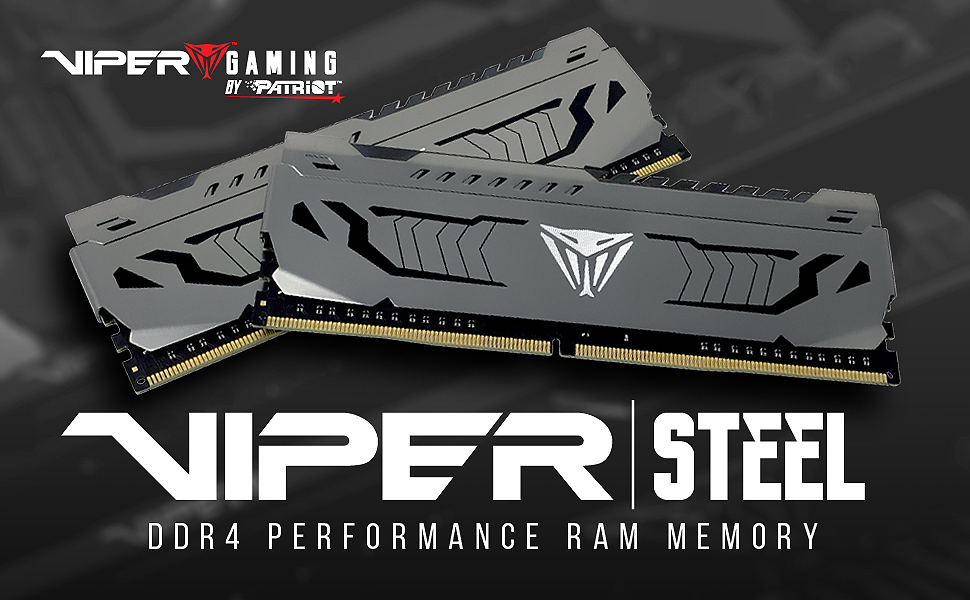
⚡ Upgrade your rig, dominate your workflow — no RGB, just raw power.
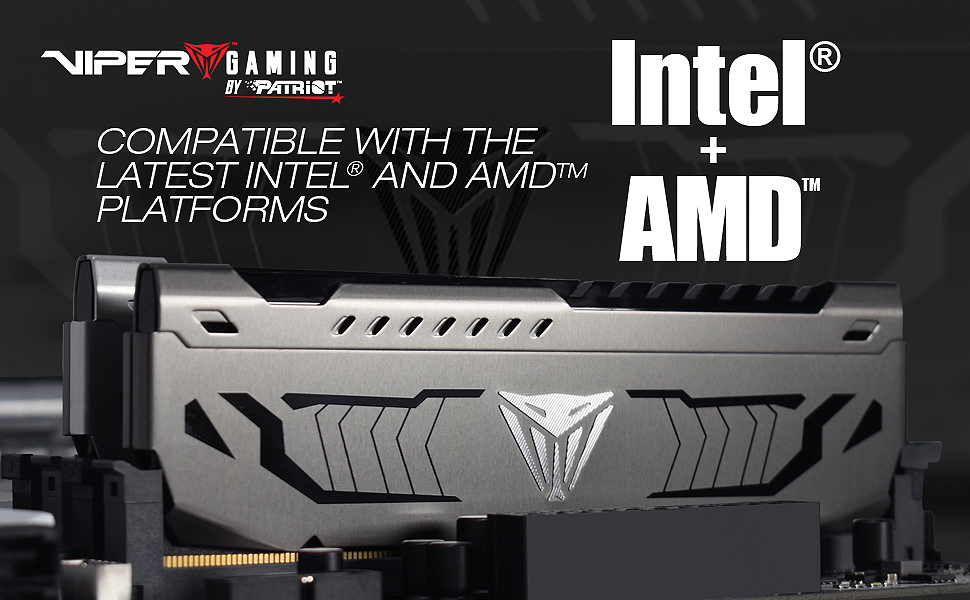
The Patriot Viper Steel DDR4 RAM 32GB (2x16GB) kit delivers high-performance desktop memory with a fast 3200MHz frequency and low latency CL16 timings. Featuring a durable aluminum heat spreader and XMP 2.0 support, it ensures stable overclocking and efficient thermal management. Tested for compatibility with the latest Intel and AMD platforms, this kit is designed for professionals and gamers seeking reliable, no-nonsense speed and multitasking prowess.


| ASIN | B07N3TXFFX |
| Best Sellers Rank | #167 in Computer Memory |
| Customer Reviews | 4.6 4.6 out of 5 stars (12,776) |
| Date First Available | March 19, 2019 |
| Item Weight | 3.35 ounces |
| Item model number | PVS432G320C6K |
| Language | English |
| Manufacturer | Patriot Memory |
| Product Dimensions | 0.28 x 5.34 x 1.75 inches |
A**E
Solid build - No RGB nonsense
Upgrading my PC with this Patriot Steel DDR4 RAM was a bit of a rollercoaster. When I first installed it and powered on, I got an error that made me think the RAM was faulty. My heart skipped a beat! Turns out, silly me—I put the RAM in the wrong slot. Once I fixed that, everything fired up perfectly. Going from 16GB to 32GB was a massive jump. My computer now runs lightning fast, and I can have way more browser tabs open and multitask like a champ without slowing down. If you’re looking for a reliable RAM upgrade that seriously boosts performance, this Patriot Steel kit is the way to go — just double-check your slots before panicking like me!
J**A
How To Get Better Timings Than DOCP/XMP
Just a forewarning to anyone looking to buy this kit is to make sure to check your motherboard manufactures QVL of compatible RAM. check the part numbers for example this kit "PVS416G440C9K" and check if its there. for peace of mind if you want to play it safe. I purchased this kit anyways even though its not in the QVL. but that doesn't mean you can't run it :D testing results are done by a complete novice (me) and will verify soon in forums if they are done right for now its just a typical amazon review. I had a lot of fun benching this kit to find the right timings for a few profiles on my daily rig. There were tons of trials and errors cold booting double booting no boot etc. all while learning how timings work. took a few days/nights trying to find the right sweet spot for my system, While trying to stay within the memory controller limits, hopefully its enough to utilize this kit. Here are my results. Tested PC Parts CPU - Ryzen 9 3900x OC 4.3ghz on all CCX's Cooler - Noctua NH-U12S (push/pull on NF-12 fans) Board - Asus TUF x570 Plus Wi-Fi bios rev. 1407 ( memory kit is NOT in the motherboard QVL) GPU - Nvidia GTX 1060 6gb (doesn't really matter for this test) Case - Lian Li Lancool II PSU - EVGA 850 G5 Storage - Corsair Force MP600 Tested Profile: CPU Setting - Ryzen Master on Manual OC @ 4.3 1.28v on all CCX's Manual (D.O.C.P. Off) - CL15 3800Mhz 1.45v FLCK1900 (15-15-15-26-CR1) Memtest86 - 900%/1500% pass 0 errors stable on all 16gb (proof with intel burn test/pictures) Aida64 - Memory Read/Write - Hovers around 57000-576000 latency is around 7.2ns avg DRAM Calculator - Tested using internal memtest/latency check and fine tuning Thaiphoon - Module Verification - Read the Kit and report, Then scroll down and click "view delay in nanoseconds" and then Export to .HTML so that you can finally get the proper timings in DRAM Calculator **Use this program to find the delay/latency and to import the DOCP/XMP to DRAM Calculator** Summary: Amazing kit that clocks FAST. I was scared to buy this kit at first because its not in my motherboards Qualified Vendor List (QVL) furthermore I was looking at the voltages on the kit themselves, Which they state are rated to go 4400Mhz @1.48v I would say its fairly high for daily use. Normally should be around 1.35v is what everyone says, but I will test it out in the long run @ 1.45v. I ran MEMtest86 overnight with a 0 errors and a 1500% pass so I would say its stable that this profile. I will try to test for higher frequencies another day, maybe 4200? Overall I am satisfied with how this kit performs. I would definitely get another set if I could.
R**7
Top performing DDR4 ram
It's hard to go wrong with ram from Patriot. This is top performing DDR4 ram at a great price.
O**W
These are fast and reliable if you have supporting hardware!!!!!
I Bought: Patriot Viper Steel Series DDR4 16GB (2 x 8GB) 4400MHz Performance Memory Kit - PVS416G440C9K 1) Supporting HW. 2) What I achieved. 4) Problems I encountered. 5) How I did it. 6) I will post back in one month to give my one month feedback. 1) So first of all here is my "supporting" hardware: Asrock Z370 Extreme 4 Mother board. ("Capable of 4133+OC Ram") i7-8700k CPU OC @ 5Ghz 2) Second here is what I was able to achieve: 4000Mhz @ 15-15-15-35 CR2 **With my "supporting" hardware** 3) At first I couldn't get the ram to boot over 3000Mhz, like at all! But I did adjust timings to 12-12-12-32 CR2 @ 3000Mhz and probably could have gone lower on the timings! 4) How I Managed to get it to run at 4000Mhz. **Please follow all of these steps to a T!!** If you skip any of these OR do them out of order it can result in damaging your hardware, My instructions are safe but please overclock at your own discretion... NOTE: I THINK ASROCK MOTHERBOARDS PRIMARY RAM SLOTS ARE A2 B2!!! I was unable to achieve 4000GHZ prior to trying this out. Try my guide first then try swapping ram to A2 B2 slots. 1 - Reset CMOS to restore bios default, in my case I HAD to use the CMOS reset method. Simply resetting to default settings in the UEFI Bios menu **DID NOT WORK.** (NOTE: Sometimes the CMOS Battery is located behind the Graphics card.) This will require you to power off your pc so save this review in a screenshot on your phone. Once you have successfully reset the CMOS and have default Bios proceed to step (2) ***DON'T OVERCLOCK YOUR CPU FIRST! START WITH THE RAM!*** 2 - Set BLK frequency to 100 if it is not already set to 100. Make sure you're in DRAM settings and not CPU settings. If BLK frequency says 45, 43, 48, 37, or 50 you're in CPU settings... They should be linked but you need to be in DRAM settings. 3 - Start at 4000Mhz for speed, set DRAM speed or "frequency" to "4000" or 4000Mhz, whatever option it gives you start at 4000Mhz if you do not see 4000 as an option but see odd numbers like 4016 it's because your BLK frequency is set over or under 100.00. 4 - Set ALL other DRAM settings to "Auto"! If they aren't already? Manually type in "Auto" **********This is the most important step in order to keep things from going poof or zap.********** **********This is the most important step in order to keep things from going poof or zap.********** **********This is the most important step in order to keep things from going poof or zap.********** 5 - THE MOST IMPORTANT STEP Find voltage settings, (May be in CPU settings etc just find VCCSA VCCIO voltage settings) Set DRAM Voltage to 1.35, UNLESS you have an XMP profile that says it uses 1.45 If you see an XMP profile that says it uses 1.45 then Set the DRAM voltage to 1.45 this will be safe. MAKE SURE VCCSA Voltage settings are set to 1.15~1.30 **NOT SET TO AUTO** To Start, Set to VCCSA to (1.2) SET System agent voltage 1.10V~1.35V Start at 1.2 MAKE SURE VCCIO Voltage settings are set to 1.15~1.30 **NOT SET TO AUTO** To Start, Set to VCCIO to (1.2) Navigate to "exit", -> Save changes -> and reset. **IF** it boots to windows and runs congratulations you have a starting point at 4000Ghz. Proceed to step (W) **IF it doesn't boot, blue screens, crashes, or enters vicious boot loop, enter bios for adjustments. Proceed to step (X) **IF** you are unsuccessful at entering bios, power down machine and repeat steps 1-4. Then Proceed to step (X) before saving and resetting. STEP X: You can try increasing DRAM voltage from 1.35 to 1.4. You can try increasing VCCSA, VCCIO, System agent voltage to 1.25, if this fails you can attempt 1.3 if that fails, You need to lower the DRAM Frequency from 4000 to 3800 and repeat until you have a starting point. STEP W: Ok, we have a starting point, now we can adjust our timings! **IF** you had instant success at hitting 4000Ghz, set your timings to 15-15-15-35 CR2 And attempt boot. If this works, lower until it is unsuccessful at boot and revert back to the lowest successful post. Fine tune for stability and run tests to ensure your configuration is successful. Now you can overclock your cpu. **ELSE** Start by setting your timings to 19-19-19-39 CR2 And attempt boot. If this works, lower until it is unsuccessful at boot and revert back to the lowest successful post. Fine tune for stability and run tests to ensure your configuration is successful. Now you can overclock your cpu. If this doesn't work Revert back to "Auto" in all the timing settings, boot into windows, install CPU-Z from CPUID Navigate to the -> memory tab and write down values for: CAS# latency (CL) RAS# to CAS# delay (tRCD) RAS# Precharge (tRP) Cycle Time (tRAS) Row Refresh Cycle Time (tRFC) This is your starting point. Extra info: VCCSA, VCCIO, increase to 1.3 MAX (1.35 for the F it folks) 1.5 is Max capable for VCCSA, VCCIO but seriously don't go past 1.3. for fine tuning set a lower Command Rate (CR) 440 for example, research and fine tune the other settings you have available to you!
B**S
works great!
B**R
Très bonne ram ! Ras
P**B
Barettes OK, prix pas trop élevé compte tenu des hausses en ce moment.
A**R
Tuning depends on the quality of the ram motherboard and CPU. Basically luck, now that out of the way. I have a cheap b450 and 5700x running 4850mhz - gaming. I was able to hit 56k bandwidth and 54ns latency with 3733 and tuned subtimings, going above that will degrade the performance as I have to pump more voltage into the CPU and end up throttling it's clock as its already tuned to max or else going C2/gear2. Current state is 3733 cl14 @ 1.48v
M**.
Si buscas una memoria RAM de alto rendimiento que te ofrezca estabilidad y velocidad para tareas intensivas como gaming, edición de video o renderizado, el Patriot Memory Viper Steel DDR4 3600 64GB (2x32GB) CL18 Kit es una opción impresionante que destaca por su calidad, rendimiento y diseño. Diseño y Construcción La Viper Steel tiene un diseño robusto y elegante. Con un disipador de calor de aluminio de color plateado, no solo mejora el rendimiento térmico de la memoria, sino que también le da un toque moderno y profesional. Su construcción es sólida, lo que asegura una mayor durabilidad y resistencia al uso constante, además de ofrecer un aspecto estéticamente atractivo para quienes tienen una PC con una buena estética de componentes. Rendimiento Este kit de 64GB (2x32GB) con una frecuencia de 3600 MHz y un CL18 es ideal para quienes necesitan una memoria rápida y capaz de manejar múltiples aplicaciones y procesos de manera simultánea. Con una frecuencia de 3600 MHz, se obtiene un gran balance entre velocidad y latencia, lo que mejora el rendimiento en tareas que demandan gran cantidad de memoria como videojuegos de última generación, software de edición y aplicaciones profesionales de diseño. La capacidad de 64GB es sobresaliente, especialmente para quienes realizan tareas multitarea avanzadas, como trabajar con grandes archivos de video o tener abiertas varias aplicaciones pesadas al mismo tiempo. Para los usuarios de estaciones de trabajo o para aquellos que se dedican a la edición de video, 64GB proporciona un excelente rendimiento sin la preocupación de quedarse sin memoria. Estabilidad y Compatibilidad El Viper Steel DDR4 3600 64GB Kit ha sido diseñado y probado rigurosamente para asegurar su estabilidad y compatibilidad con una amplia gama de placas base y plataformas, como Intel y AMD. Puedes confiar en que funcionará sin problemas en sistemas modernos. Además, es compatible con tecnologías como XMP 2.0, lo que permite un overclocking sencillo y seguro para aquellos que deseen exprimir aún más el rendimiento de su memoria. Enfriamiento y Temperatura El disipador de calor de aluminio es eficiente para mantener las temperaturas bajo control, incluso cuando se exige un alto rendimiento. A pesar de ser un kit de gran capacidad, la memoria no tiende a sobrecalentarse fácilmente, lo que es clave para mantener el sistema estable y evitar cuellos de botella en tareas exigentes. Ruido Dado que no tiene ventiladores adicionales ni componentes que generen ruido, el Patriot Viper Steel es una opción silenciosa. Esto es un punto positivo si buscas mantener tu PC en silencio mientras trabajas o juegas. Conclusión En resumen, el Patriot Memory Viper Steel DDR4 3600 64GB (2x32GB) CL18 Kit es una memoria RAM excepcional para usuarios que buscan gran capacidad y rendimiento. Con su diseño atractivo, alto rendimiento en tareas multitarea y alta compatibilidad, es una excelente opción para entusiastas del gaming, creadores de contenido, y profesionales que necesiten un sistema fiable y rápido. Su facilidad de instalación, confiabilidad y equilibrio entre velocidad y latencia hacen que sea una de las mejores opciones en su categoría.
Trustpilot
2 weeks ago
1 week ago