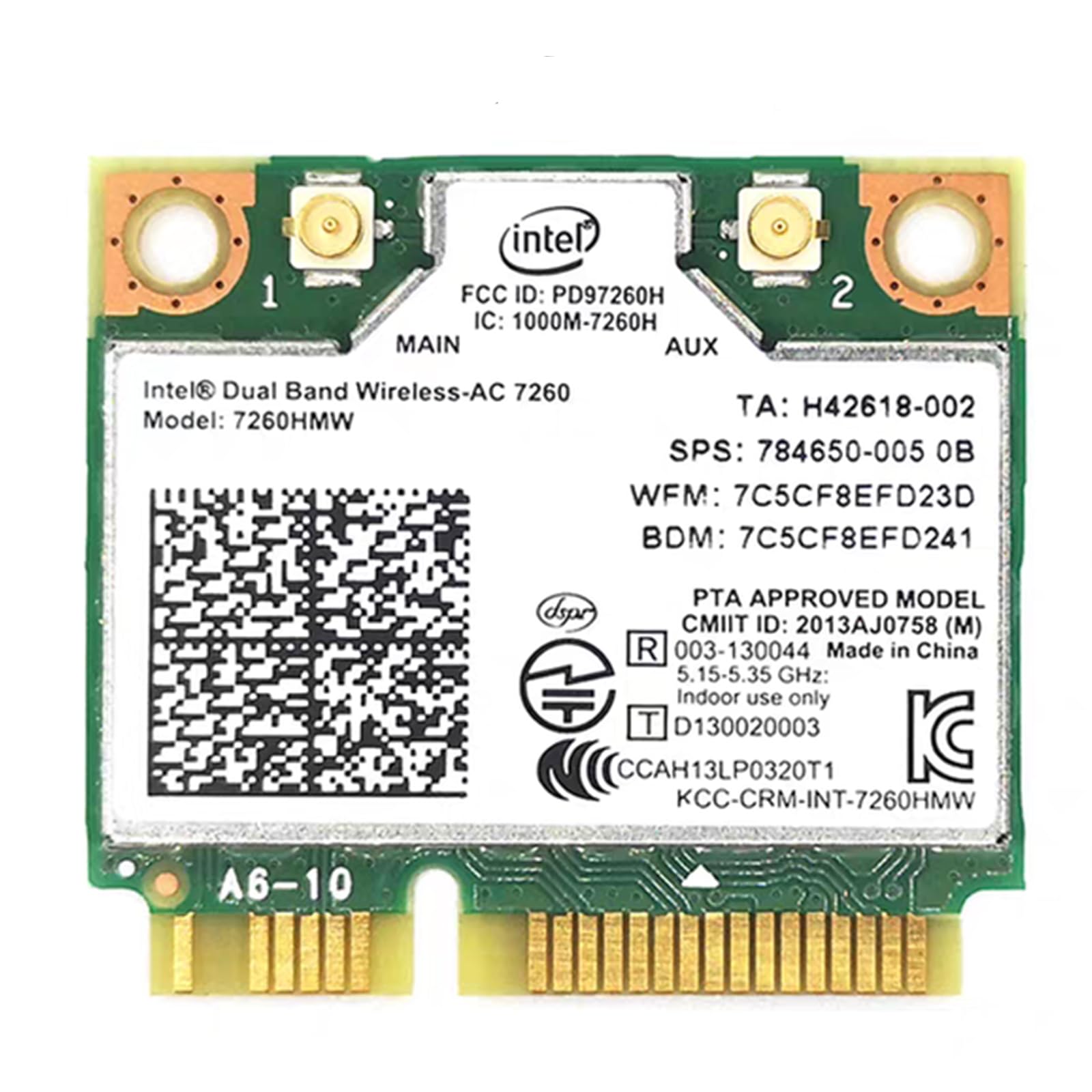
🚀 Upgrade your legacy laptop to next-gen wireless power!
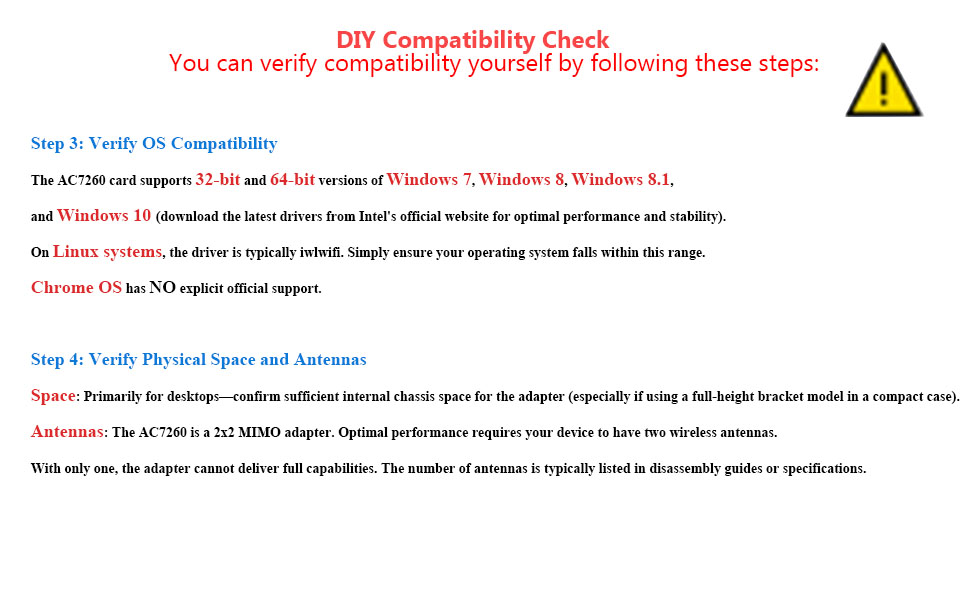
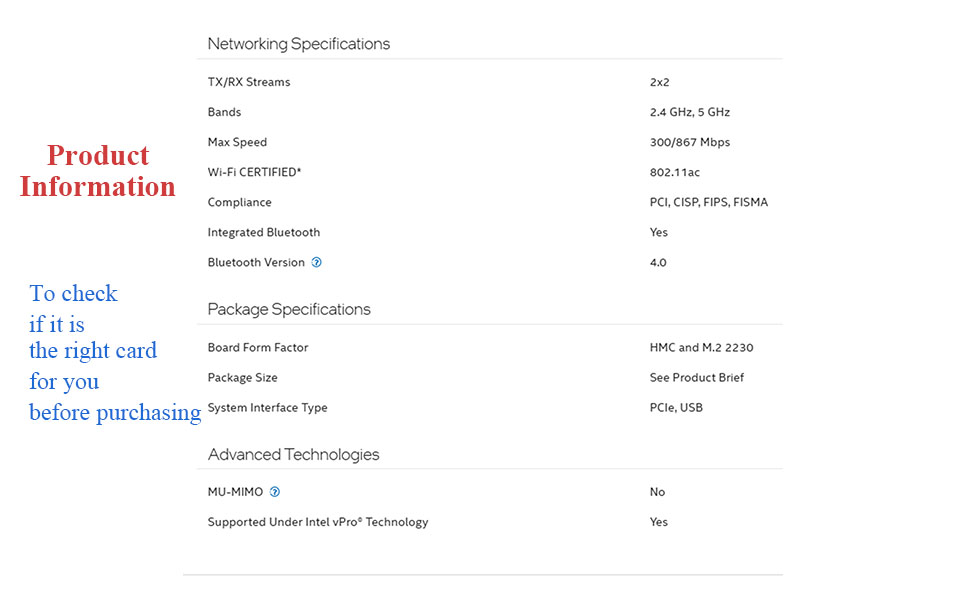
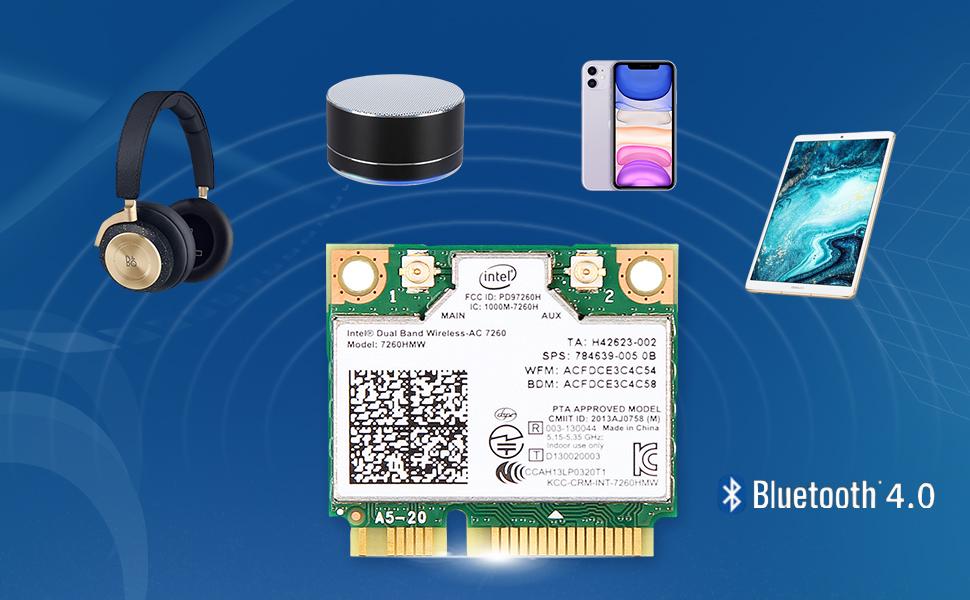
The MQUPIN Dual Band Wireless Card (Intel 7260.HMW) is a high-performance network adapter featuring dual-band 802.11ac Wi-Fi with speeds up to 867 Mbps and Bluetooth 4.0 support. Designed for half mini PCI-E slots, it offers broad OS compatibility including Windows 7 through 10 and Linux, delivering enhanced wireless connectivity and energy efficiency in a compact, durable form factor.



| ASIN | B07R8J3ZK5 |
| Best Sellers Rank | #97 in Internal Computer Networking Cards |
| Customer Reviews | 4.2 4.2 out of 5 stars (791) |
| Date First Available | April 26, 2019 |
| Item Weight | 0.176 ounces |
| Item model number | FBA-WXWKAC-7260HMW |
| Manufacturer | Inter |
| Product Dimensions | 3.5 x 2.5 x 0.2 inches |
Y**G
Eventually, It worked with my HP Envy 17t J100, providing both 5GHz and Bluetooth.
My six-year-old HP Envy 17t J100 has everything I liked, such as touch-screen and back-lit keyboard. But it doesn't have wireless AC (for 5GHz), and it doesn't have Bluetooth. So I bought this MQUPIN card. The WiFi part of this card worked right away, without software installation, but the Bluetooth failed to work by itself. An yellow triangle sign (with Code 43 error) persists. Installation of Intel BT_21.10.1_64_Win10 did not help. Neither did Amazon tech support. (After chatting for five minutes or so, they simply disappeared. ) I tried every suggestion I could find, including restarting the laptop and deleting the yellow triangle device in Device Manager several times. As a final resort, I turned the laptop all the way off, and removed battery. This time, when it restarted, Bluetooth shows up in device manager without any error. I just had to manually add my Bluetooth mouse and headphone. They all worked simultaneously now. (Image 1 is the working status of this card; image 2 is the connected mouse and audio.) Considering this card has bought about two important functions to my aging laptop, this purchase is really valuable, as well as the time spent. (update) Two days after the initial post above, I came to believe that both network and Bluetooth might work on some systems without much ado. You only needed to reboot one or two times. I found this out with the same laptop (HP Envy), on a different partition with dual boot.
M**E
Works it's wireless magic as touted!
I needed this for my old HP Pavilion Laptop. It works just as it should, but a little difficult to put in place. Mainly because of my fat fingers.
D**Y
Great upgrade to an 2015 Kirabook 13" 15
I love love my Kirabook. It was at the time, one of the best touch screen ultrabooks. Replacing it will cost upwards of 2k for the same features. Yet I was entertaining doing just that do to low performance of the wifi / BT and intermittent issues with printing. I was hesitant to try replacing the wifi card. I really thought it would be better to buy a new laptop, But for 28.99, I cannot be any happier. I downloaded both WiFI and bluetooth drivers before I replaced the card. the install went seamlessly. Now, BT keyboard and mouse consistently connect, and the Wi-Fi is showing 500K plus speeds. I think we just extended this notebook for a little longer. I still love it. If only added more memory was this easy on this model... the memory boards are welded in place. :-(
A**3
Great speed boost........just be sure to get the correct driver first.
This was purchased for a Dell Inspiron 1749, circa 2010, which was originally equipped with a Centrino-N adapter. Installation was very easy. There are several Youtube videos showing the install on this series of laptop. Six screws to loosen the cover plate, one screw to loosen the old adapter, and two antenna wires to pop off. Swapped it out and bolted it back up. Powered on the computer and it began the install process. Bluetooth loaded but none of the wireless functions would load. I figured that was a driver issue. I deleted the old driver and used my PC to search the Intel website for the correct driver. Dell did not have any support for this card with this laptop. After incorrectly attempting to load the wrong driver, I figured out my mistake and downloaded the correct one for Windows 7, 64 bit. Installed via thumb drive, software loaded, and wifi signals came on line. Speed test before was maybe 25-30 Mbps download. Afterwards it was just breaking 300 MBps download on 5Ghz signal. I'm using an AX/Wifi6 router currently with 300MBps service from Cox.
A**B
Bluetooth DOA, WIFI constantly resets
Bluetooth wouldn't show in device manager. WIFI lasts 2 min before crash & reset.
T**L
Works Well For the Most Part
This worked pretty well for me aside from the Bluetooth portion not working for my laptop. It didn't really bother me though as the AC internet works great with a pretty great signal strength. I bought it as my previous card wasn't 802.11AC and only connected at 2.4 GHz.
J**S
Very nice
Fast WiFi easy instal very nice
J**P
Simple and straight forward
I have an old HP Envy 15t-j100 with a wifi-N card and no Bluetooth. I upgraded to this card and Windows 10 immediately recognized it. I went from 40 Mbits to 290 Mbits taking the full capabilities of my Internet/Router configurations. I also have Bluetooth when I had none before. It works so well I ordered another one for a second laptop. Luckily my laptops (2014) did not have whitelisting of WiFi cards. Very inexpensive upgrade for a huge improvement. Update: I did buy a second one and installed it in my HP Envy dv7t-7200 running windows 10. I did not even have to download any drivers. Windows 10 already had the drivers for this WiFi card and the Bluetooth. Awesome WiFi / Bluetooth with super easy install. Took a whole 5 minutes.
V**Y
Installé sur un vieux PC portable de 2012 MSI A6300 monté avec un double boot windows10 et Linux Mint 22. La carte mère MSI bloquait physiquement le wifi envoyant 3.3V sur la broche N°20 de la carte wifi (WLAN_DISABLE); J'ai dû masquer avec du ruban adhésif la broche N°20 pour que le signal reste à 0 V forçant la carte à être toujours allumée. Désormais, cette carte Intel 7260 reste libre d’émettre, et le Wi-Fi fonctionnera définitivement, sans dépendre de touches de clavier Fn + F10, aussi bien sur Win 10 que Linux Mint. Quant au Bluetooth, deux broches dédiées dans le connecteur mini-PCIe, ne sont pas câblées par MSI donc pas de Bluetooth possible.
P**R
Wasn't able to connect my laptop to my wifi. Now I am. Job done.
C**L
Used on an 8 year old laptop, download speed increased from 40mb down to 300mb. Plug and play, it's Intel so windows already has the drivers, and it was a direct replacement, and it has good signal strength.
D**O
Installed in an old Inspiron 15 3542 that struggled to reach 100 Mbps (with its original 10/100 Wi-Fi card). Instantly recognized by Linux Mint, without driver installation. Fantastic! The speed is now 300 Mbps for both download and upload. Huge improvement. Thank you.
J**N
Funciona muy bien. 460Mb/s
Trustpilot
1 month ago
1 week ago



