
DOWNLOAD THE APP


Customer Services
Copyright © 2025 Desertcart Holdings Limited
DOWNLOAD THE APP

📚 Elevate Your Reading Game!
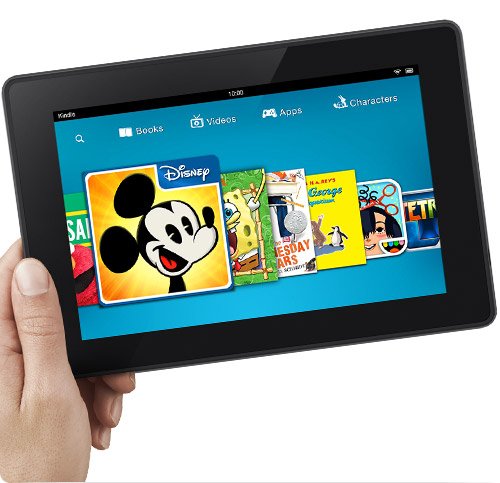
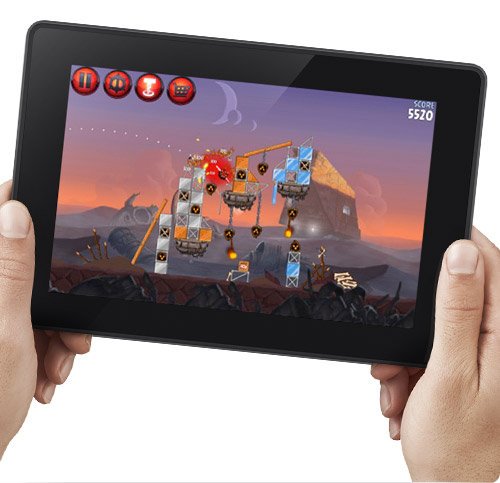
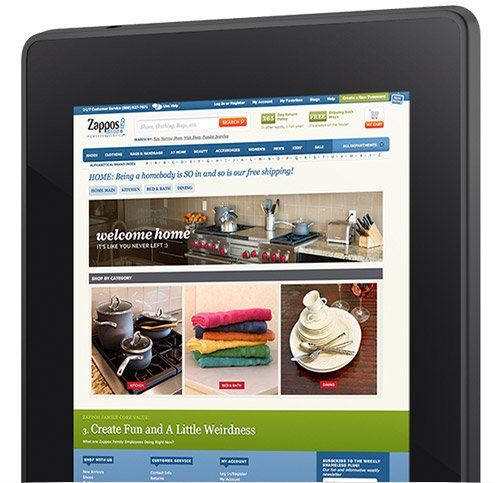
The Kindle Fire HD 7” is a powerful tablet featuring a stunning 1280x800 HD display, a fast 1.5GHz dual-core processor, and ultra-fast Wi-Fi connectivity. With 16 GB of storage and robust email support, it’s designed for both entertainment and productivity, making it the perfect companion for the modern professional.
M**M
A 4.5 star tablet (Updated)
First off, I would like to say this tablet is a great deal for just $139.99. I tried finding a tablet for under $100 that would just work properly, and to let you know, it's impossible. Secondly, I want to tell you how I decided to buy this tablet.I first bought the 9 inch Dragon touch tablet for 78$ but to be blunt it sucked. It was so slow that the web browser would always freeze, even if I did a simple Google search. I did not want to take a chance with it anymore and returned it after 2 days of using it; then I decided to give the kindle fire HD a chance.Exterior: The exterior is well built. No loose pieces, and the plastic is very firm. My previous cheap tablet had plastic that felt it was going to snap if you held it too hard. Of course the iPad mini has a glass screen and aluminum body, but it also starts at $329. There are 2 ports: a micro usb and a headphone jack to plug in your headphones. The nice thing is that the micro usb is universal and finding a plug is cheap and easy to find. Although, amazon does include a very nice and not cheaply made cable/ wall charger along with your kindle. The previous kindle did not include them and they are worth $20. The buttons for the volume and power are a nice touch. I would not be surprised if new generation tablets will include these style buttons.Only down side is there is no port for an SD card so you can store more memory. It would be a nice feature but if you really need all that storage, go buy a computer.Display: One word, amazing. Maybe I am pushing it, but the screen is so clear. I own an iPhone 5 and my eyes prefer my kindle. I love reading on this machine and for the price, amazon did a good job with this one.Internal/processor: I never owned the older versions of the kindle, so I won't be able to compare to them. I can say that this kindle is not slow. My previous tablet took a couple of seconds to respond to my touch but there is no delay on this kindle. As far as apps go, I downloaded that deer hunting game to test out if the kindle can handle it. The answer is yes, and didn't even struggle :).WiFi: Surfing the web is awesome on this device. I watched a tv series(arrested development, which I do recommend) and the video playback was great. It was very smooth and even when I went outside the video was fine. I added the outside part because my 2010 MacBook pro starts to get a jittery WiFi connection when I bring it outside my house. But the overall speed is in between my iPhone 5 and MacBook pro, where it should be.Battery: Yeah... I noticed the older version of the kindle was 11 hours and this one is 10 hours. But if you're on the kindle for 10 hours straight, time to GET A JOB! (Read update 10/23/13 lower in the review for true battery life)Camera: I wish there was a camera and Mic in this kindle so I could Skype with my family. Keeping the price and size in mind you can't really blame amazon. Well, at least the NSA can't see me or hear what I'm doing. If you want those features then you can always buy the better version of the kindle. (Kindle HDX)Sound: I don't know what the previous kindle sounded like, but this kindle has great speakers. I was in my room watching my show and my roommates(my parents..) told me to turn it down. I could understand everything that was said in the show and that's all that matters. If you bought this tablet to listen to quality music, I don't know what to tell you.Setup: I've seen lots of people saying that the setup is a pain in the you know what. I was waiting to see what they were talking about but I had no issue. When I received my tablet, I turned on the screen and connected to my WiFi. I had no problems and then an amazon load screen came up and I said, here we goooo... The load screen only lasted 2 minutes and it was completed. I didn't have another one, nor did I have an issue setting up my kindle. My email, WiFi, amazon account, and other set ups went very smoothly without any issues.I am not doubting that other people had problems with their tablets, no electronic device is perfect. Either amazon saw that there was a problem and fixed it, I got lucky with my tablet, or maybe so many people were trying to register their new kindle and amazon servers could not handle it. Wouldn't have been the first time a new product had its servers go down(obamacare, ios 7, COD servers, etc.)Bluetooth: Haven't tried it yet, sorry! But apparently no one has any issues with it. 10/21/13 I have tested it out by hooking it up to my car and it works. I don't own a Bluetooth mouse or keyboard but you should not have a problem pairing them with the kindle.SO, if you want a general summary, this is a fantastic tablet for the price. This tablet is probably the cheapest tablet that you can buy with it being dependable. There are a lot of cheaper tablets out there, but are only good if you want bald spots. Keep the price in mind when buying this tablet, this is why amazon offers a lot better kindles that cost more. This kindle is for someone that is on a budget, wants a device to surf the web,reading books, looking at photos, watching movies, playing games, and obviously "facebooking." If you want something more "show off-ie" then this isn't the kindle tablet for you.Also, keep in mind Amazon is an extraordinary company. They are fair priced for almost everything they sell on their website, especially their books. I cannot thank them enough for saving me hundreds of dollars on books I need for college. For not being an electronics company like Apple, Samsung Sony etc, they can definitely give those companies a run for their money with their tablets. So thank you amazon for making a very affordable, dependable tablet!I will update this if I see something out of the ordinary or if something goes wrong that shouldn't have.P.S. If there spelling mistakes, sorry. I used my new kindle to type this all out. I figured it would be good practice.UPDATE 10/21/13First, I want to mention is that I am having sound glitches. When I'm watching a video the sound just shuts off and I have to press the rewind button 1 to 3 times. In doing so, the video loads itself again and the sound magically comes back on. I know it's a software issue because sometimes when I load my apps there is no sound even when it is turned on. I shut off the app (sometimes a couple of times) and the sound comes back. If anyone knows how to fix the issue or has the same problem, let me know. Thank you.Another problem I have is trying to connect the micro usb cable in. I think it's a problem because the way the sides of the kindle are angled. Usually I plug in all my electronics at night, with no lights on. But with the kindle, I have to leave the light on so I can find the port to plug in the charger.There is no flash player in the kindle, but that's no surprise since android and iPads don't either. There might be manual ways on installing it but I wouldn't know.When you use you're kindle while charging it, it gets pretty warm. Not really a problem just something that was noticeable.Now, time for some good news! The display is great outside, I can watch all my shows when the sun is out. This is a huge plus for me.The true battery life. I tested it out by watching 4 episodes of a show that lasted about 22 minutes. Each show drained my battery 5%, keep in mind my display brightness was set around 75%. Doing the math, the battery life will last you roughly 7.5 hours when watching videos. When I web surf, read books, play a game here and there I would have enough battery life to last me a little less than 2 days. I think the battery life would be a lot better if there was a light sensor on the kindle, but there isn't. So if you want to save battery you need to manually change the brightness yourself because the kindle is not able to.Two suggestions so far.1. Amazon, I wish your kindle cases were cheaper. Two of your cases cost as much as the kindle itself! They do look nice and pretty cool but not for that price. Sorry, but I went with the 20$ marware case and it does the job.2. Instead of offering $2 amazon music credit incentives when you buy certain products. A $2 amazon coins incentive would be incredible. Almost everything in the app store costs money and amazon coins would be very useful for a lot of your loyal customers.11/26/13My previous issue that I had with my kindle (sound disappearing) has been resolved. I am not sure what it was but I think it had something to do with the recent update.Some people are angry and giving horrible reviews because this isn't like the previous generation Kindle Fire HD. READ THE PRODUCT DESCRIPTION BEFORE YOU BUY ANYTHING. This kindle fire HD is marketed as the improved, previous Kindle Fire, while the kindle fire HDX is the new and improved, previous kindle fire HD. I do not want to bash anybody, but I do not think that this Kindle should have such bad reviews because of others' stupid mistakes. So, if you are not on a budget and want an even greater tablet; the Kindle Fire HDX is what you should look into.The other cool thing about the recent update is, if you bought a kindle with special offers, the lock screen now has a notification bar. Before it just showed the special offers on the screen. Now on the lock screen, at the top of the screen, it shows the time, battery life and other notification like new emails. Before you had to unlock the screen to see any of this. Nice touch Amazon!Also, HAPPY THANKSGIVING EVERYONE!
M**R
Good Value for the Money
To sum up what I will tell you about in the details below, for just $139 you are getting one heck of a deal on a tablet computer - especially if you compare it to the $199 for last year's first-generation Fire HD this one is replacing and the $500 or more you can spend on a Wi-Fi version of the iPad. Overall, if you consider the price and the functionality I think this is a great tool / toy if you are a first-time tablet buyer, price vs. value is a key consideration, or if you are looking for an affordable tablet for the kids. If you're comparing last year's HD model to this version and last year's model is operating fine, I'd say save your money and continue to get your money's worth out of that one.My review below compares a lot of the features of this version of the Fire HD to the original Fire HD, but also some of the features for a first-time user.I will say setup was a literal pain in the neck, and I said a lot of bad words: despite being a brand new product, the Fire attempted to download and install several operating software updates. Software updates on a Kindle are usually in the background, but I quit counting after 13 crashes and manual reboots. It crashed during setup, playing a song, watching a TV show, reading a book, and playing Words with Friends: in other words, it took 3+ hours to get this thing up and running but after the final software update it has worked as expected without further issues.Screen Display / Video Playback:The best improvement in this version of the Fire is the screen display. Looking at the technical specs Amazon did not make major changes in the display / resolution, but the picture appears more crisp: I compared the viewing experience watching with my standard test - don't laugh - the first episode of the Wonder Woman TV series from the 70's. The display on this HD Fire was one heck of a lot better in terms of sharpness than last year's model. For you technical folks out there, the display is 1280x800, and maybe the better display is due to either the type of glass on the screen or just the benefit of having a brand new device.Wi-Fi Connectivity:The initial Wi-Fi setup took some time as it had a hard time identifying the radio signal of all of the available wireless routers, primarily identifying all but mine. I had four versions of the Kindle Fire open during my test, and all but this one identified my router so I had to hop onto a guest network. After the final operating software update I mentioned above, however, it was fairly easy to connect to the Internet via Wi-Fi.My standard test for trying out new gadgets is to see how fast they run side-by-side with a known piece of equipment doing the same test at the best place of Wi-Fi in my house and the worst place where it drags. In this comparison, I had this HD version of the Fire sitting next to the previous version of the HD Fire, as well as an 8.9" HD Fire, Motorola RAZR smartphone, my iPad 2 (yes, the Kindle guy uses an iPad for work), and the first-generation 7" Fire (the model from two years ago) all just using a Wi-Fi connection vs. cellular connectivity.My "normal" website test is to hit the mobile websites of FoxNews, CNN, my personalized Yahoo page, Google, and the Houston Chronicle. The ones that were usually slow on the other devices and were still slow but faster than the other devices (Houston Chronicle and CNN), and for the other sites I couldn't tell a difference in speed at the location closest to my router. When I went to the slowest / worst reception location of my house, the speed did have a noticeable difference in the other devices as this one was a little bit faster than all but last year's model of the 7" Kindle Fire HD, which I would attribute to the dual antennas. On the signal strength bar, I always got one additional bar - meaning more strength - than all of the other devices non-HD devices.Sound / Music Playback:The two speakers are located in the back of the Kindle Fire in two not-noticeable ports: one on the top and one on the bottom. My test of this feature was cranking up Van Halen's Panama to maximum volume (I wanted to see if it could really play the guitar licks), and I would alternate covering one speaker up over the other: you have true stereo sound with no degradation of the sound that makes you think you are about to blow the speaker. The Dolby speakers sound nice and you do get to hear the bass. However, I am still of the opinion the speakers aren't going to do very well being placed in the back as I am in the front: I want to be able to hear whatever I am listening to without really having to crank it up and disturbing someone else in the room (that's what happens when you start losing your hearing like I am). While the cover for this version has not shipped yet - I imagine the sound quality might decrease with a cover in the back over the speakers. The X-ray feature is pretty neat as it displays the lyrics on the screen if you are so inclined; if you are not, it is as simple as the tap of an icon to make the lyric feature go away.Email Setup:Email setup was very easy for my main Gmail account, both with the software came with the Fire but my primary use of an an existing app called Enhanced Email that I purchased here in the Amazon app store. I did setup the email app that came with the program with no problem - it took about a minute to setup my main Google account - and I was able to send and receive emails with no problem as well as synching my online calendar via Google's calendar and contacts. For those of you asking yourself why am I using the Enhanced Email program, the simple answer is like many of you I have more than one email account: you can quickly switch back and forth on the accounts with the tool. The lazy person in me appreciates that as I don't like getting out of the lazy chair once I'm settled in!New Tabs and Screen Layout:In addition to the normal tabs Amazon has continued to make tweaks with the look and feel to the overall display such as more things to scroll through to find what you are looking for in an easier manner. Interestingly, I purchased the one with special offers and the only ad I have seen so far is on the main screen saver vs. being overwhelmed with ads like last year's model.Reading Books:Turning pages is pretty darn easy - just tap the side of the screen to go to the next page or back a page, or you can swipe your finger across the screen to do the same. I really wish they would add the feature to see the book's description for books on your device like they have with the e-Ink Kindle, as I can't remember what each book in my digital to-be-read pile is about. For those of you who have wondered, you still can't organize your books into categories unless you purchase a third-party app here in the Amazon app store.BLUETOOTH!There is a Bluetooth connection, and I tested this by taking it out to my car and having the Fire stream music through my car stereo. There were no delays or skips with the connection, and it paired up in about a minute. Just make sure you give it a device name so you can recognize it and be recognized.Memory:I purchased the 16GB of memory vs. the standard 8GB. With storage on the cloud, it could be hard for me to fill it up - my kids could fill up 8GB easily, however, so the extra 8GB of storage is nice to me.Camera:There is no camera on this model - I guess that is how they kept the price lower.Charger:Unlike previous models of the Fire, this one DOES include a charger! If you're scratching your head with that comment, in previous models you had to purchase a charger separately for $20 which always seemed kind of silly for Amazon to do.What I Wish it Had: a case that was ready to go and shipped when the Fire was ready (why are we waiting). A case is very important in order to protect your investment. Also, I'm interested to see how they try to not hurt the speaker's performance I mentioned above due to the speakers being in the back of the unit and hopefully not covered up with a case.Overall, at $139 for the 8GB of memory model ($169 for 16 GB of memory) I think this is a pretty good deal. Kids will love it as they can read books, play games, watch TV and movies, and a whole lot of other things. Adults should like it for the exact same reasons, but while I try to minimize the amount of work-related stuff I do at home with the business apps that are available here in the Amazon App store and other places around the Internet I can also work on Excel and Word-compatible files when I have to without having to fire up my work laptop or whatever the case may be. If you've never owned a tablet before, or are looking to upgrade from an earlier model Fire, I would recommend this one. If you're comparing last year's HD model to this version and it is operating fine, I'd say save your money and continue to get your money's worth out of that one.
Trustpilot
3 days ago
2 days ago