🎮 Elevate your desk game with the ultimate wireless mechanical keyboard experience!
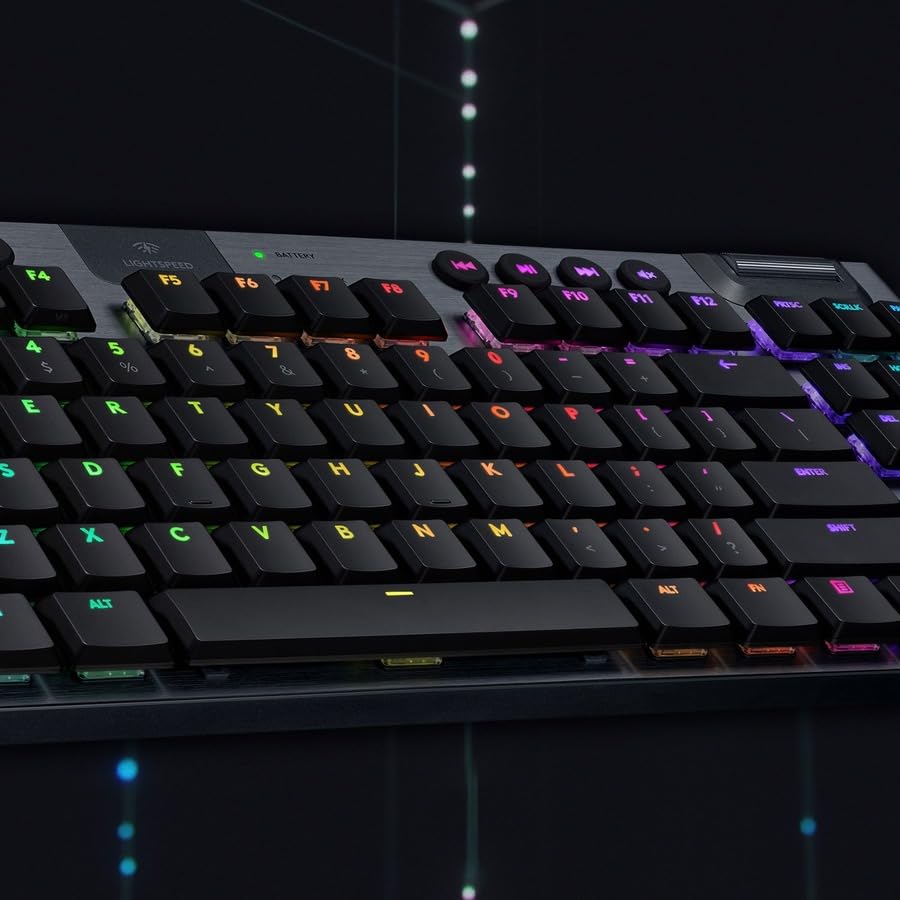
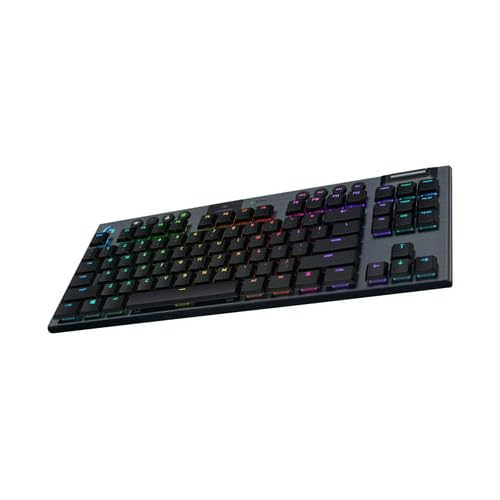
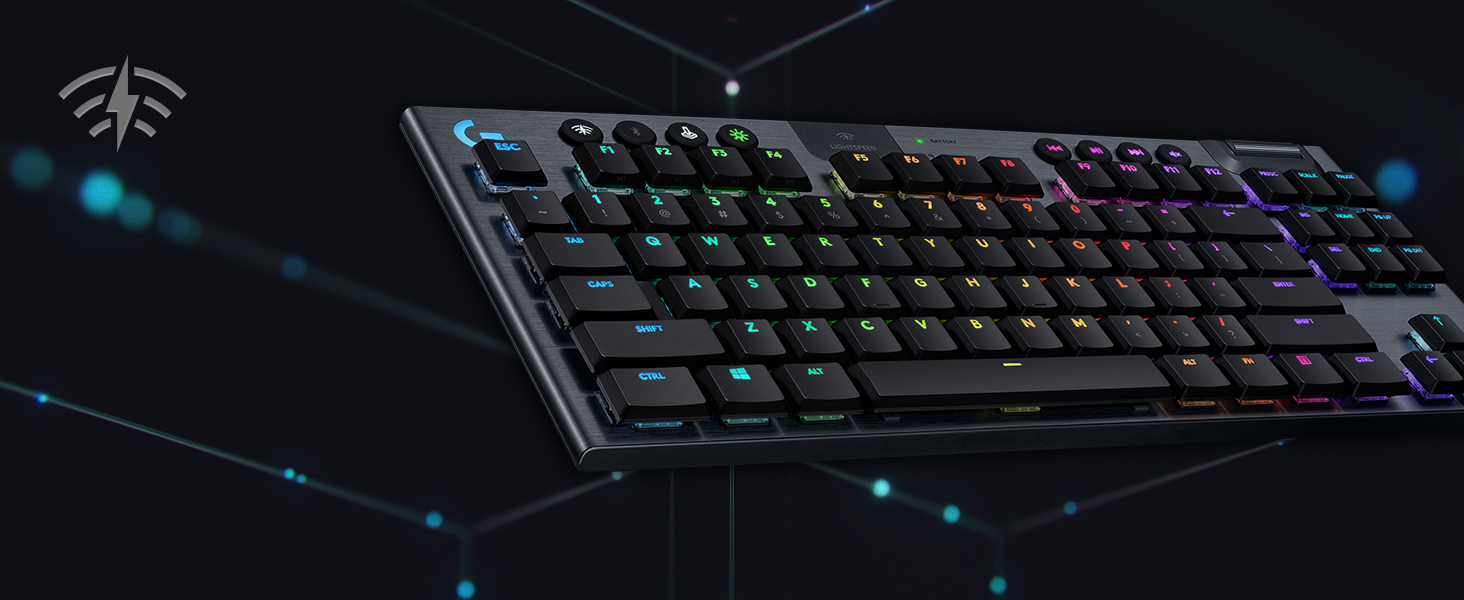
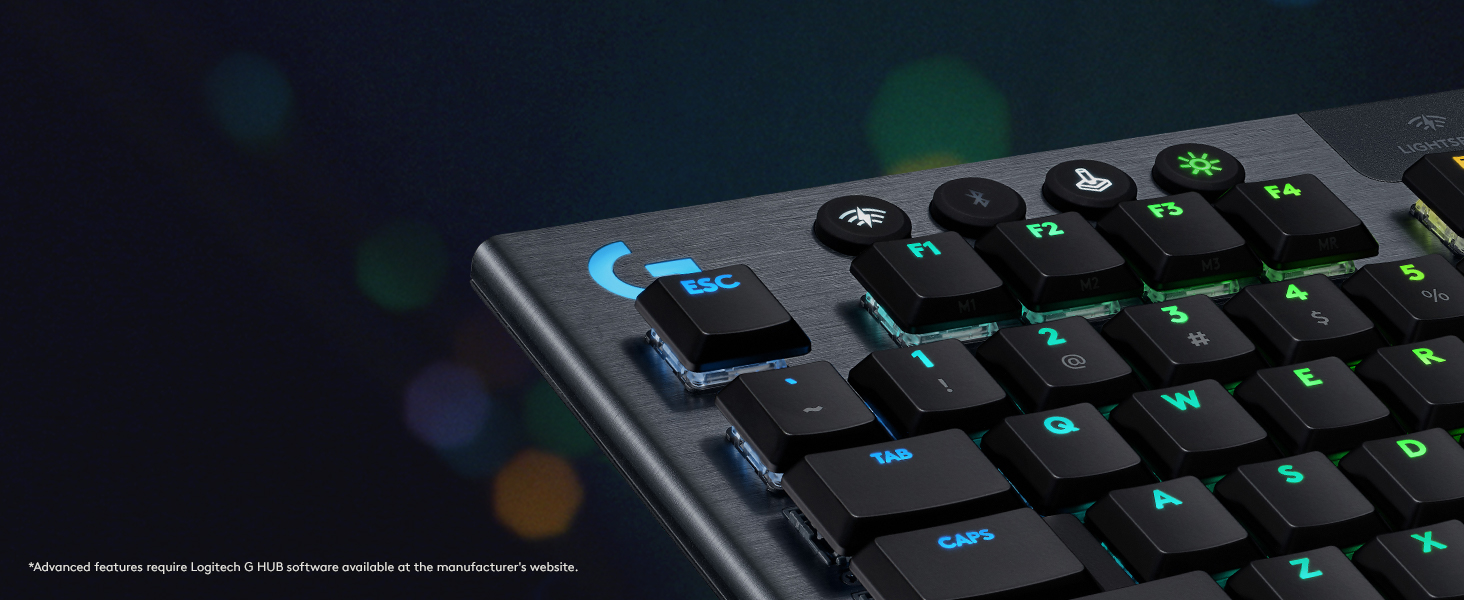
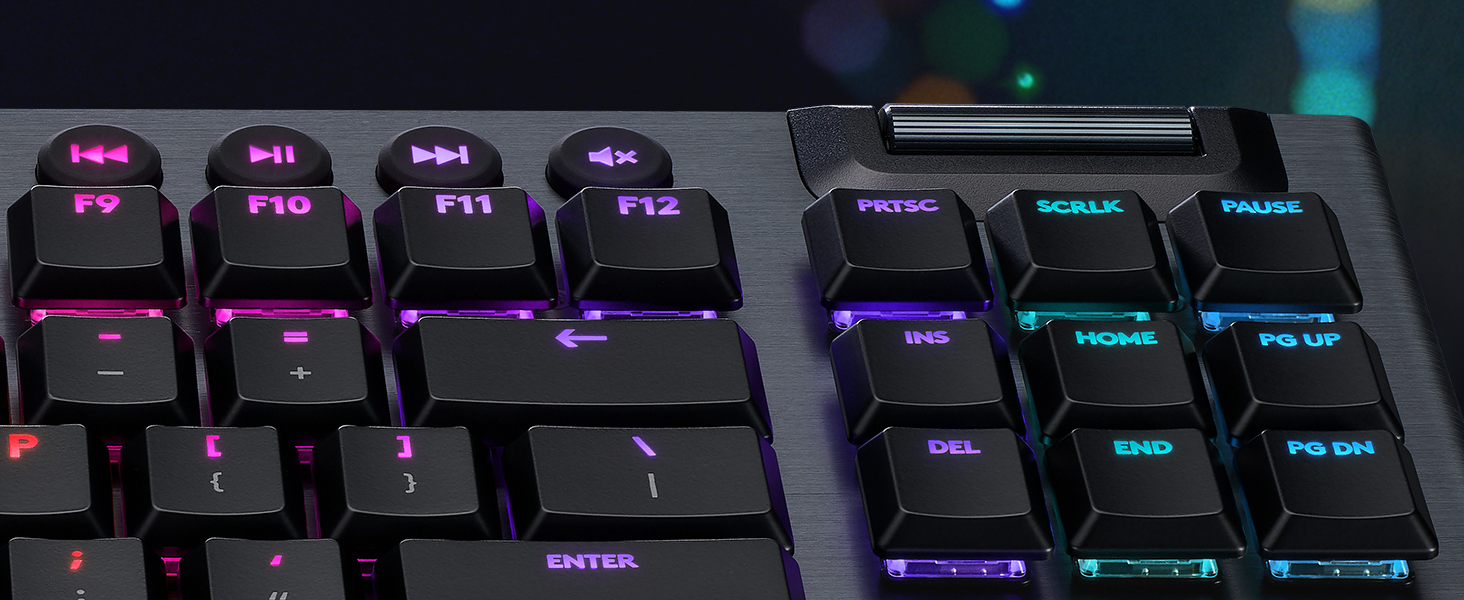
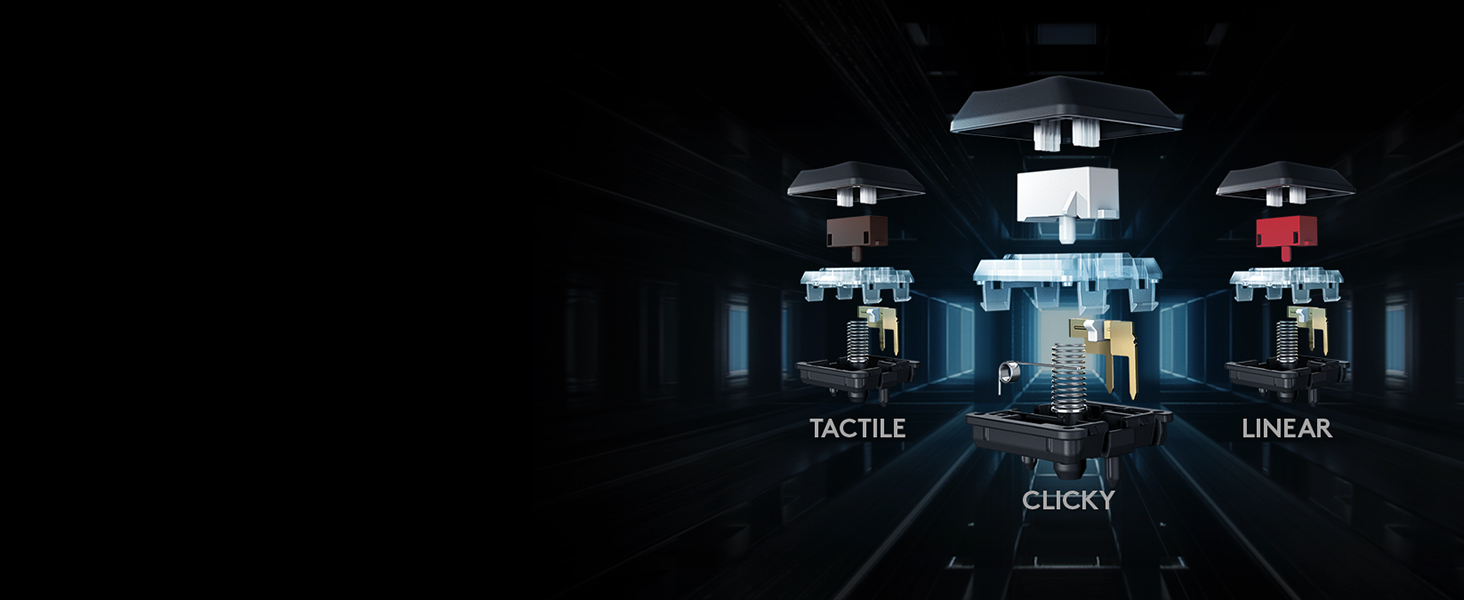
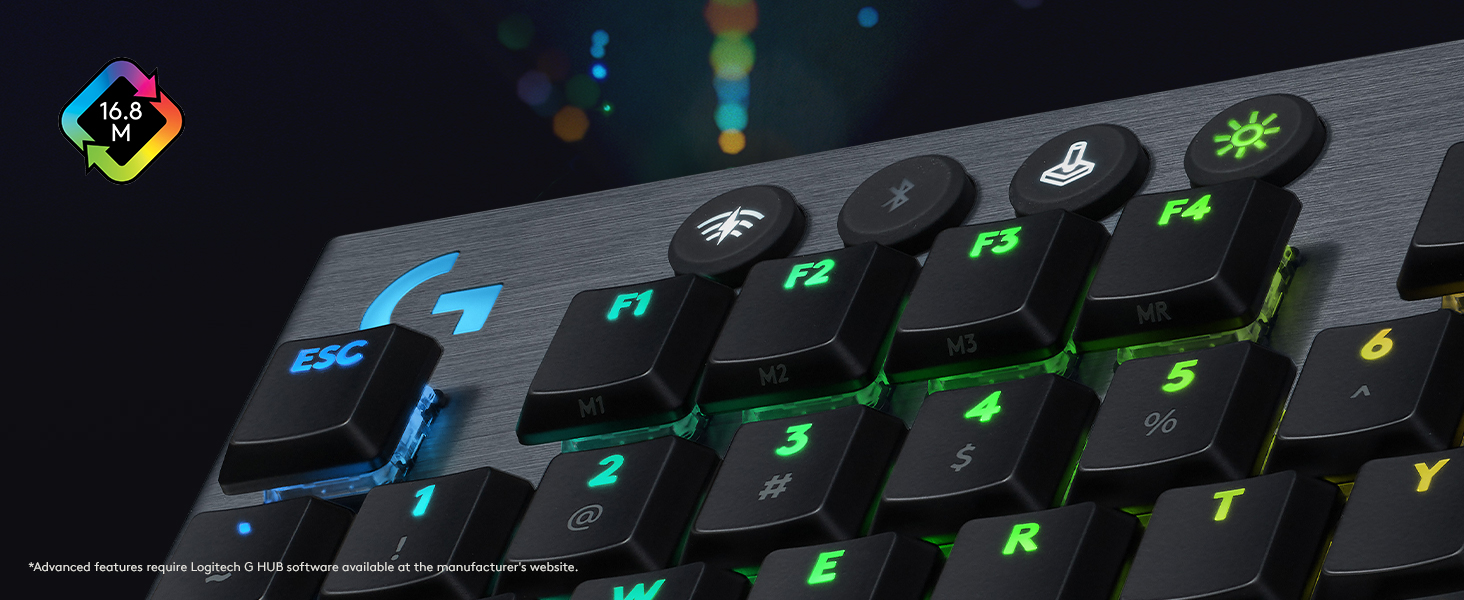
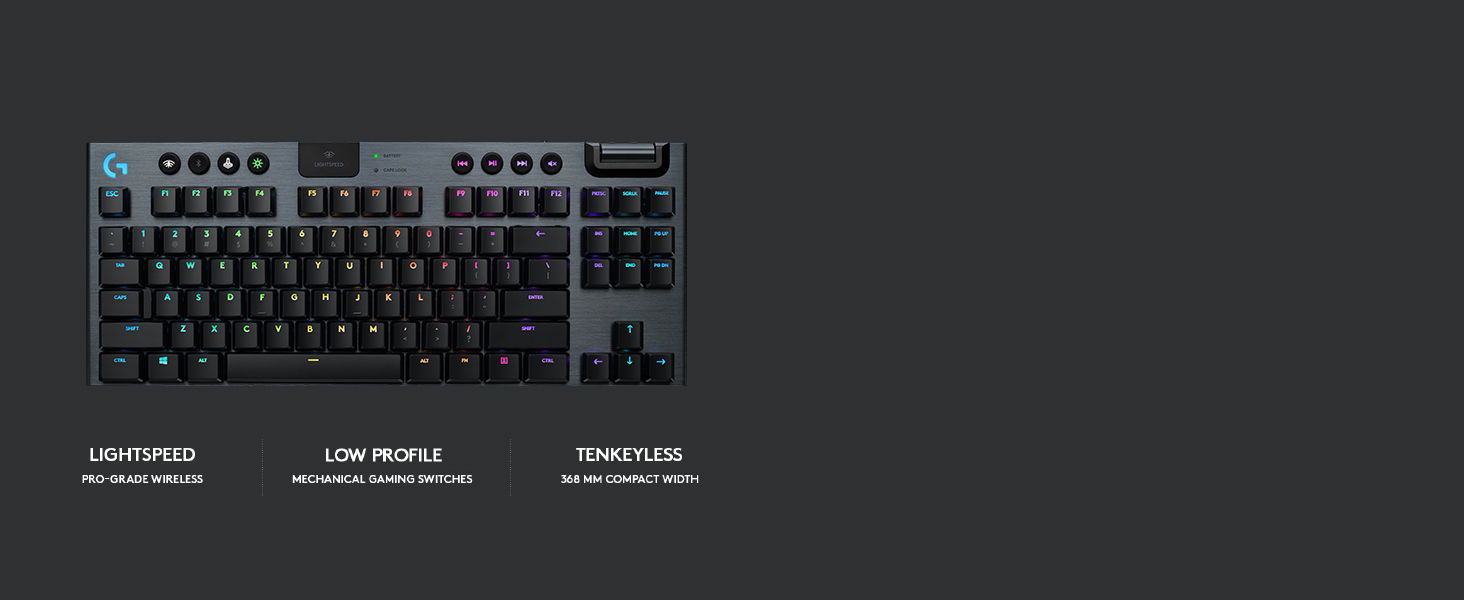
The Logitech G915 TKL is a premium tenkeyless wireless mechanical keyboard featuring ultra-responsive 1 ms LIGHTSPEED wireless technology and up to 40 hours of battery life. It offers fully customizable per-key RGB lighting with 16.8 million colors via LIGHTSYNC technology, low-profile GL mechanical switches for fast, tactile feedback, and a durable aircraft-grade aluminum frame. Designed for gamers and professionals alike, it supports seamless switching between LIGHTSPEED and Bluetooth connections, includes dedicated media controls with a precision volume wheel, and delivers a sleek, clutter-free setup that enhances both productivity and immersive gameplay.


| ASIN | B085RLZ1C4 |
| Additional Features | Backlit |
| Antenna Location | Gaming |
| Best Sellers Rank | #2,175 in Video Games ( See Top 100 in Video Games ) #184 in PC Gaming Keyboards |
| Brand | Logitech G |
| Built-In Media | USB Cable |
| Button Quantity | 104 |
| Color | Black |
| Compatible Devices | PC |
| Connectivity Technology | LIGHTSPEED wireless, Bluetooth |
| Customer Reviews | 4.3 out of 5 stars 14,777 Reviews |
| Enclosure Material | Aluminum |
| External Testing Certification | ANATEL: 56361803229; 93951903229; |
| Generation | 3rd Generation |
| Hand Orientation | Ambidextrous |
| Item Dimensions L x W x H | 15.2"L x 5.9"W x 0.9"H |
| Item Height | 0.9 inches |
| Item Type Name | Wireless Gaming Keyboard |
| Item Weight | 150 Grams |
| Keyboard Backlighting Color Support | RGB |
| Keyboard Description | Gaming |
| Keyboard Layout | QWERTY |
| Language | English |
| Manufacturer | Logitech |
| Model Name | G915 Tenkeyless |
| Model Number | 920-009495 |
| Number of Batteries Required | 1 |
| Number of Keys | 90 |
| Number of Sections | 4 |
| Power Source | Battery Powered |
| Processor Count | 2 |
| Series Number | 915 |
| Style Name | G915 TKL |
| Switch Type | Clicky |
| Theme | Gaming |
| Total USB 2.0 Ports | 1 |
| UPC | 097855155757 |
| Unit Count | 1.0 Count |
| Warranty Description | 2 Year Limited Hardware Warranty |
C**Y
Great keyboard, with a justifyable pricetag
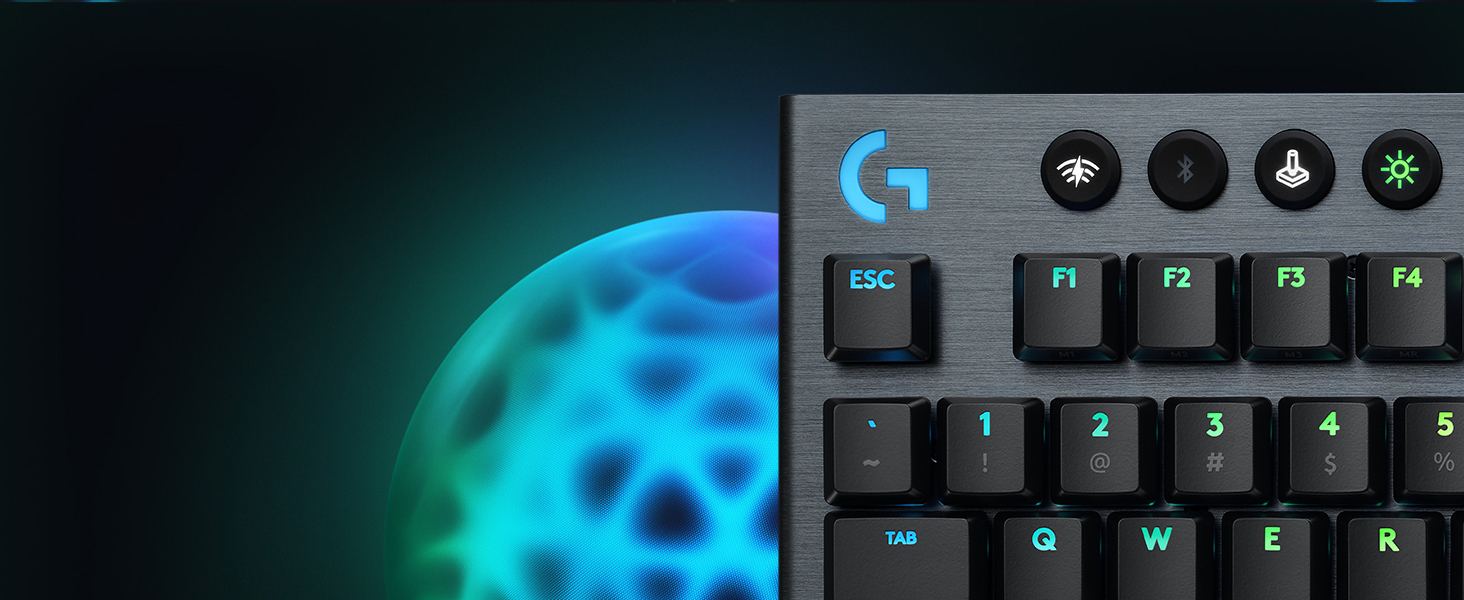
This is a really great keyboard. I will do my best to write a review that addresses any concerns or questions a counsumer like myself may have to help make your decision on whats best for you. TLDR; Great low profile keyboard with a justifyable pricetag. I will break down my unboxing and usage experience as best I could. First off, the item is packaged very well, it has a nice looking box, and there are satisfying moments as soon as you open the package. The board is heavy! You can feel its heft immediatly and you can tell this is unlike any other keyboard you've used in the past if you havent bought a $200+ keyboard before. The full aluminum frame is very attractive and it has a nice brushed finish. The flip down feet at the top corners of the rear of the keyboard can give you a slight pitch, if that is what you prefer. Keys The keys feel like they are made of the same material, but they may be plastic. The tactile keys have a slight click when pushed in which you can hear and feel. Its worth noting here this is not a particularly loud click and the feel is miniscule as well. If you are looking for a silent press, this is not that keyboard nor is it a loud keyboard if you want that, either. Lighting The lighting of the keys is superb. It is bright and clear. To adjust the colors use the G Hub app. It's a very easy app to use and really well designed. The app has several preset effects like most RBG do nowadays (i.e. rainbow) and there are a few Logitech only settings. I like the ease of use, and per key lighting assignment is dope! The G logo in the top left gives a nice design touch to it. I normally do not like logos on things but it looks good up there and you can easily change that light or have it match the rest of your board. Auxillary keys The most useful key here, in my opinion, is the "Game mode" (joystick looking) key. This will disable the Windows key so you will never minimize your game when you have a missed keystroke! With this key, in the app, you can assign any other keys to disable when engaged as well. The G keys are essentially F1-9 and they are changed from default in the app as well. The media control keys are self explanitory, as are the other round keys, and the volume wheel is large, responsive and has the same premium feel the entire keyboard has, as well. The round keys are a rubber or silicone with a slight concave feel, also nice. Battery and connectivity I've had no issues with either of these thus far. It is worth noting I do occasionally charge the board, before the battery status goes low. Also I have only used the lightspeed connection and my keyboard is less than 2 feet away from my micro PC. Battery status is displayed in the app, and the connectivity is shown there as well. App One of the better designed apps i've used for this sort of thing. You can tell they put a lot of time into this to make your experience as easy and pleasant as possible. Complaints I really only have one, and its a personal thing. This is a low profile keyboard. The keys are also low profile and they have like a flat feel to them. If you use low pro keybaords this is a non issue. However, if you are like myself and have only used standard style keyboards in the past it will take some getting used to. Summary This is an expensive keyboard, you don't need me to tell you that. I will tell you that the pricetag is fair because of the feel and finish of this item. You immediately feel a difference if you've never used a high end keyboard before, like myself. That being said it wont make you any better at gaming, and will not improve your typing. As far as I am concerned, no keyboard can do that. It will 100% improve your experience and satisfaction while using it, though. If you can swing it financially to splurge on this luxury item, then go for it. If not there are many keyboards that perform the same basic funtions for much less. I hope this review helps if you are on the fence or just browsing.
A**.
$250 well spent. nearly best in class for all features
First, why is that 1-star review complaining about the price still there and has so many upvotes. It is not even a verified purchase. I tried the linear and tactile version. Picked the tactile version because I got used to it quicker and appreciated the actuation feedback, which the linear version lacks. Linear is the quietest, but the tactile version is reasonable. You will not bother anyone. I picked this over the apple magic keyboard and corsair mk2 rapid fire. I will include my use case, specs/features, pros, and cons. Since covid, I work from home. I am a software developer, game a bit (3-10 hours) a week, and write a few reports as part of my job a week. The key caps are matte black and soft, which delivers a very nice feel. If you barely tap the keys, you can slide right across them. I do not eat near my keyboard, but the key caps are pretty good at resisting finger grease/oil. Touch typing will help with this as well. I have a 15inch work mac. I did not mind the butterfly keys, but this is better beyond comparison. The "LightSpeed" connection over usb does its job. I usually have the usb plugged into my gaming pc and use bluetooth for my work mac. I can transtition between the two just by touching the lightspeed/bluetooth buttons on the keyboard. The layout for mac is different, but i got used to it pretty quick. Being able to use one keyboard for mutiple machines at the touch of a button is incredible. You only need to get used to one keyboard, which greatly improves your typing. I use the macros keys for gaming. game changer. The dedicated media keys are a must have for me now. The volume scroll rod is smooth and the rolling distance matches the change in volume. The keyboard has a brushed metal (probably aluminum) finish. Feels very durable, dense, and premium. Under regular light, dust is very visible. The keyboard pacing is good and no fatigue after all day. The full keyboard is big. 19 inches x 6 inches. good luck finding a soft case for this. I have to use 3 micro fiber cloth to cover this thing when i am away. The keyboard has the back legs. One raises it 4 degress, the other 8 degrees. To me, the 4 degrees is not noticeable. The mechnical switch is visible and almost above the actual board. This contributes to its slim profile. I really wish there was a wrist wrest, so I could get a consistent hand posture and feel. 5 macro keys down the left. full row of function keys, must have for gaming. total of 12 soft rubber-ish buttons for stuff like media, macro controls, and wireless connectivity. Full RGB per key back light only over lightspeed. The backlight customization is limited over bluetooth. I usually have the backlight off... cause i do not look at the keyboard. I really could care less about keyboard rgb. There is a battery and capslock light indicator. Battery life is great. since i do not have the back lghts on, it exceeds the advertised 30hrs. Oh, I also just walk away when i am done working and it just takes one key press to wake up the keyboard and connect. Near seemless reconnection. The included cable is also nice. Mesh/braided. My desk looks a lot cleaner now with a wireless keyboard and wireless mouse. I used a cheap $20 keyboard+mouse combo from amazon at home for a long time. At work i have the macbook pro's butterfly keys and apple's full magic keyboard. I bought the corsair mk2 rapid fire linear, but did not like the lack of actuation feedback. The cheap keyboard cannot compare at all... Mac's butterfly takes sometime to adjust. If you like it you can really fly on that keyboard. The magic keyboard has a little bit more travel than the butterfly, but I still prefer the mechanic tactile feel and media keys of this g915. The 15inch mac build has a 90 degrees hard edge finish. When i type and rest my arms, my wrist will rest on the hard edge and after a while it bothers me and leaves a mark. This is why i like wrist rests. Pros: almost everthing i said above -fast reconnecting, and swapping between bluetooth and lightspeed -very good build quality, materials, looks, layout, functionality, and useability -full rgb with Logitech GHUB software -great battery -slim, low profile -nearly best in class for everything it does -logitech ghub software is surprisingly good for keyboard customization Cons: not much, very preference based -19"x6". traveling with this not the best. Will not fit most desk keyboard trays. make sure you have the desk space. -The SHIFT+NUM (~!@#$%...)_+) are not backlit. They are printed on the keys. -No wrist rest... like come on even the $20 combo has a wrist wrest. The mk2 also had a wrist wrest. -price (based on your value and opinion) I felt like i need to address the 1-start review on this item that has 300+ votes complaining about the price. This is one of the few wireless (dual connection), real mechanical switches, full dedicated media keys, with macros that features great build quality with a slim profile. I literally use every feature this keyboard offers. Using only one keyboard for my work mac and gaming pc just make that $250 worth it.
R**5
A bit pricey, but the best keyboard I have used
Needed to get a new keyboard after my previous one started double clicking and this one intrigued me quite a bit. I wanted to find a wireless tkl model that also had dedicated media buttons and this one fit that bill. I was initially a little hesitant due to the high price but decided to go with it anyways. I am very glad that I did, as it is the best keyboard I have ever used for sure. Now I have not used a huge variety of them, probably around 5-6 over the last 7 or so years, but I was still impressed at how much I enjoyed using it. Here's how I feel it fares in a few categories - Connectivity : I haven it had any connection issues when using the keyboard with its included wireless dongle. While I have not made use of the integrated bluetooth, it is a nice to have that I may in the future. The keyboard mostly stays right on my desk at all times so Im not entirely sure what kind of range you will have with the wireless but, based on my experience with other Logitech light speed devices, I would imagine it will suffice even if your use case places it further away from the machine its connected to. The keyboard uses micro usb for charging and wired connections. Which felt a little underwhelming given the high price point, even if the keyboard has been out for a few years now, but all of my other peripherals are still micro usb as of now so it was convenient for me. Though I don't swap keyboards as often as my headset or mouse so usb c would have been nice as far as future proofing goes. Battery Life : Battery life is typically one of the biggest drawbacks when switching to wireless peripherals but Ive been pleasantly surprised so far. Not only is it a keyboard, which means operating it in wired mode isn't as annoying as with a mouse or headset when charging, but the battery will last a fair amount of time as well. The keyboard has a fairly aggressive sleep timer by default which allows it to last for around a week at minimum even when I am using my pc regularly. The sleep timer will not shut off while typing or anything but it will likely sleep if you are watching even shorter videos. Which is no problem for me as I like the superior battery life gained from this and the keyboard is very quick to wake, so you can pick right back up. The battery life I have achieved is also with rgb on, so the outlook may be even better for you if rgb is something you keep off. Typing Experience : This keyboard is my absolute favorite to type on. The keys have plenty of travel and I actually prefer the low profile switches used here compared to the typical profile of a gaming keyboard. On top of that, I also generally prefer clicky mechanical switches so the blues used here are perfect for me, but obviously that is subjective. I switch between a few different computers regularly for one reason or another and I easily get back up to my full typing speed on this keyboard. One caveat to this, though, is that due to the low profile switches the key stabilization could be a touch better. It's not terrible, and the space bar feels fine, but overall the keys do wobble a bit more than I typically like. I also use Caps Lock quite often and much prefer having a dedicated light to let me know that its on/off versus the changed in the key backlight some keyboards use. As far as the media buttons go, though, the school wheel feels nice but the other buttons feel a little mushy and too sensitive to press. They're far enough away from the main keys so I don't misclick on them but they can be pressed from any angle and just have very little tactility. Not a dealbreaker but figured it was worth mentioning. Software : Logitechs G Hub software is one of the better peripheral software suites out there in my opinion. it seems to be relatively lightweight, and I have not run into bugs or issues as often as I have with the software offered by Razer and Corsair. I have not done too much customization of the keyboard with the software, however, so I can't really elaborate how effective it may be for a power user in this regard. Closing thoughts: Overall, this keyboard is amazing. I love typing on it, and the wireless does provide more benefit than it does cons for me personally. The lack of usb type c and the lackluster media keys are really the only drawbacks I can think of and neither are dealbreaking issues to me. The main area of contention would have to be the price. It could be difficult to justify the price especially if wireless seems a needless feature for what you are looking for. Which makes be a little sad that there is not a wired version of this keyboard. The typing experience is so excellent that a wired version of this keyboard for around the $100 to even $150 mark would be an easy recommendation in my opinion. There is also the fact that I believe Razer is releasing their own low profile keyboard that would compete with this. Given its far newer, it may rectify those 2 drawbacks with this keyboard so pricing will definitely be an important factor. Though, again, I prefer Logitechs software, and I have not had great battery life on Razer devices so we'll have to see. In any case, this keyboard is still a great option, especially if you find it on sale.
M**B
EXTREMELY please with this keyboard
I first saw and used they clicky version of this keyboard at Best Buy a few months back and immediately knew I'd eventually buy one. I'd been using the Razer Anansi for years, but I went through two of them rather quickly and they really wore out quickly, collected dirt and gunk easily, and eventually became unusable. I decided to pick this up as I had received a few promotional bonuses as Amazon gift cards. This thing is just incredible. It feels great, the keys respond exactly as I expected, but it's also not even remotely as loud as I thought it would be-basically the volume of a mouse click. The quality of the parts seems very good. I was a little skeptical about the macro/device/brightness/media keys, but they feel very good as well and are very responsive. Additionally, it seems as though it will be quite easy to keep clean. My only, very marginal beef, is that for the money spent, a good palm/wrist rest really should be included. The "lightspeed" connection really is as fast as advertised. There is no noticeable input delay-if anything, I feel like this thing MIGHT even be faster wireless (with dongle) than connected with the charging cable. Battery life is very good. This has been my every day keyboard for about a month now. I've only even charged it maybe 3 times, and that was overkill. A lot of reviewers comment on the G HUB software. I'm really blown away by how much this keyboard can be customized, but I don't have any big plans to do so. I haven't had any major problems with the software-it does what it's supposed to for me so far. Overall, I can't recommend this keyboard highly enough. $200+ is most certainly way up there for a keyboard, but I'm optimistic that I will end up being a good value long-term. As long as it holds up, I don't have any problem stating that it's completely worth the money. Update 12/24: I've had this keyboard for 5 years and it works as well as the day I bought it. Of course the tops of the A and S keys are pretty worn, and one of the rubber grip strips on the bottom came off, but other than that, this keyboard may as well still be brand new. I use this as both my everyday keyboard and my gaming keyboard, so it's been heavily used for 5 years now. I still rarely have to charge it. It's currently sitting at 60%, and the last time I charged it was more than a month ago. My only complaint is that Logitech doesn't offer the ability to purchase a replacement receiver/dongle directly. When I accidentally broke the old one, I had to buy a 3rd party replacement, however it connected very easily and quickly through G Hub and has worked flawlessly ever since. For the price these regularly go for now (generally around $150) I can't recommend this keyboard highly enough.
J**B
Keycaps are garbage & so far Logitech not standing behind their warranty
UPDATE 2 After quite a bit of back-and-forth with Logitech's support team, they did finally honor the warranty. To my surprise, they didn't send replacement keycaps. Instead, they sent an entirely new keyboard. Mine still works fine, so I'll keep using it for a while, but I guess I can replace caps and have a backup if there's a broader failure. So kudos to them for standing behind their products. UPDATE Another key started to lose its coating. I've attached the image of the N key here. You can see it peeling off and letting the light through on the left edge. It's not as bad as the "O" key, but this shouldn't be happening at all. It's clearly not a fluke. As a result, I tried to file a warranty claim with Logitech today. And the experience left much to be desired. First you have to get through their chat bot only to be told it can't do anything for warranty requests (even though you get there by clicking to file a warranty claim). Support was aware of the issue, but they still waited until after making me enter case and personal details (twice in some cases) only to tell me they had no stock. How can you be a major seller of high-end keyboards and have no stock of your own keycaps?? They then said I should wait 7-14 days for more stock to come in, and then they'd help me get replacements. I asked outright if they would do that automatically as they'd just told me they entered all of this into their system, noting that I'd seen numerous others report (such as here and on Reddit) that they were told similar only to see no resolution at all. Either it was a lie, or they never intend to get stock in to stand behind their product. At this point, I'll give it one week and reach out again. But if they don't have stock to replace their shoddy keycaps, then I expect them to replace the entire keyboard under warranty. This is a great keyboard on many fronts. But short of a prompt and complete resolution, I can't see making any other big purchases with Logitech in the future. I'm a professional writer and web developer who relies heavily on their keyboard. And in all my years, I've never once had a cheaper keyboard develop problems like these. Logitech needs a complete rethink of their keycaps. -- ORIGINAL REVIEW In general, I love this keyboard, so I know the 1-star rating might seem odd. Works well with rapid touch-typing (which I do for hours most days related to my work). I went with the linear option. It's still more "clicky" than I anticipated, so if you're looking for a really quiet keyboard, this isn't going to be it. A bigger issue though is the durability of the key caps. I've had several develop "holes" in the black finish, so you get these weird dots of light showing through that shouldn't be there. On lesser-used keys, I patched this with a sharpie, and it's held up OK for months. But the "O" key in particular has been a problem. As you can see in the photo, it's looking rather shredded. And a sharpie did nothing to help on this one with the larger surface area. The only thing I can think of is that maybe it's caused by longer fingernails. But I've worn my nails medium-to-long for years (nothing extreme or artificial where a particular material might be to blame), and I've never had another keyboard peel like this from a fingernail hitting it. I'm having a tough time finding a replacement key cap, and I'm not willing to purchase an entire set to fix this, when the peeling started less than a year after purchase. That's absurd. So know this is a risk going in, especially if you don't have super-short nails. Pretty disappointed at the poor quality of the key caps with an otherwise decent keyboard. Side note: if you do try using the Sharpie trick, make sure you fill in the gaps from the underside of the key cap. Otherwise it'll just flake away again if you fill it in from the top. Still, there are odd ridges at points that are impossible to fill in from the bottom, so it's not the best fix. Perhaps the biggest problem is the software. My preference while working is a solid backlight. But any time the system restarts or the keyboard disconnects for any reason, the settings are gone and back to waves of rainbows. Usually restarting the Ghub software works, but sometimes not. And it's already set to open on startup, so why is that failing so much? It's also set for onboard memory to save this to my M1 button. But no dice. System restarts, and the onboard memory also seems to reset. Every single time. WTAF? It's a nice keyboard in general. But you're not going to use most features on a regular basis. Basic settings like a simple solid backlight shouldn't require their awful Ghub software. And we sure as heck shouldn't have to reset the flashy rainbow setup constantly. This isn't worth anywhere near even the sale prices you'll sometimes find. I'd wait until there's a more sensible option not reliant on Ghub, buy one used to it's a bit more reasonable, or find an alternative.
M**S
June 2024 update: NOT RECOMMENDED. 1st review: Nice keyboard with a glaring flaw.
UPDATE JUNE 2024: I bought two of these G915 KBs in September of 2023. I am not using these computers for work, and though I am active on a couple of social media platforms, I would not classify me as a heavy user. Nonetheless, the black plastic mask that coats the transparent keycap through which the keyboard lighting shines has begun to flake of on two of the keys. See the images. I contacted Logitech warranty support and they offered to send replacement keycaps. Though it took a lengthy exchange of emails and more than two weeks, Logitech DID send me the replacement caps. Not included were keycaps for the NUM pad, but I didn't need those. I replaced the flaking keycaps. To Logi's credit, they sent replacements. BUT...this should never happen on a gaming keyboard, especially one as expensive as the G915. I used a couple of G910s for YEARS with no such problem, and the keycaps on those look better than the ones on the G915s after les than a year. For my primary KB I have switched to a Roccat (now Turtle Beach) Vulcan II Max. Unless my G915 was manufactured during a cycle where defective materials were used, I can expect to have the same problem again in a year or two with the same or other keys. Manufacturers are always looking to make products with cheaper materials or processes and to charge more for them. Sad. I have been a Logitech customer for many, many years, but the trend with their products is not good. 1st review, now updated: LIKE: I have used the wired G910 for years and have loved it. The per-key color assignments, keycap design and the rich colors that do not bleed out under and around the keys made for an excellent keyboard. I bought the G915 to replace this favorite keyboard to gain the wireless function and to reduce the desktop footprint size. I love the aluminum deck and the smaller footprint. I'm glad the G915 has standard key placement. Being able to use either the RF dongle OR Bluetooth is nice, allowing me to instantly switch the keyboard from my desktop to my laptop or even to my phone. The charge lasts. It's at 74% after several long days of use. I bought the TACTILE key version, and I like it fine. The keyboard automatically picked up my key color assignments I had set for the G910 from the GHUB software that controls both models. DISLIKE: (1) Unlike the keycaps on the older wired G910, Logitech has failed to illuminate the symbol keys that share keys with the primary letters and numbers. This seems absurd; if you need illumination, you need ALL the characters illuminated. This is a glaring, inexplicable flaw in my opinion, and it's especially aggravating on a keyboard that costs $200+. (2) The charging port is Micro USB, which is both unfortunate and hard to understand since their MX Keys wireless keyboard features the newer and better USB-C port. Even the MX Master 3s mouse uses USB-C. Overall, I like this keyboard enough to replace the G910 with it. But it's twice the price (the G910 is discontinued) and the two mentioned design flaws are bothersome. If I didn't need to replace the G910, I would not keep it. On a related matter, the 1st example of this keyboard I received had obviously been repackaged and returned. The seals were broken, and the interior packaging was very sloppily replaced. There was even a clump of someone's long blond hair stuck to the tape that had been used to reseal the box. I immediately processed a return and ordered a replacement, which arrived today. I'm not paying $200 for a kb that's been round-tripped.
T**N
Expensive but worth it (so far)
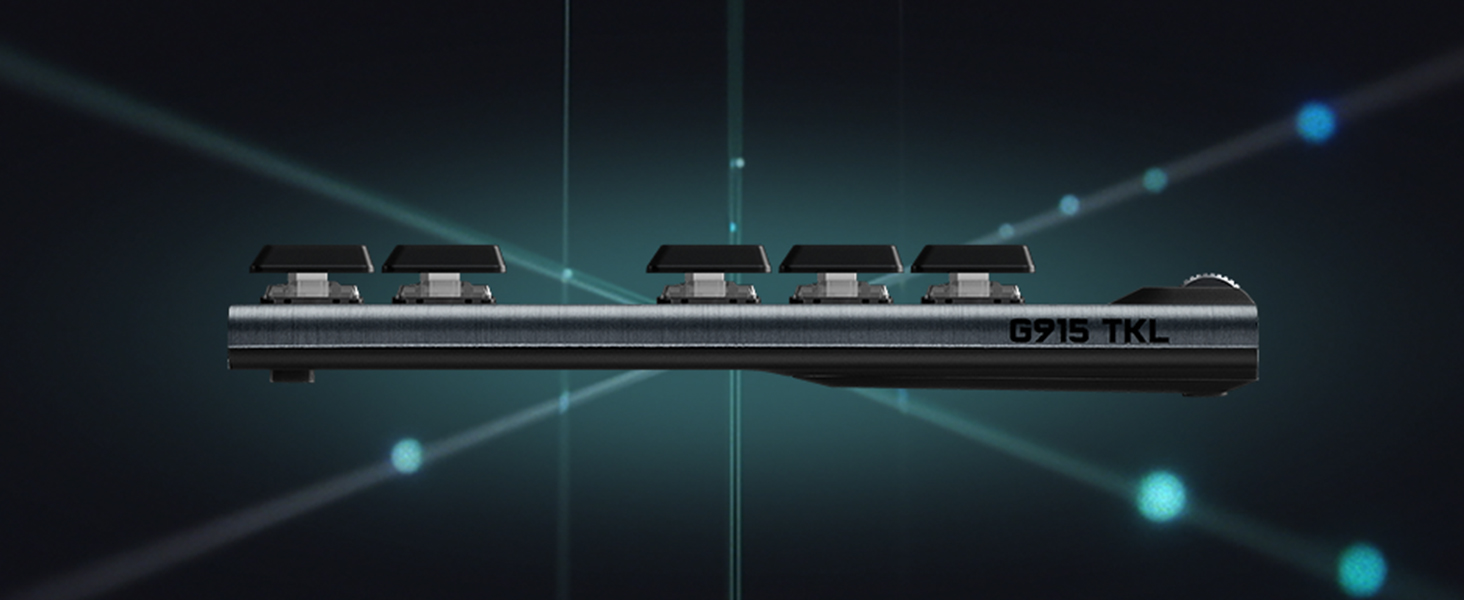
I did a lot of research on the best wireless mechanical keyboard and so many respected hardware sites (Tom's Hardware, Techradar) list this option as their top pick. They are not wrong. I've had this keyboard for a bit more than a month and after some initial break in, the keyboard lives up to the hype. The programmable lighting is really nice. I'm not a big fan of the crazy RGB gamer aesthetic but even I was suckered into creating a cool (if monochromatic) wavey light pattern. The G-Hub software isn't super user-friendly, but it gets the job done. The mechanical keys feel really good so far. There was an initial break in period over the first few days where the keys felt a bit inconsistent from one to another, but now they all feel really smooth and consistent. I went with the linear option and I like how quiet and responsive they are. I was unsure if I was going to like transitioning from a full actuation "clicky" board to this one with the shortened key press distance and the linear switch, but I'm very happy with it. I should call out the keys are untextured and totally smooth, almost slippery feeling for the first few uses. It was very off-putting at first but either I got used to it or the keys caps have broken in and it feels fine now. I'm not a big macro user normally, but I've created a few for work to speed up simple tasks that I do all the time like switch to outlook and create a new message. Not super helpful, but it feels cool to do. The build quality is amazing. I've already shared my thoughts on the key caps and switches, but the board itself is a very nice anodized brushed aluminum. It's a small thing, but it looks great, makes the board rigid even though it's very thin and lends a nice heft that "cheaper feeling" boards don't have. The fit and finish is also top notch. There aren't any weird gaps where the pieces fit together and all the edges are very tight. The media keys are OK -they aren't mechanical and can feel a bit squishy. The volume bar is knurled aluminum and feels great. The battery life is spot on. I get slightly more than 30 hours on a charge with lighting active. The lightspeed wireless and bluetooth connectivity are easy to pair and I haven't had an issue. My only complaints about this board are about the form factor and the media/profile/lighting keys. The keyboard is a non-standard length due to the addition of the macro keys. This makes it impossible to find a wrist rest or lap board that fits flush to the length of the board. Logitech should definitely make a wrist rest for this board. You can find custom options on sites like Etsy, but they are 2-3x the price of mass produced ones. The other issue are the keys used for media controls/keyboard profile switching/etc (the round buttons in the images). They don't feel mechanical and feel pretty squishy. I would have preferred all mechanical keys, but I don't use them nearly as much as the rest of the keyboard so it's not a deal breaker. Overall, this board is super expensive - but you are getting what you pay for with well made components and features that you can't find anywhere else. I have concerns about long term durability of the key cap coating (I hear it wears off with heavy use over time and they are a custom format, not easily replaceable) and the battery life. I expect this board to perform well for several years based on the price and initial impressions and will update this review if any long term issues come up.
D**S
Easily the best purchase I've made in awhile
I had been researching mechanical keyboards for almost 3 years, ordering testers to figure out what switches I preferred, and getting nowhere. Too much analysis paralysis, overthinking everything, not finding exactly what I wanted. A friend told me about this one and I just decided to just buy it. I'm so, so glad I did. It's fairly inexpensive for a mechanical setup, but the overall quality is such good value for the price point, not to mention all the features you get compared to other keyboards. The low profile is perfect for me. One of my big issues with testers is I like a bit of resistance so I don't hit keys incorrectly, but the full size keys have a really long travel distance, making me feel like I'd quickly tire of typing. The clickiness is about on par with a Cherry MX Blue, but is a bit higher pitched and not quite as "full" sounding. Enough to give you lots of tactile feedback and make others know you're getting work done, without resonating as much across your workspace. Having the logitech brand and software behind it is a really good thing too, compared to using a smaller company or going your own way with a custom build. There are programmable keys, media keys, and a volume knob that gives you all the modern keyboard functionality you want without sacrificing the mechanical feel. While the G Hub software is not the most intuitive, I was able to quickly set the programmable G keys up with macros in my most-used software, saving me lots of multi-keystroke stuff (for example in Visual Studio I set it up to run the formatter, save, and compile the open document all in one key press). While I don't do much gaming, it's very responsive for that. My only complaint there is the space bar seems to have a different switch activation point than the other keys, but you can easily adjust to it. I honestly might play more games now that I'm not using a "squishy" keyboard that causes too many errors. The RGB is a pleasant surprise for me. Not really big on that kind of stuff and expected I'd just throw on a solid backlight and be done, but it's interesting to have programmable RGB. For games, you can set custom key highlighting for particular game controls you want in different colors (e.g. WASD red, push-to-talk orange, something else blue, etc.). There's some cool animated modes, but my favorite for office work is simply changing colors of the keys last pressed. It's one of those features you don't exactly think you'd like so much until you have it. I can't judge battery life or wireless functionality since I have only used it in wired mode so far, which is a straightforward USB connection. It's nice that I'll be able to quickly use it for travel by having the wireless dongle available though, and my friend said the battery life can be up to a few days (chargeable from the same USB connection). Overall this is one of my favorite purchases in a long time because it's made typing enjoyable. As a programmer, I feel this one purchase has already improved my productivity and made me generally happier to do my work. My only regret is not doing this sooner and living with a sub-par keyboard so long.
Trustpilot
1 day ago
1 month ago