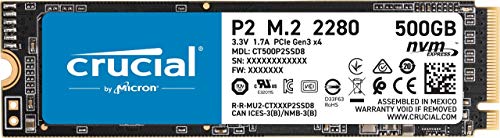


🚀 Upgrade your workflow with speed that leaves HDDs in the dust!
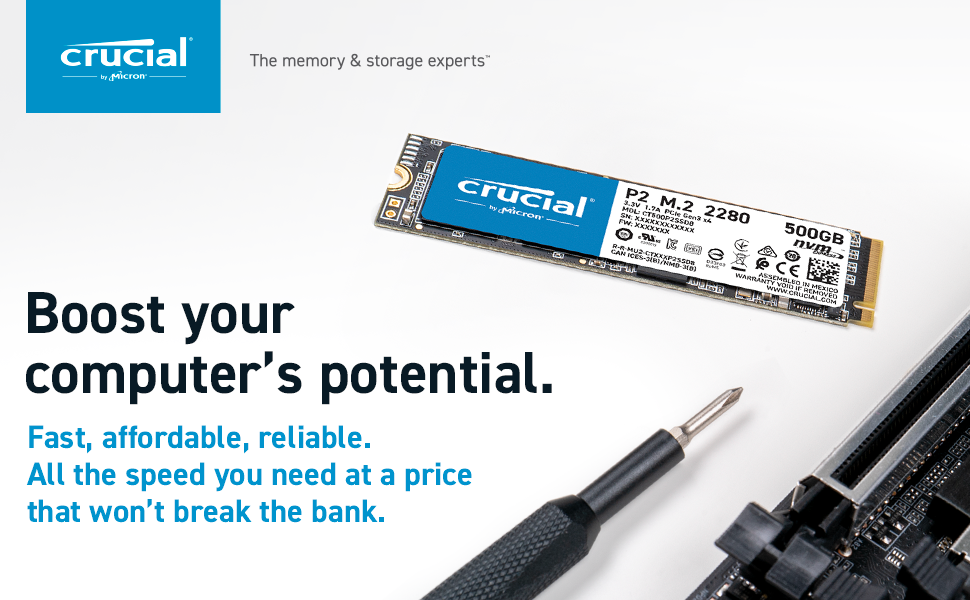
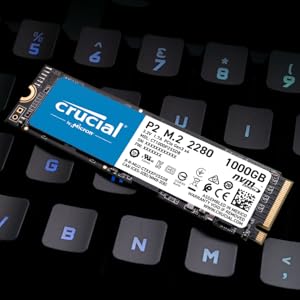
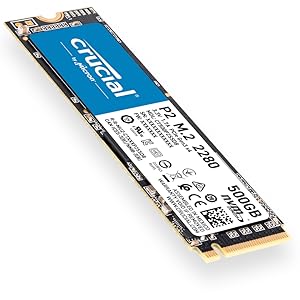
The Crucial P2 500GB 3D NAND NVMe PCIe M.2 SSD delivers up to 2400MB/s read speeds and 940MB/s write speeds, leveraging advanced NVMe PCIe technology for rapid data access. Its compact M.2 form factor and included SSD management software make it an ideal upgrade for professionals seeking faster boot times, app launches, and reliable storage performance.


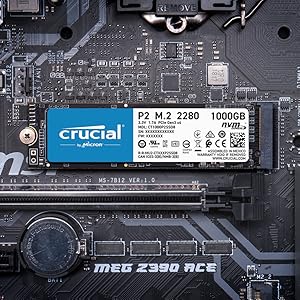
| ASIN | B086BGWNY8 |
| Batteries Included | No |
| Batteries Required | No |
| Best Sellers Rank | #373,528 in Electronics ( See Top 100 in Electronics ) #515 in Internal Solid State Drives |
| Brand | Crucial |
| Compatible Devices | Laptop |
| Connector Type | SATA |
| Country of Origin | USA |
| Customer Reviews | 4.5 4.5 out of 5 stars (35,029) |
| Data Transfer Rate | 6 Gigabits Per Second |
| Date First Available | 1 April 2020 |
| Digital storage capacity | 128 GB |
| Does it contain liquid? | No |
| Flash Memory Installed Size | 500 GB |
| Form Factor | M.2 |
| Generic Name | Internal SSD |
| Hard Disk Description | Solid State Drive |
| Hard Disk Rotational Speed | 7200.00 |
| Hard Drive Interface | Solid State |
| Hard Drive Size | 500 GB |
| Hardware Interface | SATA 6.0 Gb/s |
| Hardware Platform | Mac, PC, Unix |
| Importer | M/s Rashi Peripherals Pvt. Ltd.Ariisto House, 5th Floor,Telli Gali, Andheri (East),Mumbai - 400069 |
| Includes AC Adapter | No |
| Item Dimensions LxWxH | 8 x 0.2 x 2.2 Centimeters |
| Item Weight | 17 g |
| Item model number | CT500P2SSD8 |
| Manufacturer | Crucial |
| Material | Linen |
| Memory Storage Capacity | 500 GB |
| Model | CT500P2SSD8 |
| Model Name | PC, Laptop, MAC |
| Model Year | 2020 |
| Mounting Hardware | SSD |
| Net Quantity | 1 Count |
| Number of items | 1 |
| Packer | MICRON CONSUMER PRODUCTS GROUP(SINGAPORE)A DIVISION OF MICRON SEMICONDUCTOR ASIA OPERATIONSPTE. LTD.1 NORTH COAST DRIVE,SINGAPORE 757432 |
| Processor Count | 1 |
| Product Dimensions | 8 x 0.24 x 2.2 cm; 17 g |
| RAM Size | 500 GB |
| Removable Storage Native Capacity | 500 GB |
| Special Features | Data Recovery Service |
| Total USB ports | 1 |
K**A
Product Quality
Good product in great price
N**L
Best Small Hard Disk Ever. Loved the performance in my Mac-Mini Late 2014
I have Mac-Mini Late 2014 version with Normal HDD (1 TB) which has 40/50 MBPS speed. I can't able to Extended Ram for my PC. Then I purchased this Hard disk, Hard disk Speed is 2000 MB/s, but my PC has limit of 700 MB/s. So right now I am getting 700 MB/s speed, which is way faster then old HDD drive. now my PC starts very fast and I am able to open many apps in parallel. if your PC is slow and you have HDD then definitely, try this for performance improvement.
V**A
Best this price
Perfectly compatibile with my system. I transfer my OS to this SSD and it speed up system response time.
M**D
Great Performance at a Good Price
I recently purchased a Crucial NVMe SSD drive for my new PC build, and I have to say that I'm very happy with my purchase. After doing a lot of research, I found that this brand had a high rating on Amazon Marketplace, and I was confident that this was the one I wanted. The price was also very competitive compared to other brands, which was a huge plus for me. It's been a year since I started using this SSD drive, and I have not encountered any issues so far. The performance has been consistently great, and I'm very satisfied with the product. If you're looking for an SSD drive that performs well and is reasonably priced, I would definitely recommend the Crucial NVMe SSD drive. It's clear that this brand puts a lot of care and thought into their products, and it shows in the way that this drive performs. Overall, I'm very happy with my purchase, and I'm glad that I went with the Crucial brand. If you're in the market for an SSD drive, I would definitely recommend giving this one a try. You won't be disappointed!
A**H
Best in the market!
Excellent product by Crucial. Upgraded my Dell Inspiron 3585 with Crucial Ram & SSD. Crucial's System Scanner really helps to ensure the compatibility with the system. The guides helps to install them without any issues. Tried to clone my HDD to the SSD but failed to boot from it. The system worked fine for the first two times but then crashed with startup error. I'll recommend installing a fresh OS to the SSD. Make sure you backup your data first. Windows 10 installation took less than 10 mins and after enabling the Momentum Cache feature using the Crucial Storage Executive app, my computer is supremely fast. Boots up in under 5 sec. It used to take 1.5 mins to boot up using HDD. Highly recommended product.... Got it for 3300rs.
S**A
Good Product
Using as portable back-up drive for more than 3 years without any issue.
M**A
Good Service
After 6 months of it the drive suddenly disappeared. The ssd got crashed and stopped working. But service centre sent me an upgraded version of the ssd (P3). It was a good experience with the service centre.
G**Z
Highly recommend in the price range
Reviewing it after 3 years of prolonged usage. I installed it in my Asus Nitro 5 as I needed an extra SSD storage so that games load faster. Installation was really easy just plug and play after you open the laptop cover. There are quite a lot of options available in market but as per the price I bought, it's a wonderful product. AAA Game laods AT LEAST 20-30 times faster than a conventional HDD. To get the maximum overall experience. Install a fresh copy of windows in this SSD drive or simply migrate the entire C drive into this. Windows dektop will be ready within a few seconds after start up. Go for it. Highly recommend.
F**M
Ürün açıklamasında ne denildiyse o şekilde çıktı. Onca zamandır kullanıyorum ve sanırım yıllaca da çalışacak gibi görünüyor. Harici depolama ünitesi olarak kullanıyorum. Veri yükleme ve yazma iyi. Beklentilerimi karşıladı.
S**Y
I read the reviews before purchasing the SSD and noticed that many reviewers encountered some issues, but figured that they might have gone through the installation process incorrectly so I went a head and bought it anyway. I installed it to my ASUS TUF GAMING FX505G which come comes with a HDD only and I encountered the same issues, but with some patience I was able to resolve them without making the quick decision to return it. When I first placed the SSD into the designated slot and then started the laptop, Windows 10 didn't recognize the SSD nor did the BIOS. Here's the steps I took to fix it. - Go to the computer manufacturer website and look for your motherboard BIOS firmware latest updates and update it. -Restart the computer and then go to disk management. You'll see that one of the Disk partitions is Unallocated with a black line. Right click and choose the 1st choice which is New simple volume. You can lookup tutorials on how to activate an unallocated M.2 SSD to make things easier. -Go to Crucial.com/support for installation guide videos and follow the instructions on how to clone your SSD with Acronis. If you don't want to remove your HDD and you wanna keep it for extra storage then follow the next step. -Restart your computer and keep holding F2 on ASUS to go to BIOS (it could be a different key depending on your computer manufacturer) once there, go to Advanced mode and then go to Boot , scroll down to Boot option priorities. You'll see boot option 1 which has the original drive and boot option 2 which has the newly installed SSD. You'll need to switch Boot option 1 to the new SSD instead. Finally save and exit the changes and it will work like a charm. Hope this helps!
A**D
ممتاز
R**Y
The Crucial is a game-changer when it comes to playing games and booting up your PC. Blazing fast speeds and reliable performance make it a must have for any setup. Five stars for its impressive value and reliability! I recommend getting more than 500GB since you will end up needing more space. its worth the investment
A**Y
مهم جدا للالعاب التقيلة جدا و شغل الريندر و السيميوليشن
Trustpilot
1 day ago
3 days ago



