
DOWNLOAD THE APP


Customer Support

Desert Online General Trading LLC
Warehouse # 7, 4th Street, Umm Ramool, Dubai, 30183, Dubai
DOWNLOAD THE APP
Customer Support
Desert Online General Trading LLC
Warehouse # 7, 4th Street, Umm Ramool, Dubai, 30183, Dubai


🎶 Elevate your sound game — be the host everyone envies!
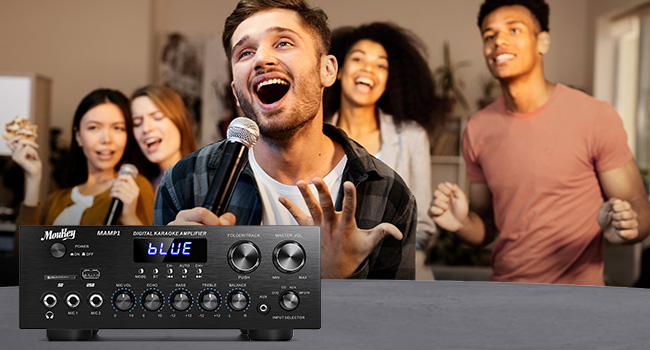
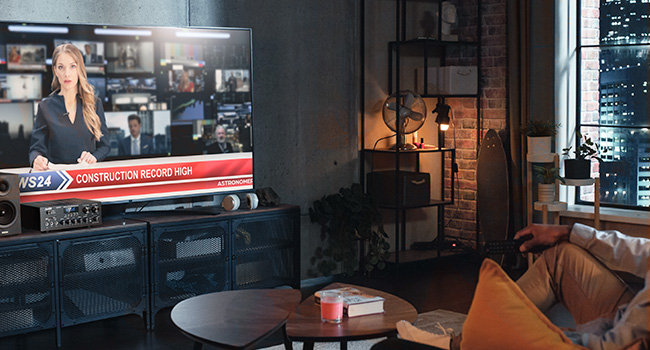
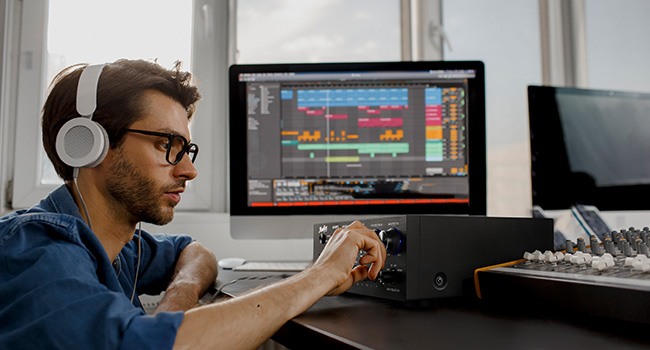
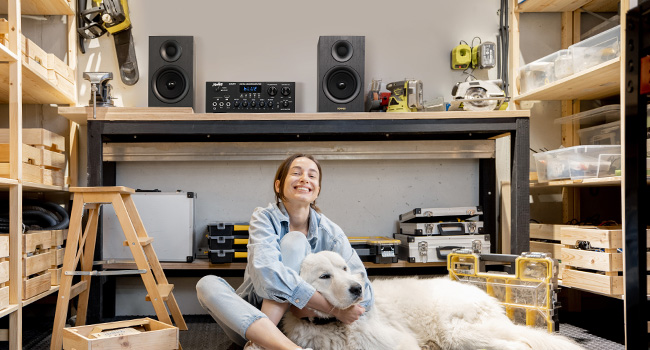
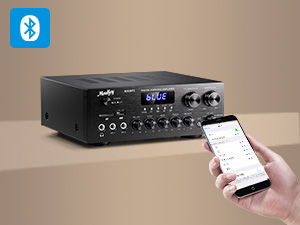
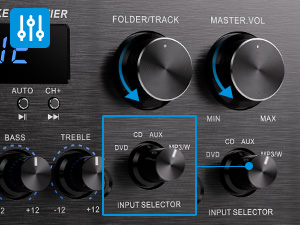
The MAMP1 Stereo Receiver delivers a robust 400W peak power through a 2.0 channel amplifier, featuring Bluetooth 5.0 for wireless streaming, multiple input options including USB, SD, AUX, RCA, and dual microphone inputs with echo control. Its HD LED display and remote control make it perfect for karaoke, home theater, and professional audio setups.



| Wattage | 400 watts |
| Number of Channels | 2 |
| Output Wattage | 220 Watts |
| Output Power | 400 Watts |
| Audio Output Type | Headphones, Speakers |
| Format | WMA |
| Wireless Technology | Bluetooth, Infrared |
| Control Method | Remote |
| Connector Type | RCA, USB, 3.5mm Jack |
| Audio Output Mode | Stereo |
| Number of Audio Channels | 2 Channel |
| Connectivity Technology | RCA, Bluetooth, USB |
| Controller Type | Android |
| Additional Features | 2.0 Channel, two 2.5-inch / 6.35 cm Microphone Inputs, Bass, Treble, Balance, Echo / Volume Adjustable, FM Radio |
| Compatible Devices | Smartphone, Tablet, IPad, IPhone, Computer, Speaker |
| Item Weight | 16 Grams |
| Item Dimensions D x W x H | 9.84"D x 9.76"W x 3.87"H |
| Color | Black |
J**K
Want to transmit from the MouKey? Use a turntable? Enjoy cable FM radio from the whole world?
This is an amazing piece of gear. The sound is excellent and it can manage an incredible number of sound sources, truly remarkable for such a small thing. I'm a tinkerer, so after spending most of the first day of ownership connecting, reconnecting, jiggering, testing out, and sometimes cussing, I'm now sitting at my laptop LISTENING with my Bluetooth headphones to a vinyl LP recording of Mozart's Clarinet Chamber Music sourced by my AUDIO-TECHNICA TURNTABLE. I capitalize these items because the experts on this site have said that neither of these things could be done...or that they "might be able to be done" but how to do it is another question. Well, I'm doing it right now. So here is how it is done. It is NOT difficult once you know the tricks. First, though, a really easy one. You've probably noticed that the included FM wire antenna isn't the greatest. At least the one they sent me isn't. The automatic station finder found 40 signals, which isn't too bad, but the closest one and the one I like to listen to has static, no matter how I position the wire antenna. Soooo, during my tinkering and jiggering, I connected the FM input connector on the back of the MouKey to a cable outlet in the nearby wall. I used the same sort of coaxial cable connector that you use to connect your router to your coaxial cable feed, It worked! I now have 65 stations from all over the country and every one crystal clear. Next another easy job - the turntable. I'm using an Audio-Technica turntable that gives me a choice of using it's pre-amp or it's unamplified output. You want to use the unamplified output because the MouKey is an amplifier. If your cord out from the turntable has RCA connectors, just plug them right into the DVD RCA receptacles in the back of the MouKey. If you don't have RCA connectors, simply purchase a jack to RCA connector somewhere and turn the cord into one you can use. You may also need a short connector that has two female ends. Connect them up, then connect your speakers if you haven't already. I'm using the RCA connections just to the right of the DVD RCA connectors, and have the amplifier connected to 8 Bose ceiling speakers. They sound fabulous. I haven't even connected speakers with the wire connections on the back left of the amplifier. I probably won't. But...if you want to be adventuresome, read the rest of this. If you want to connect other things via Bluetooth, and/or if you want to be able to send music (say) or more FM station connections to the MouKey AND transmit the same to another device - Yes... it can be done. Read on. Now first make sure that are no jacks plugged all the way into the receptacles for the microphones or the headphones on the lower front left side of the MouKey. They cut out all other outlets, and you don't want to do that right now. Now it's time to buy a Bluetooth transmitter. I don't think it has to be a fancy, expensive one. Depends on how much of an audiophile you are. I have an inexpensive little square transmitter/ receiver that is very, very touchy, and if it works, anything you buy will probably be better than what I've got. And my cheap little thing sounds devine. Teaching moment: The more work it takes to connect, the more valuable and appreciated the experience. So cheap and hard is good. (Up to a point.) I digress. OK. Using a cord with a double-band jack connector (for stereo) on each end, plug one end into the female headphone receptacle on the lower front of the MouKey. Push the connector all the way in until it clicks. Connect the other end to your Bluetooth transmitter. Now, turn the MouKey power off. You need to do this so your headphones, or whatever, do not connect to the Bluetooth receiver of the MouKey or to your speakers or some other device and sabotage your project .I use my smartphone's Bluetooth to check, and then turn off any interfering devices. There's also some apps on Google Play that find errant Bluetooth devices. Everything off? Now do whatever your Bluetooth transmitter requires to connect to whatever Bluetooth receiver you want to transmit to. (This is where my cheap transmitter and my headphones argue for a while.) When they are connected, power on the MouKey. Set the input selector to whatever you want your source to be. Turn on the source (say turntable) if you have not already done so. Right now mine is pointing at the DVD and my turntable is on, so I can listen to Mozart. The little LED display shows our local NPR station, but I don't think that is really important. What's transmitted is what you have chose with the input selector. You are now listening to sound TRANSMITTED from your MouKey - which is supposedly impossible. Is that really cool or what? Now here is a trick. Your speakers or headphones are picking up a signal sent by your external Bluetooth transmitter that's connected to the headphone jack of your MouKey amplifier that's connected to your MouKey that's connected to your sound source via the RCA connectors on the back. But your MouKey has a Bluetooth receiver that isn't being used. Hmmmmm. You can now connect your smartphone, or something else (I'll call it device #2), to your MouKey's unused Bluetooth receiver and listen via your headphones or speakers to another sound source (device #2) that you may not even thought of. True, you could connect your speakers or headphones directly to this device #2, say your smartphone, but what's the fun in that? Besides, then you would miss out on the great sound of the MouKey. Soooo, set your MouKey so the display reads "Blue." Then use your #2 device's Bluetooth and connect to "MouKey MAMP1," which in my case happened immediately and makes me want to replace my cheap Bluetooth transmitter. However, staying on task, turn your "Input Selector" on the right side of the the MouKey all the way to the right, to "MP3;W" and there you are...your smartphone (or whatever - device #2) is now transmitting to your MouKey, and your Moukey is transmitting to your headphones or speakers or whatever you connect via the new Bluetooth transmitter that's connected to the MouKey. And if you want even more FM options, download free from Google Play, "Radio-FM Radio Station App. Local Radio Free" (FM Radio App & Photo Gallery and Notes). Your phone will be connected to crystal clear FM stations all over the world. I suspect there are 250 stations. Send your chosen station's output to the MouKey Bluetooth receiver and let the Bluetooth transmitter fill your linked headphones or speakers with FM music from all over the world. Enjoy.
D**S
Exceeded my expectations
Note: this review does not speak to the radio function or karaoke mic inputs - I do not use either of these features and have only reviewed the stereo amplifier functions. Other reviews can provide more information on these features. I use the MAMP1 exclusively for the Bluetooth, USB and CD playback capabilities. After checking out a number of units in this amplifier/receiver class and price point ($50- $75) I selected this Moukey MAMP1. I couldn't be more pleased with the performance - plenty of power to push my 8-ohm 12" 3-way floor speakers with the EQ nearly flat - plenty of bass and treble for any style of music. As a lifelong musician I play and listen to a wide variety of genres - jazz - both acoustic and electric, rock, folk, orchestral etc. so I do know what instruments are supposed to sound like. The MAMP1 faithfully and cleanly reproduces anything I've thrown at it with no audible distortion, hiss or hum at low or higher volumes. I have a very large digital music library on my laptop and was able to pair and connect easily via Bluetooth, giving me access to all my MP3's, WMA files, WAV files. The controls are very straightforward, the knobs and switches have a solid feel to them. By contrast the remote it comes with feels cheap and is rather limited as others have noted but I can live with that. On the plus side the remote does offer 5 different EQ presets via the EQ button that will allow you to adjust/compensate to your taste the recording mix, your speaker response or the ambient room environment - nice feature. Overall, the MAMP1 exceeded my expectations. No - it can't compete with a $600+ Sony or Yamaha or Marantz unit - and it's not designed to, but if you're looking for a low-cost amp that produces clean distortion-free sound I'd recommend without reservation the MAMP1. UPDATE: I've had the unit for four months now and my initial impressions have been borne out. I've had no issues with it performing as advertised and it continues to exceed my expectations. Some things to note concerning the USB and SD inputs: 1. Both USB drives and SD cards need to be formatted to the FAT32 file system. I had a number of USB drives that I had formatted to the newer NTFS file system and the MAMP1 would not recognize them until I reformatted them back to FAT32. Not a problem, as the default standard for these drives new out of the package is FAT32. 2. As stated the capacity for the USB is 32GB or less, the SD card is 16GB or less. That's not a serious limitation for either - 16GB on the SD card is a TON of MP3s, let alone 32GB on the USB. It will also play WAV files on both but bear in mind WAVs are much bigger files and require more space on the drive. I rip music files from CDs to MP3s on my computers at the highest 320 bit rate - the quality is excellent . Neither the USB or the SD card will play WMA files so I use Bluetooth from my laptop to play these - plays flawlessly (as all audio formats do via Bluetooth). 3. It's difficult to determine what order the folders on the USB/SD card will play - the display won't help you as it does not tell you what's playing, it only shows the play time of the tune currently playing. One thing I discovered - both USB and SD cards will play back music folders in the order you copy and paste them to the drive. I copy whole album folders individually (for example - Rush "Moving Pictures", Porcupine Tree "Deadwing", Miles Davis "Bitches Brew") from my laptop onto the USB/SD drives and it plays back the folders in the order I copied them. Hope this helps - overall it's a great unit (five stars!) and I stll highly recommend.
D**.
A very good stereo amplifier with multiple features...
I purchased this amplifier mainly to listen to my vinyl records. Connecting the amplifier to my record player is simple with an RCA cable. The product does not come with the RCA cable. My record player came with an RCA cable. Plug the RCA cable red and while leads into the back of the amplifier DVD or CD audio input and the other end into the record player audio output. The amplifier produces hi-fidelity sound. The built in pre-set equalizer has 5 equalizer effects located only as a button on the remote control which produces various frequencies but I am not pleased with any of these effects so I don't use this feature. The remote control will only work when the Input Selector is set to BT/FM/USB/SD mode. It cannot control the external source input of the RCA jack/Treble/Bass/Mic controls. Like most amplifiers, this one is mainly intended to connect to a pair of external wired speakers using the pair of speaker output terminals for high output audo speakers. Nonetheless, you can still connect using a wired configuration to this amplifier with a Bluetooth external speaker that has an audio input jack that connects to the back of the amplifier's audio output RCA (red/white) jacks. My video shows this configuration. To achieve a wireless Bluetooth speaker or earbuds connection you'll need to read further in my review, and yes there is a solution. Alternatively, this amplifier has the professional 1/4 inch audio jack for the better quality headphones. I have a really cheap pair of Sony headphones that have a standard computer audio jack, and then I am using a 1/4 inch jack adapter to connect to the amplifier headphones input. The sound quality is really great even with my cheap wired headphones. There is also an AUX input jack The SD card slot works well. There is also a USB input for "thumb drive" storage. The maximum SD card/USB storage device is 32GB. A big con is the display doesn't show the music ID3 Tag data in this amplifier, so only track numbers are displayed on the amplifier which can make navigating to different genres or artists impossible. You simply have to tailor the SD card(s) to the various songs you want to play. The sound is great and I am very pleased with the overall quality of digital audio playback. Why the manufacturer didn't include a basic chipset to read ID3 Tags is a mystery since this technology is available in the cheapest of digital audio players. The Bluetooth 5.0 receiver works well. I quickly and easily paired my notebook computer to the amplifier by simply pressing the Bluetooth button (BT) and turning the Input Selector to BT. Once the devices are paired, I played music directly to the amplifier. The BT sound quality is excellent and the connection is stable with the devices 30 to 40 feet apart. I am very disappointed that the amplifier does not have a Bluetooth transmitter chipset so I could pair the amplifier with my Bluetooth speakers. As such, you will have to buy a separate Bluetooth transmitter (a good one costs about $30 and it can perform both receiver and transmitter functions) and plug the separate transmitter into either the amplifier's front headphone jack or the rear RCA jacks on the amplifier then pair the transmitter to your Bluetooth speakers to achieve wireless external sound. I tried the microphone jacks. I plugged my mic into the amplifier's MIC 1 and MIC 2 jacks but apparently they won't output through the headphones, so it will require a pair of external wired speakers to perform Karaoke while audio playback is in progress. I hooked up the included FM antenna to the back of the amplifier and it scans and sets the FM stations. The stations come in clear for my location and the sound quality is excellent. It can store up to 30 FM radio stations. In conclusion, this is an amplifier that comes with a few cool features that supports playback of MP3/WMA/WAV/FLAC/APE digital audio music stored on SD/USB devices. If you're looking for a basic stereo amplifier to play your vinyl records with output to either a pair of external wired speakers (RMS output power 25W+25W), or an external Bluetooth speaker using its wired audio cable connection, or simply playback music on some good quality headphones, then this is a good amplifier choice.
R**W
Surprisingly good guitar/ keyboard amp
Easy to set up, great sound and very versatile. Looks great and works great. I am very happy with the sound quality and I hope this lasts a long time. ***Suggestion to get the best sound fast***: First, set the Bass and Treble knobs to halfway. Play some music you are familiar with and using the Remote click through the EQ presets a few times until you get as close to what your ear likes. Then, go to the amp and adjust the Bass/Treble as needed. Done. Remember that the master volume must always be higher than your input volume or you will get distortion. (Guitar players know this but others may not be aware of this general concept of overdrive.) Excellent Bluetooth connectivity and it’s loud -Plenty of volume-More than I will ever use in my room. My keyboard sounds awesome through it direct but I also plugged my electric guitar into the mic input and got beautifully clean and clear tone. With an efx pedal this makes an outstanding guitar amplifier. Big sound, versatility and great audio quality at such a low cost makes this a terrific value. I love it and would buy it again.
M**4
WOW Amazing unit to play MP3's
First a couple of thing to say before I give you my honest opinion of the Moukey MAMP1 Amp. I just purchased this for my own use and have not received anything for posting this review. I was looking to replace an older amp and 50 CD Pioneer music box that shot craps in my garage. With all the new technologies out there I did some research on converting music CD to MP3’s. I found a program called Express Burn to convert the CD’s to MP3’s. Very simple to use and does not take a long time for the CD to convert. I would create a folder on my computer by the artist name to save the MP3’s in. I did this some time ago to be able to play in my car. But now that my garage Music system took the crap I started searching online for something I could replace the CD’s with the MP3’s. Which leads me to this review. I found the Moukey MAMP1 Amp and reading the current reviews most people had positive reviews. I seen where it would play MP3’s and has a folder knob but not a lot of info on how it all works. I tried to find the user manual on line with no luck. So I am in hopes that I may be able to help others with this review. Here we go. I got this new Moukey MAMP1 all hooked up to 2 speakers in my garage. I configured a 15gig USB Drive with over 500 songs within 44 folders. Installed the USB drive in the Moukey and turned the Input Selector knob to the MP3/W. And this thing just started playing music. Loud music for my 2 stall garage. Crazy good sounds for the money. The user manual was not much help so I just started pushing buttons on the remote to see what all this Amp could do. The CH- button will take you back to the previous folder, the CH+ will forward you to the next folder. The 2 arrow button to the left takes you back to the previous song and the 2 arrows to the right will take you to the next song. When it hits the last song in the current folder it will move to the next folder. The only thing I wished it had was a LED screen with the song name. It just shows the running time for the current song. It does also have an EQ button that has a few preset EQ channels to change the sound of the music. The volume button will only go from 0-30 on the remote but if you set the Master Volume knob to a higher setting then you can play with the remote volume up and down. The knobs on the unit will do the same thing as the remote. I have not tested much more than this. Bottom line is if you are looking at a reasonably priced Amp that will do the MP3’s this might be for you. I would HIGHLY recommend this to anyone looking. Obviously it is not a Yamaha Amp but it is a powerful little amp. Still early in my testing so I am in hopes it lasts a long time.
A**T
Good buy
Excellent sound.
D**S
Good and bad features. How to make it remember last setting.
Bought this for my garage, mainly to listen to FM stations. First off, no complaints about the sound. I paired it with the Moukey Bookshelf M20-1 speakers and it sounds great with a nice deep base. But using the FM tuner to get to the station you want to hear is a real pain. First of all, you have to let the unit search through all the stations on the FM spectrum, one at a time, so it can assign a preset number to each station it finds. This takes forever. I stopped at about 48 and it still wasn’t at the end of the FM spectrum. I listen to a station with a frequency of 95.5 most of the time, and it was assigned number 28. You enter that number in the remote to get to the station. You have to write down the preset numbers of any other stations it finds, so you know what to enter into the number pad on the remote. Also, the unit sometimes loses these preset numbers, and you have to go through the entire process again. It will then assign different numbers to the stations, depending on which stations it can pick up that time. The volume control on the remote does not work as you would expect it to. The volume settings on the remote show up as 1 – 30, but the maximum volume level (30) is dependent on the position of the volume knob on the unit itself. In other words, if the volume knob is turned up half way, then 30 on the remote is limited to that half way volume position of the knob. You would have to turn the volume knob up in order to increase the volume any further. When I turn the unit off and the back on, it does not remember the last setting. The next time you turn it back on, you have to go through the modes first to get to FM, then enter the preset number (if you remember it) on the remote to get to the station. I did find a way to have the unit remember the last setting and go directly to FM mode and the station I was on the last time. The way to do that is to always leave the power button in the on position and use only the remote to turn it off or on. The next time you turn it on, it will go directly to the mode/station you were listening to before. The Bluetooth works really well and I had no problem playing music from my laptop or phone. The Bluetooth version is not the latest, but it works well. It comes with an antenna which is just a long wire that you plug in the back. The reception is the same with or without the wire antenna connected. The stations I listen to come in clearly without any static. I tried playing some MP3 files from a flash drive, but as soon as I plug in the flash drive, it jumps to FM mode. The USB mode disappears when you plug in a flash drive. Overall, I’ll keep the unit since the sound is good, Bluetooth works well, and I figured out how to go directly to where I was the last time I used it, but I really can’t recommend this unit. The remote is cheap and the unit is frustrating to control, especially the FM tuner. And forget the user guide; it’s absolutely worthless.
M**G
Perfect for Home Audio or Karaoke Nights
I’ve been using the Moukey MAMP1 for a few weeks now, and I have to say it’s an impressive little amplifier for the price. The setup was simple right out of the box, and I had it connected to my home speakers and Bluetooth devices within minutes.The sound quality is surprisingly good for a unit this affordable. It delivers clean, balanced audio with plenty of power for a small to medium room.The front panel controls are straightforward, and the LED display adds a nice touch.
Trustpilot
2 days ago
2 months ago