


🚀 Upgrade your speed, secure your data, and never miss a beat!
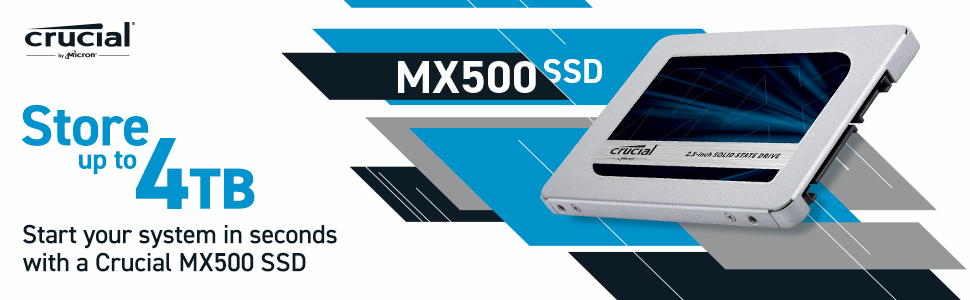
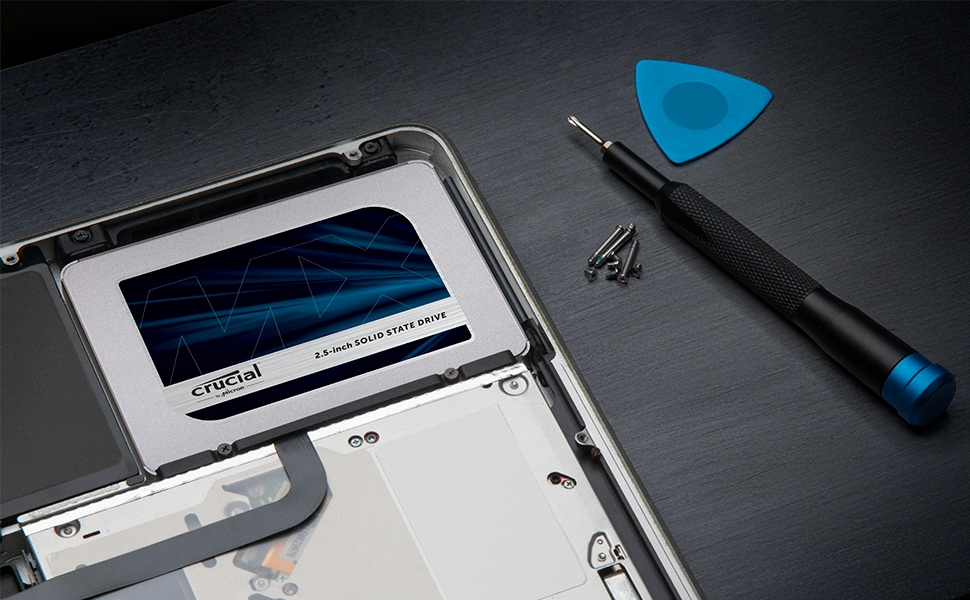
The Crucial MX500 1TB SSD combines Micron’s advanced 3D NAND technology with SATA 6Gb/s interface to deliver up to 560MB/s read and 510MB/s write speeds. Its 2.5-inch form factor with included adapter fits most laptops and desktops, while AES 256-bit hardware encryption and Power Loss Immunity protect your data. With a 5-year warranty, this SSD is a reliable, high-performance upgrade for professionals seeking speed and security.



| ASIN | B078211KBB |
| Are Batteries Included | No |
| Best Sellers Rank | #19,079 in Computers ( See Top 100 in Computers ) #187 in Internal Solid State Drives |
| Brand | Crucial |
| Color | Blue/Gray |
| Computer Memory Type | DIMM |
| Customer Reviews | 4.7 4.7 out of 5 stars (40,348) |
| Date First Available | 28 September 2021 |
| Form Factor | 2.5-inch |
| Hard Disk Description | Solid State Drive |
| Hard Disk Rotational Speed | 7200 RPM |
| Hard Drive Interface | Solid State |
| Hard Drive Size | 1024 GB |
| Hardware Platform | PC; Mac |
| Item Weight | 39.6 g |
| Item model number | CT1000MX500SSD1 |
| Lithium Battery Energy Content | 4.9 Watt Hours |
| Lithium Battery Packaging | Batteries contained in equipment |
| Lithium Battery Weight | 0.85 Grams |
| Manufacturer | CRUCIAL |
| Product Dimensions | 10.03 x 0.71 x 6.99 cm; 39.6 g |
| RAM Size | 1 TB |
| Series | Crucial MX500 SSD |
B**T
Excellent Product
I had an old Dell laptop XPs15Z, which had HDD with bad sectors over the years. The laptop was deadslow and programs will never load. My nephew suggested to change to SSD and upgrade RAM to 16GB, which I purchased and this Crucial SDD gave me 100% relief from my trouble. Now improved from 8GB to 16GB with my new Crucial SSD, my laptop is superfast now. I am really satisfied and will recommend this to every one who do not want to buy a new laptop spending heavy
Q**R
value for money ssd
I upgraded my 4 year old pc which was running on snail pace with this and now machine works faster than before. Boots in seconds. I shortlisted this one and samsung evo. I purchased this because price was very less compared to samsung ssd. Disk cloning was little difficult with the supplied tool. The system never boots with the cloned disk. I had to make bootable usb with acronis and do some boot configurations updates to boot from the new SSD.
W**D
Good Quality
Good Quality
S**H
يعمل بشكل جيد
M**A
Firmware Update Difficulty + Speed isn't maxed out But very good & solid performance !
It's impossible to update firmware version on a Mac using macOS only but on windows its very easy then it'll be updated & could be used on a Mac, I couldn't update the firmware on my MacBook Pro mid 2012 9,2 model while running macOS but when I installed windows 10 pro using Bootcamp on the same device I could really update the firmware easily using the Crucial Storage Executive and it's a free software tool that helps optimize the performance of your Crucial SSD as the said in their official website, The read / write speed is not reaching the maximum they mentioned after I've tested it with Blackmagic software despite having an : Intel 7 Series Chipset Link Speed: 6 Gigabit Negotiated Link Speed: 6 Gigabit SATA Onboard but it's not bad also & it's also very good in other test parameters other than the speed but it's really very good in overall performance and my old MacBook Pro can recognize the updated firmware after booting in macOS Ventura and even after removing windows 10 pro and reinstalling macOS, It is fast in every day usage including browsing the net ...etc After I could successfully update the firmware version I can recommend it for Mac users, It was also faster on windows 10 pro or even windows 11 pro on my MacBook Pro mid 2012 9,2 it's very good in Overall performance I can recommend it especially after the price dropped after I've purchased it directly :-)
S**R
Wow ! my laptop is flying now !
Over time Microsoft Windows slows down and causes slowness. I am in IT Field for last 28 years and I know that the old hard disk is the one causing slowness. I cloned my hard disk with this crucial SSD with the help of the free software that comes with this product. You need a USB to SATA cable for this, I have left the link below cheap and best cable you can buy online. Replaced the hard disk myself and bingo my Laptop is flying at super speed. Faster booting, Quicker application response and more over it gives your laptop energy to run for longer time ! as the SSD consumes less power than the spindle type hard disk. Dont replace your hard disk, try this one first. https://www.amazon.ae/gp/product/B07Y825SB8/ref=ppx_yo_dt_b_asin_title_o05_s00?ie=UTF8&psc=1
D**K
Best Buy!!
It was Much Needed Purchase As My really OLD laptop with HDD was dead! And needed an upgrade with Sata SSD! Now it runs Smooth As Butter & All thanks to Amazon for Getting my Requirements meet at easiest And Cheapest @ My Door Front!! Thanks a lot!! Will keep shopping for more Here🫰🏻
A**Y
Great
Bought it and cloned my laptop HDD into it and I am now enjoying the speed of SSD. The cloning instructions are clear and the Acronis cloning function can be downloaded from Crucial web site. You just need a Sata-USB cable to connect the SSD to the laptop via the USB to clone it. I Bought a very cheep cable that did the job (https://amzn.eu/d/1a2yffY). Then replace the HDD with the clobed SSD and that's it. And it arrived quickly.
K**E
I just installed the 1 TB version of this SSD on my Macbook Pro 15" Mid 2012 (not Retina) running Mojave and it installed easily and quickly. And, wow! What difference in performance! My MBP flies now. As someone else mentioned, I'd upgraded my RAM to 16 GB without much of a visible difference in performance. I'd installed a 500GB WD Sata drive running 7200rpm, but that didn't help that much either. This Crucial SSD does! It now boots up in seconds, and all of the software loads and runs so much more quickly and efficiently, as do folders opening and everything else on the computer. Wish I'd done this earlier. It really is night and day, performance wise. This Mac actually boots up and runs faster than my friend's Macbook Pro 15" 2012 Retina with a faster architecture and Apple's built-in SSD. This really is a required upgrade for any Mac computer or laptop 2012 and earlier to give it new life. I initially installed the SSD into a Sata 2.5" external drive case (it fit perfectly) then connected it my computer, erasing it using Disk Utility as an APFS drive (APFS drive formatting is required for any Mac OS Mojave and newer). I already had a USB installer for Mojave, so I rebooted from that instead of using Recovery -- which will work just as well -- I'm just a purist when I can when it comes to tech, lol. I installed OS 10.14 (operating system) onto the Crucial SSD, then rebooted into the external SSD drive when everything was done (hold down the Option key when restarting and choose your startup drive). I ran all of the udates that way, then powered down and switched the drives out (SSD to internal, Sata drive to the external case so I could migrate my data onto the new SSD and be done). I wanted to make sure everything would run properly before installing the SSD internally -- though it's easy enough to install -- completely plug n play. Also in order to find the firmware version of the SSD, it has to be installed internally -- if I had to run a firmware update, I wanted to do it before transferring all of my data over -- just in case. Booted up again with the SSD internally, then opened Migration Assistant (in the Utilities Folder) and let it transfer my profile and data over. Then rebooted one last time and watched the magic happen, lol. Note: The first boot will be longer as the Finder figures out where everything is, but after that... literally seconds to a login screen. Someone was worrying about the firmware version, which can affect installation of either an Mac or a Windows OS, and the firmware of this one was sent with what looks to be the latest version (Revision: M3CR045), later than what was available on Crucial's website for this drive. I was concerned when I found out about the lifespan of these SSDs (usually around five years), but then I figured that $20/year for what I've paid for this drive is more than worth it. I'll just make a note five years from now to make more constant backups, lol. So, go forth with confidence, and make your older computers the bang of the ball.
B**A
شغال معايا وحلو وسريع
R**N
Muito bom. Produto exatamente como descrito
D**K
Die Crucial MX500 1TB SSD ist ein bemerkenswertes Speicherlaufwerk, das eine ausgezeichnete Leistung und Zuverlässigkeit zu einem erschwinglichen Preis bietet. Als langjähriger Nutzer von Solid State Drives habe ich die MX500 ausführlich getestet und möchte meine Erfahrungen teilen. Leistung und Geschwindigkeit: Die Geschwindigkeit der MX500 ist beeindruckend. Mit Lese- und Schreibgeschwindigkeiten von bis zu 560 MB/s bzw. 510 MB/s bietet sie eine deutliche Verbesserung gegenüber herkömmlichen Festplattenlaufwerken. Das Laden von Betriebssystemen, Anwendungen und Dateien erfolgt blitzschnell, was die Gesamtleistung des Computers spürbar erhöht. Zuverlässigkeit und Haltbarkeit: Crucial hat einen hervorragenden Ruf für die Qualität seiner SSDs, und die MX500 ist keine Ausnahme. Sie verwendet die neueste 3D NAND-Technologie, um eine hohe Zuverlässigkeit und Haltbarkeit zu gewährleisten. Die SSD ist stoß- und vibrationsresistent, was sie ideal für den Einsatz in Desktop-PCs, Laptops und anderen Geräten macht, die unterwegs genutzt werden. Installation und Kompatibilität: Die Installation der MX500 ist einfach und unkompliziert. Sie ist mit den meisten Desktop- und Laptop-Computern kompatibel und lässt sich problemlos in vorhandene Systeme einbauen. Dank des mitgelieferten Acronis True Image HD-Softwarecodes ist auch das Klonen und Übertragen von Daten von einer alten Festplatte auf die SSD ein Kinderspiel. Preis-Leistungs-Verhältnis: In Bezug auf das Preis-Leistungs-Verhältnis bietet die Crucial MX500 1TB SSD ein unschlagbares Angebot. Im Vergleich zu anderen SSDs in ähnlicher Größe bietet sie eine herausragende Leistung zu einem deutlich günstigeren Preis. Dies macht sie zu einer attraktiven Option für alle, die nach einer kostengünstigen Möglichkeit suchen, die Leistung ihres Computers zu verbessern. Energieeffizienz: Ein weiterer Vorteil der MX500 ist ihre Energieeffizienz. Durch den Einsatz fortschrittlicher Stromspartechnologien benötigt die SSD weniger Energie als herkömmliche Festplattenlaufwerke, was zu einer längeren Akkulaufzeit bei Laptops führt und gleichzeitig die Umweltbelastung reduziert. Fazit: Insgesamt kann ich die Crucial MX500 1TB SSD uneingeschränkt empfehlen. Sie bietet eine hervorragende Leistung, Zuverlässigkeit und Haltbarkeit zu einem erschwinglichen Preis. Ob für den Einsatz in einem Desktop-PC, Laptop oder anderen Geräten, die MX500 ist eine erstklassige SSD, die die Erwartungen sogar anspruchsvoller Nutzer erfüllen wird.
W**X
Ok
Trustpilot
1 month ago
2 days ago



