
DOWNLOAD THE APP


Customer Services
Copyright © 2025 Desertcart Holdings Limited
DOWNLOAD THE APP
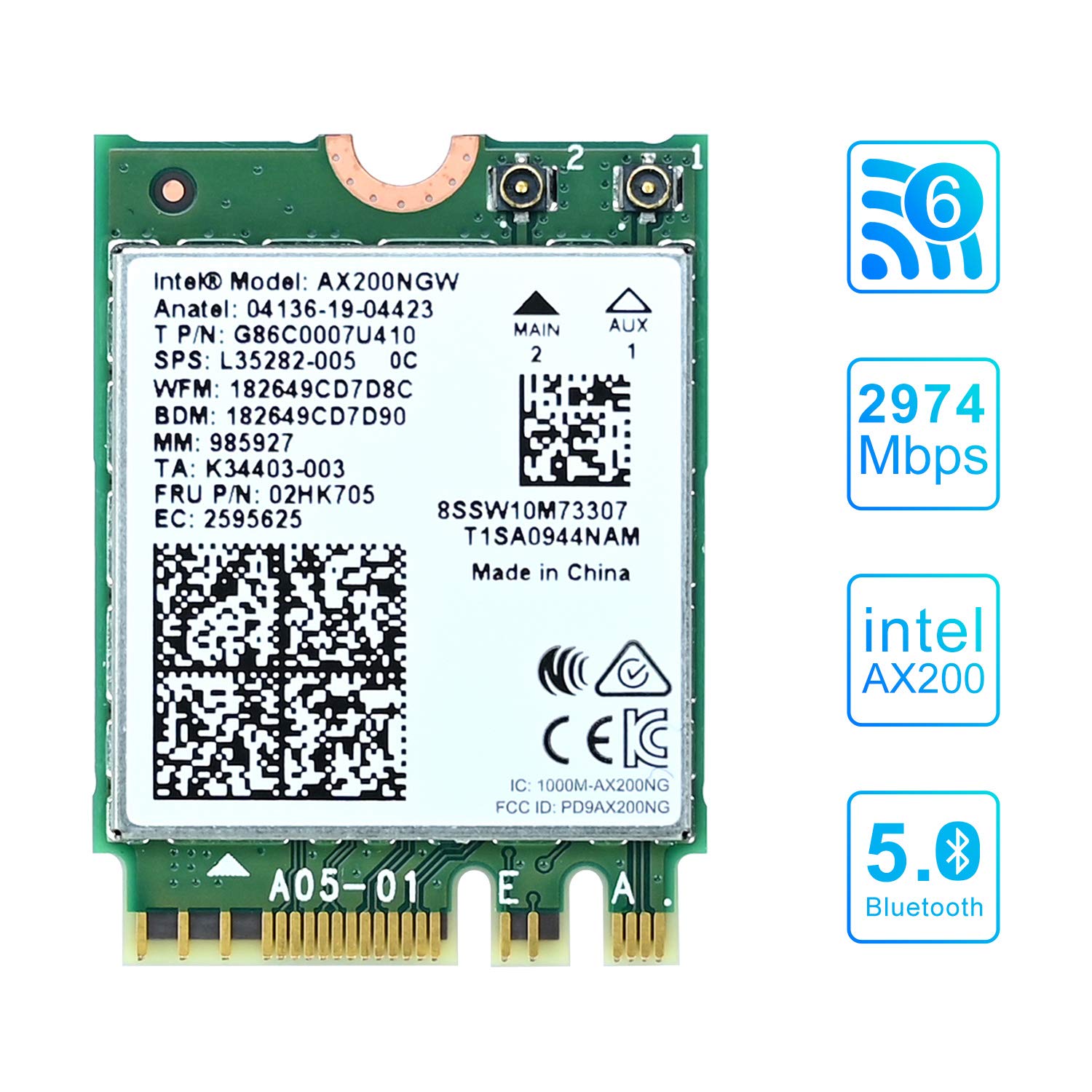
🚀 Elevate Your Connectivity Game!
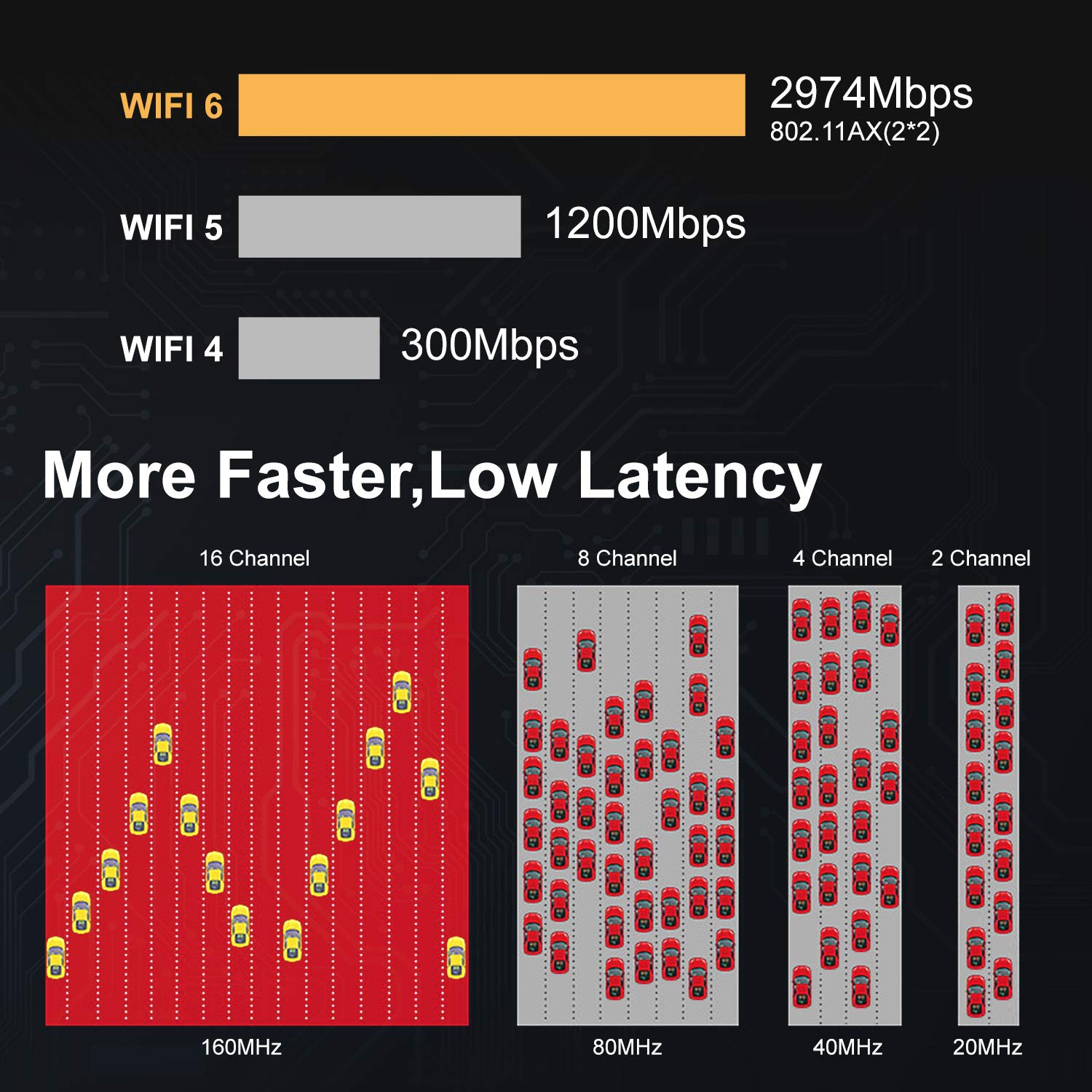
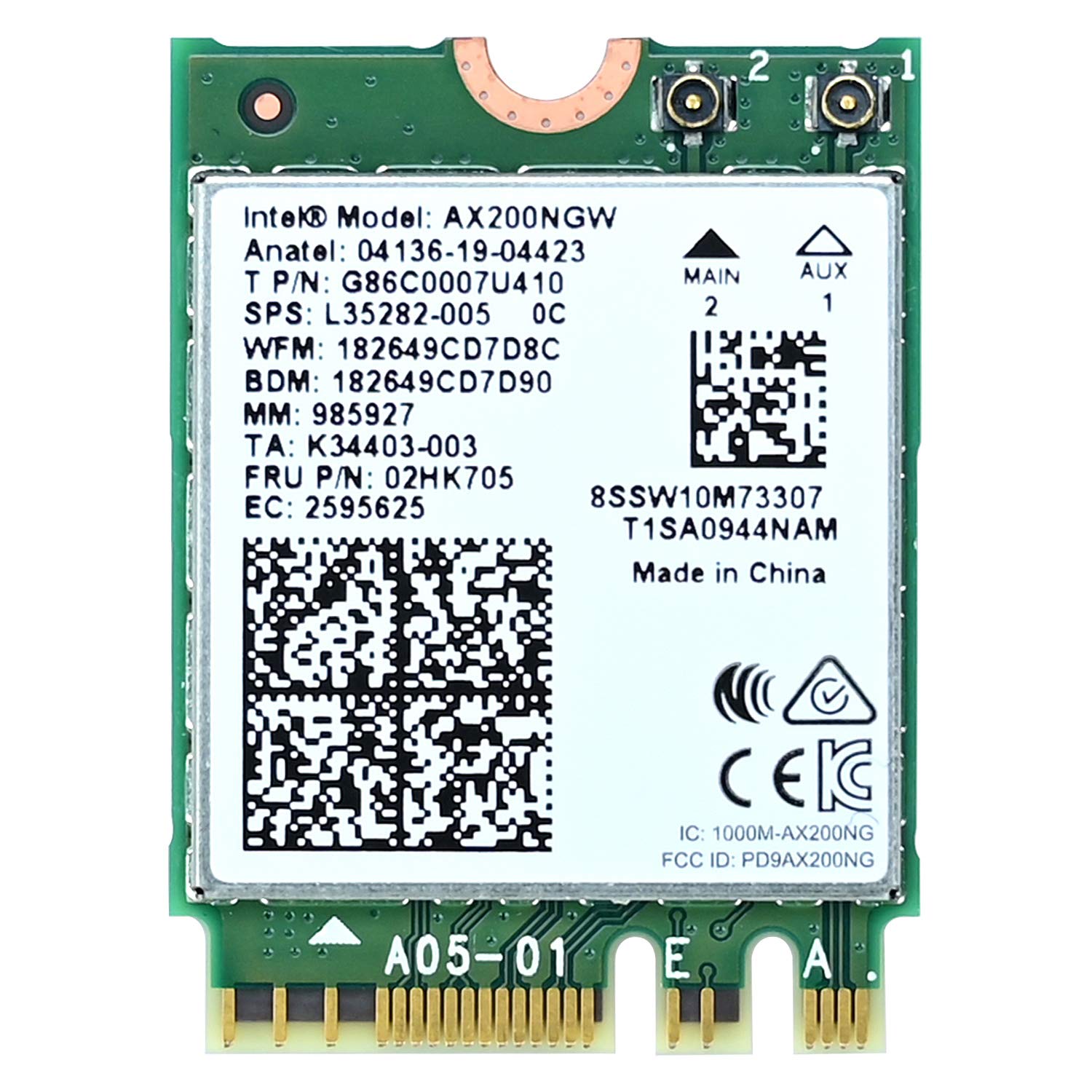
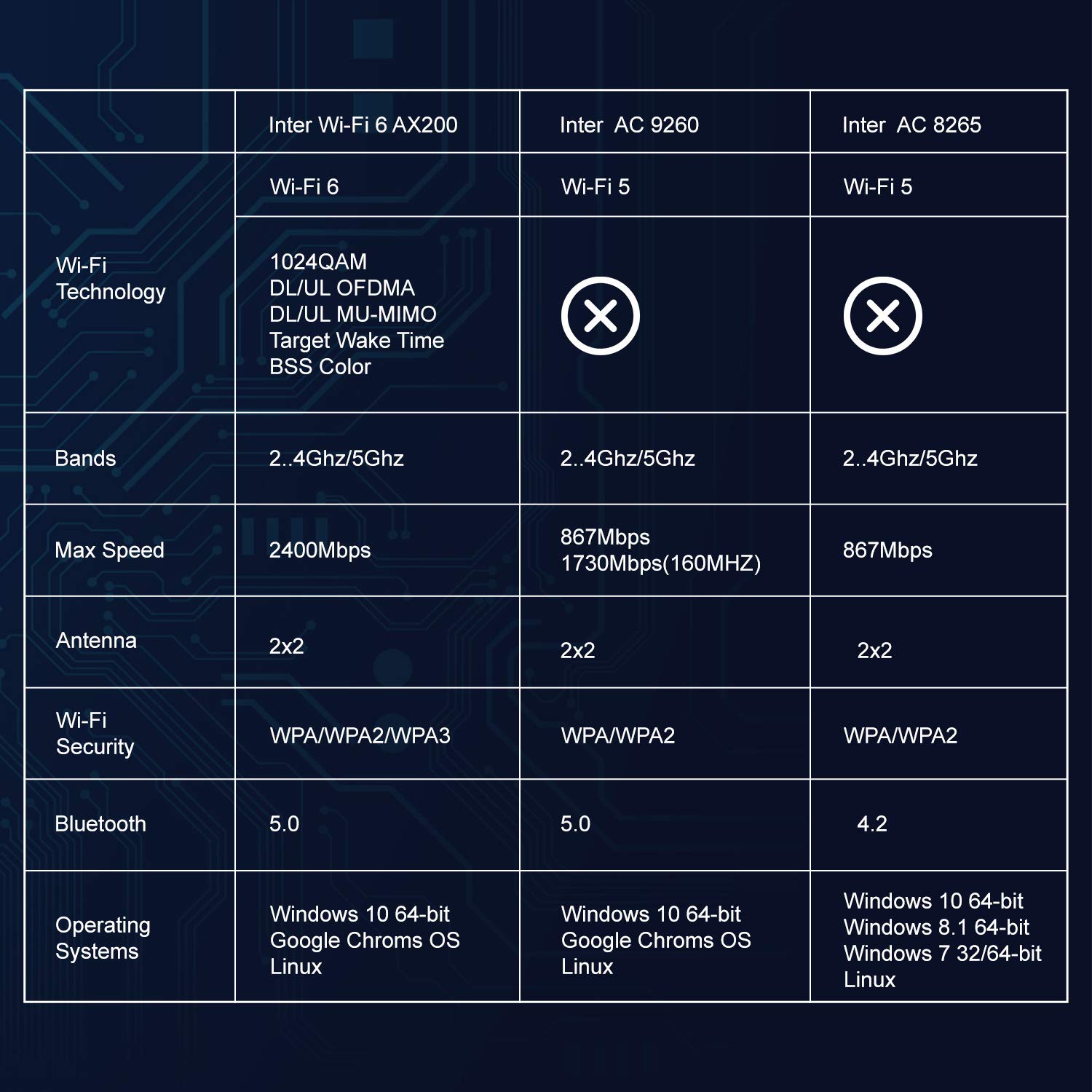
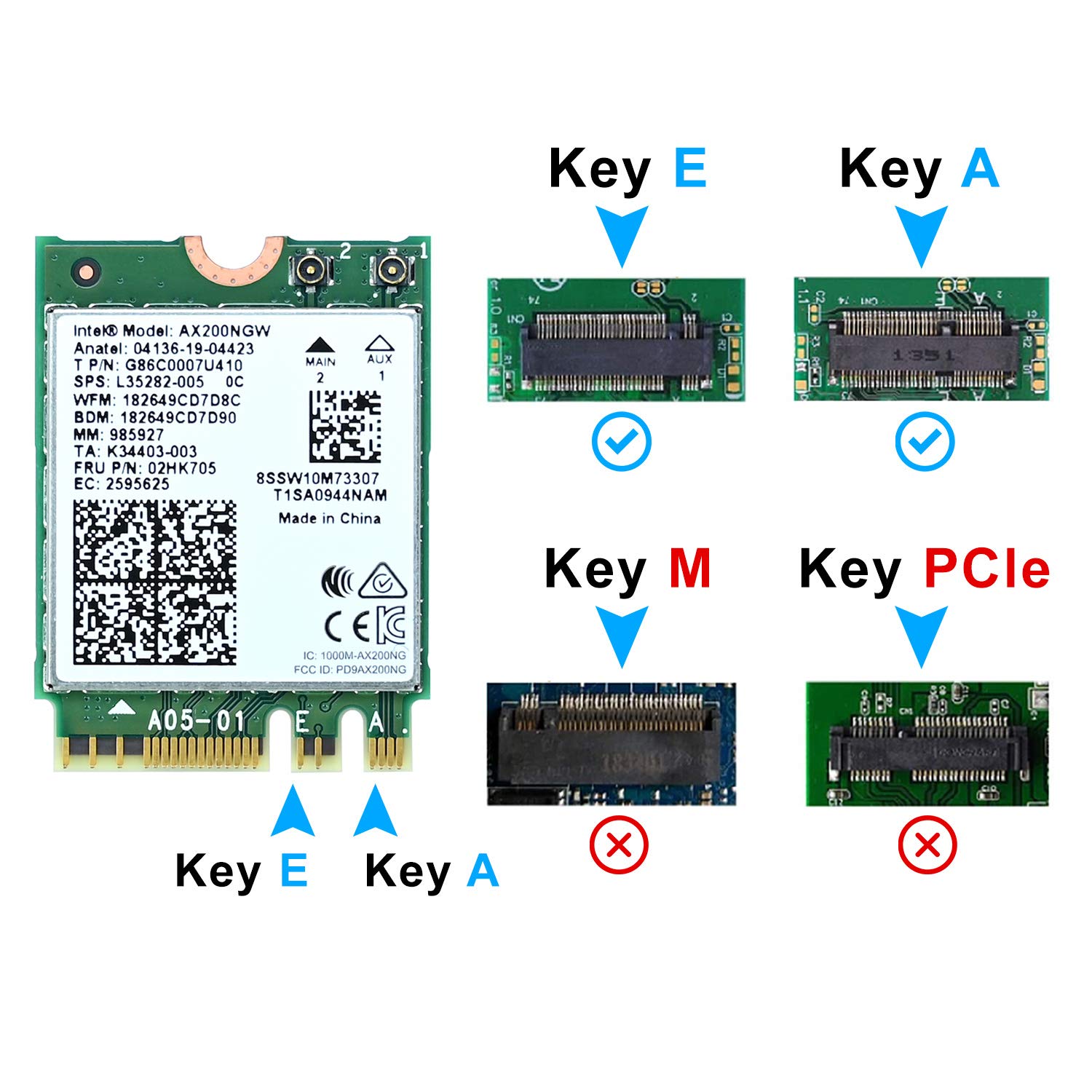
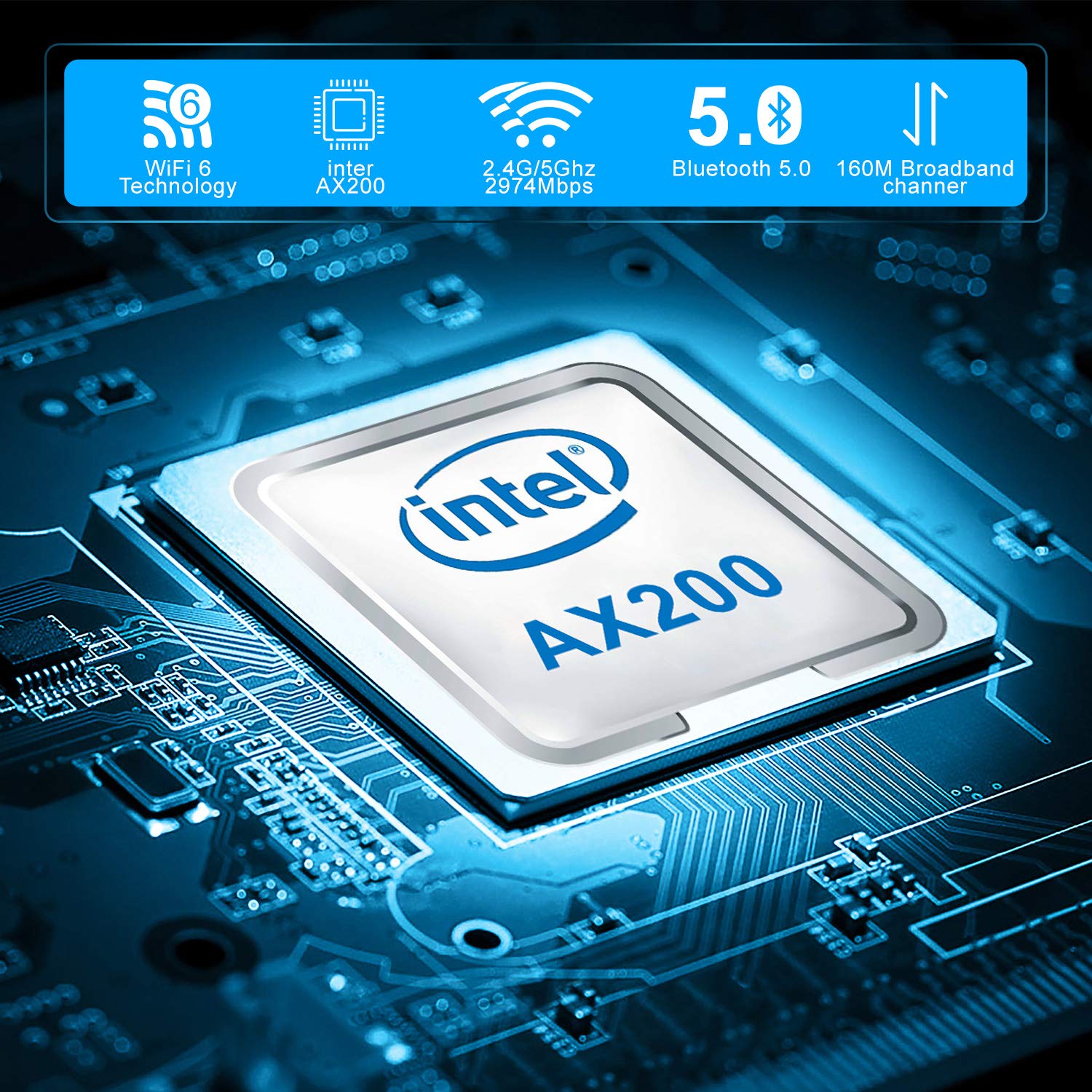
The AX200 NGW WiFi Card is a cutting-edge dual-band wireless network adapter that supports WiFi 6 technology, delivering speeds of up to 2.4Gbps on the 5GHz band and 574Mbps on the 2.4GHz band. With Bluetooth 5.0 capabilities, it allows for seamless connections to various devices. Designed for Windows 10 64-bit systems, this compact M.2 card is perfect for enhancing your laptop's wireless performance.
| ASIN | B08L7MXBGS |
| Best Sellers Rank | 9,068 in Computers & Accessories ( See Top 100 in Computers & Accessories ) 23 in Network Cards |
| Guaranteed software updates until | unknown |
| Item model number | AX200NGW |
| Manufacturer | Podazz |
| Package Dimensions | 12.9 x 9 x 0.7 cm; 20 g |
A**L
Great for ChromeOS Flex
I wanted to test this for a project installing ChromeOS flex on HP 705 G5 mini PCs as they would no longer support Windows in a while. Easy to install and recognised without problems by ChromeOS flex. I didn't have the right connectors to connect an antenna but even just holding an antenna cable to the connector by hand gave me decent speed. Now ordered cables and antenna. Will update on speeds when they arrive. I had ordered originally ordered from ebay but still no show a week later. This arrived the next day even though it cost a little bit more.
A**K
Great little WiFi/BT card
For some reason my high end all in one pc came with no WiFi/BT!! (Apparently it was a 'business model' and only needed ethernet!). This card was perfect and within minutes I had both. Speed is good and BT connection for my headset etc is perfect in Windows 11.
M**S
Wifi 6 upgrade to a Dell Latitude 7490
Works well in our Dell Latitude 7490
A**R
Great value
Perfect upgrade, strong Bluetooth and fast wifi, plug and play.
E**S
Works Well on B550m board with Ryzen cpu
As described. works Flawlessly on Asrock B550m M.2 E Key. my only gripe is there was no M.2 screw included. luckily for me i pinched one from another component.
A**R
Great
Great WiFi adapter for the price, much better than the one that came on my laptop, windows installs drivers straight away so no worries there.
D**B
Good Replacement For Linux Users
Good replacement for the MediaTek MT7902 / AW-XB552NF on linux, supports the same 6E WiFi and Bluetooth 5.2. Auto detected during install of Zorin OS(ubuntu based). I saw conflicting info on AMD compatibility, i can confirm it works fine with my Ryzen 7320U CPU.
E**T
A must for mini pcs where not getting required speeds
On my mini PC i installed in a minute (download the drivers off intel website beforehand), speeds improved from 40mbps to the full 500mbps available. The stock card on my mini pc must have been some cheap alternative to cut costs
F**R
10 günde geldi,windows 11 asus tuf f15 cihazımda sorunsuz çalışıyor
G**O
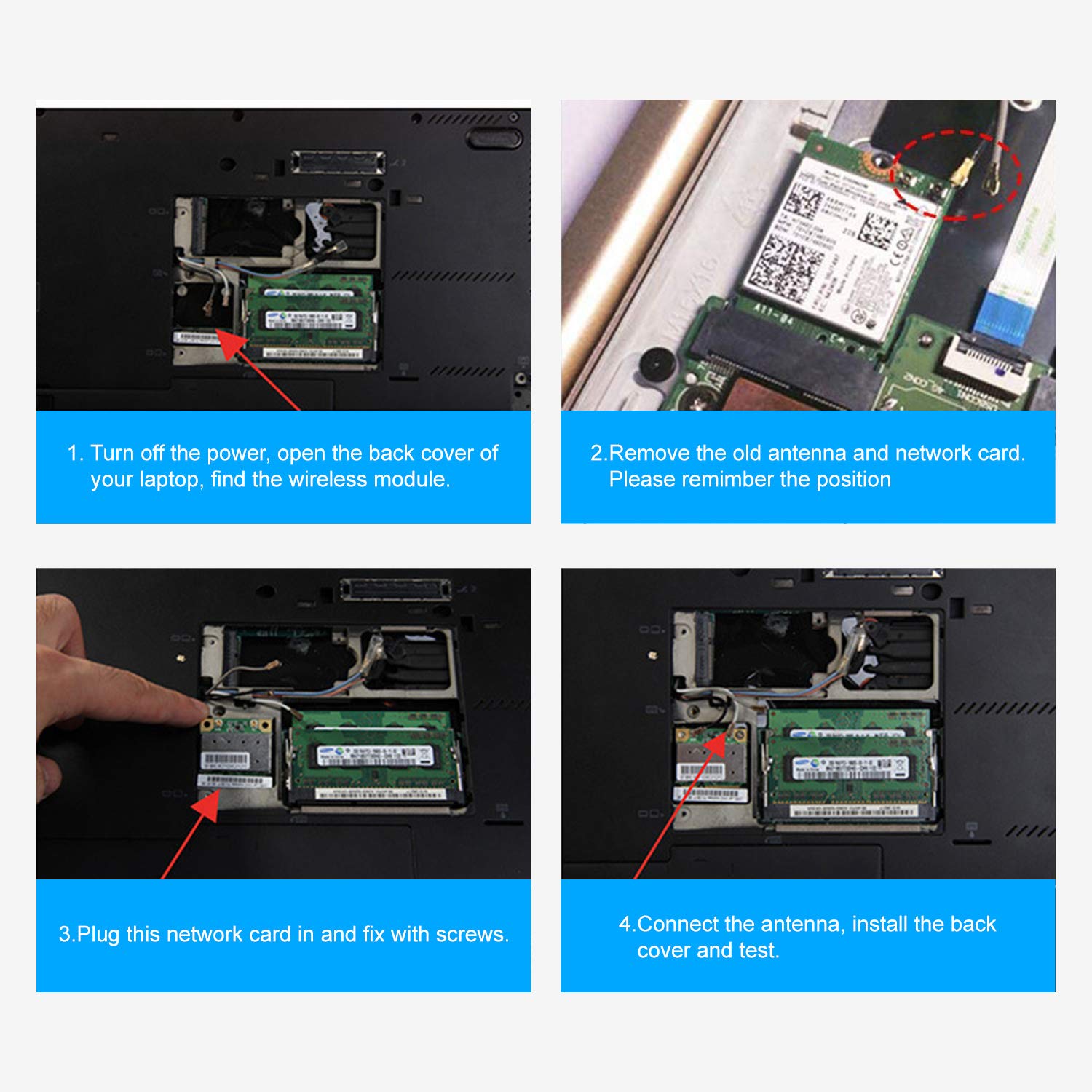
Installée sur un PC portable HP Spectre 360 13 pouces de 2017, en remplacement d’une carte Wifi Intel identique, mais AC, c’est à dire Wifi 4-5, celle-ci fonctionne parfaitement et m’a donc permis de passer mon PC au Wifi 6. Procédure de remplacement très rapide, j’ai mis plus de temps à enlever et remettre la coque arrière du PC qu’à remplacer la carte Wifi. Un petit onglet métallique est fourni (pas présent sur mon PC à l’origine), ce qui permet de bloquer la carte (à placer sous la vis). Déconnexion des deux antennes en faisant levier avec un petit outil plat en plastique. Après insertion de la carte dans son port, remise en place des antennes avec une petite pince style pince à épiler, puis appuie sur la tête de l’antenne avec un petit tournevis plat. Un petit clic vous indique que l’antenne est connectée correctement. Attention après cette opération, plus de Wifi, donc procéder préalablement au téléchargement du driver de la carte sur le site d’Intel, puis après remplacement installation de celui-ci par double clic (10 secondes et ressaisie du mot de passe de votre réseau Wifi). Étant donné que je connaissais déjà la procédure de démontage de mon PC (2 vis cachée sous les patins caoutchouc avants de la coque arrière), je dirais qu’approximativement en 15 minutes cette carte m’a permis de passer d’un débit max. d’environ 150 Mo/s descendants et 15 Mo/s montants (donc en Wifi ac 4-5), à désormais 600 en download et presque autant en upload grâce au wifi 6. Fibre et box Wifi 6 pour ce faire bien entendu. Donc en résumé, tant pour le prix attractif que pour la livraison ultra rapide et la fiabilité de la marque, je dirais que cet « investissement » a été pour moi (et mon PC portable) extrêmement bénéfique. Je recommande donc cette carte Intel à 200%.
M**1
L'ho acquistata perché con la fibra FTTH mi hanno dato un modem che utilizza il protocollo 802.11ax (WiFi-6), ho un vecchio notebook Toshiba con AMD A4-6210 che montava una scheda wireless a 2,4 GHz che non supportava il protocollo di connessione del modem e quindi non si andava a più di 30 - 40 Mbps. Questa nuova scheda è pienamente compatibile con WiFi-6 ed inoltre supporta sia le connessioni a 2,4 GHz sia a 5 GHz. La scheda è molto piccola e arriva in un pacchetto senza istruzioni. Il montaggio è facile ma non essendoci istruzioni cerco di spiegarvelo: 1) prima di fare qualsiasi altra cosa, scaricate sul pc i driver aggiornati Intel AX210 (dal sito ufficiale Intel) e installateli; 2) togliete tutte le viti della parte posteriore del notebook (attenzione a non perderle) e tirate via la copertura posteriore. Nel Toshiba va tirata via completamente ma in altri notebook ci possono essere delle apposite finestrelle in corrispondenza delle parti che si possono sostituire, tra cui la scheda wireless, quindi potrebbe essere più semplice; 3) individuate la scheda wireless. ATTENZIONE A QUESTO PASSAGGIO perché mi ha fatto perdere un sacco di tempo: la vecchia scheda potrebbe avere una forma DIVERSA dalla nuova, ad esempio potrebbe essere rettangolare, più piccola di quella nuova che è quadrata, e potrebbe avere il foro per la vite da una parte anziché in centro. Non preoccupatevi, perché anche la nuova scheda, pur avendo dimensioni diverse, è fatta per entrare in quello slot e per avvitarsi nello stesso punto della precedente; 4) individuate i due cavetti, uno bianco e uno nero, collegati alla scheda wireless. Il punto in cui si agganciano alla scheda potrebbe essere coperto da nastro isolante, quindi rimuovetelo; 5) facendo MOLTA attenzione staccate i due cavetti, senza tirare il cavo ma facendo forza sul connettore, che è agganciato a pressione e si rimuove con le dita; 6) rimuovete la vite che tiene agganciata la scheda wireless e sfilate la scheda. La vite potete rimuoverla anche prima di staccare i cavetti, se preferite, così potrete tenere in mano la scheda mentre staccate i cavetti e forse è più semplice; 7) prendete in mano la nuova scheda e attaccate i cavetti, il bianco va dove c'è la freccia bianca e il nero dove c'è la freccia nera; 8) inserite la scheda nello slot. Nella confezione troverete anche un rettangolino metallico e una vite, utilizzateli per avvitare la scheda coprendo i punti di contatto dei cavetti al posto del nastro adesivo; 9) rimontate il coperchio posteriore del PC, verificando di aver utilizzato tutte le viti che avevate precedentemente tolto e messo da parte; 10) entrate in Windows, riceverete un avviso che la vostra connessione è migliorata e ora supporta WiFi-6; 11) connettetevi al modem e verificate che la navigazione funzioni correttamente; 12) a questo punto non avrete ancora il Bluetooth attivo, quindi andate sulle impostazioni di Windows, sugli aggiornamenti e troverete una lista di aggiornamenti opzionali, tra cui l'aggiornamento del Bluetooth. Eseguitelo; 13) eseguendo l'aggiornamento del Bluetooth, potrebbe momentaneamente disattivarsi la rete WiFi. Se dopo qualche minuto non si ripristina da sola, riavviate il PC; 14) a questo punto dovrebbe funzionare tutto: provate a verificare la connessione Bluetooth collegando il PC ad un dispositivo Bluetooth; 15) fate uno speed test e fatemi sapere a quanto arrivate ;-) Ho messo anche uno screenshot del mio speed test...
T**M
Problemloser Einbau und funktioniert gut
C**N
No issues, placing and installing intel wifi/bluetooth drivers on my 12th gen i5 ordered antenna and placed it outside the metal casing behind the plastic front cover so no Faraday Cage.
Trustpilot
3 weeks ago
1 day ago