
DOWNLOAD THE APP


Customer Services
Copyright © 2025 Desertcart Holdings Limited
DOWNLOAD THE APP
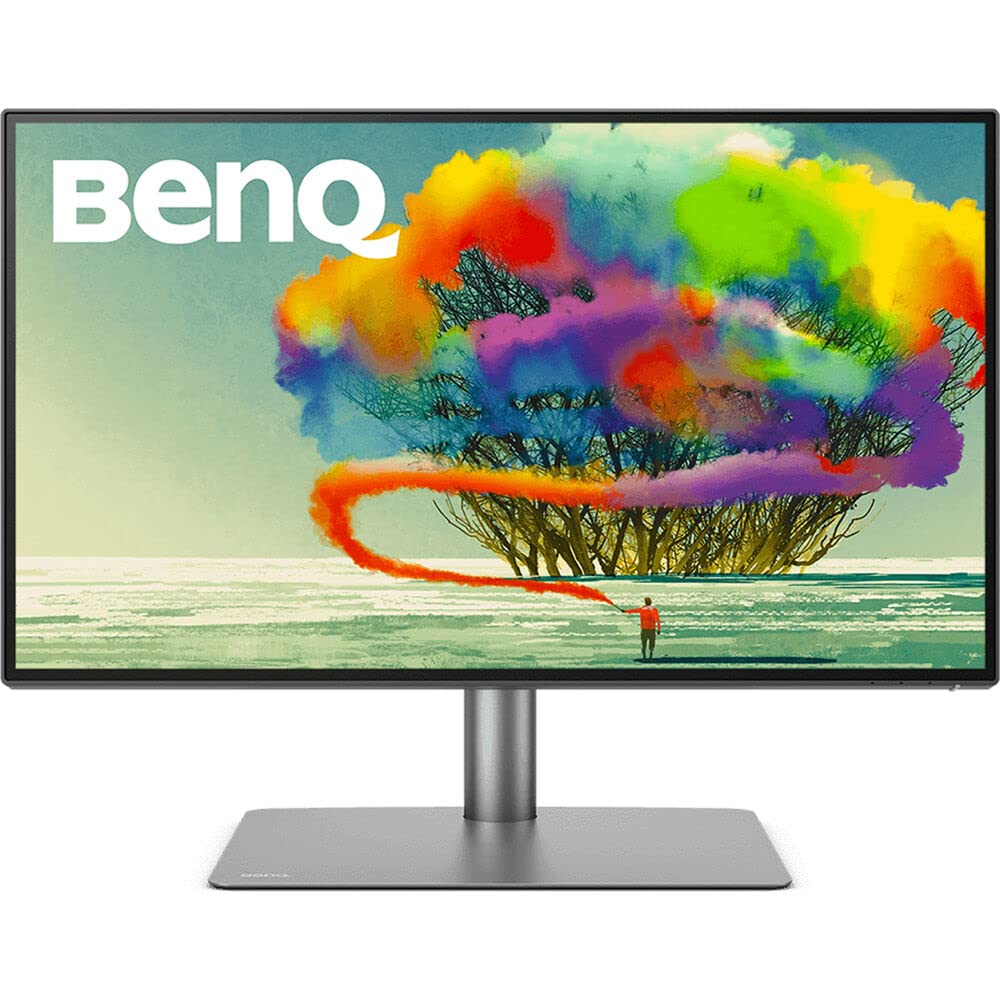
🎯 Elevate your Mac setup with pro-grade color and seamless multi-device control!
The BenQ PD2725U is a 27-inch 4K UHD IPS monitor tailored for Mac users and creative professionals. It features Thunderbolt 3 connectivity delivering 65W power and 40 Gb/s data transfer, factory-calibrated AQCOLOR technology ensuring 100% sRGB, Rec.709, and 95% P3 color accuracy with DeltaE≤3, and supports daisy-chaining dual 4K displays. Its ergonomic stand and built-in KVM switch with a customizable Hotkey Puck streamline multi-device workflows, making it a top-tier choice for photo, video editing, and professional design environments.


| ASIN | B0918QXTGN |
| Adaptive Sync | FreeSync |
| Additional Features | 100% REC 709, 100% sRGB, 95% P3, Delta E≤3, Monitor for Mac, Pantone Certified, USB-C (65W) |
| Aspect Ratio | 16:9 |
| Best Sellers Rank | #12,712 in Electronics ( See Top 100 in Electronics ) |
| Brand | BenQ |
| Brightness | 250 |
| Built-In Media | 2 x USB 3.1 Port, 1 x USB-B Port, 2 x HDMI 2.0 Port, 1 x Headphone Jack, 2 x Thunderbolt 3, 1 x DP 1.4 Port, 1 x Hotkey Puck |
| Color | Black |
| Color Gamut | 100.0 |
| Connectivity Technology | DaisyChain, DisplayPort, HDMI, Thunderbolt 3 ( PowerDelivery 65W, DisplayPort Alt Mode, Data ), Thunderbolt 3 out ( PowerDelivery 15W ) |
| Contrast Ratio | 1200:1 |
| Customer Reviews | 4.3 out of 5 stars 567 Reviews |
| Display Resolution Maximum | 3840 x 2160 Pixels |
| Display Technology | LCD |
| Display Type | IPS |
| Global Trade Identification Number | 00840046044800 |
| Hardware Connectivity | HDMI |
| Has Color Screen | Yes |
| Image Contrast Ratio | 1200:1 |
| Item Dimensions D x W x H | 10.8"D x 24.2"W x 17.7"H |
| Item Type Name | Design Monitor |
| Item Weight | 18.3 Pounds |
| Manufacturer | BenQ |
| Model Name | PD2725U |
| Model Number | PD2725U |
| Mounting Type | Wall Mount |
| Native Resolution | 3840x2160 |
| Number of Component Outputs | 4 |
| Picture Quality Enhancement Technology | Advanced Color Accuracy, Eye Care Technologies |
| Pixel Pitch | 0.155 |
| Power Consumption | 37 Watts |
| Refresh Rate | 60 Hz |
| Resolution | 4K UHD 2160p |
| Response Time | 5 Milliseconds |
| Screen Finish | Matte |
| Screen Size | 27 Inches |
| Screen Surface Description | Matte |
| Shape | Flat |
| Specific Uses For Product | Business, Photo Video Editing |
| Total Number of HDMI Ports | 2 |
| Total Thunderbolt Ports | 1 |
| Total USB 3.0 Ports | 4 |
| Total Usb Ports | 2 |
| UPC | 840046044800 |
| Viewing Angle | 178 Degrees |
| Voltage | 240 Volts |
| Warranty Description | 3 year manufacturer |
| Warranty Type | 3 Years Manufacturer Warranty |
A**S
Amazing
TL/DR: Amazing monitor. Great picture, Great Features. HotKey Puck - the accessory I didn't know I needed, but can't live without! Wish it had 1 or 2 more USB ports & Ethernet port. I shopped for a monitor for months. I have used dual 27" monitors for at least a decade. I've recently started to have trouble with vision - more than just my eyes getting old, but they are too. I thought getting a slightly larger monitor would be nice. Then my docking station for 2 laptops (built-in KVM) started to fail - and it had been discontinued and there were no replacements available. I had 2 choices, buy 2 docks, plus a KVM and all of the extra cables, or reevaluate my entire setup and consider a monitor with a built-in KVM. Frankly, it was a really tough decision. Lots of monitors with built-in KVM - not many that also have daisy-chain capability. And without daisy-chain capability, I'm back to needing 2 laptop docks and all the cables that would require. This monitor from BenQ was the only one that also let me take advantage of the Thunderbolt connection on my laptop. Another key requirement was 4K resolution capability. The Good: The picture quality is really good and the features are fantastic. The display is plenty bright, without being too bright. It is flicker-free and has settings to minimize blue light. The color calibration is far more than I need. All the various color settings and features are interesting and cool. I don't really use them but did find them interesting enough to check out. There is also a boatload of software that you can download, including eye care software that reminds you periodically to look away from the monitor etc. All good things to help preserve eye health. The Freakin' AWESOME The most exciting feature of the monitor is the hot-key puck. With other monitors that have a built-in KVM switch, the switch to changing computers is usually on the monitor itself - not always convenient or easy to reach. The hot-key puck has a 3–4-foot cord and allows you to navigate the on-screen menu without needing to reach the monitor. You can even customize the buttons (hotkeys). This handy-dandy device allows me to change the computer with a click of a button on the hot-key puck. While the cord is plenty long to be within reach without stretching, I do wish it was a tad bit longer or could use an extension cable, so that I could run the cord under my desk to minimize cord clutter. But that's a really petty complaint for a spectacular feature. The monitor stand is an outstanding feature with a well-thought design. The stand has quite a bit of heft to it - it's downright heavy. It has a flat plate that sits on the desk. It's suitable to place any number of small items you want to place below your monitor. It's almost large enough for my 13" Ultrabook to set on top of, but not quite. The monitor connects to the stand with a quick-release type of connection giving the back of the monitor a very finished look. Putting it together is a one-person job. The meh There is a single headphone jack on the side of the monitor. I made sure to get a right-angle plug to minimize the impact on the monitor alignment on my dual-monitor setup. Most of the connections are on the back of the monitor but facing upward - meaning it's impossible to see the connections with the monitor standing upright. It is much easier to plug everything in, then attach the monitor to the stand. I keep my user guide handy so that I can find the connection diagram if I need to unplug or reconnect anything. The Could-Be-Betters There is no ethernet port. You can certainly use one of those ethernet-to-USB adapters and plug that into a USB port. I found that to be slower than when I plugged the ethernet adapter directly into my laptop. It also uses a USB port. Which leads to.... There are only 4 USB 3.1 ports (3 USB-A, 1 USB-C) for peripherals. 2 of these ports (1 USB-A & 1 USB-C) are on the side of the monitor. Those are easy to reach, but when in use, they prevent smooth alignment with another monitor for multi-monitor set-ups. 4 USB ports are typical of many, if not most, KVM switches, but fewer than I need. I have a USB hub connected to one of the ports on my monitor. I do wish that there were an option for a monitor arm that was compatible with the quick-release feature. It is so easy for one person to attach, and it looks very finished. (One of the new BenQ monitors has an arm like another brand's arm that does fit. I haven't tried the other brand's arm long-term because there isn't enough room for all the cables with the monitor's KVM switch). I do wish that the new BenQ monitor arm was compatible and available to purchase without the new monitor. I would buy it in a second. Prior to researching for a new monitor, I had never heard of BenQ. Given my experience with this product though, they have moved to the top of my list for future monitor purchases.
N**M
Excellent monitor for graphic design and video editing, great value
I've been using a BenQ PD3220U for over a year now (for graphic design and video editing), and liked it so much I bought another to pair with it as a second display. The BenQ compares very favorably to previous monitors I've used from NEC and Apple, but for less than half the cost. The color accuracy is excellent, build-quality is superb, and the display's brightness is more than adequate in my workspace. There's a good selection of ports, although accessibility to the ones on the back is a bit frustrating if you can't vertically rotate the monitor (mine sits under a bookshelf). Some of the setup instructions could use better clarification, particularly in regards to daisy-chaining displays and setting up the KVM switch, but BenQ's customer service has been very responsive to any questions I've had. The included Hotkey Puck is a convenient way to access the monitor's controls, however the icons on the buttons are nearly impossible to see, so I stuck my own P-Touch labels on them for better visibility (see photo). The monitor's stand is rock-solid and well-built. It's easily adjustable and has a good range of motion. The base is very flat and low-profile, so you can set things on top of it and it doesn't intrude on your usable desk space. For an excellent, color-accurate, yet still affordable monitor, I'd highly recommend it. There are three minor complaints I have with it: 1) At only 24", the included Thunderbolt 3 cable is effectively useless. If you plan on connecting with Thunderbolt 3, measure where you'll be installing your system before purchasing, so you can order a cable of the proper length. 2) If using more than one of these monitors together, each monitor must have its own dedicated Hotkey Puck. You can't control two monitors with one Puck (even if the monitors are daisy-chained together). Not a big deal, but it does increase desk clutter. (The Puck isn't required to use the monitor - there are buttons on the back to access the menus.) 3) I use the built-in KVMs to switch both monitors between two Macs. Mostly, it works fine. But there's an issue where if one of the connected Macs falls asleep, and I attempt to switch over to it, the Mac will not wake up and the monitor's entire USB bus and everything plugged into it will stop responding - keyboard, mouse, Puck, and all USB ports - and the KVM will get "stuck" on the sleeping Mac. If this happens, there are two fixes: 1) unplug/reconnect the USB (or Thunderbolt 3) cable going to the sleeping Mac, or 2) plug a keyboard directly into the sleeping Mac to wake it up. In either case, once the Mac is awake, the monitor's USB ports and all connected devices will start working normally again. BenQ customer support says this is a MacOS issue (which I fully believe).
J**T
Works great with MacBook Pro 2019 16"
I had been using an Asus PQ321Q 31.5” 4K display since 2014 with a variety of Macs. At the time, the image quality had exceeded anything I’d used and I was quite pleased with this monitor. It had its quirks, including a difficult UI, but the image made up for it, and once adjusted, I rarely messed with things. Various OS updates brought problems with waking from sleep that required hard power cycling. As time went on, these got increasingly annoying, but I was always able to get the monitor to work again, eventually. Then MacOS 10.15.4 came along, and the monitor simply would not work. This is surely a bug with Apple software, but after a few days of fighting an uphill battle, I gave in and decided to purchase a Thunderbolt Display. Given the relatively positive experience with ASUS and the forced opportunity to upgrade, I selected the Asus ProArt PA32UC 32". It was a comparable size but had dramatically better specs. Thanks to Amazon, it showed up shortly after ordering. My first impression of this monitor was that it was vastly more capable with its HDR capabilities, wide color gamut, and myriad input ports. But, the backlight bleed in the corners was noticeably worse than I remembered on the PQ321Q. Without a side by side comparison, I wasn’t sure but it felt worse for sure. And given that this device touted its deep blacks, I was immediately disappointed. I could live with this though, but worse, the first time I brought up a white screen, I immediately saw a number of black spots around the display. Dead pixels? Dust under the glass? I don’t know, but I do know that it drove me crazy. Every time I scrolled a white window across the screen, I fought the urge to wipe the dust off the screen. But I couldn’t. The next day, back to Amazon it went. The available options in this display class are fairly limited. The other device I’d been weighing was the BenQ PD3220U 32 inch. On paper, it’s a lesser display, certainly in terms of color gamut. But I needed a display and this seemed like it could work, so I gave it a try. Much to my delight, this display has been amazing. As a Mac user, it feels as if it were made by Apple for your Mac. Plug it into the Thunderbolt port and it just works. There’s a color setting just for you. You can adjust all the settings via free software. The display looks great and free of artifacts. The stand is solid and feels rugged, and the bezel and elegantly discrete. I really like this monitor and every time I wake my Mac from sleep and the display illuminates as if it’s happy to see you, it makes me appreciate it even more. I don’t ever use the included puck but see that it could be useful for some. The speakers are terrible, but hey, it includes speakers that are good enough to alert you to system sounds if the audio out is selected for monitor output.
J**O
Feature-packed, High-quality Monitor at a Fair Price
While not inexpensive, this monitor's quality and features make it near-perfect. My workflow includes photo and video editing and the typical productivity tasks. I also switch between a Mac Studio and a custom PC, which makes the KVM feature super-valuable. Quality: After I purchased this monitor, I performed a side-by-side comparison with my Samsung UC3899, and it was no contest. The most striking difference was viewing 4K HDR video. The color accuracy, brightness, and contrast are all great. And while the pixel density isn't perfect for Mac OS (very few monitors are), the scaling works fine, and the text is crisp and clean. Convenience: My favorite thing about this monitor is the convenience its features deliver. The KVM switch makes it dead simple to switch between computers and have the speakers, microphone, and peripherals follow. The hotkey puck is also great for everyday tasks and adjusting the brightness throughout the day. Construction: This is one of the most solidly-built monitors I've ever owned. I planned on attaching it to the VESA arm already on my desk, but the stand is so well-built (and aesthetically pleasing) that I dispensed with the arm. It has greatly simplified my setup and allows me to easily slide the monitor down to expose the mirrorless camera hidden behind it when I need to turn on the webcam (see uploaded images). Value: I feel like this monitor's quality, features, and build ultimately justify its price tag. I'm very close to giving it five stars, and the refresh rate is the only thing holding me back. If this supported 120 Hz, it would be the perfect monitor (for me).
A**R
Professional display
Great product, very impressed with its color accuracy and video quality.
T**M
Sooo not worth it
I ordered two of these direct from Amazon LLC. The monitors I received had been manufactured 10 months prior and the boxes were torn wide open and obviously had been dropped from a considerable height. There was a 4 inch deep cut in the side of the box facing the screen. These look like refurbs to me. The screen bezels don't look correct at 90 degrees, you can see the latches. The frame is coming apart. This is true for both units I received and it's super distracting. I had many issues with Ventura where the monitors kept losing their HDR settings. At every boot it had to be reset. But the picture is good. I would say however it's worth more like $700. There is a cheaper BenQ series at about half the price with 27 and 32 inch variants, with a large bezel at the base of the screen. For this monitor they removed the bezel and added a filter over the screen to make it look more high end, very much mimicking Apple displays. The filter tries to trick the eyes by adding visual noise, it’s a total scam IMO. I have had the cheaper models right next to the PD3220U and they have better picture quality without the filter for sure. This appears to me to be the exact same product in a more expensive looking enclosure for twice the price. Pfft Way overpriced and only 60Hz, and the refresh rate on this type of display is very noticeable even moving windows around. Colors are Ok in HDR mode. P3 is wildly oversaturated and unusable. And across the two “calibrated” monitors I received the colors varied noticeably with the exact same settings, see the video. Looking at a background of pure white I see the brightness is very uneven at the corners, on both units. Not a great use of $2500 but a hard lesson learned. Update: I returned them both. Outrageously overpriced and IMO an imitation of an authentic product (from Apple). There are far better monitors on the market at half the price of this or less.
P**S
Excellent display quality
This monitor (PD2730S) produces excellent display quality. The colors are wonderful. I do not have any testing hardware to calibrate but depend on other review sources and the included calibration data for my unit indicating the color accuracy is good. My unit has avg. delta E of .4982 on the report. Although the unit does not have high brightness as say Apple Studio Display or others but for me, it is bright enough for doing photo editing work with only 25% brightness setting. That is plenty to my eyes. 5K resolution is great and it is perfect scaling for Mac users. Once you switch from lower resolution/pixel density display to this, there is no going back. All of the sudden your old pictures look much better from rich of details that I have not seen before and better colors. Text is crisp and easy to read. It also covers many connectivity options - for display daisy chain (or use it for additional port) and many USB ports of which can be switched when connected to two computers or as expansion ports when connected to one computer. This is convenient for those who want to share two computers (e.g., Mac and PC) and for those who just use it for one computer for expanding USB ports. This might be a cost saving as well as space saving especially when connecting to computer that does not have many USB ports (e.g., Mac). KVM function also work well. No issues switching back-and-forth between computers. USB ports under KVM are located under the display to the left. They can also be used for plugging in USB drive if needed as well. Although, this is a good arrangement to accommodate broader use cases but for switching keyboard and mouse, I prefer to have those ports at the back to hide cables to those devices for cleaner look. This is not really a flaw but my personal preference. Note, there is one Thunderbolt port at the back for daisy chain to another display. It can also be used for USB device as well. However, it is not part of KVM switch. The included puck is also handy especially when your work flows need frequent adjustments or for just plain KVM switch. It eliminates to use small buttons (which often hidden out of the way) and scroll to the item you need to change. Those buttons typically are located on the monitor frame to the side, under or behind which is cumbersome or inconvenient to reach as well as may cause slightly push the monitor off its angle/height settings or makes it wobble. Puck is useful for this. Its design also is aesthetically pleasing and looks premium. Its size is not too big or too small. The construction is solid. The base is strong and broad with good proportion to the size of the monitor (as opposed to smaller which makes monitor looks like it has a small foot). There is no wobble at all. The base looks like it was made from aluminum. I prefer this flat base as opposed to monitor that has "V-shape" leg. Flat base does not waste space. You can put items on it. You can't put anything on the legs of V-shape leg base. Although this monitor is a bit higher price than some in this segment but for its display quality, the included accessories and functionalities, it is a good value for long term investment. Normally monitor last many generations than computers it connected to, at least for me.
D**R
Excellent Monitor
I was a bit worried to have this delivered but i was wrong, delivery was great. The product: blew my mind on how good it is. This is my first Benq monitor and imI have to say i am glad i bought this. The image quality and overall of the monitor are feel premium. Ill be testing it in depth but i have a feeling it will not disappoint.
Trustpilot
2 months ago
3 weeks ago