
DOWNLOAD THE APP


Customer Support

Desert Online General Trading LLC
Warehouse # 7, 4th Street, Umm Ramool, Dubai, 30183, Dubai
DOWNLOAD THE APP
Customer Support
Desert Online General Trading LLC
Warehouse # 7, 4th Street, Umm Ramool, Dubai, 30183, Dubai
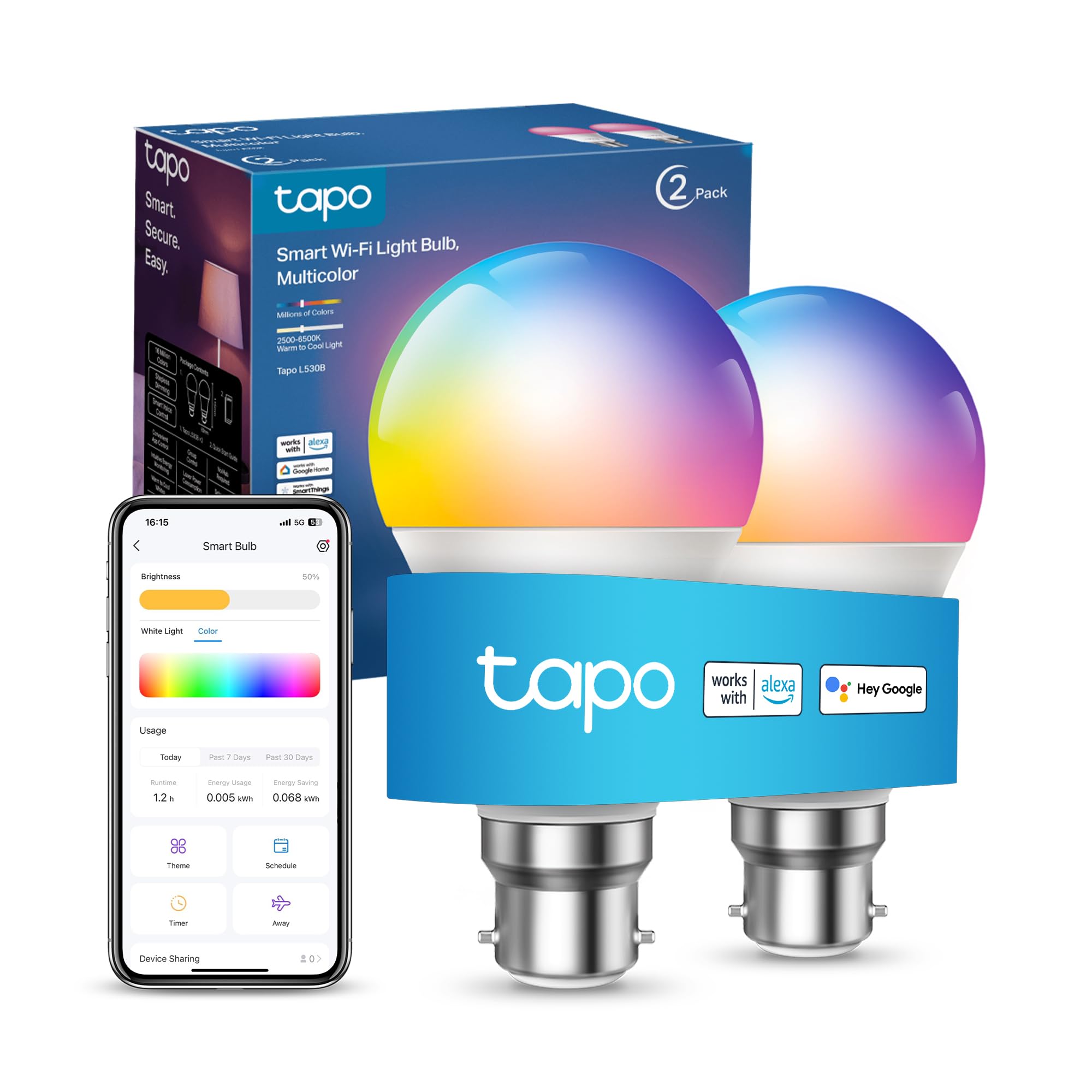
💡 Light up your life, smartly and stylishly.
The TapoL530B (2-Pack) is a B22 base smart LED bulb offering 16 million colors, dimmable brightness from 1-100%, and full remote control via app or voice assistants like Alexa and Google. It supports customizable schedules, energy-saving operation at 8.7W, and device sharing without requiring a hub, making it a versatile and convenient upgrade for modern smart homes.


| Product Dimensions | 6 x 6 x 11.4 cm; 150 g |
| Warranty description | 2 year manufacturer. |
| Batteries required | No |
| Included components | Smart Wi-Fi LED Bulb (Tapo L530B*2), User Manual |
| Item weight | 0.15 Kilograms |
K**R
Great Bulbs!
Really easy to set up and link to Alexa, no problems there! Absolutely love the fact we can change colours and dim the bulb also with ease! Great value for money.
K**A
Perfect
Love these bulbs. Our hive bulbs constantly disconnected and were at least twice the price for one. Slowly scrapping all our hive products and moving over to Tapo. We now have 8 of these bulbs in our house and experience no issues. They fully compatible with Alexa and my daughter loves the colour range. She is Audhd and loves lights that change colour. It’s also great that you can set them all to the same colour or change each one individually. We are definitely a Tapo family and will continue to use and recommend their products to everyone. All of the products we have from Tapo outperform the price by miles.
A**V
Overall good but contact problems with Mesh Network connectivity
It is a goof bulb and easy setup with Tapo app. The only problem I have it constantly loosing network despite it is on 2.4 WiFi. I have Deco Mesh at home and may be it is a reason but I would expect more easy problem between devices from the same company. I am currently trying to fix it but this required advance knowledge which probably not for regular users.
M**L
Very user-friendy.
After trying (and failing) with many different brands of "smart" bulbs, these really are a breath of fresh air! Pairing was almost instantaneous, and the bulbs were up and running via the App. and Alexa within minutes.
J**.
Work well with Alexa & app has good features & brightness
I have a pair of these bulbs in bedroom lamps. They work well with Alexa and some good app settings. details below; * unlimited colour options and a nice warm white as default * very bright but down to 5% is usable as ambient light * App has some nice features like the time it takes to go to the brightness set, so set it to 10secs and bulb takes 10seconds to dim and go off * with Alexa grouping you can have them come on together * Alexa can give the brightness command to these bulbs too so can be adjusted depending on how bright you are They are very good value for money and I also have Govee bulbs
C**Y
Do easy to use
This is nowy fifth Tapo device, and once you set up the first, all others take seconds to set up in the app. Alexa set up is immediate and works well. Google seems to be trickier and flakier, once set up with Google you need to go into Google home, select the d vice again, and then it is set up, not just when you add it to Google in the TAPO app. I cannot speak to the usage time as yet as I have only had my Tapo devices for a couple of months for the old st, however if I find any issues I will update this review. Tips if this is your first TAPO device: 1: download the app first, before turning anything on, plugging anything in. 2: Turn " location" on your phone on, the app asks like it is an option but the software cannot "pair" the device without location, don't ask me why, makes no sense to me either, I have already written to the developers to ask them to fix this but had no reply as yet. 3: if you are adding to Alexa, simply follow the in app instructions. If you are adding to Google ( so you can say ok Google , Turn living room lights off) then follow the in app instructions, and then when set up is completed, go to the Google home app on your phone, and add the device there too, otherwise Google won't find it/ them. 4: leave your wall switch on, because it's only function now is to power the device, the wall switch will not turn the lights on any more, use Alexa/ Google commands or the app on your phone. If you switch the wall switch off, Google/ Alexa and the app will not be able to turn the lights on. I have been reassured by the manufacturer that when Google/ Alexa or the app turn the lights off, they are no longer drawing power, so leaving the wall switch on will not cost you money if you told the light to be off. Update: One thing to note is that if you change your wifi, you need to add each device back again so have your wifi password memorized. A tip for people in older properties with different wiring looms... To reset your tapi device ces ( bulbs, light strips) you follow a little game of " off and on" in the app. That means s it plays a little animation of a bulb with the light on and the light off and you have to manually turn the light switch on and off 3 times for a soft reset or 5 times for a hard reset, in time with the animation. If your wiring looms is a tad older, you might find this doesn't work, and if you contact support they advise you to manually unscrew and screw in the bulb in time with the animation to ensure that when the animation says off, your bulb is disconnected and actually off, however... I found that you can forge tottering on a stepladder to faff about with the bulbs, simply by slowing everything down, turn the light on when it says, turn it off when it says but keep it off for 4 seconds, or two " off " animations, repeat twice more for a soft reset and works like a charm. Now I don't know why, but my father who is an engineer said something about the old wiring but then got technical and my brain turned off, but this method worked for me, I told support what arrived had done to solve the issue ( because the regular soft reset worked fine in parts of the house and I realised where it was working were areas where the electrical wiring looms had been changed, where it wasn't working are areas still on the old electrical) and I mention it here in case anyone else is having difficulty after a wifi change or their soft reset isn't working or their hard reset isn't working, my method might work for you and may be preferable to unscrewing and screwing back in all your bulbs. Hope that makes sense.
M**B
Read this if you’re struggling to set up with Alexa
I’ve given these three stars, which I think is fair given the level of frustration they caused during setup — particularly when trying to link them with Alexa. If you’re buying these and plan to use Alexa, please read this carefully. The instructions are woeful and strongly imply that you can link the bulbs simply via the Alexa app by enabling the Tapo skill. You can’t — not successfully, anyway — until you first give permission in the third-party services section of the Tapo app. I spent hours repeatedly trying to link the Tapo Alexa skill. It kept “linking”, but nothing ever appeared in Alexa and nothing worked. No errors, no warnings — just endless failure. The crucial step is not clearly explained anywhere. I cannot stress this enough: you must enable Alexa access inside the Tapo app first. Asking Alexa to link the skill on its own will get you absolutely nowhere, despite the instructions suggesting otherwise. Once I finally discovered this and got everything connected, I have to say the bulbs themselves are excellent. They’re bright, responsive, and work very well with Alexa once properly set up. The only minor niggle is that the colour picker can be a bit finicky if you’re trying to get a very specific shade first time. I’m still resentful about the time wasted figuring this out — especially as I’ve added other smart lighting brands before with no issues, so this isn’t a case of being new to smart tech. Tapo really need to be far more explicit in their instructions. With better guidance, this would easily have been a four- or five-star product.
M**R
Niquel Fonctionne correctement super pratique Et rapide à installer
M**Z
ampül anahtarı yatağıma uzak ve tembellikten almıştım ürünü. kumandalılarla kıyaslayamam ama uygulaması üzerinden yönetebilmek çok iyi, gereksiz bir kumanda kalabalığı olmuyor. %1e kadar ışığın şiddetini düşürebiliyorsun, renk değiştirebiliyorsun, rengin sıcaklığını vs, uygulama üzerinden otomatik zamanlayıcıyı çok sevdim. eksileri ise anahtardan aç-kapa yaptığımda yavaş reaksiyon veriyor bence, birkaç kez elektrik kesildi sanmıştım. bir de uygulaması bana gereksiz büyük geldi, çok daha karmaşık işlevlere sahip uygulamalar çok küçükken bu yaklaşık 1gb.
T**S
L’ampoule Tapo est vraiment facile à installer et à connecter à l’application. On peut régler l’intensité et la couleur facilement, tout fonctionne parfaitement. Bonne qualité pour le prix, je recommande !
R**A
Ho acquistato questa lampadina due volte: la prima quasi 2 anni fa per me e, visto che nel tempo si è dimostrata affidabile e di buona qualità, l’ho comprata di recente anche per il mio fidanzato. In entrambe le occasioni l’ho pagata intorno ai 10 €, un prezzo che considero ottimo. La luminosità è regolabile e fa davvero molta luce: la mia stanza è abbastanza grande e riesce a illuminare bene tutto l’ambiente, ovviamente in base anche alla lampada e alla direzione della luce. Io la utilizzo principalmente come luce secondaria, ma all’occorrenza è più che sufficiente. Apprezzo molto i colori, soprattutto le tonalità calde, e l’ampia scelta disponibile tramite l’app, che è ben fatta, intuitiva e offre anche scene preimpostate e il monitoraggio dei consumi. La utilizzo con Alexa e la connessione è sempre stata stabile. Una funzione che uso spesso è una routine personalizzata: dandole la buonanotte, la lampadina si spegne automaticamente dopo circa un’ora, così non resto con la luce accesa tutta la notte ed evito sprechi. Nel complesso è una lampadina smart che continuo a comprare e consigliare per qualità, affidabilità e rapporto qualità-prezzo.
Z**A
Quick and easy to install. Works with Alexa.
Trustpilot
2 weeks ago
1 month ago