


🎥 Zoom into clarity, control, and connection like a pro!
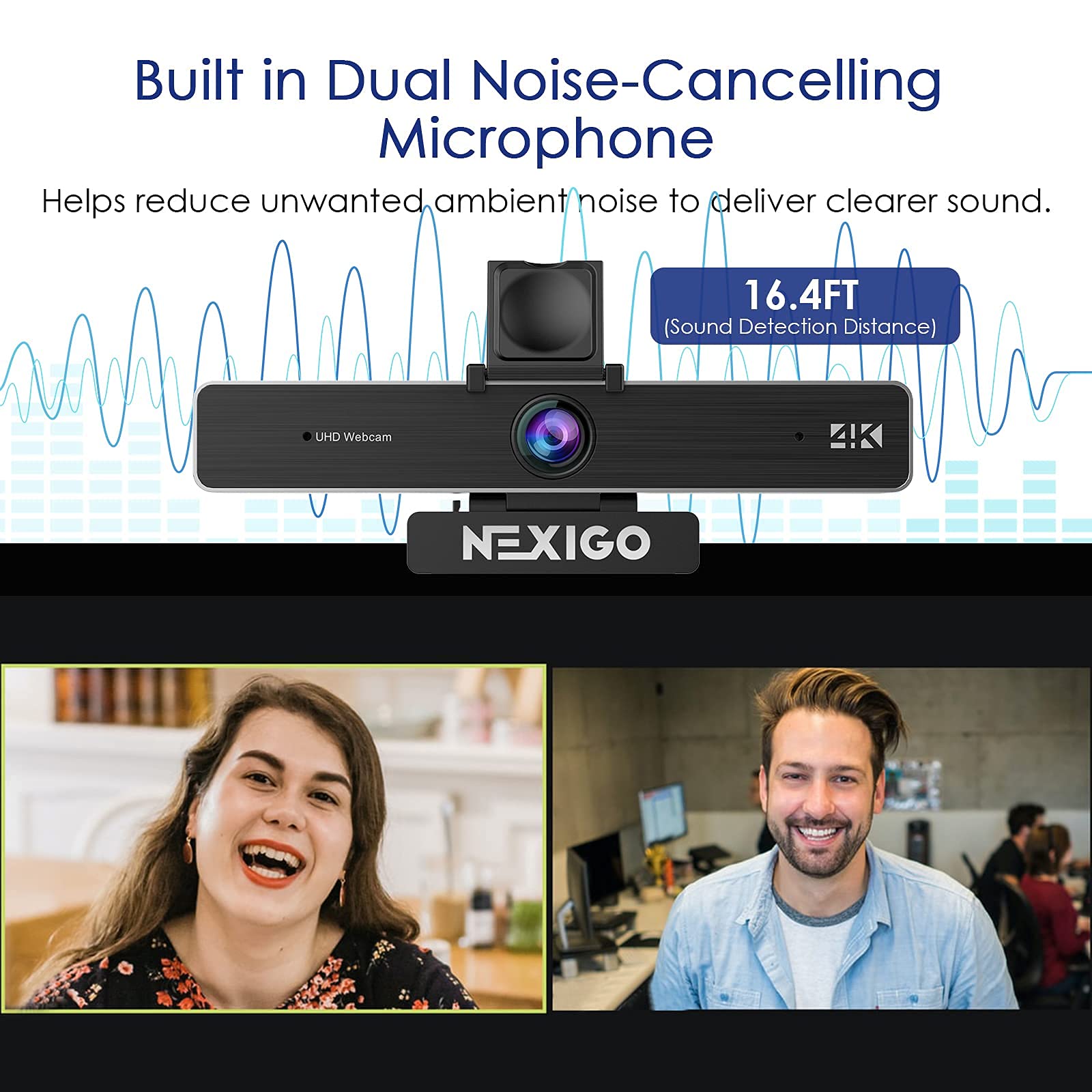
The NexiGo N950P is a 4K-certified webcam featuring an 8.5MP Sony Starvis sensor delivering crisp QHD video at 30fps. It offers 5X digital zoom controlled remotely, dual noise-cancelling stereo microphones, and universal USB-C/A compatibility. Designed for seamless use across major OS platforms and video apps, it includes a privacy cover and versatile mounting options, making it the ultimate tool for professional video conferencing and streaming.


| Digital Zoom | 5 x |
| Zoom | Digital |
| Compatible Devices | Devices running Windows, Ubuntu, Chrome OS, Linux, macOS, and Android |
| Supported Image Format | YUY2, MJPG |
| White Balance Settings | Auto |
| File Format | JPEG |
| Exposure Control Type | Automatic |
| Shooting Modes | Automatic |
| Image Aspect Ration | 1.78:1 or 16:9 |
| Video Resolution | 4K |
| Video Capture Format | YUY2/MJPG |
| Effective Still Resolution | 8.5 MP |
| Supported Audio Format | AAC, MP3, PCM |
| Lens Type | Zoom |
| Focus Type | Auto Focus |
| Minimum Aperture | 31.74 Millimeters |
| Maximum Aperture | 30 f |
| Flash Memory Type | SDHC |
| Viewing Angle | 9E+1 Degrees |
| Display Resolution Maximum | 3840 x 2160 |
| Screen Size | 8.5 Inches |
| Form Factor | Compact Camera Design |
| Operating System | Windows, Ubuntu, Chrome OS, Linux, macOS, Android |
| Style | Webcam 4K |
| Item Dimensions D x W x H | 2.12"D x 5.98"W x 1.78"H |
| Photo Sensor Size | 1/2.5 inch |
| Water Resistance Level | Not Water Resistant |
| Has Image Stabilization | No |
| Image stabilization | Digital |
| Sensor Type | CMOS |
| Connectivity Technology | USB |
| Color | Black |
| Features | Low Light |
C**.
A little more than I was looking to pay, but well worth it!
I purchased the The NexiGo N950P Pro Web Camera a couple of weeks ago to use in place of the poorly located camera on my Dell laptop. I got tired of looking at my screen and it appearing to those on the conference call that I was just staring into space and not at them. This is because the camera is placed in the lower left-hand corner of my laptop screen. I hope they fired the design team! Now with the N950P "clipped" to the center of my laptop screen, everyone is happy to see that I am now paying attention!Since receiving the N950P, I have used it for several video conferences and meetings and it works just as advertised. Setting up was simple with the included cables and once everything was figured properly for the different platforms, the Nexigo N950P provided excellent picture and sound quality.However, for my use, the best feature is the zoom and adjustable field of view (like a pan and zoom). For business meetings I can zoom in and minimize any "clutter" that may be in the field of view instead of moving to a location with a plain background. Also, if others are with me, they can be featured when speaking during a presentation. For family calls, we can include the entire crew in the view or zoom and focus on something we want to share.I have tried most of the features and have had some issues with recording, especially with the zoom feature. Video recording and/or taking pictures were not primary reasons for purchasing the N950P, just wanted a good upgrade from the built-in camera. More than I had expected to pay for a webcam with a zoom function, but the 5x zoom works well and the ability to "pan, tilt, and zoom" makes this webcam a good option for my immediate requirements.A couple of negatives that are somewhat maddening for the price:1) the camera hinge on the holding clip is quite loose and if you let the cable hang loose, it tends to pull the back of the camera down. I wound up bunching the cable behind my laptop screen and the camera holds in place fairly well. Just don't bump the desk or table while using the camera or viewers will get a good shoot of the top of your head or the ceiling!2) when using with a tripod, I just use the tilt feature of the tripod instead of the hinge on the N950P. Also, the threaded hole for the tripod screw is shallow and may require some type of "fix" (washers, etc.) to get a good fit.The Nexigo N950P webcam itself is quite good and you can tell the R&D effort went into that. However, they could have put a little more thought and effort into the design of the monitor clip. Also, could have put more effort into the instruction manual/booklet/leaflet as there may be questions that come up as I become more familiar with this webcam and all that it can do.Overall, I am satisfied with this product and would recommend it to my family and friends as long as they aren't scared by the price.
G**Y
The most impressive webcam you will ever find...at a great price!
I have always been picky when it came to any of my tech. I am particular with the build quality and the versatility of every piece of tech I own. Usually I do not go for a webcam unless I need an extra temporary angle for my Twitch streams. Coming from someone who uses a GoPro HERO 7 Black and a Sony a6300 for my stream cameras, it takes a lot for me to be impressed in regards to picture and video quality. This is one of the BEST webcams I have come across in all aspects I rate tech.I rate most tech on aspects of the following points: Packaging, Build Quality, Included Accessories, Versatility and Product Performance.▬ι═══ﺤThe Packaging-═══ι▬ﺤThe packaging of the camera is done very well. Everything is kept in place and even had descriptions on where everything is located. No amount of forceful shaking causes anything to move out of place. A solid package with great presentation.▬ι═══ﺤBuild Quality-═══ι▬ﺤThe quality of the product is solid! It isn't too heavy, but it isn't light either. The sleek design makes mounting very flush with any monitor. While it may not have a ball swivel to enable full motion positioning, the threaded insert that is on the mounting base makes attaching to a camera mount a breeze. Adding a flex ball head adaptor gives this camera full flexibility. Another great feature with this is the detachable cable from the camera itself. This gives cable management and hot-swap capabilities a plus without having to worry about tangles as you move the camera itself.▬ι═══ﺤIncluded Accessories-═══ι▬ﺤIncluded with the camera are two USB cables (1 USB-C to USB-C and 1 USB-C to USB-A) so you can use either or for your needs. If you have a laptop and a desktop, throw one of the cables into your bag and now you have a mobile option. Also included is the remote which gives you some minor adjustability on-the-fly without having to consult the Nexigo Camera application. Finally is the privacy cover for those moments where you need to keep the camera out of the personal life. All of these features are great.▬ι═══ﺤVersatility-═══ι▬ﺤFor a webcam, this thing is pretty versatile. The detachable cable ability gives travel options and repositioning that extra push. Coming from someone who constantly changes camera angles and tests tech, this is a plus. The added remote is a nice touch for when I am live-streaming and need to adjust on-the-fly. Another great addition is the ability to power off the camera while your pc is off. This prevents the unnecessary need for power when you aren't using it.▬ι═══ﺤProduct Performance-═══ι▬ﺤFirst, let's talk picture quality. I am very strict on picture quality because of my live-stream presentation. This webcam, in my opinion, is not like any other I have tried. The quality of this is almost equal to that of a 4K capable Sony a6300. The picture is crisp and clear, but you will need to do some tweaking through the Nexigo camera application to get that correct. Out of the box, it will look a little washed out in saturation and brightness but again, it is a webcam and not everyone has the same application as I do. Another thing to remember is to have optimal lighting whenever you are adjusting the settings so you have the perfect quality.Next is the zoom ability in the app and on the remote. This is nice for fine tuning and the quality doesn't degrade much. You will see some granulation but it depends on your lighting and positioning. I gave it a 4-star in this feature because of the minor loss of clarity, but that happens with every webcam in my opinion.Lastly is the overall performance, which surpasses my expectations. Compared to the Razer Kiyo, this is so much better! Having the options to shut off the camera and the microphone makes the lifespan great. This isn't my first Nexigo product, as I have had the N60 as well and this is a far superior camera. And, with every Nexigo product you purchase, their support and warranty through their website is amazing and very helpful!▬ι═══ﺤThe Verdict-═══ι▬ﺤThis product is THE BEST webcam I have purchased. Just the overall quality is perfect for what I need. When I am doing an away stream or even build streams, this camera will give the quality I need for the purpose I need it for.If you are going to get a solid webcam, for whatever you are needing it for...GET THIS CAMERA!
A**N
Solid camera with some minor frustrations
I bought this camera both for work and for discord calls with my buds. This camera, overall, is a mostly high quality product and is definitely an upgrade over my previous webcam. Hardware-wise, the unit is very solid, with mounting solutions for both on monitor and a hole on the bottom for a tripod, which is a nice touch.Installation was completely plug and play; worked within seconds on my Windows 10 machine.The picture quality is excellent, and definitely a testament to the value of upgrading to a 4K camera. The automatic backlight compensation (activated by a button on the remote) works well, and helps since I’ve got a bright window right next to my desk. Speaking of the remote, it’s super handy to be able to adjust settings on the fly, rather than having to go into software each time you need to change something.The microphone built into the camera is decent, but you might be better off having a dedicated mic. However, the active noise cancellation used works quite well, eliminating any background noise from my stream.Finally, as other reviewers have mentioned, the manual for this thing can sometimes be unclear, not really explaining the function of some options. However, with a little messing around I found it pretty easy to figure out. Another snag is that when you switch between some options on the camera, such as turning the backlight compensation on/off, you have no indication whatsoever on the camera itself, so it’s hard to gauge what options you have enabled. Another reviewer mentioned hitting the home button when you turn it on, which sets everything back to default, and THEN activating the buttons. I’ve found this method to be my go-to.
Trustpilot
1 day ago
2 weeks ago



