
DOWNLOAD THE APP


Customer Services
Copyright © 2025 Desertcart Holdings Limited
DOWNLOAD THE APP
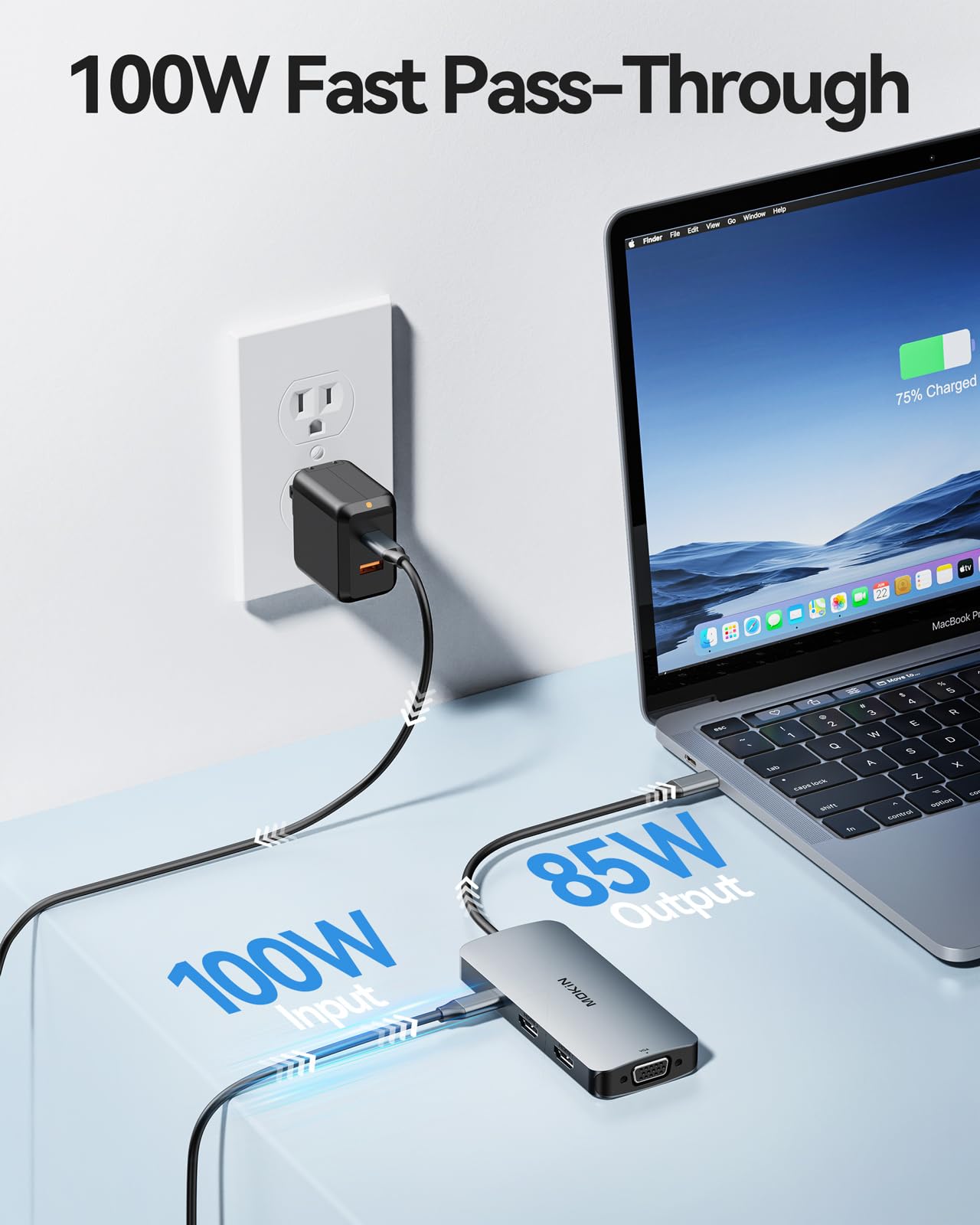
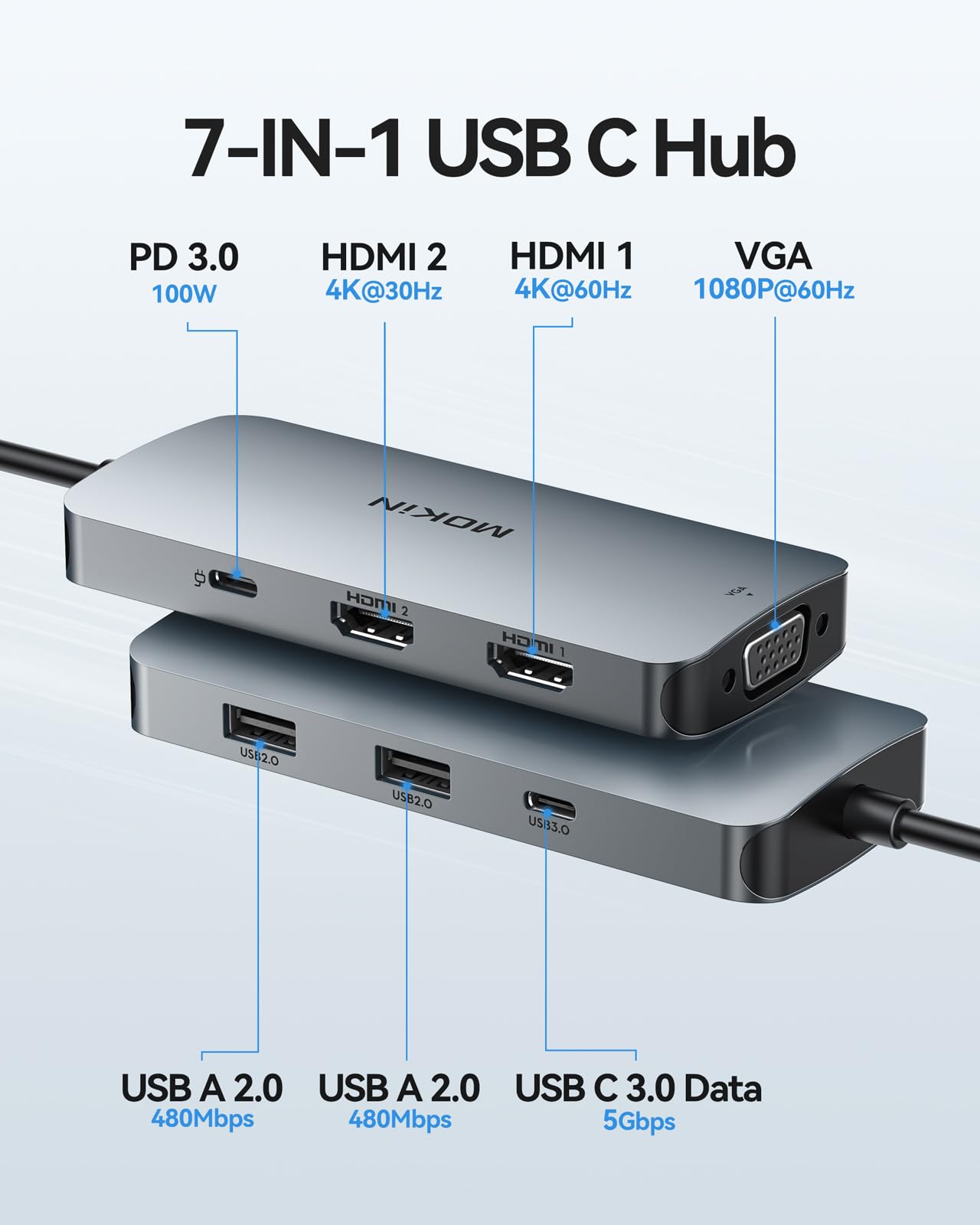
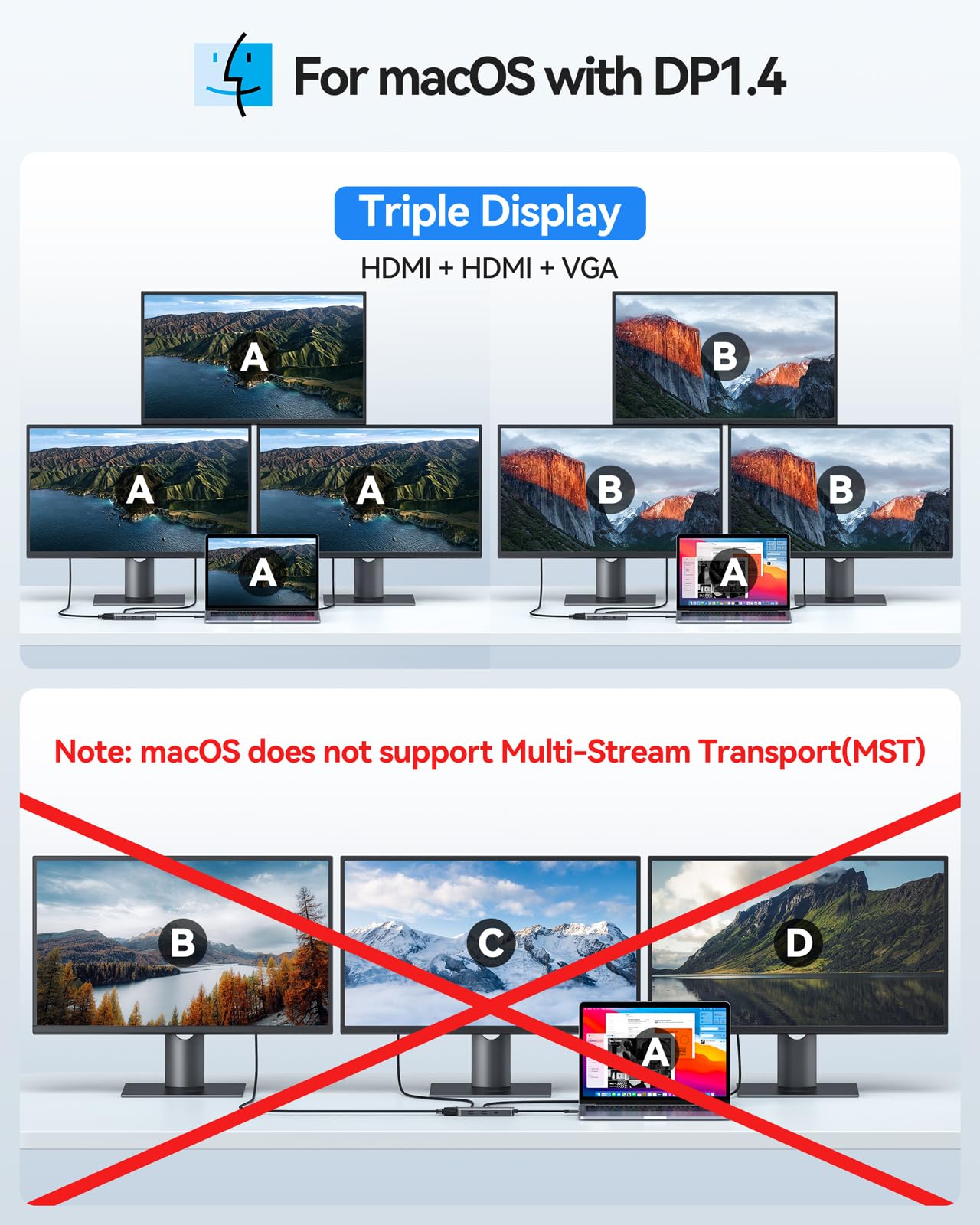


🚀 Unlock your ultimate multi-screen command center—work smarter, not harder!
The MOKiN 7-in-1 USB-C Docking Station transforms a single USB-C port into dual 4K HDMI outputs, two USB 2.0 ports, VGA, and power delivery up to 100W. Crafted with a durable aluminum shell, it supports plug-and-play setup with broad compatibility across Windows laptops and MacBooks (mirror mode only). Perfect for professionals seeking a sleek, efficient multi-monitor workstation on the go.


| ASIN | B09MKG24VR |
| Are Batteries Included | No |
| Best Sellers Rank | 2,226 in Computers & Accessories ( See Top 100 in Computers & Accessories ) 19 in Docking Stations 49 in USB Hubs |
| Brand | MOKiN |
| Colour | 7 IN 1 Docking Station 2 HDMI |
| Customer Reviews | 4.3 4.3 out of 5 stars (1,474) |
| Date First Available | 23 Dec. 2021 |
| Guaranteed software updates until | unknown |
| Item Weight | 80 g |
| Item model number | MOUC0516 |
| Manufacturer | MOKiN |
| Number of HDMI Ports | 2 |
| Operating System | Windows |
| Product Dimensions | 14 x 7 x 2 cm; 80 g |
| Wattage | 100 watts |
W**H
Good quality
Works well
L**B
Works Perfectly with ASUS Zenbook S13
Bought originally for daughters MacBook, but it was so neat without trailing cables that I tried it out on my ASUS Zenbook S13 and it works just fine, so I bought a 2nd one! I looks so much better than the adapters aimed at Windows laptops, and has all the ports I needed. I would definitely recommend.
P**P
Great for my MacBook
A great docking station that allowed me to have 4 screens (including MacBook Pro), or three screens with my MacBook closed and on a stand. The installing of the drivers is simple, although I had to get it from the website as the file on the device was corrupt, but I did need to reboot, remove, reinstall, reboot etc a couple of times. This is only one I’ve found to offer true multiple screens for MacBook. It does also work really well for Windows.
M**E
Works perfectly
Works perfectly
K**R
As described really nice product, good would bye again
As described really nice product, good quality would bye again
A**R
Update-Got refunded-Good idea of a compact thunderbolt but…
As I thunderbolt I have only used it with one screen and it works perfectly fine. Could have more USB type A and C ports. If you plug a wall charger to it, the power is not being transferred to charge your laptop even if you plug your laptop charger. I like when my desk is very minimalistic but now need to have that extra wire to charge my laptop. Not the best buy. Might have to use this as travel adapter to connect all the accessories to my laptop but not as a thunderbolt for home office-19.04.2024 update- I’ve been contacted by seller and offered a refund. Looks like there is an issue with compatibility between my dell latitude laptop and MOKIN thunderbolt resulting in slow charging mode when laptop charger was plugged via MOKIN adapter, and to be able to quickly charge my laptop I had to plug my 65W original charger directly into my laptop. Now as I’ve been refunded I will be able to purchase separately more powerful charger that I will be able to use with my MOKIN thunderbolt. Overall I’m very satisfied customer especially with me experienced with customer service of the seller. Well done you deserve 5 stars. P.S they will update they product description to include any incompatibilities
J**Y
Works great, gets hot
Works well can use both my screens and keyboard and mouse ethernet port is a good addition. Only issue is it gets quite hot but doesn't seem to affect performance.
S**W
Doesn't work
I bought this adaptor for my new Dell computer as it is advertised as Dell XPS compatible. An adaptor is needed with the computer since it only has 2 usb-c ports. I've had issues with the functionality of the computer - the sound of my Jabra speaker drops mid meeting, the sound quality is bad and delayed in video calls, the screen of my external monitor goes black periodically, the charger icon has a warning of slow charging, the mouse drops connection to the usb receiver. I have been speaking to Dell about the issues however when I changed adaptor all issues were resolved. I have now tried to claim a refund for this faulty item and discovered that the warranty period is only 1 month and I am 5 days outside of that tiny warranty period.
J**R
It worked like I expected it to. I hooked an external monitor and a tv to my laptop through the usb c port. Then I got into the display settings on the laptop and enabled the "extend monitor" button and it worked fine so far.
J**O
Excellent product and delivery was wuick
1**1
VGAは変換アダプタを間に挟んで繋ぐしかなかったのだがそれでは機能しなかった。 それ以外は割と値段相応で悪くないとおもう。
R**7
Not working after 40 days
A**ー
M2 MBAで使用してみました。 外部ディスプレイがあいにく使用中のため、他の機能を試してみました。 HDMIだけでなく、DPが付いているので気になりますので、早く試したいです。 まずはUSB-Cでの充電ですが、Anker Prime Charging Station 140w → 本機 → M2 MBA と接続したところ、30w位をウロウロしているようでした。バッテリーが90%くらいですので、この位でしょうか。 MicroSDをUSBアダプタ経由で差し込んでみたところ認識しなかった。 いまどきVGAは要らないのでSDカードリーダーが付いていると良かった気がします。 このようなほぼ無名メーカーの商品に当てはまるのですが、開口部や角はもっと面取りしてほしい。 何個か持っていますが、PCに傷がつくんじゃないかと思うくらい尖っているのがあってヒヤヒヤします(笑)
Trustpilot
2 days ago
3 days ago