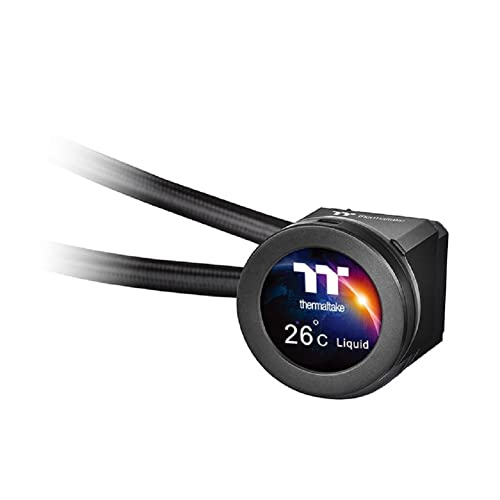

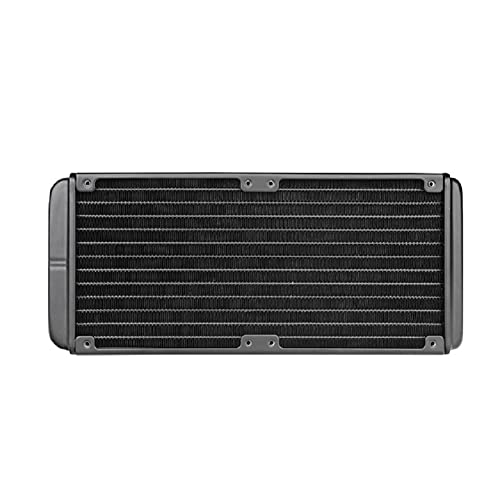

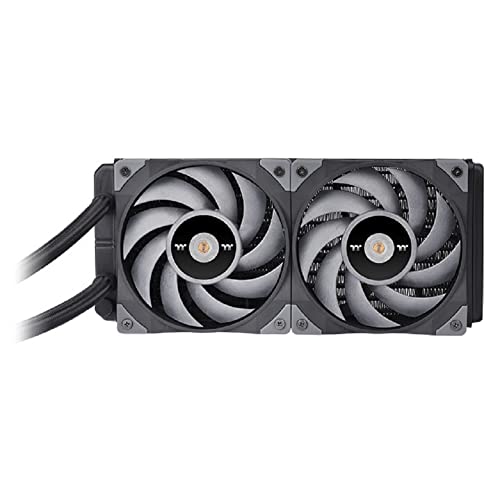


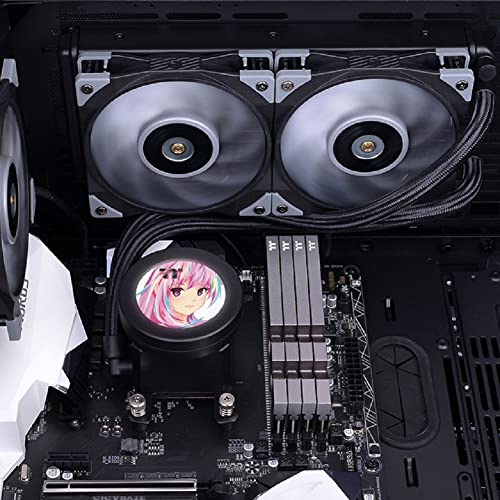


❄️ Cool your rig, show your style — liquid cooling meets next-level customization!
The Thermaltake TOUGHLIQUID Ultra 240 is a high-performance all-in-one liquid CPU cooler featuring a unique 2.1-inch rotational LCD display with 480x480 resolution for real-time monitoring and personalized visuals. Equipped with dual TOUGHFAN 12 Turbo fans spinning up to 2500 RPM and a copper cold plate, it delivers exceptional cooling efficiency while maintaining low noise levels. Compatible with a wide range of Intel and AMD sockets, it supports advanced RGB lighting and system monitoring through TT RGB Plus 2.0 software, making it an ideal choice for professional-grade overclocking and stylish PC builds.


| ASIN | B09FSM4B51 |
| Best Sellers Rank | #1,870 in Water Cooling Systems |
| Brand | Thermaltake |
| Compatible Devices | Desktop |
| Cooling Method | Water |
| Date First Available | September 8, 2021 |
| Item Weight | 4.2 pounds |
| Item model number | CL-W322-PL12GM-B |
| Manufacturer | Thermaltake |
| Material | Copper |
| Maximum Rotational Speed | 2500 RPM |
| Noise Level | 28.1 Decibels |
| Number of Items | 1 |
| Power Connector Type | 4-Pin |
| Product Dimensions | 13.4"L x 5.6"W x 8.2"H |
| UPC | 841163078006 841163079720 |
| Voltage | 12 Volts |
| Wattage | 11.5 watts |
N**R
It keeps my overclocked CPU nice and cool
I have a 7700K and have been using a Hyper 212 Evo for the last 2 years. My CPU and GPU always ran at no more than 67C while gaming. Over the past few months my CPU started getting as high as 80C. I decided to delid and add this cooler. I am currently overclocked at 5.0Ghz at 1.330 volts and my idle temps are around 28 to 30C and my highest spikes while gaming are at 68C. The product seems to be good quality. It was pretty easy to install. I have a Corsair 780T case so I was able to mount the fans directly under the mesh cover at the top of the case. I mounted the radiator under the metal frame below the fans. I was able to use the supplied screws to go through the fans, through the metal frame and into the radiator. The fans are in a pull/exhaust configuration out the top of the case. The instruction sheet is terrible. The one I received looked nothing like the instructions I pulled up online. One side was for Intel and the other side was for AMD. According to the picture it told me I should be using the backplate that was more of an oblong shape. It did not match up to the water block at all, not even close. I emailed Thermaltake asking about this. To this day they have not even bothered to respond to my inquiry! I disregarded their inadequate instructions and went off a youtube video instead. I should deduct a star for this but the cooler works really well so I won't. This does not have any RGB lighting at all. I looked at the other models that have lighting but they all require plugging in a cable to a USB port on the motherboard. I don't have an extra one so when I saw this model of cooler I liked that it was straightforward with just the plugs for the fans and the pump. I have read many ways to make these connections for proper operation. I ended up plugging in the fans (with the included 3 way splitter) to the CPU fan header. I plugged in the pump to the AIO pump header. The AIO pump header will supply full power to the pump so it runs at maximum speed all the time. Apparently monitoring software will only report half the actual pump rpm so you have to multiply by 2. Mine reads around 1750 which means I am getting 3500 rpm which is within the rated speed. I am controlling the fan speeds through BIOS and set a custom curve. The fans run at a minimum of 40% and ramp up to 100% at 75C. They never spin much higher than the 40% while gaming and I am surprised this works so well with the fans at such a low speed. I did turn them up to around 75% speed to see how loud they would be and they are very loud. If you need to run the fans at a high rpm to keep your system cool you might not like the amount of fan noise. The hose were long enough to reach the top of my case with room to spare. I do worry about springing a leak which would destroy my 1080ti but that is a risk everyone takes when using water cooling. The pump is silent. I can't hear it at all. I can feel a vibration when I touch the hoses. You can definitely feel the heat being exhausted through the top of the case. I also noticed my GPU runs a little bit cooler since the heat from the CPU is now being exhausted out of the case instead of the Hyper 212 Evo blowing hot air around inside the case. I did notice the fan cfm rating is in the 90's. Other coolers from different manufacturer's rated the cfm at less than 50. Overall if you are ok with no RGB lighting and have the room for a 360mm radiator this is a good choice. It got excellent reviews from the few you can find online.
3**O
Quiet and cool
Very quiet and excellent OC cooler. I fit this in a Nanoxia Deep Silence 1 on an Intel i7-4790K LGA1150 with four 8GB sticks or Corsair Vengeance Pro RAM and Corsair Vengeance Airflow Memory Cooling Fan on an ASUS Z97-A mobo. The memory cooling fan was a tight fit but it did fit. Ran the ASUS AI one click optimizer and the 4790 overclocked to 4900MHz. Limiting factor was memory not CPU cooling. Very quiet rig, I can hear my cat licking herself as I type this but not the rig. I choose this Thermaltake expressly because of its low noise compared to the rest. In the Nanoxia it can be fit towards the right side of the case or the left, I had to slide it the left but it fits fin and bolted up fine. The top cover of the Nanoxia can be removed after it is raised by gently bending in the tabs while lifting on one side. It took me a second try to get the cooler installed properly on the CPU so I wiped off the thermal compound and used Noctua NT-H1 compound. The trick I found was to place the retaining ring on the board then start the screws then place the cooler on the CPU and rotate the cooler a couple degrees so the fingers of the retaining ring sits in the cooler slots then tighten all the screws. I tried to do it all at once the first time and that didn't work so good. The Z97-A has both a CPU fan and CPU auxiliary connectors so the fans were plugged into the fan connector using the included Y cable and the pump was connected to the auxiliary. Works like a champ I am very pleased. Highly recommended. Edit: from 2015 to 2024 this worked great but the pump finally failed. When it did, the processor failed from overheat and so did the mobo. Until there is some method to warn/prevent epic failures, all my future builds will be with air cooling only. YMWV.
C**E
Recieved an obviously used unit when I paid for a brand new one...
After looking for a 360mm AIO water cooling for while to use for my new Skylake build, I finally chose to buy Thermaltakes 3.0 Ultimate since it was a part of AmazonPrimes sale as well there was a coupon for it in Amazons deals selection. First off, Amazon has coupons?! Nice!...decently limited on what there is but none the less there can be some time convenient ones. So all set and ready I make the purchase. On time arrival, after inspecting the unit and its added parts...I WAS excited but then I saw all the signs of a USED sloppy repaired item. There are many bent radiator fins and what looks like a hack job of an attempt to soder and rebend some of them. Just under the screw mount holes were the worst sights of bent fins. This AIO cooler was going tl be used to cool my gpu with a modded bracket. It works for the most part and has not leaked, but the entire unit is made with cheap plastics and very stiff tubing that feel like even the slightest movement will have it break. The fans are alright i guess, theres an audible wine from them that eventually just turns into white noise...Overall, unless its discounted for alot and theres a coupon to save more money on it, don't buy it and look for something elsewhere. Corsair has some solidly built coolers that are more versitile than this. I have the H115i for my pcu and its pretty nice. I had high hopes for this 360mm cooler, but I nowon the lookout for a better 360mm AIO cooler. In the end, I'm just dissapointed in Amazon and Thermaltake in regards to this purchase.
K**N
aport sa bon produit mes pour des i9 et i7 il es pas super les fan par contre son sur la coche
L**E
This dropped temperatures of my Ryzen 1700 overclock -substantially-. I couldn't fit a large air cooler in my build as I wanted to go with a more compact setup this time round, using the Corsair Air 240 case. I also crammed in a GTX 1080 OC card, so needless to say without some decent cooling it would get warm in there. I currently have a very modest overclock of 3.8GHz, and idling it sits as low as ~21 degrees. Under maximum load it only goes up to 45 degrees with the Thermaltake Water 3.0 Extreme attached. It is so great. One thing to note, it honestly took like two weeks for the little water noises to finally stop (just every now and then it would make a little slosh noise due to bubbles i'm guessing). Now I have no problems at all. The pump is not silent, so be warned. But for most gamers it will be the least of your issues.
S**A
all thermal paste was used and there are dant inthe body
J**R
LED fauled after 4 months of use. Great when it works.
A**O
Davvero ottimo per il prezzo pagato, spero duri più del precedente... Fa il suo dovere
Trustpilot
1 month ago
1 week ago



