We remain fully operational. Our teams are working around the clock to ensure your deliveries continue safely.

DOWNLOAD THE APP


Customer Services
Copyright © 2025 Desertcart Holdings Limited
DOWNLOAD THE APP


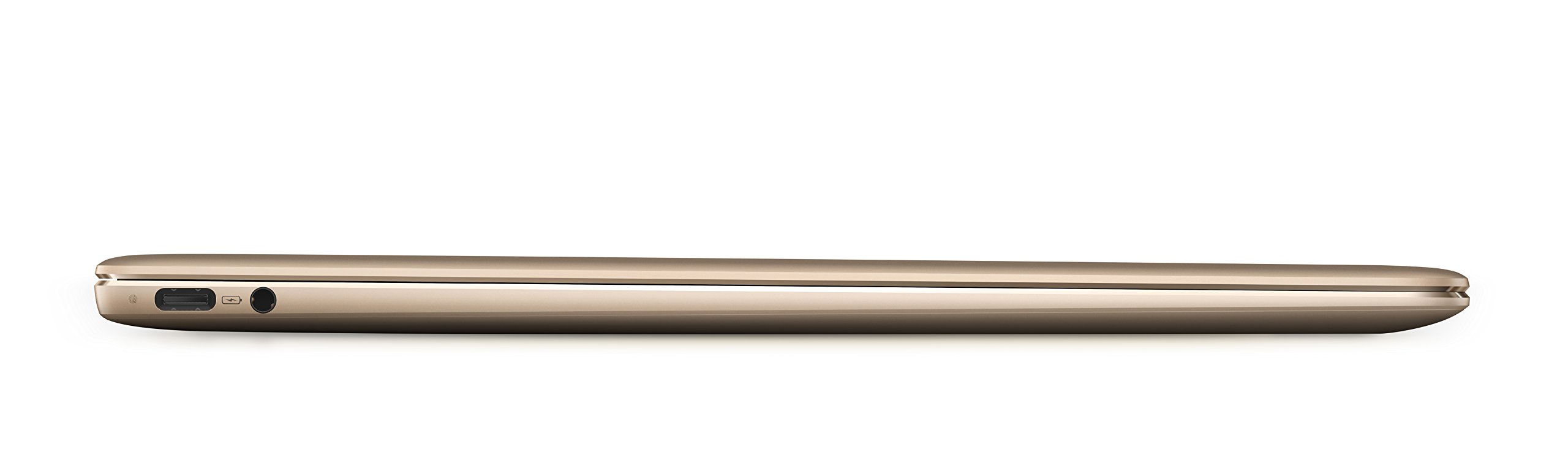
✨ Elevate your workspace with the MateBook X — where sleek meets unstoppable ⚡
The Huawei Watt-W19A MateBook X Signature Edition is a featherlight 13-inch laptop featuring a sharp 2K display protected by Gorilla Glass, powered by a 7th Gen Intel Core i7 processor, and enhanced with Dolby Atmos sound. It offers secure fingerprint login, versatile connectivity via the Mate Dock 2, and includes a 1-year Office 365 subscription, making it the ultimate blend of style, performance, and productivity for professionals on the move.


| Standing screen display size | 13 Inches |
| Screen Resolution | 2560 x 1440 pixels |
| Max Screen Resolution | 2160×1440 Pixels |
| Processor | 2.7 GHz none |
| RAM | 8 GB DDR4 |
| Hard Drive | 512 GB SSD |
| Graphics Coprocessor | Intel HD Graphics 620 |
| Chipset Brand | Intel |
| Card Description | Integrated |
| Wireless Type | 802.11a/b/g/n/ac |
| Brand | HUAWEI |
| Series | Huawei Matebook X |
| Item model number | Watt-W19A |
| Operating System | Windows 10 |
| Item Weight | 2.31 pounds |
| Product Dimensions | 11.26 x 0.49 x 8.31 inches |
| Item Dimensions LxWxH | 11.26 x 0.49 x 8.31 inches |
| Color | Prestige Gold |
| Processor Brand | Intel |
| Number of Processors | 2 |
| Computer Memory Type | Unknown |
| Flash Memory Size | 512 GB |
| Hard Drive Interface | USB |
| Voltage | 240 Volts |
| Batteries | 1 Lithium Polymer batteries required. (included) |
B**K
A beautifully made and performing Ultrabook, with tolerable performance compromises.
Best ultrabook ever. I can't express enough what a difference it makes not to have screaming fans running all the time. The screen is beautiful and quite functional at 125% scaling although I have 20/10 vision. The 3:2 ratio is infinitely more productive than the aggravating 16:9 unless you watch movies all day. It is quite a firm keyboard and takes getting used to--I am still nowhere near as fast as on the Steel Series on my big MSI and make more typos. The i5 is plenty fast--in doing my research the difference in the two processors is minimal (just cache), since they are both 15W core parts with HT and Intel Extreme Tuning utility shows that it will turbo up to 25W anyway, the melty-goop that cools it will happily suck it up (I haven't seen CPU temps over or under 40C). With judicious use of the Win10 battery slider, it consistently gets about 6 hours of battery life (sometimes longer), I suppose the biggest drawback for some people. The fingerprint sensor is seemingly flawless. The complaints about the touchpad are way overrated, it is perfectly functional. The charging is great, super fast with the OEM charger (while running) and (while sleeping only) will even take a charge from a 5V phone charger. The Intel WiFi gets well over 500Mbps from my WRT3200ACM. Aside from the port restrictions (charge left, display right only) both work fine with my USB C gigabit ethernet/USB hub, and it boots from a thumbdrive inserted into same just fine. I do wish it had come with Windows Pro so I could use BitLocker, as an alternative I bought a Samsung T5 which is encrypted for more space/anything sensitive. It does have a TPM so this makes no sense (other than $$$).I will say this--it is not upgradable. The RAM cannot be increased and this was my biggest reservation, but under heavy use has no presented problems and Windows seems to do a good job of managing it. The SSD is easily upgradable, but I still cannot find any M.2 NVMe 2242 (the short package) parts above 256GB. Make a smart decision, if you need the 512GB get the gold i7 one. Obviously manage your expectations (as in, none) for gaming with the Intel graphics but it does run Black Mesa in a playable fashion.The media is very excited about the Matebook Pro, but I would still buy this one for the smaller size and lack of fans. For a silent footprint the size of a piece of paper, this simply can't be beat. For half the price of an XPS13 with a decent screen.Oh, as far as silent goes, did I mention the speakers are better than the Dynaudios in my huge MSI? No need to travel with a bluetooth speaker.To sum it up--perfect travel computer? Yes. Ultrabook that is ALSO a desktop replacement? Not by any stretch, but that's not what I bought it for.
S**N
The MateBook doesnt have any of the issues of my old laptop and its 5x better. Let me tell you the screen on this ...
I don't know where to start. I am currently attending the University of California Santa Cruz. I bought this laptop the week after Black Friday and even though I've had it for a short time, it has proven to be a decent laptop and decent competitor for the MacBook. Before I bought this laptop I had a mediocre computer whose build quality doesnt come close to the MateBook X. My old laptop was trash, it didnt even have a backlit keyboard, heavy (over 5 lbs), and a bendable plastic build. The MateBook doesnt have any of the issues of my old laptop and its 5x better. Let me tell you the screen on this thing is AMAZING. Every color looks so sharp and crisp on this 2k display and not to mention the small bezels that the screen has. Looking at this laptop some would assume that the speaker quality is sacrificed since everything is packed into such a small form factor but let me tell you that it gets pretty loud. You wont have any problems consuming media or listening to your favorite song. Did I mention that it weighs less than 2.5 pounds?? It feels extremely light especially coming from an old laptop that weighed over 5 pounds. One thing that is worth noting is the battery life. It is not amazing at all. Kinda far from it. I was disappointing to see that it just dies faster than my old laptop. You will probably see 5-6 hours from this on single charge. That was the only draw back on such a beautiful laptop but I do want to say that it charges pretty fast though. Overall Huawei did a well job building a practical laptop. I am so happy that I bought this.*****PROS****** *********CONS*********Screen is amazing Small batteryGreat speakers Just 2 usb type-c portsSuper light weight screen is a bit wobbly than I like it to beFast start up speedsFingerprint scanner loginSolid BuildA Dongle is included in the packaging to expand the number of ports****UPDATE*****from 5 stars to 4 starsSo I've own the laptop for a while now and overall it is still great. However I am beginning to discover some issues. Most recently the screen hinge is starting to slightly from side to side to form a really small gap. In addition the mousepad when from being decent to being problematic. It doesnt click just once when I press down on the mousepad but now it physically moves down two "levels" to make it seem like its 2 clicks. This is not a good especially after 2 months of ownership. Still a solid pick in my opinion
A**R
The BEST ultraportable laptop.
Display: 4.5/5 Bright, Accurate & Well-saturated Colors, Glossy but fights glare, Clear.Sound: 5/5 Loud and clear. Sounds even better than a MBP 15Keyboard: 5/5 As good as the old keyboard in MacbooksTouchpad: 4.5/5 Glass, Good size, solid & Precision drivers works well. (Make sure to put High Sensitivity in Settings). Tapping it sometimes give you a feeling that its kind of loose. But most of the time and when your clicking it.. its very solid. As good as a Mac touchpad actually.Battery: 3/5 Six to Eight Hours. I personally don't need more than this so its not an issue for meComing from the XPS 13 FHD, I immediately noticed the build quality being better.It actually has the best build quality among all Windows laptops I've seen.The keyboard is like 10 times better than my XPS.I did notice the relatively low contrast but still very good 900+. XPS 13 has like 1500 so...But this one is much brighter.Performance is about the same but feels a bit snappier.. all that without FANS. Amazing!And the 3:2 aspect ratio on a 13 inch device makes all the sense in the world. It's hard to go back to 16:9 unless on a big monitor.My only gripe is the lack of battery management. Most laptops have a utility in BIOS or an app that can set a battery charging limit.I like to keep my laptop plugged in the AC cause I always use for all my computing needs. Having have to use it on battery all the time will only make discharging it more frequently and will then shorten the battery lifespan. If there is a way to set the charhing limit to about 80%, this laptop will be PERFECT.
Trustpilot
1 month ago
1 day ago