Desert Online General Trading LLC
Dubai, United Arab Emirates
Desert Online General Trading LLC
Dubai, United Arab Emirates


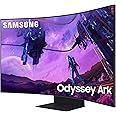
🎮 Dominate your digital domain with the Odyssey Ark — where epic meets immersive.
The Samsung Odyssey Ark is a 55-inch 4K UHD Quantum Mini LED gaming monitor featuring a 1000R curved screen for immersive visuals, a blazing 165Hz refresh rate with 1ms response time for ultra-smooth gameplay, and a powerful 60W Dolby Atmos Sound Dome system. Its versatile Cockpit Mode and Multi View capabilities transform your setup into a multi-functional powerhouse, perfect for gamers and multitaskers craving next-level performance and style.

| Standing screen display size | 55 Inches |
| Screen Resolution | 3840x2160 |
| Max Screen Resolution | 3840 x 2160 Pixels |
| Number of USB 2.0 Ports | 2 |
| Number of USB 3.0 Ports | 2 |
| Brand | Samsung |
| Series | FBASAMLS55BG970N |
| Item model number | FBASAMLS55BG970N |
| Item Weight | 92.6 pounds |
| Product Dimensions | 15 x 46.3 x 43.4 inches |
| Item Dimensions LxWxH | 15 x 46.3 x 43.4 inches |
| Color | Black |
| Power Source | AC |
| Voltage | 240 Volts |
| Manufacturer | Samsung |
| ASIN | B0B7TYHHX2 |
| Date First Available | August 18, 2022 |
J**N
Amazing monitor. Get it now while it’s on sale!
I’ve followed the status of this monitor since it first came on the market and even with the mixed reviews, I’m glad I pulled the trigger. Especially when I paid only $2,100 instead of the full $3,400. I will try to be as detailed in this review as possible.-SetupThe box that Amazon dropped off was massive and was heavy. I got this thing 28 hours after I ordered it so kudos to Amazon for the quick delivery. I also own a G9 which I moved to my second computer with this one as its replacement. It is HIGHLY recommended as with the G9 to have two people lift this thing, but I’m stubborn and did it myself. The box slides up revealing the monitor neatly packed in styrofoam. With the accessories packed neatly on top. After taking the accessories out, you have to lay the monitor face forward (still in the styrofoam of course) to attach the massive heavy stand. After everything is together, set it on your desk holding the base only. This thing weighs 91 pounds assembled so make sure you have a good desk and again…two people…I did it by myself and immediately took an IBUPROFEN after. The one connect connects to the back and acts as a hub for everything to be plugged into that. The rest is straight forward.-Using this beast!I’m a huge techie so it took me no time to figure out the ark dial which is solar powered and the amount of light this thing kicks off will keep it charged. It also comes with a second remote that is a basic Samsung smart remote….also solar charged and both have a usb-c plug if you want to manually charge it. It automatically picked up my PC when I turned it on and I felt like I was staring into the sun! This thing is bright!!! After fidgeting around with settings, I got it how I wanted it and connecting it to my 3090, I am able to get the full 165hz (even though my G9 was pushing 240…I didn’t notice the difference.) I love the back light that responds to the games and paired with my Corsair light towers, you are fully immersed. I’m a big flight sim guy and usually play in vr…with this….I don’t have to. The 1000r curve is natural to the curve of your eye and it’s literally double the height of the G9 so it’s like being in the game.Turning the monitor vertical (cockpit mode) is surprisingly really easy and is amazing for my music setup. Just lift the monitor to full height and turn. You do have to manually change the settings in windows from landscape to portrait but that’s it. The screen towers over you and it’s insane leaning back with the screen curving over you. I tested the speakers which sound amazing by the way, but I use the optical port to my 5.1 surround system and it shakes the room. The home button takes you to Samsungs hub which reminds me of my TVs…all Samsung….and is pretty easy to navigate. The only big con is that this doesn’t read multiple inputs in the HDMI, but I can apply play from my IPad while gaming, or use DEX from my phone. All in all this is a great monitor and would highly recommend for hardcore gaming and multitasking.+ProsThe sizeClarity and brightnessEasy to turn from landscape to portraitDecent sound if you don’t have external speakersIt’s a Samsung product so customer service is great-ConsThe price….it’s on sale for $1,000….get it nowNo display port input165hz instead of it’s 240 from the G9
B**S
Great Monitor
Unsure why people give this monitor bad reviews. Maybe they are expecting too much it is very nice. The setting are complex when using a pc connected due to over lapping hdr, and color settings on both pc and monitor. This thing is a beast though. Brightness is intense, dark inky blacks, hdr looks great. One thing I noticed is if you try to run hdr and game mode at the same time the color gets washed out when using pc. If you use game mode on monitor set hdr on your pc. With consoles everything works great and is a little easier. When it comes to settings this thing has options to say the least, tons of options. You can fine tune it to look amazing. The vertical mode I don’t use too much but it cool for certain applications. 1000r curve is amazing on a monitor this big. I recommend and disagree with all the bad reviews. Worth the money to me.
J**1
An Incredible Concept of a Display (update - don’t buy until issue with firmware resolved!!!!!)
Edit 3 (12/9/22) - Nvidia updated the drivers so 165hz works at 4K HDR! However, Samsung blundered and pushed an update that made all the HDR colors washed out in game mode. Nothing you can do to fix it; can’t go back to previous firmware. Many people having the same issue on the Samsung forums. Avoid until this is resolved!!! I will update my score once it hopefully is. Make sure to turn off auto updates if you already purchased and are waiting on delivery. Wish I could return it.Edit 2 (10/25/22) - Ok so today was day 30 and I officially decided to keep it, and because of that I've knocked it up to five stars.Nvidia announced on their forums that the next driver update will fix the 4k 120hz bug to allow full 4k 165hz use. Expect the update later in the month.I also did a quick swap to a 65 inch LG C1 OLED that was originally being used in the living room, and I instantly regretted it. Blacks were better but after finally tweaking the settings to what they needed to be on the Ark, the colors were just as good and gaming felt better on the Ark. I found myself really just using only horizontal mode, and I think most people will use it for that case only until Samsung decides to update to allow more than one HDMI input. So it's a huge monitor you will mainly use in one orientation 90% of the time, but that's ok - you can switch it when you need it easily. And the immersion is something you will really appreciate. I highly recommend it, especially now that it's a better price (unfortunately I doubt they will do the price match now haha).-------Edit 1:After purchasing an RTX 4090 with the latest Nvidia drivers, you can only do 4k 120hz. This is a bug with the Nvidia drivers. Unfortunately we will have to wait for Nvidia to update.Also, I have played around with the settings more. I have turned off Local Dimming, and the screen color quality is much MUCH better, especially with white text on black. Only issue is there is backlight bleed on mine that's more visible. Very disappointing if you're used to OLED BUT it's not the worst I've seen and it's only on an all black screen. It's not enough to knock any stars, especially since now with the HDR colors it looks very close to OLED.-------Original Review:Odyssey Ark has finally arrive (despite being a day late). It’s really massive and despite the warnings to set up with two people, I was able to do it myself (not recommended at all) First impressions were initially mixed but after a week of using this thing I've grown quite fond of it despite its quirks.Pros-The 1000R screen I can easily see everything going on despite the screen being larger than the 48” it replaced and with 165hz refresh rate at 4k it’s a great gaming experience. I don’t notice any noticeable color shift in the panel so it’s very uniform. Backlight bleed exists but if you make sure Local Dimming is on you'll never see it with a black screen (all noticeable on a full black screen with it turned off). It's still a VA panel after all. And the 165hz at 10-bit color looks amazing and games play fast and smooth with no ghosting or flicker. GSync works great and VRR is detected when enabled with no issues. And as a TV the picture look fabulous out of game mode in Netflix and on the web browser.The stand is heavy and solid, and is very easy to move the monitor into the different positions. Moving from landscape to vertical is easy; just lift up the screen and turn. Never had an issue.The sound is absolutely amazing for computer speakers. I’m going to use this for night gaming instead of headphones. I'm using this with speaker setup with optical in and I've had no issues.Ark Dial is fun and seemed easy to use (and despite what you may have read there is volume control on the dial). It's very satisfying to use and works very well. Changing the screen ratio was fast and easy and worked as intended. Switching the aspect ratios with the dial made the game much more manageable for playing FPS games.After fiddling around with picture quality, I was able to finally get it to my standards. Having previously used an OLED, that contrast ratio is hard to beat, but this does come close. I do plan on getting an HDR calibration tool to make adjustments in the near future.Also this is a monitor, and one of the drawbacks to using an OLED TV is burn-in risk, and we don't have to worry about that here.Cons -For starters, it is an LED panel. Previously using an LG C1 OLED contrast made the picture richer. I couldn't duplicate the quality not matter how hard I tried in the settings. This is very important to me because soon curved OLED monitors are coming and you might get a better experience with those (expect the price tag to be about the same despite C2's being cheaper). And forget using the Samsung Calibration software - it doesn't work. I tried to get it to work on an iPhone 14 Pro Max and it just won't come up.Switching sources is a little laggy. Switching between sRGB and HDR is laggy (and you get a blue screen for a second). Multiple sources at once are bad. As one of the main selling features, I noticed considerable lag playing in this mode and it was unusable playing an FPS, or since it didn't change the resolution even text wasn't legible. Hopefully this gets resolved in an updated. Again, maybe I need to play around with the settings more but I planned on using this frequently and as it stands it’s unusable. I tried using it as "two" monitors on windows - one as HDMI and one as a wireless, and I was somewhat successful in getting it working. Launched correctly, could use multiple programs on both monitors no problem, but when I tried to play a game on HDMI the whole thing crashed, and I had to restart the monitor. For getting use out of vertical mode, I had better luck with Windows latest update and snap windows and the hot key switching it to vertical - works much better since you cannot use more than 1 HDMI port at at time (which would be amazing). So because of the latest Windows 11 update, I found it more useful (Samsung also has a software on their Ark page to download but it's useless with the new update since it does the same thing). I also programmed my Razer Stream Deck to have a Vertical/Horizontal key so I don't have to mess with the Ark (which isn't hard to use at all, but this makes it even faster to swap).RGB colors are mixed. Yeah, they work and the settings aren't difficult to set up, but the colors don't quite match what was on screen, and having my PC mainly be a white colored setup, I couldn't get white to show up (would look blue-ish). I noticed this with a few other colors as well - colors were just not accurate. Maybe this is just my panel, but I don't ever plan to use it since it's quite bright.The price tag is hefty. Samsung/Amazon dropped the price by $200 and gave out $100 credit. I contacted Amazon support and after a little escalation they gave me the price adjustment and the credit. Good on Amazon support for that call. But for the price you can get smaller monitors or OLED TV's and it can be hard to justify unless you want to pay for the experience.Verdict -Overall, it's a great concept of a monitor/tv, but at times it still feels like a concept instead of a polished product. I hope with some future firmware updates Samsung can really make this panel shine more. Gaming with that 55" curve is amazing, the response of the panel is incredible for 4k/165hz/10-bit color (you need a beefy graphics card to hit even close to this - my 3090 Ti still struggles). The sound is quite simply the best TV/Monitor sound I've ever heard. And the picture quality the most immersive experience and is one of the best I've seen in years outside of OLED TVs. For $3200 after discounts, this is a great monitor if you want to have a whole new experience on your PC... abet with the early adoption fee that comes along with trying something new. It's a much better value at the discounted price.
Trustpilot
2 weeks ago
3 weeks ago