We remain fully operational. Our teams are working around the clock to ensure your deliveries continue safely.

DOWNLOAD THE APP


Customer Services
Copyright © 2025 Desertcart Holdings Limited
DOWNLOAD THE APP


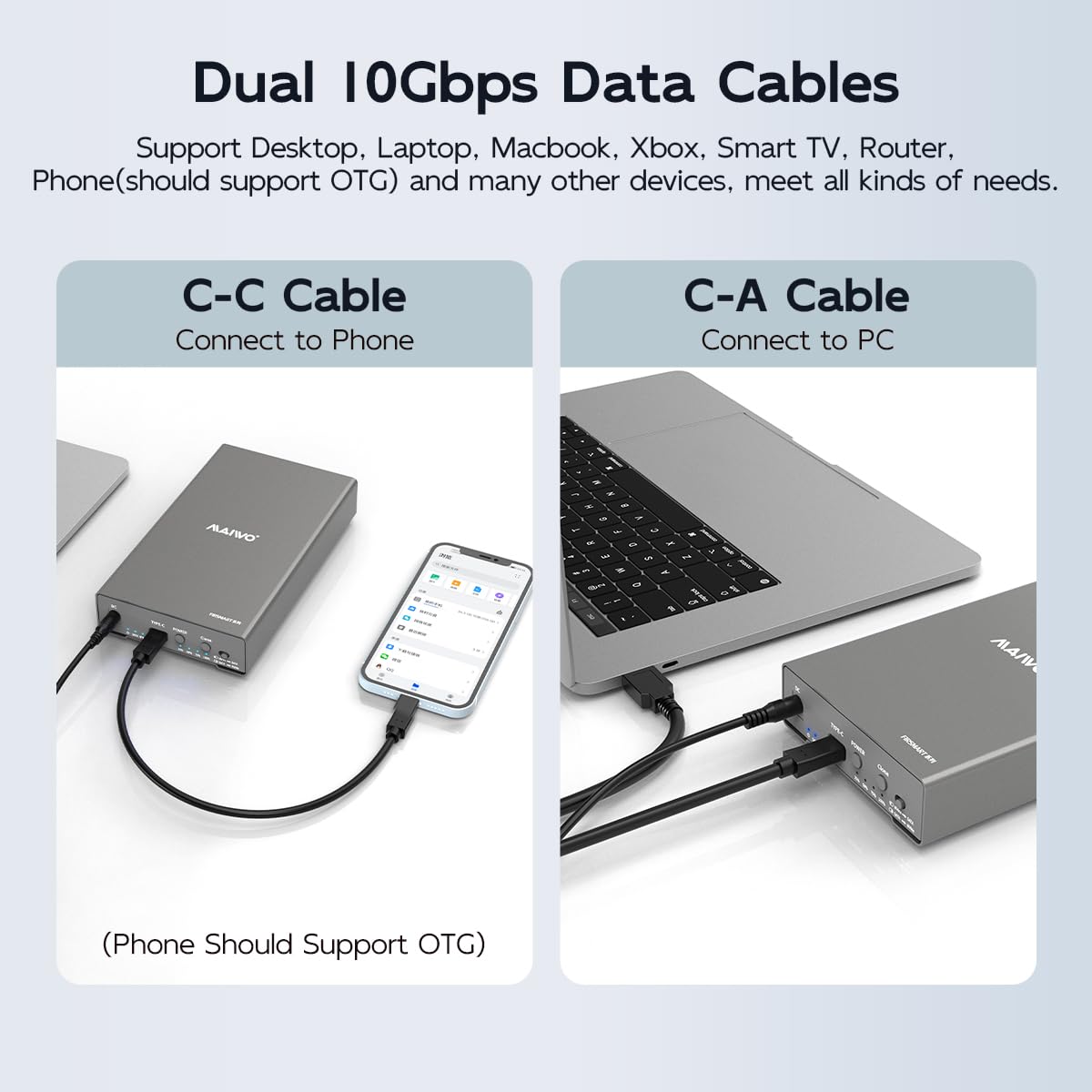

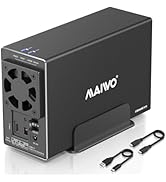
🚀 Upgrade your storage game with the ultimate dual-drive cloning powerhouse!
The MAIWO External Hard Drive Enclosure is a premium dual-bay docking station supporting M.2 NVMe and 2.5/3.5 inch SATA SSDs/HDDs with bidirectional offline cloning. Featuring USB 3.2 Gen2 for blazing 10Gbps transfer speeds, it supports up to 32TB total capacity, offers plug-and-play convenience, and is compatible with multiple operating systems and devices. Its durable aluminum alloy case ensures excellent heat dissipation, making it a must-have for professionals upgrading or backing up mixed drive types.



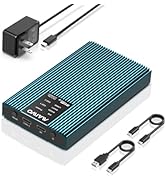


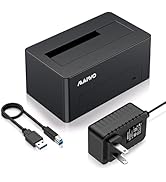

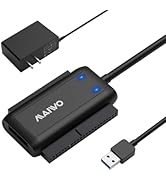
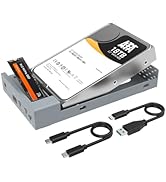



| ASIN | B0CCCHRW5Z |
| Best Sellers Rank | #114 in Enclosures |
| Compatible Devices | Desktop, Laptop, Smartphone, TV, Router, Macbook, Notebook, Tablet |
| Customer Reviews | 4.2 4.2 out of 5 stars (72) |
| Data Transfer Rate | 10000 Megabytes Per Second |
| Date First Available | July 20, 2023 |
| Item Weight | 10.6 ounces |
| Item model number | M.2 NVMe to 2.5/3.5” SATA Cloner |
| Manufacturer | MAIWO |
| Max Number of Supported Devices | 2 |
| Memory Storage Capacity | 24 TB |
| Product Dimensions | 7.52 x 4.37 x 1.38 inches |
J**Z
Finally a cloning device that can clone between different drives (SATA and NVME)
I've been waiting for a consumer level (inexpensive) device that can clone a SATA drive directly to an NVME drive. This allows me to easily upgrade a client's older computer image to a new computer that supports NVME drives. I simply clone their older SATA drive to an NVME and put the NVME in the new computer. With this device, you can also clone an NVME drive to a SATA drive if that is something you want to do. Very useful tool. Perhaps the only thing that is unusual is that the device is designed in such a way that it has an enclosure in which you can install the NVME and SATA drive in a plastic tray which can then go inside a metal enclosure. My main interest in purchasing this product is to clone drive images between SATA and NVME (or vice versa) and I imagine that otherwise would also be purchasing it for this same reason. So, I think the design would be better if it were more in the style of a docking station in which you temporarily insert source and destination drives, perform your clone and remove the drives from the device, rather than a design that seems to be more along the lines of a permanent enclosure in which you install the drives with screws and then screw on an outer metal shell. Despite the current design, it is nice to finally have a cloning device that can work with mixed drive types.
E**C
sees gpt drives
sees my 8tb drives and 2tb nvme
R**.
Works Great!
I've had a chance to use this unit a few times. Some for cloning drives and a couple for just reading drives and it worked great for these functions. I didn't bother screwing down the drives other than using the rubber peg to hold the Nvme drive down and in place and I didn't bother with the outer case since none of these applications were permanent. However, this will double as a permanent drive holder if wanted. The NVMe drives might get a little warm but I guess that depends on the level of activity it gets.
A**.
Extra step is worth the savings
I got this to clone a 128GB PCIe M.2 drive to a 1TB PCIe M.2 drive. To do that directly, the devices run about $130 to $200+! This is substantially less and also has a few extra benefits. Yes, you need to clone the M.2 to a SATA HDD first and then clone the SATA HDD to the new M.2, but this item also works as a hot swap device for desktop or laptop HDDs and for the old M.2! Granted, you will need to create a partition for the additional space on the new drive if you use the automated clone feature, but there is software available to avoid this, if you do the clone through a computer. Either way, the process is fairly simple and straight forward and this is definitely a worthwhile purchase.
T**T
Easy to clone.
Cloned my 256 ssd to 1t ssd easily though not quickly but acceptable. Simple PNP. The shortfalls are,IMHO having to screw the cover on instead of some kind of snap or latch and the hold down for the SSD is a little rubber thing that can be lost inside the unit,extras are included. A thumb screw would be better. Overall it operates as advertised.
T**D
Slow
Capping out at 400ish Mbps. I've tried 4 different USBC cables, 3 computers. All machine and cable combos seem to max at the transfer rate of the hardware I test against this. A Samsung t7 is getting faster results than the screenshots posted in other reviews here but I'm seeing the old sub spec of 480Mb/S or about 38MB/S. It is 2024. I'm not going to wait a week+ to transfer video from a 20tb drive. Build quality is bad. No instructions included, and it has all these strange accessories in a bag. I have no idea what it wants me to use to hook up the m2 drive so I haven't tried that. The data performance is so bad I don't care to be bothered measuring the holes and buying standoffs to screw into on my own. There is no heat removal despite being an aluminum case. Everything is surrounded by an insulating plastic layer. I'm just leaving it open with an old CPU cooler sitting on top of the drives I've tested. It would be better to make your own enclosure out of wood than use this thing. Bizarre case, don't waste your time and money.
R**S
Works as intended
Used this to both clone and copy an HDD and SSD I removed from a failed computer. Works perfectly and easily.
N**E
Cloning device that doesn't close
Bought this so i could clone an older SATA to a newer M.2 SSD, tried doing the offline clone and it did not correctly clone. It moved files over but i could not boot from the new cloned drive.
R**N
love it it save me work time and speed up the job
D**H
Works My old laptop had SATA SSD AND M.2 Slots, the main windows and my data were on SATA SSD. The sata connector got damaged and was not able to detect boot drive. After confirming that the drive was fine bought this and a large M.2 Ssd cloned it from sata ssd. Works as is Always clone to a larger drive. ALWAYS CHECK FIRST IF THE DIVE WORKS CLONE IN COOL PLACE Ps : (optimise your HDD mechanical hard drive before cloning)
M**O
Tres bien mais pas encore essayé
K**N
Just got the enclosure and I have to say, it is cheaper looking than i thought it would be. The slip on metal casing is the OLNY metal. The rest of the unit is all plastic. Installed a NVME drive and an old 4TB hard drive and they were both recognised by my Mac. Transfer speeds were good. It would have been nice if it came with some rubber feet or something so it's not sitting on my desk with just bare metal. Oh well, let's see how it holds up. So far, happy with it for the price.
G**.
Not what I expected. I could not clone from a sata drive to a ssd sata drive, ans when I moved on to clone another hard drive to a new M.2 SSD, it cloned but failed to boot. I had to bypass the Maiwo completely, downloaded free cloning software and had both drives up and running in less that a couple of hours. This unit, is not a good buy.
Trustpilot
1 week ago
4 days ago