We remain fully operational. Our teams are working around the clock to ensure your deliveries continue safely.

DOWNLOAD THE APP


Customer Services
Copyright © 2025 Desertcart Holdings Limited
DOWNLOAD THE APP


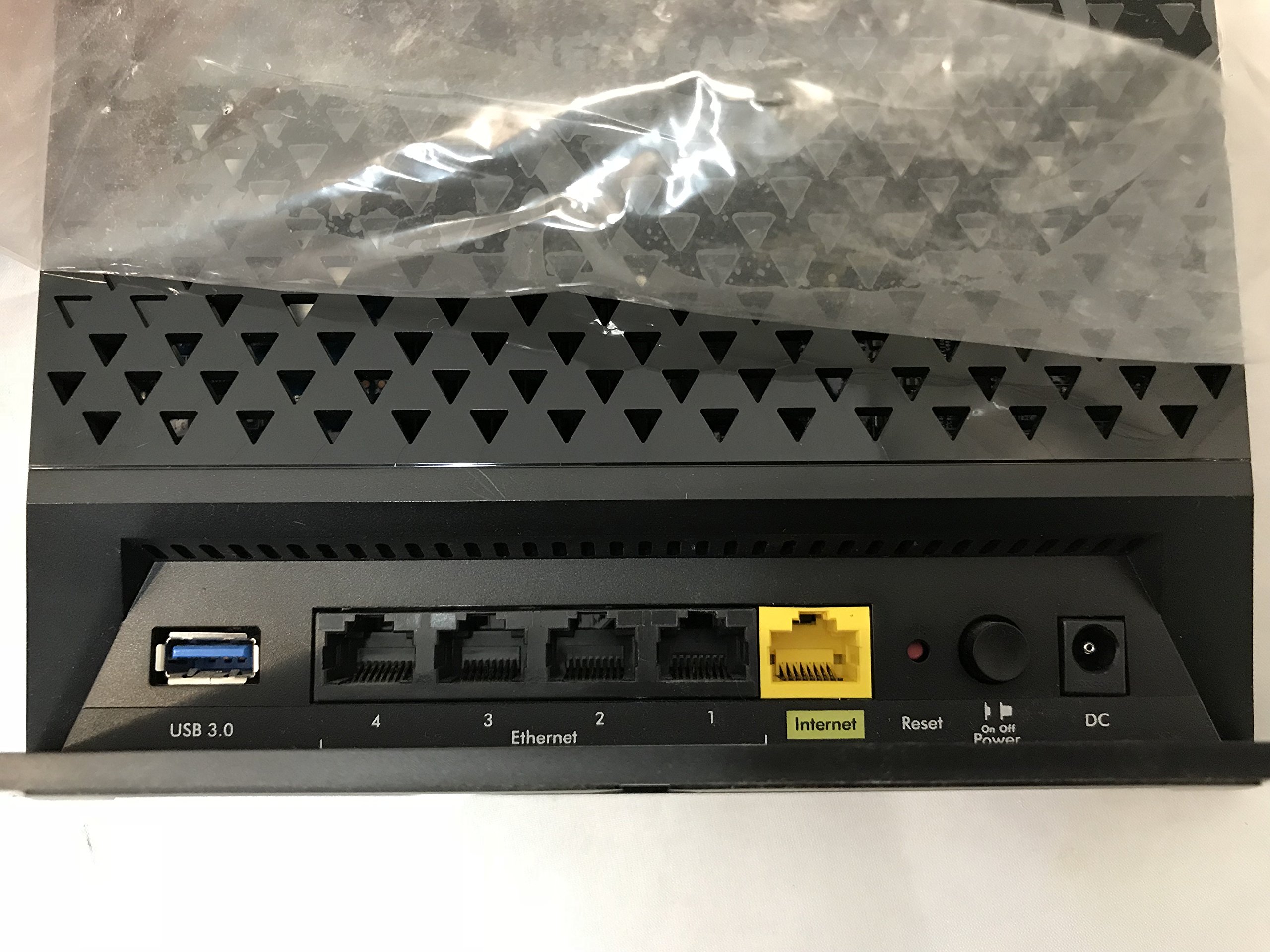


📡 Connect, Secure, and Conquer the Digital World!
The NETGEAR AC1450 Dual Band Gigabit Smart WiFi Router delivers high-performance connectivity with dual-band speeds of 450 Mbps and 975 Mbps, powered by a robust dual-core 800MHz processor. It features advanced security protocols, a USB 3.0 port for rapid file access, and is compatible with various operating systems, making it an ideal choice for modern homes and offices.
| Wireless Type | 802.11a/b/g/n, 802.11a, 802.11ab |
| Brand | NETGEAR |
| Series | AC1450 |
| Item model number | B00DR7EG0I |
| Operating System | Chrome 11,Linux,Mac Os,Safari 1,Vista,Windows 7 |
| Item Weight | 2 pounds |
| Product Dimensions | 11.9 x 10.1 x 3 inches |
| Item Dimensions LxWxH | 11.9 x 10.1 x 3 inches |
| Color | Black |
| Voltage | 100240 Volts |
| Manufacturer | Netgear |
| ASIN | B00DR7EG0I |
| Is Discontinued By Manufacturer | No |
| Date First Available | October 21, 2017 |
J**H
Good at first but ....
Ok, Not sure why Netgear AC1450 is selling for approx $195.00 here as the MSRP was being advertised at $158.99 (and that is what your local large warehouse club is selling it for). Why would you buy this version of the router (which is limited to 975Mhz) when you could buy the full on 6300/1750 model for same price and get the full 1300MHz speed?Was interested in the 5G speeds and future proofing with AC. First day or two it seemed ok although it was a bit more difficult to configure than necessary (more on that later). Old router was a Dlink DIR 655 where I was getting 130Mbps speeds with 2.4Ghz using 802.11n on my devices - fairly reliable. Using the Netgear AC1450 I could get 144Mbps speeds on 2.4GHZ Band... not a huge difference and hardly worth switching to just for 2.4Ghz.So I was mainly interested in the 5Ghz band (for my devices that could best use it) which gave me 300Mbps speeds. I currently have no AC capable devices.Had a few issues with this router (other than it completely not working after a few days):1) 5Ghz distance was so-so. Through 3 walls and up 1 level in my home (75 feet), the 5G signal was 3 bars on my laptop and almost non existent on some handheld devices. It is also unfortunate there are no external antenna connections so you couldn't run a wired antenna extension if you wanted to.2) Still a manual Port Forwarding setup? If you are looking to customize port forwarding, etc for PS3 or XBOX, router manufacturers need to make it a much simpler and more up-to-date process. You manually have to setup many port forwards and then setup a few more for PSN, then a few more for the particular game.... What a pain... But if you wish to play games (that nobody plays anymore) like Unreal Tournament or Doom for PC (or about 2 more outdated games), they have the settings in there for those??? Why not have an easier setup for games that actually exist (or for popular consoles). Also, no upload function so you can import settings so you don't have to type them over and over if you reset the router -or- perhaps you can share port settings with other gamers. Just a clunky process which has not improved over the years and router mfrs should get up to speed on. I am thinking this is not just a Netgear issue and there may be very good reasons you need to type these in manually - but there should be a better way than spending a 1/2 hour optimizing a router. I would think the router manufacturers would be in the best position to bring a quick optimize function for your particular need. Maybe I need to see if third party firmware has this feature?3) The router basically died. Power worked (and lights all seemed normal) but would hang upon searching the web. This was on both bands. For a while it would not let me connect to the 5G band. It would then let me connect to 2.4G but then would hand upon searching the web again. Resets and reboot and full on resets (including no customization of router settings) and it still would not fix itself. After hours of fiddling and rebooting and resetting. I gave up and am returning this router.4) While out of the box setup and the Netgear Genie admin interface seem good, it still took a bit of fiddling to get this to work right for some reason. Just not as "Smart" as they would have you believe. Setting up a router is still a manual process unless you are a newbie and just looking to connect and go. If you are customizing many settings, you may find this router a bit limiting. Also, every time you make a setting change, the Netgear seems to force you to reboot (unlike my older Dlink which had a option to reboot later which was nice if you were making changes and wanted not reboot at every change).The different physical format (a standup square block) shouldn't be a problem unless you need to fit it on a small shelf, make sure you have the space for it.So , after the time spent trying to make this work, I just pulled it and went back to my DLink dir 655 which works very well. Had high hopes for this router but I am not going to spend hours trying to make 'products work well. They need to make these things more bulletproof. Also, I am not returning this route because I had to spend 2 hours configuring it ... But because it doesn't work after spending 2 hours setting it up!I am going to try the ASUS or DLink AC products (or just stick with my DIR655 for now).P.S. I was using the latest firmware (which it came with out of the box).
A**Y
Cool router, nice firmware
Cool router. It works nice as per any instruction, any function, etc. It can compete any business class product if it had WISP or Universal Repeater settings. If something went wrong for you, you need to check settings twice then...
O**5
Don't BLame the Router - Maybe
Tried the router and at 50' signal was 1 bar on my smartphone same as my previous router and others I tried. HOWEVER the problem may not be the fault of the router, I live in a old home. Because the home is old it has previously been painted over many years prior to me obtaining it with lead paint and the coating on the walls are plaster. I mention this because a lot of people complain about a low signal (lead paint and plaster walls both block WIFI signals) Another common complaint is having to reboot of the router because of loss of internet connection I can not confirm or deny this problem as I returned this product after testing the signal, however a major cause of this is the local cable company changing the IP and the router not matching the new setting. To help avoid this you can have a timer reboot the router each night. If you are having problems you might want to read an article at: [...]If you are having a problem with your current router due to a low signal consider running a CAT6 Ethernet cable from your existing routers LAN port near the area that you need a good signal and hook up a 2nd router to it.
H**T
Occasionally drops signal.
This router is mostly reliable for wireless connections and if you're anything like me, then you have about a dozen devices connected to it. I've got an Xbox, PS3, Wii U, laptop, smart phone and tablet just for myself and not to mention the other devices in the family. I would suggest you keep some devices connected via Ethernet port though as this router drops its signal at times. This isn't just from one particular device as it has happened between several of them, even just being in the same room as the router. Also I only have around just three devices connected via WiFi at all times, so it isn't like I'm really pushing the router's resources. Good as a standard router, but drops its signal every once in a while (not so much to cause too much frustration unless you game online a lot). Connection comes back roughly after 15 seconds and signal drops perhaps around once to twice a week (maybe more if I was chained to the internet enough to notice).Overall good router, not the best, but suitable. However, I would suggest you look around for cheaper routers as this one, again, as I said is just suitable for my needs.
B**A
I was happy with it for awhile
I was happy with it for awhile. Tons of options when upgraded to DD-WRT. But 2.4 wireless band just doesn't hold the bandwidth and slows down within 15 minutes to almost 0. I tried everything no no avail. Gave up.
Trustpilot
2 weeks ago
1 month ago