
✏️ Elevate your digital art game—precision, power, and play in one sleek tablet!
The XP-PEN Star G640 is a compact 6x4 inch digital drawing tablet featuring an advanced battery-free stylus with 8192 pressure sensitivity levels. Designed for both right and left-handed users, it offers seamless compatibility with Windows, Mac, and Linux systems, supporting popular creative software and OSU! gameplay. Ideal for digital artists, students, and professionals seeking precision and portability without interruption.

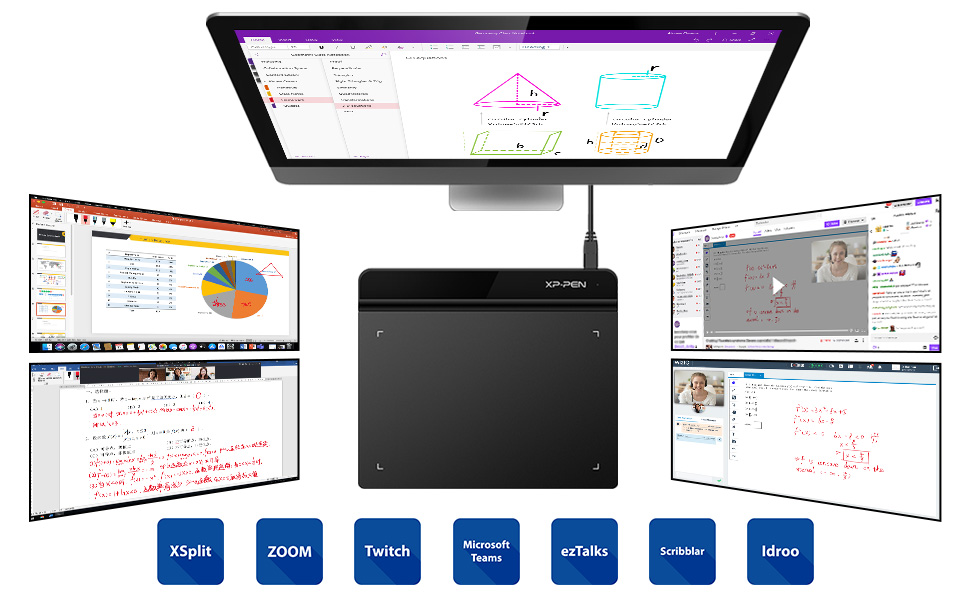


| ASIN | B078Y52K1M |
| Are Batteries Included | No |
| Best Sellers Rank | 2,426 in Computers & Accessories ( See Top 100 in Computers & Accessories ) 4 in Graphic Tablets |
| Brand | XP-Pen |
| Colour | black / black |
| Customer Reviews | 4.3 4.3 out of 5 stars (4,601) |
| Date First Available | 11 Jan. 2018 |
| Guaranteed software updates until | unknown |
| Item Weight | 170 g |
| Item model number | XP-PEN |
| Manufacturer | XP-PEN |
| Operating System | Windows |
| Product Dimensions | 20 x 16 x 1 cm; 170 g |
| Screen Resolution | 8192 levels |
| Series | Star G640 |
| Standing screen display size | 6 Inches |
C**N
i would buy again without hesitation its a great product
Got this for my son , i will keep this simple its great it works great . My son loves maths and its allowed him to learn and revise and do formulas and anything else he has needed as been revising / learning. It has made all the difference to how he uses his PC for school work. The quality is great the thing has been used hundreds of hours and looks as good today and is as functional today as was first day he used it. Great size , great sensitivity , picks up movement seemingly regardless of speed moved at. I would buy this again without a second hesitation because i have seen impact on my son doing maths on his pc
A**E
Pretty decent
Works fairly well, can be a little under/over sensitive seemingly at random, but given the price it’s quite good.
R**H
Perfect little addition
I have been a xp-pen user for years typically the wider desk drawing tablets. The software works well with my laptop and computer. Was very easy to set up and ofcourse once you have the software on getting little carry around drawing tablet makes no hassle. I bought this so I could draw on the go where carrying around a half a tonne desk drawing tablet wasn't an option. It hasn't disappointed me . Perfect for me . Great value for money. It records great pressure sensitivity. 6 by 4 design works well for them small drawings. Very portable. Not overly thick but doesn't feel flimsy. Well worth a shot
A**E
This has changed the way I work
This drawing tablet is excellent and has completely changed the way I work. I'm a maths student, and it makes working on my assignments much quicker and easier while keeping them neat as it's easy to erase mistakes. It's also made it effortless to run online tutoring sessions. Paired with some good software (I recommend Xournal++), this is a game changer. It's easy to use and suprisngly natural and quick to pick up.
A**R
Good Graphics Tablet, not so great for OSU.
Works okay, Easy set up, software is useful, can customise the work area, pressure settings, rebind buttons so you can accommodate different uses. If you plan on using it for OSU! Then Id probably pick something else, only because of the pen, it is super slippery and constantly moving in your grip.
K**S
Great Value Graphics Tablet
I've never used a graphics tablet before so I didn't want to spend a lot of cash on something I might not use very much. The XP Pen turns out to be an excellent choice for a beginner or even a more experienced user. It works straight out of the box, operating seamlessly alongside your existing mouse and keyboard (on Windows, at least). To configure the tablet you'll need to download the PenTablet app. This lets you choose whether the stylus behaves as a piece of paper (where the top left of the tablet equates to the top right of the screen and the bottom right of the tablet matches the bottom right of the screen) or as a mouse where you can lift up the stylus to reposition the cursor on the screen. You can configure the tablet to work with 1 or 2 monitors or even just a portion of one. The stylus has a rocker switch and you can choose different actions (eg left-click, right-click, scroll up/down) for the top part or the bottom. The sensitivity of the tablet can also be set in the app. The tablet is small and slim and comes with a 1-metre USB cable - I like that it is detachable so you could replace it with a shorter or longer cable if you wanted to (but note it's the old flattened 'D' plug, not the more modern USB-C). You also get a stylus and 20 spare tips. Neither the tablet nor the stylus require batteries. I like that both sides of the tablet are unobstructed by raised areas or any kind of connectors, making it equally suitable for left- and right-handers. There is a raised area across the top where I rest the stylus when I'm not using it. I would have liked it better if there had been some kind of indentation / clip / grip or even a magnet to stop the stylus rolling away. Is it worth it? Without a doubt - it's a great value tablet. As with any tablet, it takes a while to get used to using it, but it's definitely worth the effort.
O**I
Xp pen
Very easy to use
H**K
An excellent 'budget' graphics tablet for the occasional user
I've listed this as budget in the title of this review, primarily because of the price; it was one of the cheapest I found on Amazon, but I am seriously impressed and would say it's anything but. I've never used a graphics tablet before, but as anyone who has ever tried to do any shading with a computer mouse will know, it's very hard! I thought it was time I tried one out but I didn't want to spend a fortune in case it was something I didn't like or couldn't get used to. I must have spent 2 days looking at various models and reading all of the reviews on Amazon but finally settled on this one due to it's attractive price and the fact that it had several positive reviews already. It arrived in a really smart looking box along with the mini usb cable, pen, spare nibs and a nib remover. I use a mac and when I first plugged it in, it detected what it thought was a keyboard so struggled to connect it. I just crossed this off, logged onto the website as per the instructions, downloaded the relevant software and it was up and running straight away. One thing that had worried me before purchasing, was several reviewers (on several different models, not specifically this one) had mentioned that their tablet would pick up the side of their hand when they were drawing. I noticed you can buy funny looking 2 finger gloves to combat this but I really haven't found this necessary. It doesn't respond to anything but the pen. My only fault with it, and I am nitpicking here, is that the cable connects to it via the top right corner which makes it difficult to fit on my desk in front of my keyboard; it would have been much handier had it been on the side. Overall, I'm not a heavy user so I don't know how this would fare for someone using a tablet day in day out, but as a beginner, or occasional user I think it's perfect.
A**R
Bestelling was kerst cadeau voor kleinzoon, correct en snel geleverd.
A**X
Ich habe mit Design und Co gar nichts am Hut, aber ich wollte das einfach mal probieren um kleine Animationen für YouTube zu erstellen. Einfach für etwas Spaß. Im Vergleich zu einem anderen Tablet, welches schon 20 Jahre alt ist, ist das hier ein unglaublicher Sprung. Der Stift wird unglaublich gut verfolgt und man kann sehr, sehr genau damit arbeiten. Das alte Tablet welches ich habe fühlt sich schwammig und ungenau an, dieses Tablet hier ist vergleichbar mit einer modernen, teuren Maus. Man kann mit etwas Abstand zwischen Stift und Tablet über der Oberfläche schweben und so die Maus, oder den Stift im Programm, bewegen. Anders als bei einer Maus kann man so direkt zu einem Ort auf dem Bildschirm springen, denn die Positionen auf dem Tablet entsprechen 1:1 der Arbeitsfläche auf dem Bildschirm. Das kann man sich alles einfach in der mitgelieferten Software konfigurieren. Auch der Drucksensor des Stifts ist sehr beeindruckend und hat über 8000 Abstufungen, die man ebenfalls konfigurieren kann und die wirklich einen merkbaren Unterschied machen. Ein top Produkt, dass wirklich viel Spaß macht, auch wenn ich nicht zeichnen kann. Ich hatte gar keine Probleme mit dem Tablet zum Beispiel Kreise auf den Bildschirm zu zeichnen. Für das Tablet habe ich sogar nur 15€ bezahlt, weil es wohl Retoure-Ware war. Da war sogar noch die Schutzfolie drauf. Auf jeden Fall eine Kaufempfehlung. Man sollte dem Tablet allerdings mehr als 5 Minuten geben, damit man sich an das "auf dem Tablet zeichnen, das Ergebnis ist auf dem Bildschirm" gewöhnt. Und natürlich sollte man etwas haben was man auch wirklich zeichnen möchte. Ich persönlich nutze Blender 4.5 und das hat direkt funktioniert.
W**G
its very good works great with osu and with roblox but it was left outside where its raining thats a 4 star for me
A**1
Regalata al mio nipotino, per farlo sperimentare con il digitale. Ottimo punto di partenza per chi inizia a disegnare
ا**ن
المنتج ممتاز و ما شاء الله عجبني جدا و خامته جميله و ساعدني في التدريس اون لاين شكرا امازون
Trustpilot
2 weeks ago
2 weeks ago



