
DOWNLOAD THE APP


Customer Services
Copyright © 2025 Desertcart Holdings Limited
DOWNLOAD THE APP

🚀 Elevate your business storage game with speed, space, and style!
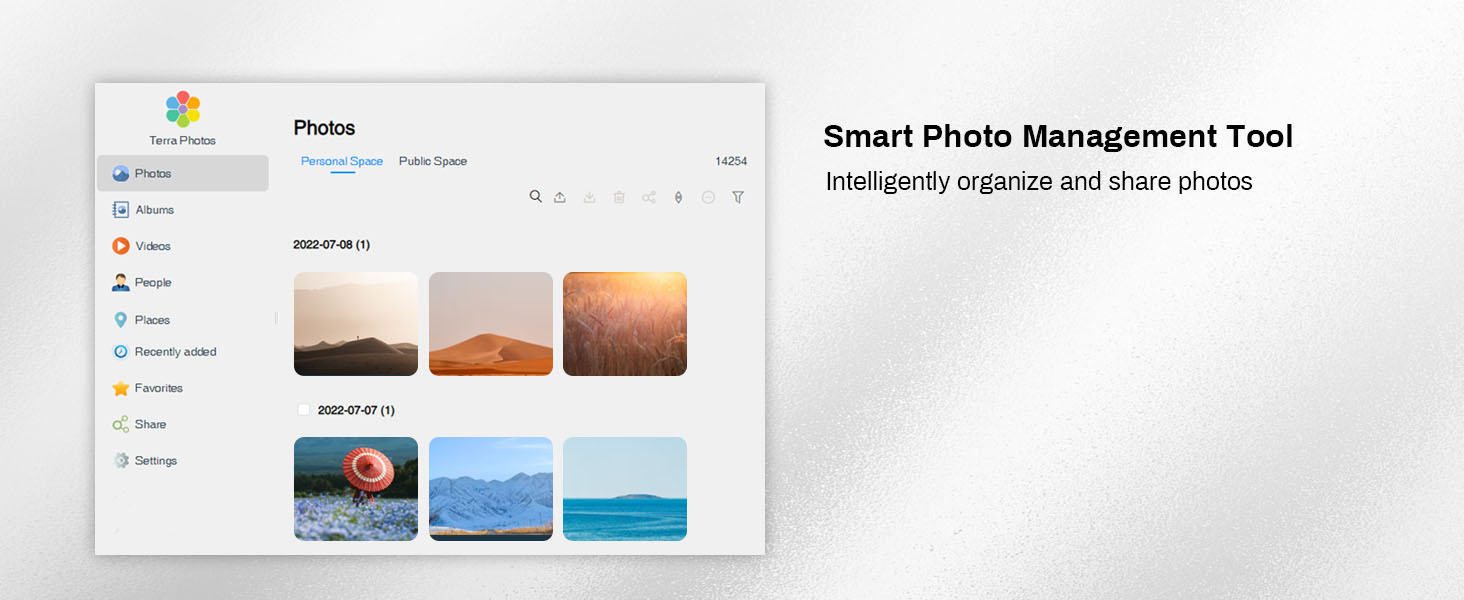
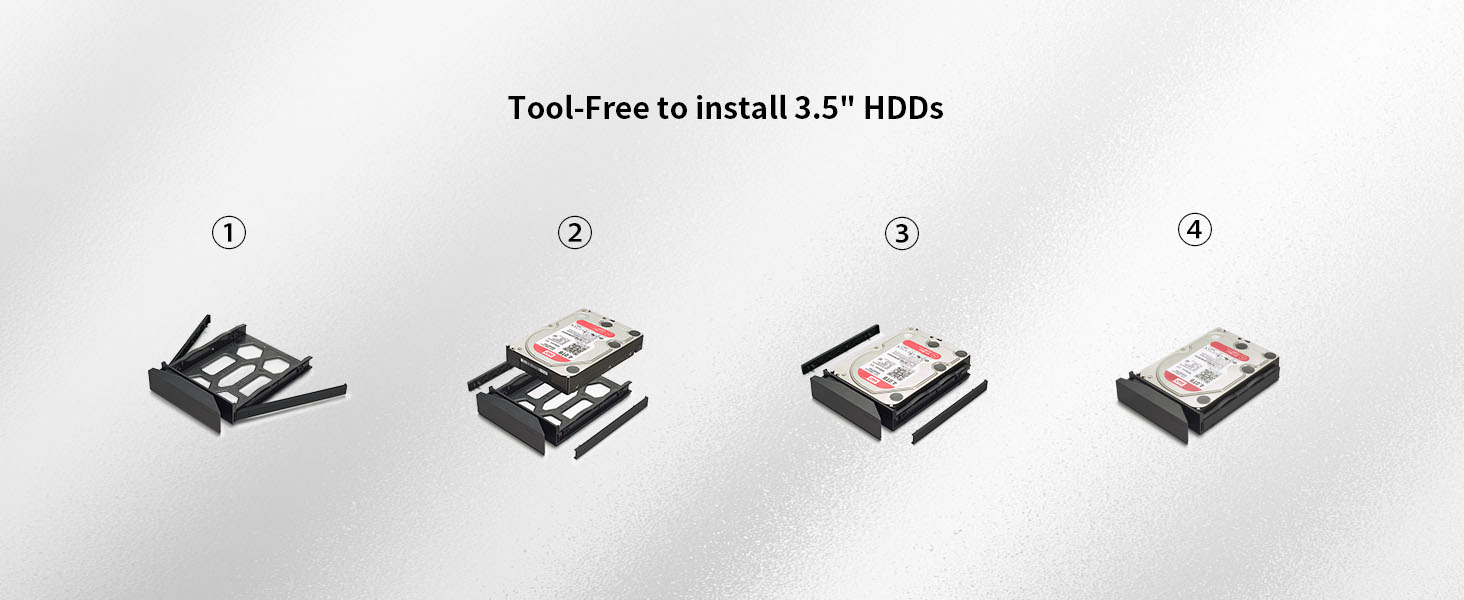
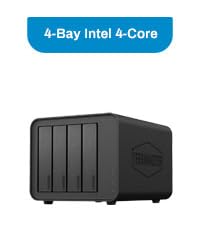
The TERRAMASTER F4-424 Pro is a compact yet powerful 4-bay NAS featuring an 8-core Intel Core i3-N305 CPU, 32GB DDR5 RAM, and dual 2.5GbE ports with link aggregation. Designed for SMBs and tech-savvy pros, it delivers up to 150% faster application performance, effortless tool-free drive installation, and advanced backup solutions—all wrapped in a quiet, space-saving chassis. Perfect for high-demand workflows, Plex streaming, and multi-user environments.










| ASIN | B0CPPD51B9 |
| Best Sellers Rank | #20 in Network Attached Storage (NAS) Enclosures |
| Customer Reviews | 4.0 4.0 out of 5 stars (226) |
| Date First Available | December 7, 2023 |
| Item Weight | 4.2 pounds |
| Item model number | F4-424 Pro |
| Manufacturer | TERRAMASTER |
| Product Dimensions | 8.74 x 7.05 x 6.06 inches |
B**C
Excellent NAS, small form factor but very capable
This thing is absolutely awesome! I started with wanted to build a local Plex server, but that's turned into other home server projects (e.g. Immich for image backup) and running a Home Assistant server, it's worked so well for everything I throw at it. It's addicting to play with. The integrated Intel graphics seems to work well for Plex transcoding, from my experience (even from 4k files, etc). I swapped the OS to Unraid like another reviewer mentioned, I do recommend this, Unraid works very well and a quick Google search will give you clear directions how to do this (it was easy). I upgraded RAM & added NVME drives too (easy). The 10G ethernet is a nice touch, and works well with a USB-based UPS battery backup (I chose an APC UPS). My use case unfortunately didn't allow for a large custom server build (I was looking at Fractal cases to build from scratch), or server rack type cases - I just don't have the room. If you're space constrained like me, this form factor is perfect. Even if not, the small size + easy hard drive installation is appealing over custom builds. THANK YOU TERRAMASTER for making this, I think you're filling a void Synology seems to be leaving behind (moving from Intel to AMD processors)
K**S
Works with Unraid
I've seen lots of complaints about Terramaster's OS (both in Amazon reviews and on places like Reddit), so I was almost put off of buying this device. But in terms of the specs of the F4-424 Pro compared to its price, no other NAS offers a better bang for your buck. Luckily, I found a helpful YouTube video explaining how to install Unraid on a Terramaster NAS, so I picked this up as an upgrade to my QNAP TS-251+. Accessing the boot USB slot on the F4-424 Pro involved removing two screws from the back of the case, sliding off the side panel, then removing the four screws holding the motherboard in place. Doing so allowed me to swap the preinstalled flash drive for a flash drive with an install of Unraid. I will note, I had to buy a Sandisk Ultrafit to create the Unraid boot drive, as the clearance between the USB slot on the board and the NAS enclosure is quite small (even my Samsung FIT was a bit too tall). For Unraid, you'll want to get a USB drive of 32 GB or smaller. You can get a larger flash drive, but you'll need to format it down to 32 GB (from what I understand about Unraid). Also, Unraid's USB boot drive creation tool displayed my Sandisk drive as "incompatible", but using the manual Unraid boot disk creation process worked just fine. I've had the Terramaster F4-424 Pro running Unraid for almost a week now, and everything is working great. I've got three drives (a 12TB, an 8TB, and a 4TB), with another 12TB on the way. Unraid isn't the most user-friendly NAS solution for beginners, but videos from YouTubers like NASCompares (who hosts the tutorial on installing Unraid on a Terramaster device) and Spaceinvader One (an Unraid guru with tutorials on everything Unraid-related) have been extremely helpful and have allowed me to migrate my data from external flash drives and my existing NAS. They also have guides for setting up popular apps like PLEX, which is working great. I haven't yet allowed remote access to my PLEX server, but allowing my parents to stream PLEX in HD was another motivator for upgrading to a beefier NAS. In theory, the device specs suggest they should have no issues, but I'll report back after everything is completely set up. UPDATE: Remote Access to PLEX is working great. I had my parents and a friend both streaming 1080p remotely while I was streaming 4K HDR in the home, and the CPU was rarely getting over 50% load. So, can confirm that the F4-424 Pro is great for PLEX, both over your local network and remotely. So, if you're worried about the Terramaster OS (which, from what I've read, is continually getting better), just know that you can easily install Unraid. While Unraid might not be as easy out of the box as QNAP's or Synology's software, it only took me a few days to get the hang of things.
R**I
Great Price, Bit of a software mess
As far as NAS devices go, this has been one of my favorite to work with. It was easy to setup and took my 20TB drives without any issue or fuss from the hardware or system. That's a huge plus given that the difficulties I have had with other NAS devices trying to take on drives of that size. It keeps the drive speeds consistent and with the dual network ports I have not had any traffic issues while trying to backup, move files, or even use files while files are moving. It is a bit noisy, but you will only really notice the sound if it's in the same room and things are on the quieter side. I placed it in my little home made network closet (my spare bedroom) and I never hear it unless I'm directly in there messing with it. I use it mainly for backing up my files and as a media server for my various medias acquired over the years. It can easily handle plex which works for my needs and all my devices in the house can connect to it easily providing I give it the right information. Where I have to ding the device though is with it's OS. It's a NAS so a Linux based OS is expected which I'm not the best with, but even with a good GUI and direct root access it feels a little rough to use and walk through. Getting the device turned on and established enough to connect to wasn't that hard and the instructions were pretty clear so that if you even have a little IT knowledge you can set it up and access it. Getting programs installed on the OS is pretty easy as it's a simple little "shop" where you can choose what programs you want installed and it does it for you. You still have to set them up, but as for installing on a Linux system this is pretty nice. However, that's where the ease stopped. I was able to work my way through the system and figure out how to setup the volumes for my HDDs and finally how to allocate the proper pools and folder structures under them after that. It was a bit of a challenge to figure out the proper way to setup the admin, users, and guest permissions, but once you figure out how to do one of them, it's easy to set them all. I still have yet figured out how to properly setup the external access part yet and am currently looking further into that so I can finally access my media when I'm away from home. I feel as though I was able to get through these steps as I have had prior Linux use, but I would definitely recommend some guides or youtube videos if you are unfamiliar with a Linux OS. There are some other NAS OS systems out there and those could be installed on this as well if you are more familiar with a different OS.
D**C
I’ve been using the TERRAMASTER F4-424 for a couple of months now, and it’s been an excellent investment for my home server setup. Right out of the box, the build quality feels solid and professional — metal chassis, clean design, and well-ventilated. Setup was straightforward, and the TOS 6 system is much improved — clean UI, responsive, and easy to navigate even for someone without deep networking experience. I was up and running with four drives in RAID 5 within an hour. Performance is outstanding for the price point. The Intel N-series CPU and 8GB of DDR5 RAM make a huge difference in responsiveness and multitasking. File transfers are blazing fast over 2.5GbE, and it handles media streaming (Plex, DLNA) without breaking a sweat. It also supports Docker and various apps for backup, sync, media, and virtualization. The fan is quiet under normal loads, and the system stays cool even with all bays populated. It’s also very power-efficient — a big plus for 24/7 operation. If you're looking for a high-performance 4-bay NAS without paying Synology/QNAP prices, this is an excellent alternative. Great specs, solid OS, and reliable performance. Highly recommended for home users, content creators, and small offices!
K**R
Upgraded from the regular version to this for my Plex server. Multiple 4K streams, transcoded or not, and this has power to spare. Transfer rates max my 2.5G network without maxing drives. TOS 5 is ok. Not great but very usable. Haven't forced the upgrade to TOS6 and don't need much more out of this box to do it or try another OS.
H**R
Gerät geliefert wie bestellt. Lieferung ging schneller als im Shop angegeben (2 Tage). Ich bin voll zufrieden.
B**S
So far this NAS has been perfect for me. I upgraded the system with 8GB more DDR5 RAM to give me 16GB, added two Kingston Gen 4 SSD drives and popped in four 22TB WD Red Pro drives. It's been flawless, quiet, stable and very easy to set up. I'm using the latest version of TOS 6. Terramaster have also released TOS 7 for Beta testing so that will be even better when it's released to the public. I have it set up using their hybrid RAID configuration which was dead easy to do - just follow the steps. I'm not particularly techy, but it just isn't hard at all and if you get stuck just use chatgpt to give you the answer or watch one of NASCompares YouTube videos. Operationally, I cannot fault it. I mainly use it for hosting my Plex server to steam media over my network and remotely. I also just use it for cold storage too of files and photos. The native photo app it uses is also excellent for most users. The only thing which isn't as polished as Synology for example, is the android app for my phone - it looks a bit unpolished - but in fairness it's functional. I ditched Synology as none of their new products have built-in graphics processors on the CPU - or they have disabled them - which means if you're going to use it to steam/transcode movies visa Plex remotely, that just won't work anymore. The Terrmaster however, with its powerful iGPU, streams 4K movies remotely with zero issues. Overall, I'm really happy I made the move to this NAS.
R**.
I have a reasonable amount of experience with linux based operating systems. The TOS6 suits my needs and is easy to configure with respect to basic settings. I did not require in depth configuration as my use case was plex and data backup for photos and documents. I've paired mine with 4 22tb seagate iron wolf pro hhds in a TRAID (raid 5) configuration. Additionally I added two 1tb WD red SN700 ssd... one for cache and one for apps/OS. Now, 8gb of memory that is fairly expensive to upgrade if you stick with terramaster branded modules... I upgraded to 64gb using: Crucial CT2K32G56C46S5 specifically. Worked with no problems. Beyond this, the nvme clearance for using heatsinks is super limited without modification. For my deployment and use case, nvme heatsinks weren't required. NVME drive idle around 48-51 degrees and the HDD idle around 38 degrees (Celcuis). The fan noise is negligible so the device can be placed anywhere. Network transfer speeds are fairly steady at 287Mbps over a 2.5gbps remote computer. The nas is interfaced to the switch at 10Gb. I did not experience any connection issues to or from the NAS and was able to map a network drive in a windows PC for access to the NAS with little effort. Remote access to files has worked flawlessly. Through the tnas app for android it was painless to configure the interface to securely sync with shared resources. If you have your heart set on synology then go with that. I needed hardware transcoding for plex uses so a capable INTEL processor was required and not too many affordable option on the synology side. If you take some time to plan and assess your requirements this f6-424 max is a great option for many use cases and I do recommend it. UPDATE: Still working well a year later with 100% on time. Firmware updates are typical every couple months. Upgraded the sending PC to 10gbe so large transfers transfer at around 700-800MBps. (Ive seen over 1GBps but was more of a peak rate) Stock fan still going fine, will likely replace with a noctua once issue begin. The hardware and software are not "perfect" as I've seen issues with USB, network unresponsive, software updates that create issues in some apps etc. Keep in mind I was looking to connect a UPS via usb to enable controlled shutdown when UPS got low in a power outage. Network issue, solved with a nightly network reset script. Been using it for about 10 months, it is possible the TOS6 operating system updates may have fixed the bug but I don't care to check. The app issues (Surveillance Manager) were no preview video... clear on the next patch and the overall impact was minimal. Bonus, the hardware is compatible with whatever you want to run on it. For a decent priced NAS, with great hardware, and decent community/manufacturer support... can recommend.
Trustpilot
1 week ago
2 weeks ago