
DOWNLOAD THE APP


Customer Services
Copyright © 2025 Desertcart Holdings Limited
DOWNLOAD THE APP
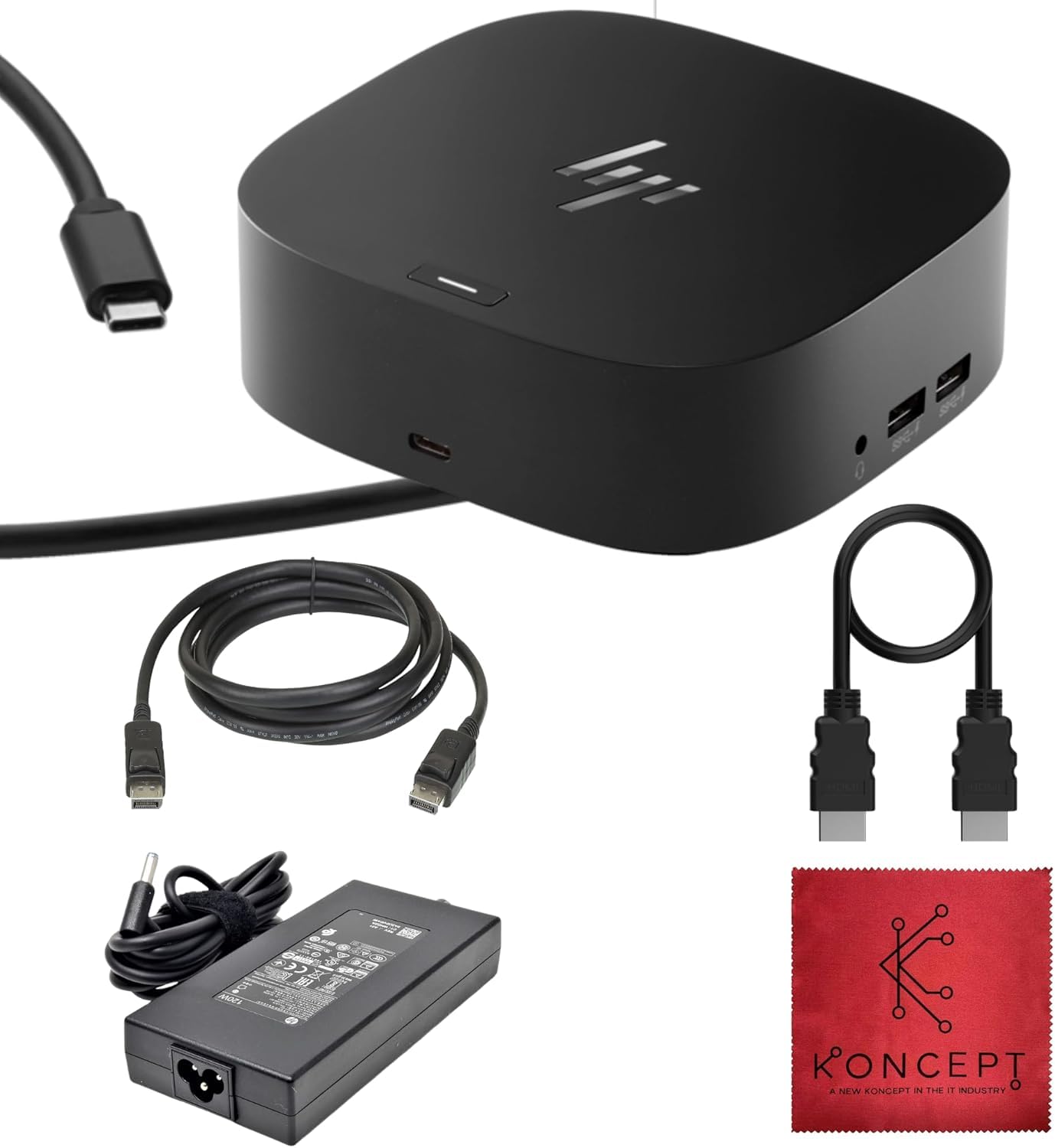
🔌 Power Your Productivity, Plug Into Possibility
The HP USB-C G5 Docking Station (model 5TW10AA) is a renewed, compact powerhouse designed for HP laptops like EliteBook and ProBook series. It delivers 120W charging, dual monitor support via HDMI and DisplayPort, and gigabit Ethernet connectivity. Included accessories like HDMI and DisplayPort cables plus a cleaning cloth make setup effortless, ensuring seamless multi-device integration for professionals craving a clutter-free, high-performance workspace.


| ASIN | B0D6TD1KL9 |
| Best Sellers Rank | #6,143 in Electronics ( See Top 100 in Electronics ) #116 in Laptop Docking Stations |
| Customer Reviews | 4.0 4.0 out of 5 stars (182) |
| Date First Available | June 11, 2024 |
| Item Weight | 1.5 pounds |
| Item model number | 5TW10AA |
| Manufacturer | Koncept |
| Product Dimensions | 4.8 x 4.8 x 1.8 inches |
S**J
finally
I have tried many docks for my HP x360 and found that the off branded docks have some level of compatibility issues. The range has been that the dual monitors don't function to the peripherals have issues. After many failed attempts, I bit the bullet and bought the HP branded dock for my laptop. It has been worth every penny. I am using both monitors on DP and they turn on instantly. The peripherals including my external hard drives work without a problem and I have been so surprised with the fact that when the computer goes to sleep the hard drives remain connected. If you are on the fence and have an HP laptop, this is dock is a game changer.
Z**A
Excellent Accessory
My job requires me to use the company's HP laptop. At work, I have a docking station. However, when I want to work at home, I have to either work on the laptop itself, which I do not prefer at all, or plugin a keyboard, monitor, mouse, etc. into the laptop each time. With the docking station, I can simply plug into the docking station at home and work just as effectively in the office. Even use two monitors with ease. The docking station comes with additional USB and HDMI cables, and is incredibly easy to hook up.
G**.
The failure of this product with less than one year of use.
Buyer beware. This is a piece of junk. After just six months, my notebook began to lockup. After hours on the phone with HP support, it was determined that the G5 dock was the culprit. Adding insult to injury, because I purchased this from an Amazon reseller, there was not a one-year warranty. Apparently, this dock fails with great certainty. It may work for you for several months, but you're on your own after that. This is the last HP product I will ever buy. Also, Amazon should warn the buyer that HP does not honor the one-year warranty for certain resellers. Back to Dell for me.
T**S
Well docked
The product was securely packaged and it worked as it should.
E**R
It works
Works for what I need
M**D
Docking Station
We found this product dependable and we switched at our firm.
M**D
HP Dock, HP Laptop, Lots of HP Drivers
I've had this dock for about two weeks now and finally got it to stop crashing the laptop while streaming video. When I first got it, I would run into spontaneous issues while streaming which included the videos looking like they super buffered, videos freezing, and the USB dock no longer working while the screen remained up eventually leading to the laptop crashing. I installed driver after driver over the following weeks, updated Windows, updated the video card drivers, updated the dock drivers, changed BIOS settings, ensured the USB dock has power, all to no avail. At one point (after the initial review and me ordering another dock), I found a second of the HP site which had my specific device and all the drivers for it. After installing every last driver the laptop no longer randomly crashes while streaming. This has been an insane journey that ended right before I gave up on this dock. Why a USB dock requires the laptop, I have no idea. Why those drivers weren't in any of the other spaces, installed when the dock is plugged in, installed if you updated the dock, etc, no clue. I have to assume it was some other system. Maybe it was the BIOS update it did after the other HP tool said there was no BIOS updated to be done. All I know is they're doing something odd. The other dock I had worked fine until it up and died on me. Anyway I wouldn't recommend this dock. If you really want to use it you need to search for drivers by your HP laptops model (found in the System Information app under System Model). Also update the Dock's drivers. If that doesn't work then I'm not sure. HP support was more interested in gathering my data than they were in support.
S**N
Works Great!
Works perfectly.
Trustpilot
1 day ago
2 weeks ago