
DOWNLOAD THE APP


Customer Services
Copyright © 2025 Desertcart Holdings Limited
DOWNLOAD THE APP

🚀 Elevate your MacBook setup — power, speed, and style in one sleek dock!
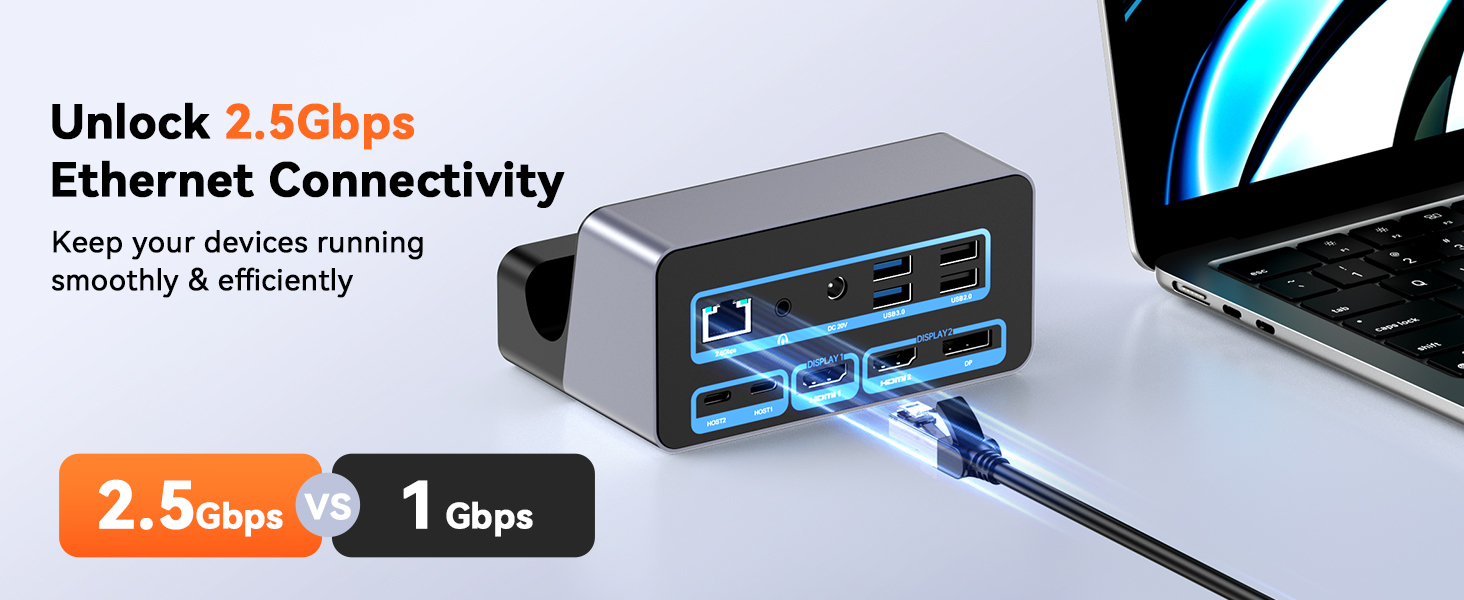
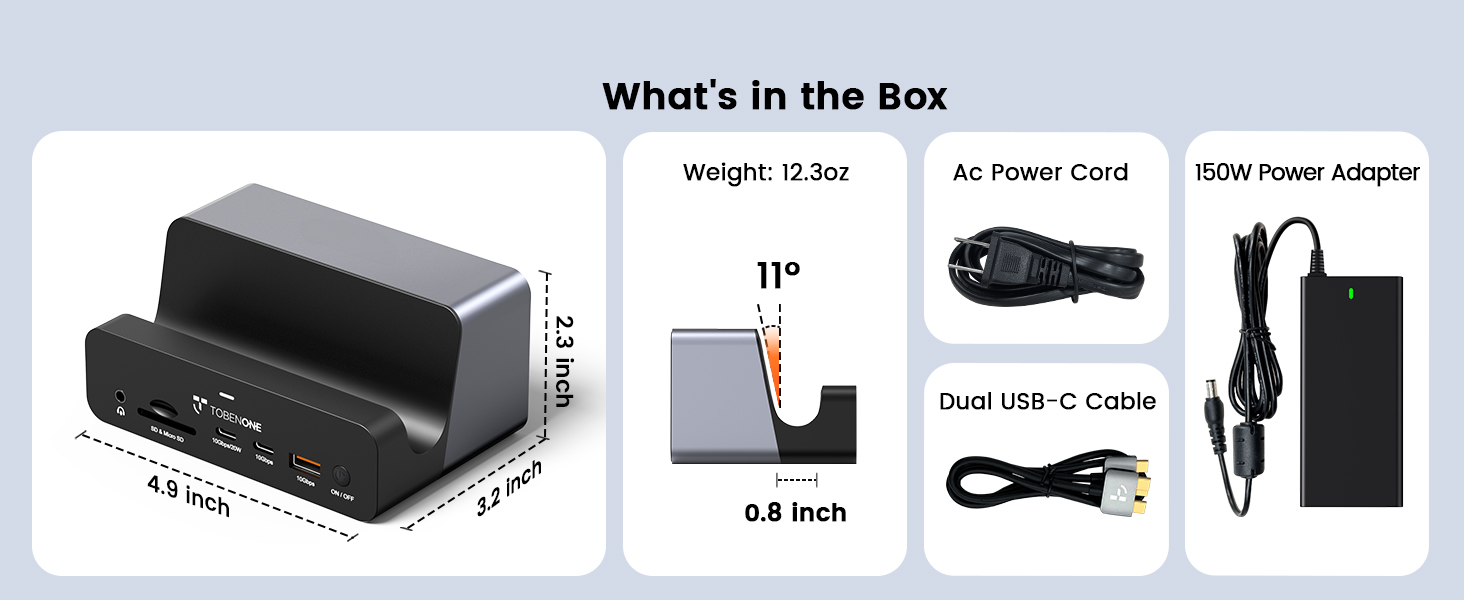
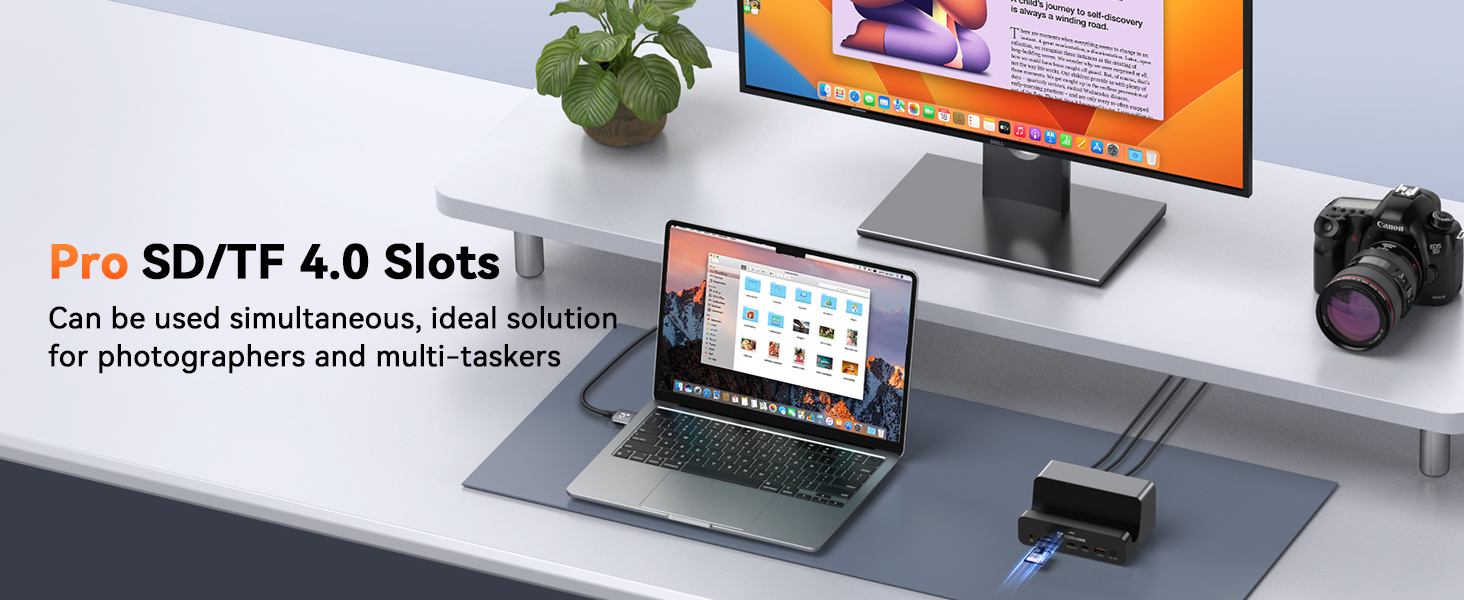
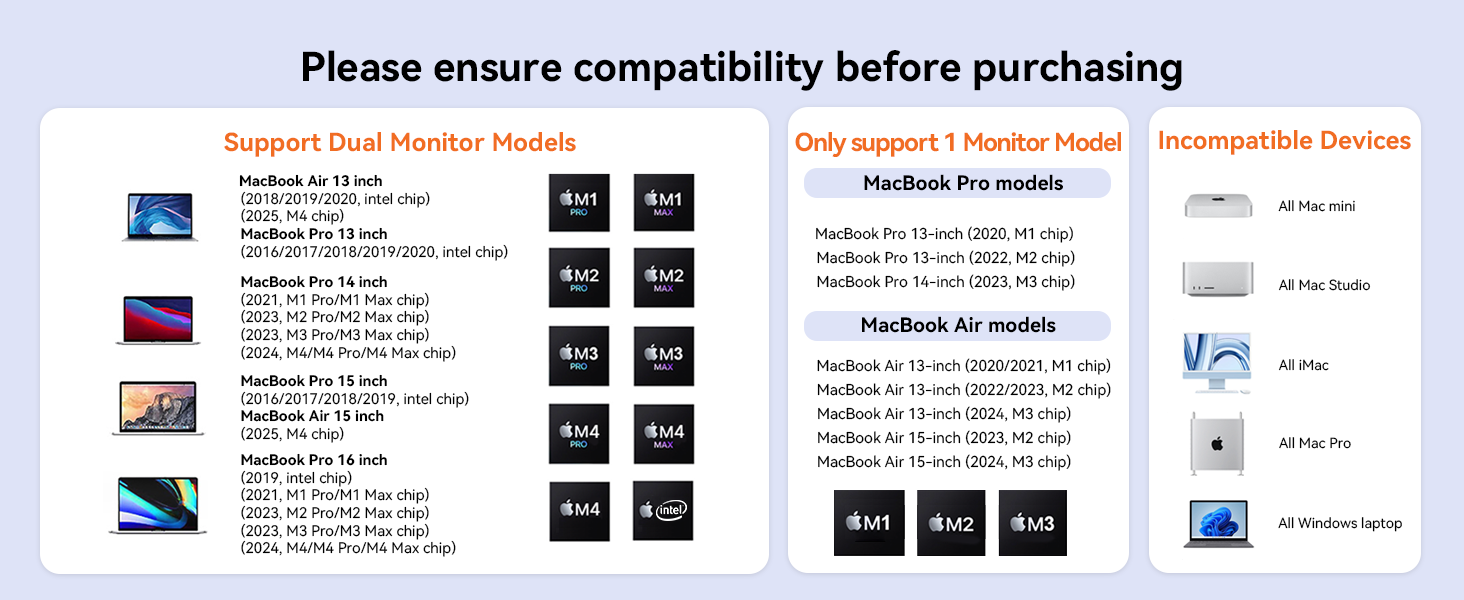
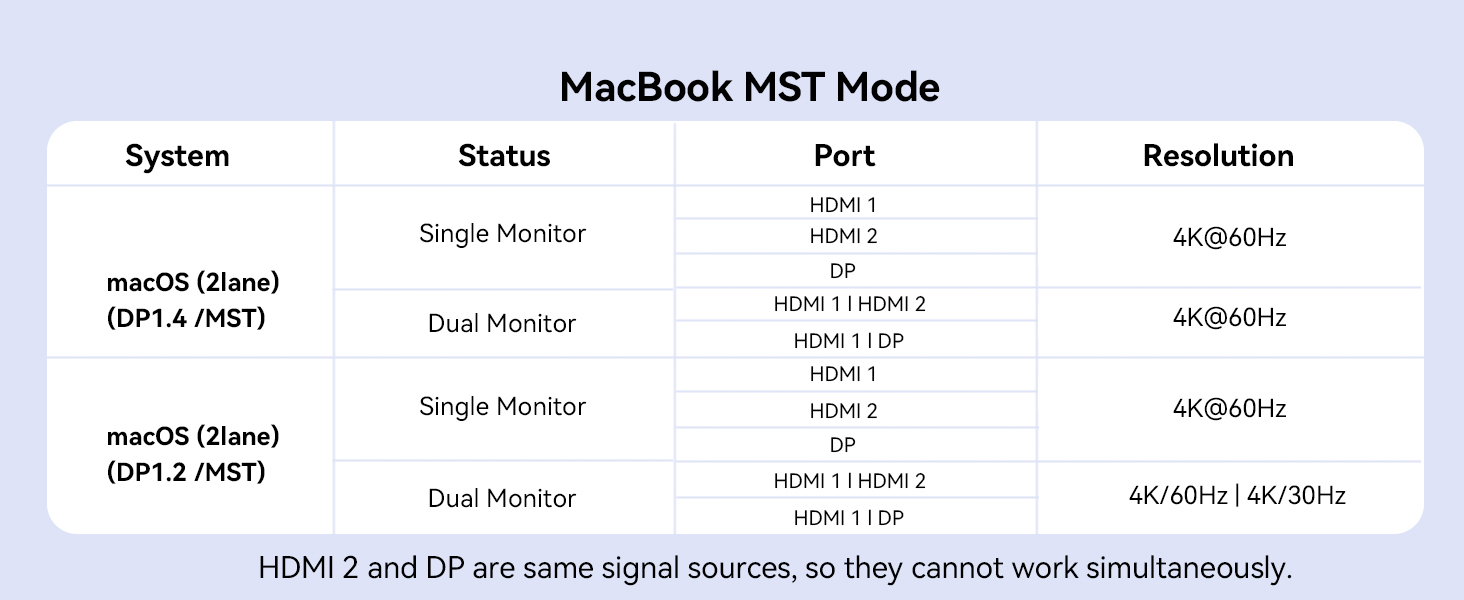
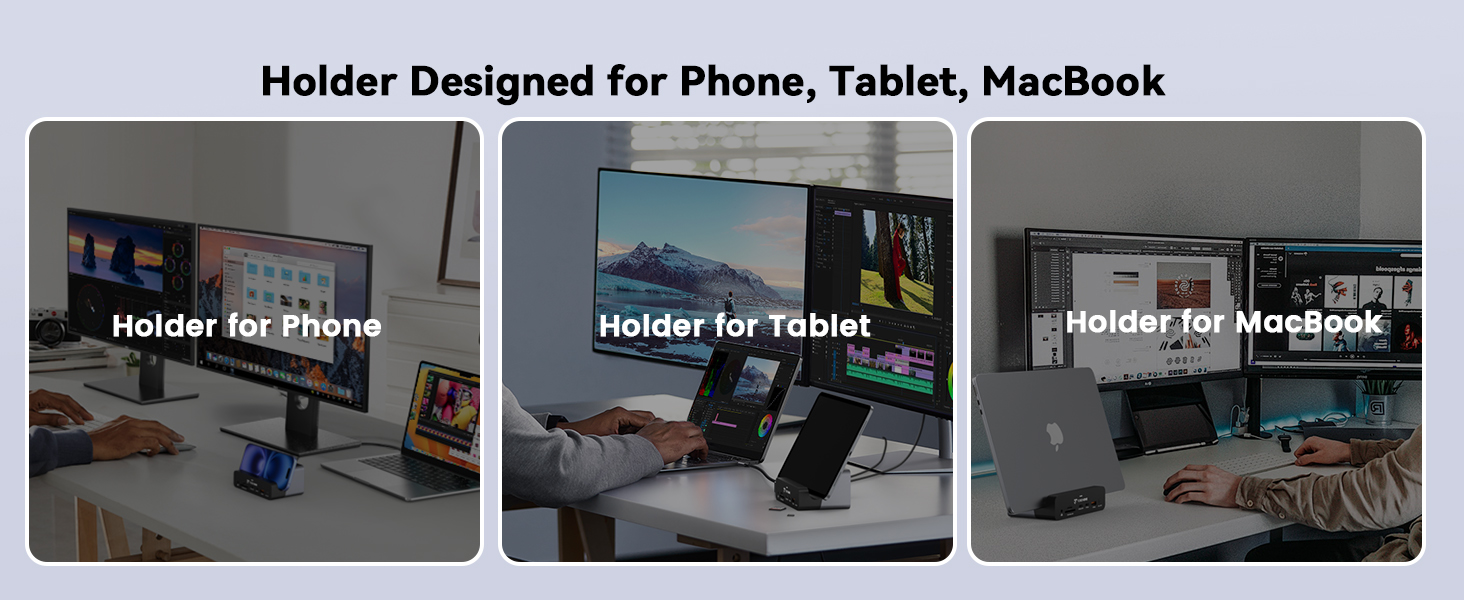
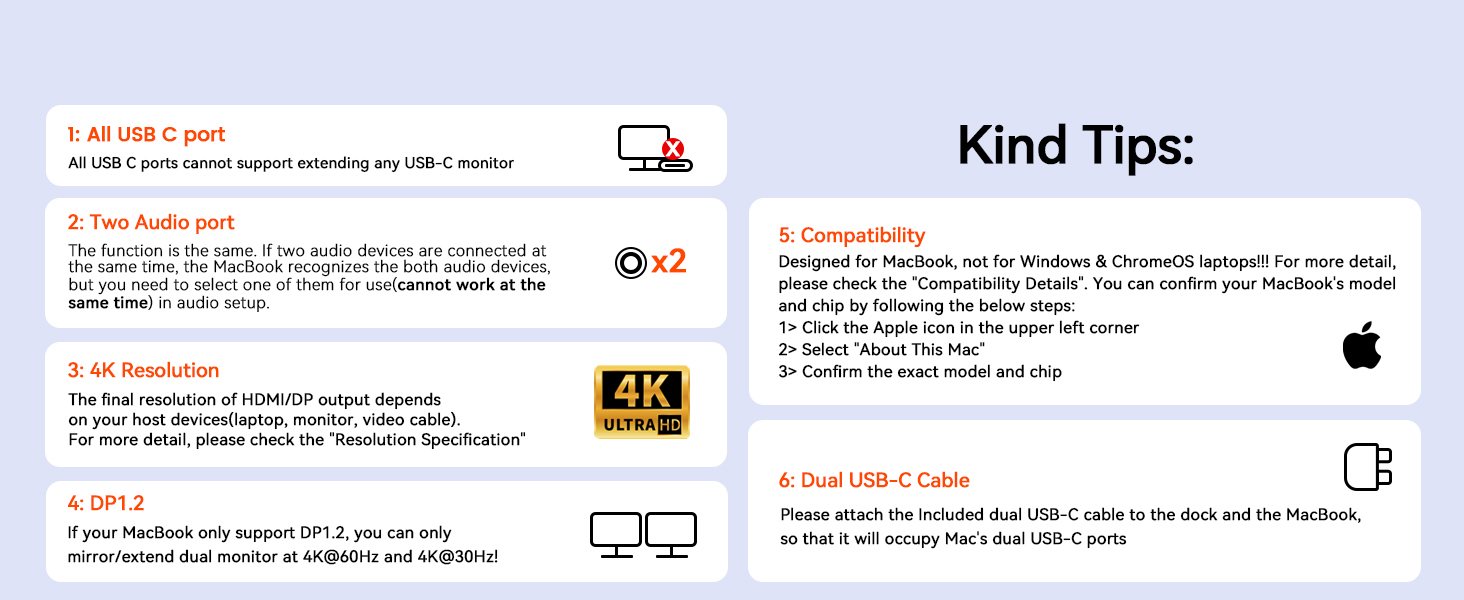
The TobenONE 18-in-2 MacBook Docking Station is a premium USB-C hub designed for professional MacBook users seeking to expand their workstation. It supports dual 4K@60Hz monitors, delivers up to 100W charging with a 150W power adapter, and offers ultra-fast 2.5Gbps Ethernet connectivity. Featuring 18 ports including HDMI, DisplayPort, USB-C, USB-A, SD/TF card readers, and dual audio jacks, it also includes a vertical laptop stand to save desk space and improve airflow. Compatible with a wide range of MacBook Pro and Air models, this dock is a must-have for multitasking, remote work, and seamless device integration.



| ASIN | B0DDBV6BG7 |
| Best Sellers Rank | #2,018 in Computers & Accessories ( See Top 100 in Computers & Accessories ) #202 in Laptop Docking Stations |
| Customer Reviews | 4.4 4.4 out of 5 stars (184) |
| Date First Available | November 11, 2024 |
| Item Weight | 12.3 ounces |
| Item model number | UDS040M |
| Manufacturer | C-Smartlink Information Technology Co.,LTD TobenONE |
| Product Dimensions | 4.92 x 3.2 x 2.3 inches; 12.3 ounces |
| Release date | August 5, 2025 |
| Type of item | Electronics |
A**A
Such a space saver!
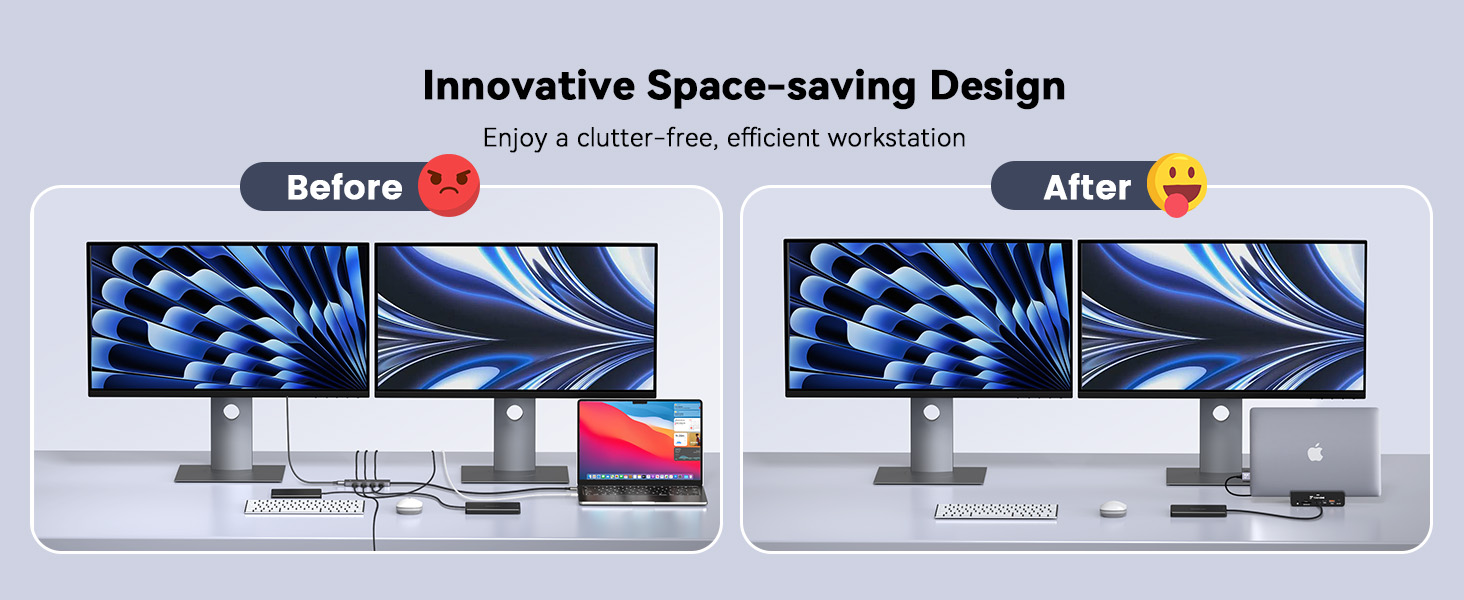
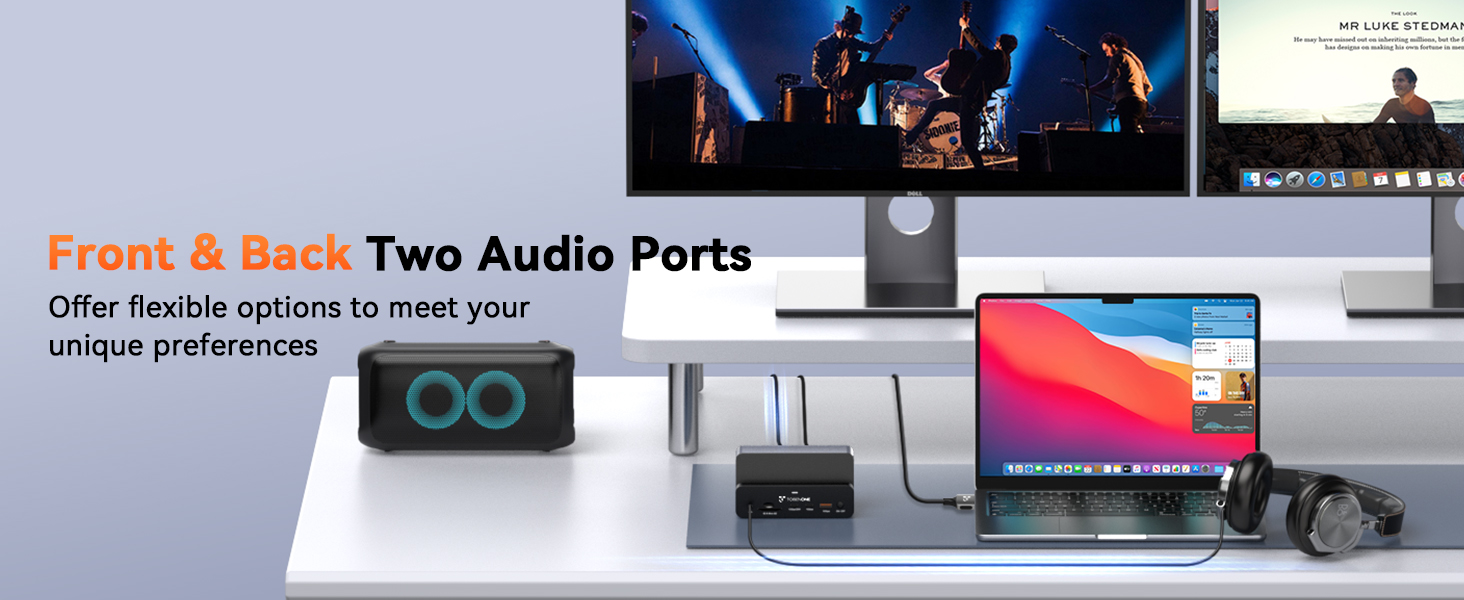
I’ve been using the TobenOne UDS040M docking station with my 2018 MacBook Pro and two Samsung U28E590 monitors for a week now and I couldn’t be happier! This is my second TobenOne dock, and I was already impressed with my previous one, but the UDS040M takes things to another level. My absolute favourite feature is the vertical laptop stand, which frees up much-needed space on my small desk. I can’t overstate how much I love this space-saving innovation. I really didn't realise how much I needed this! My desk is far less cluttered and the design neatly hides all the cables when the laptop is in place. I didn’t expect this to make such a difference, but now having it, I wouldn’t go back. The dual-monitor support works flawlessly with my Samsung U28E590 displays, and I’ve noticed that my screens wake from sleep faster compared to my previous dock. It’s a small but noticeable improvement that makes everyday use feel smoother. The 150W power adapter charges my MacBook while keeping multiple devices connected without any low-power warnings, which occasionally happened with my previous dock. With 18 ports, including USB-C and USB-A, a 2.5Gbps Ethernet port, and SD card slots, this dock easily handles everything I need. Transferring files to my NAS drive is quick, and the convenience of two headphone/microphone jacks mean I can plug in my old Apple headset when I need it without having to muck around at the back unplugging my desk top speaker first. The dual USB-C cable connection keeps things stable, and setup was simple—just plug and go. One thing to note: you need a Cat6 Ethernet cable (or higher) for wired internet. My existing Cat5e cable didn’t work at all. Once I switched, everything ran perfectly. Beyond aesthetics, the vertical stand improves airflow, and I’ve noticed my MacBook’s fans kick in less often, which is a nice bonus. It’s rare to find a docking station that’s both well-designed and highly functional, but this one delivers. Overall, the UDS040M is a fantastic addition to my setup, and I’d recommend it to everyone. Five stars isn’t enough—this is a masterpiece!
K**H
The best dock I've tried to date!
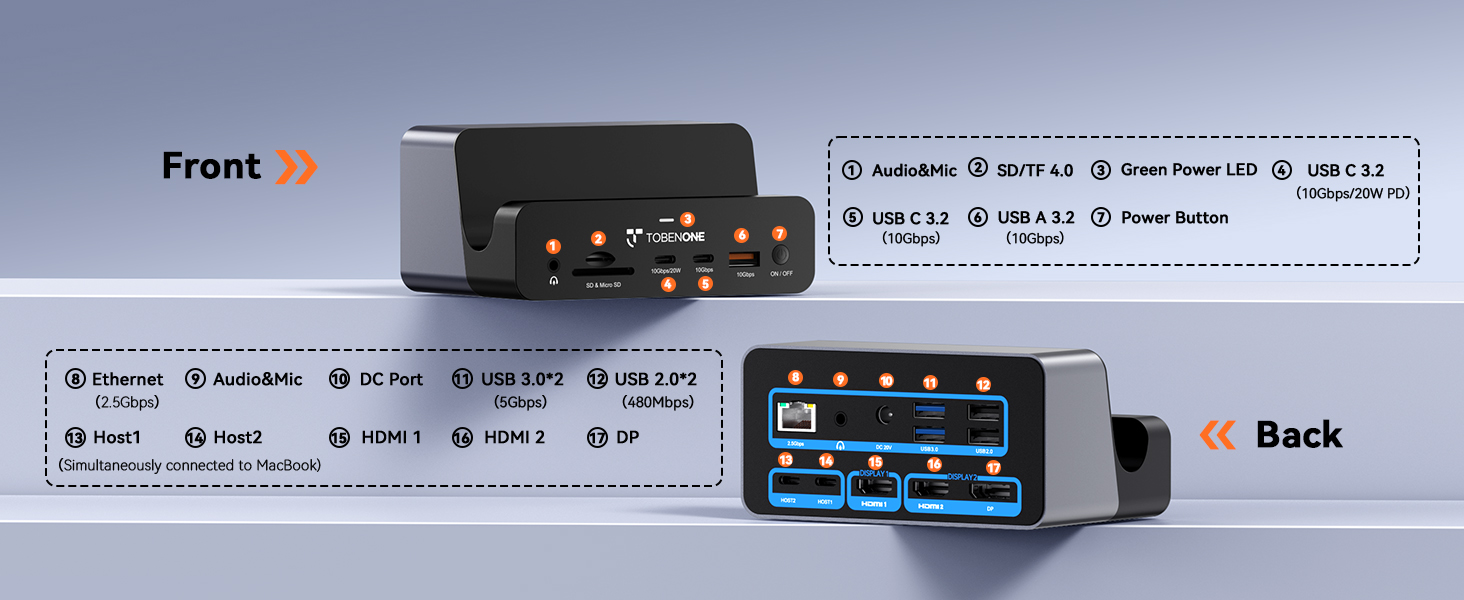
I recently purchased a Macbook M4 Pro (fantastic laptop by the way) and require a dock to expand functionality and provide a means to connect my Macbook to my 4k monitor. I tried several other docks prior to selecting this particular dock and none of them provided me with as many features as the TobenONE 18-in-2 dock. For starters, I think the biggest feature of this dock is it gives you a place to store your Macbook when it's connected. My Macbook fits perfectly in the vertical slot and thanks to the attention to detail, the rubberized coating within the slot prevents scratches of any sort on my MacBook. As it sits vertically in the dock, it's simple to connect the included USB cable to the two ports on my MacBook and all of my connected devices are instantly available as well as my monitor connectivity. I will say I looked high and low for a dock that was capable of more than 60Hz refresh rate at 4K resolution, but I wasn't able to easily find one in my price range. As far as the 60Hz 4K docks go, I don't think there is a better dock out there. I love the aesthetic look this dock provides on my desk while my laptop is connected. It is definitely wife approved. The rear panel of the dock includes the following: USB-A Ports: 2 x USB-A 2.0 ports: Data transfer speeds up to 480Mbps. 2 x USB-A 3.0 ports: Data transfer speeds up to 5Gbps. Display Outputs: 1 x HDMI 1 port: Supports resolutions up to 4K@60Hz. 1 x HDMI 2 or DisplayPort: Supports resolutions up to 4K@60Hz. Ethernet Port: 1 x 2.5Gbps Ethernet port: Supports 2500/1000/100/10Mbps. Audio Port: 1 x 3.5mm audio in & out port: Allows connection of headphones or speakers. Host Connection Ports: 2 x HOST ports: Connect to your MacBook using the included dual USB-C cable. The front panel of the dock includes the following: USB-C Data Ports: 2 x USB-C 3.2 ports: Data transfer speeds up to 10Gbps. One of the ports also supports 20W PD. SD/TF Ports: 1 x SD 4.0 port: Supports UHS-I with speeds up to 104MB/s 1 x TF 4.0 port: Supports UHS-I with speeds up to 104MB/s Audio Port: 1 x 3.5mm audio in & out port: Allows connection of headphones or speakers. USB-A Ports: 1 x USB-A 3.2 port: Supports data transfer speeds up to 10Gbps. The dock requires no driver installation and setup is as quick as you can connect the cables. I only use this dock with a single 4K monitor and I have had no issues at all. Everything I have connected has been instantly recognized and the connectivity speeds of the ports are extremely fast. This is a must have accessory to anyone who owns a Macbook who wants to expand the functionality as well as utilize an external monitor. I highly recommend it!
J**S
Industry leading performance in a well-built, compact form factor - Future proof your Macbook!
BEST TobenOne dock hands down. Over the course of the past year or so, I've tried upwards of ten docking stations for my Macbook Pro M3 Pro. My most recent purchase easily takes the lead as my favorite one to date. Like most docks from TobenOne, the UDS040M is an extremely versatile docking station designed for MacBook users specifically, and offers an incredibly wide range of connectivity options. Its standout features (for me) include support for dual 4K monitors via HDMI and DisplayPort, a 2.5Gbps Ethernet port, and plenty of USB ports for all of my devices. What's even better is that the dock is truly “plug and play,” and doesn't require any DisplayLink drivers like some others did in the past, which greatly simplifies the setup. Quite possibly my favorite part about it is that it also doubles as a stand for your laptop, so you can plug it in, drop it on the stand, and have tons of desk space available for other things. It's super compact and incredibly lightweight as well --- I don't know how they pack all of these features into a device of this size. Super cool! If you’re considering an all-in-one docking solution, the TobenOne UDS040M is most certainly worth exploring!
M**H
Good Docking station
The is docking station replaces a reliable and more portable SATECHI port expander. Pros: I can use my wireless keyboard Plenty of USB C and A ports supports my speakers through the headphone jack Reduces desktop clutter by standing up my mac I added a mouse instead of using the keypad in the old mode CONS I have only 1 screen and not two- the laptop screen still works but is closed in the docking port Start or wake up on power button does not seem to work so I open the laptop up on every start
R**I
Perfeito para Mac, 3 telas, A B C, sem necessidade de plugin! Tudo rápido e fluido.
M**.
This is a quality docking station for my Macbook Air M4. It's small, looks good and functions well. Not many have a high speed SD card reader like this one. The USB C and audio jack could use some improvements for my personal use. I use the headphone jack, but would prefer that it be located on the back side for better cable management. Wish it had more than one USB C port. Also wish it was located at the back of the dock to keep cables organized. Otherwise, it performs well. I also want to mention that ths sell has great customer service and is very responsive with issues and questions.
Trustpilot
2 months ago
1 day ago