We remain fully operational. Our teams are working around the clock to ensure your deliveries continue safely.

DOWNLOAD THE APP


Customer Services
Copyright © 2025 Desertcart Holdings Limited
DOWNLOAD THE APP

🚀 Compact Powerhouse: Elevate your workspace with the Beelink EQi12 Mini PC!
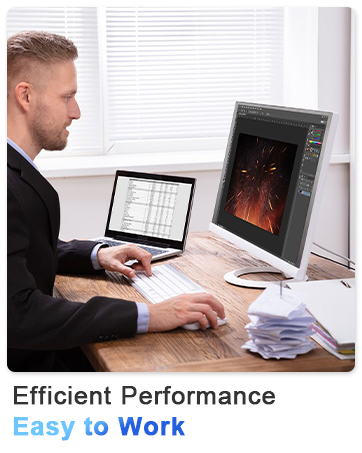
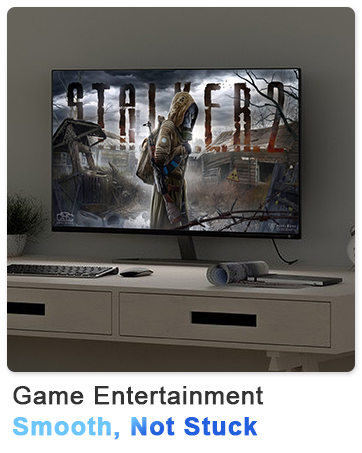
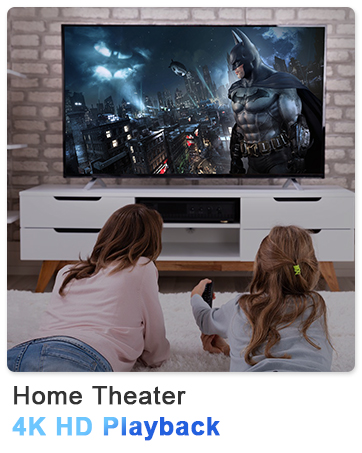
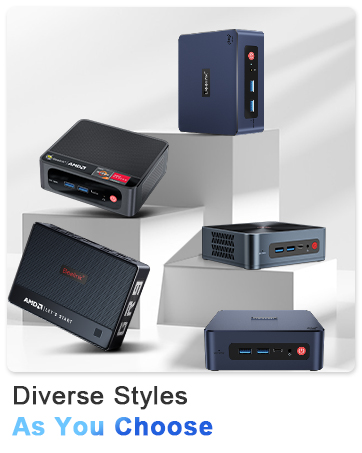
The Beelink EQi12 Mini PC packs a 10-core Intel Core i3-1220P processor (up to 4.4GHz) with 16GB DDR4 RAM and a 500GB PCIe 4.0 SSD into a sleek, compact chassis. It supports dual 4K displays via HDMI, offers WiFi 6 and Bluetooth 5.2 connectivity, and features multiple USB ports including USB-C. Designed for professionals craving high performance in a minimalist footprint, it’s perfect for multitasking, media streaming, and light gaming, all while maintaining silent, energy-efficient operation.




| ASIN | B08XB59VY8 |
| Best Sellers Rank | #4,186 in Computers & Accessories ( See Top 100 in Computers & Accessories ) #170 in Mini Computers |
| Brand | Beelink |
| Card Description | Integrated |
| Chipset Brand | Intel |
| Color | Grey |
| Computer Memory Type | DDR4 SDRAM |
| Customer Reviews | 4.3 4.3 out of 5 stars (280) |
| Date First Available | March 7, 2021 |
| Graphics Coprocessor | Intel UHD Graphics |
| Hard Drive | 500 GB M.2 2280 PCIe4.0x4 SSD, 4TB MAX |
| Hard Drive Interface | Serial ATA |
| Hard Drive Rotational Speed | 1800.00 |
| Hardware Platform | PC |
| Item Weight | 2.14 pounds |
| Item model number | Beelink |
| Max Screen Resolution | 3840 x 2160@60Hz |
| Memory Speed | 5200 MHz |
| Number of Processors | 10 |
| Number of USB 2.0 Ports | 1 |
| Number of USB 3.0 Ports | 3 |
| Operating System | OS |
| Package Dimensions | 6.06 x 6.02 x 4.21 inches |
| Power Source | Input: 100-120V AC, 50/60Hz |
| Processor | 4.4 GHz core_i3_1220p |
| Processor Brand | Intel |
| RAM | 16 GB DDR4 Slot x 2. Beelink Mini PC, Beelink EQi12, EQi12 Mini PC, 1220P Mini PC, EQi12 1220P. AI Copilot Microsoft Office Mini PC/HTPC/Zoom meetings/Skype/CAD, PS, Pr, Ai, Video Editing, Photo Editing, Casual Gaming, Home, Office, School, Zoom Meeting, Multimedia, Digital Signage, IOT, Email, Web Browsing, Personal, Home Theater. |
| Screen Resolution | 3840 x 2160 |
| Series | Beelink EQi12 |
| Wireless Type | 2.4 GHz Radio Frequency |
P**Q
Legit performer! Excellent Quality & Customer Service, as well
I was so hesitant to buy a PC that wasn't from one of the major manufacturers...I am SO GLAD I took the chance with this BeeLink! I wanted to wait al least six-months to write a review, however (from Day 1) I knew this was a QUALITY product. Excellent, prompt customer service as well. As for performance: Not a huge gamer, but I can play Marvel Rivals in 1440p (med/high graphics settings) w/ no performance lags - and the game looks STUNNING/plays smooth.. - I previously had a hunkering gaming tower w/ expensive graphics card, etc - I will never go back to that type of setup again! This sits quietly under my 55" QLED and looks just seamless/modern. Also, looks-wise, I got this a few weeks b4 Apple came out w/ their new Mac Mini - this looks very similar: gorgeous aluminum body/sleek form factor. It has all the high-end ports/connections: I run dual 4K w/ HDMI and newer DisplayPort (there's also a USB-C/Thunderbolt for triple 4K display).. With 32GB of DDR5 and a 1TB drive - It's basically double/triple the specs of the Mac Mini for the same price as Apple's base model - that is an INCREDIBLE VALUE, as well. BeeLink is a brand I now trust and - in regards to the mini-PC form factor - regard them as a LEADER in the category. I look forward to their new product releases and purchasing another in the very near future!
D**Y
Hyper-V works! Mini-Lab PC for sure
As a retired Microsoft Software Deployment Engineer, I enjoy setting up virtual labs to play with virtual machines and experimenting. To have adequate performance, you need three things: a FAST CPU with MANY Cores, Lots of RAM, and substantial Disk space. This unit meets those requirements. But being from some distant Chinese company gave me some second thoughts. I decided to go ahead and was gratified to find that the support was there. I had an issue with an Intel Bluetooth driver update that disabled the Bluetooth. I used Device Manager to revert to the previous Bluetooth driver. I contacted Beelink using their support link and let them know. And within, they acknowledged the problem and thanked me for reporting it. The automatic Intel update software let me hide the bad driver, and my Bluetooth is working. I will leave it as is. As far as the Intel Driver and Support System software updates, they notify you when new ones are available. It is better to install them one at a time and test functionality first. After the first bunch of updates, you ususually get one at a time, so no worries. Note: when it asks for a clean install of a driver, that means it removes the old drivers if present, do not do that, retain the old ones incase you need to revert back Currently, I am running two Guest VMs, Windows 2025 Servers—one as a domain controller and one as an Endpoint configuration management server—and multiple Windows 11 guest VMs and a couple of Linux distros, not all at the same time, but usually 4 to 6. I was astounded that when I forgot to shut down multiple VMs and started streaming a video while gaming in War Thunder and WGT golf, there was NO NOTICABLE decrease in performance. This is not a gaming machine, but still, I was impressed. One thing to note is that it has two 1T drives, C: and D:, which works well with my configuration, as I put the Guest VMs on D: AND THE PERFORMANCE IS EXCELLENT running Windows 11 25H2. Does not overheat and has no fan noise! This review covers usage from 7/10/2025 to 10/28/2025 3.07 gigahertz Intel Core Ultra 9 185H 95.50 Gigabytes Usable Installed Memory 2.00 Terabytes Usable Local Storage Capacity
D**S
Great Hardware, but sorry OS
UPDATE: Blue Iris runs fine on this box. I have 12 cameras and the CPU% never exceeds 10% even with AI turned on. One bad thing that ruins everything is that there is no way to get it to turn back on after a power loss. I looked in BIOS, but there is nothing there. I have a UPS, but it only goes about an hour and today we had a power outage lasting 62 minutes. So I had to drive all the way back just to push the power button. BeeLink should be ashamed of themselves for that one. I have also installed GPT4ALL which is an offline chatGPT program. It works, but it is a bit slow. For GPT, the 16GB RAM is a bit small and 43GB would be better. ========== The box came today and I haven't fully tested it. What I have seen of it says that it is a fast box. No problem playing youtube videos at 1080P in full screen. The biggest flaw is that it comes with Windows 11. Upon starting the box for the first time, it stops during the setup and says to enter your Microsoft Account. I don't have one and if I did, I wouldn't give them the password. It no longer has a SKIP button so you can't easily bypass it. Fortunately I found out that you can pull the power cord, then network cord and then plug it back in. This time, it will squeal for you to give it your wifi password, but I refused. It finally let me in without signing my privacy over to Microsoft. Once there, windows update worked fine. I got the box to see if it would be fast enough to run Blue Iris software. I have not yet tested that. I will write back if that does not work. This will be a Blue Iris box and I wont have to mess with the OS on a regular basis. I would not want to use Win 11 for a desktop OS. The manufacturer allows people to upgrade to Win 10. If I had to use it as a desktop, I would do that or else install MX Linux.
B**S
Fantastic Mini PC – Quiet, Powerful, and Packed with Features
I purchased my Beelink GTi12 Mini PC on May 7th, 2025, and it’s been excellent from the start. Minimal setup was needed, and it worked great right out of the box. I was hesitant to buy two at the time, something I now regret since I really like this model. A few things stand out: Quiet operation: Even during intense tasks, the fan stays fairly quiet, which is a big plus. Built-in PSU: The power supply is built in, so there’s no bulky external power brick—my desk is much less cluttered. AI/NPU: I’ve tested this mini PC with some AI workloads, and the performance for both professional and development tasks is fantastic. Highly recommend this mini PC for anyone wanting power and convenience in a compact package!
E**W
Muy bien equipo ya llevo 2 semanas usándolo y todo funcionando muy bien es rapido y se desempeña bien en multi tareas, altamente recomendable para trabajo pesado como la edición de audio, video y fotografía, con respecto al gaming el procesador grafico interno no es tan potente para poder correr juegos muy pasados se recomienda el dook para poder instalarle una tarjeta de video dedicada para asi sacarle el máximo desempeño a los juegos.
J**A
It's SO tiny! Also very quiet. Hooked it up to a 4K tv and have had no problems watching video via Plex. The only streaming issues come from internet speed, not the computer. 4K video files saved to the computer hard drive play smoothly. Also good for web browsing, youtube, etc. No video problems. I wouldn't expect to run serious software on it, but it's a lot better than using 'smart TV' features. Wireless keyboard and mouse make it easy to operate from the couch.
I**N
Muy bien hasta ahora, me sorprendió que ya trae Windows 11 instalado, no decía en la especificación del producto. Se ve de buena calidad.
R**E
En Windows funciona muy bien, es un poco difícil conseguir los drivers. Pero con Linux no funciona, con ninguna distribución, siempre se congela.
D**F
Compte tenu que je n'utilise aucun jeux sur cette ordinateur j'estime qu'il est rapide, silencieux! Je l'utilise surtout pour le web, traitement teste, courriel, Facebook etc. Meme en multitache il est tres efficace! Apres quelque jours d'utilisation j'en suis tres satisfait! Il reste à voir sa durabilité!
Trustpilot
2 weeks ago
2 weeks ago