
DOWNLOAD THE APP


Customer Services
Copyright © 2025 Desertcart Holdings Limited
DOWNLOAD THE APP


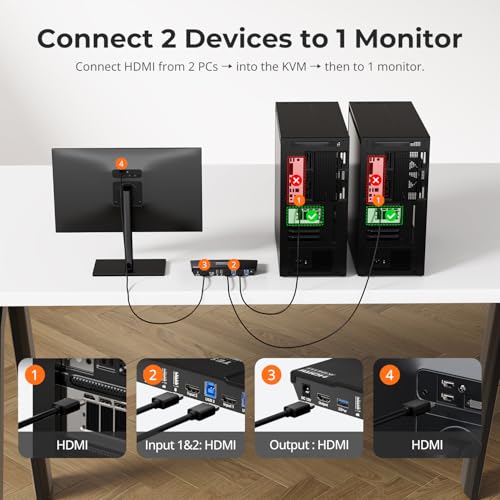

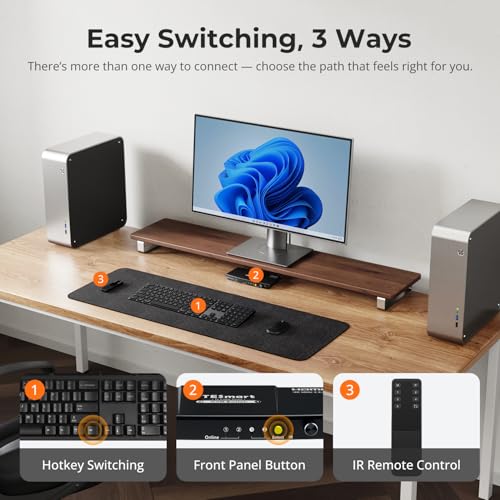


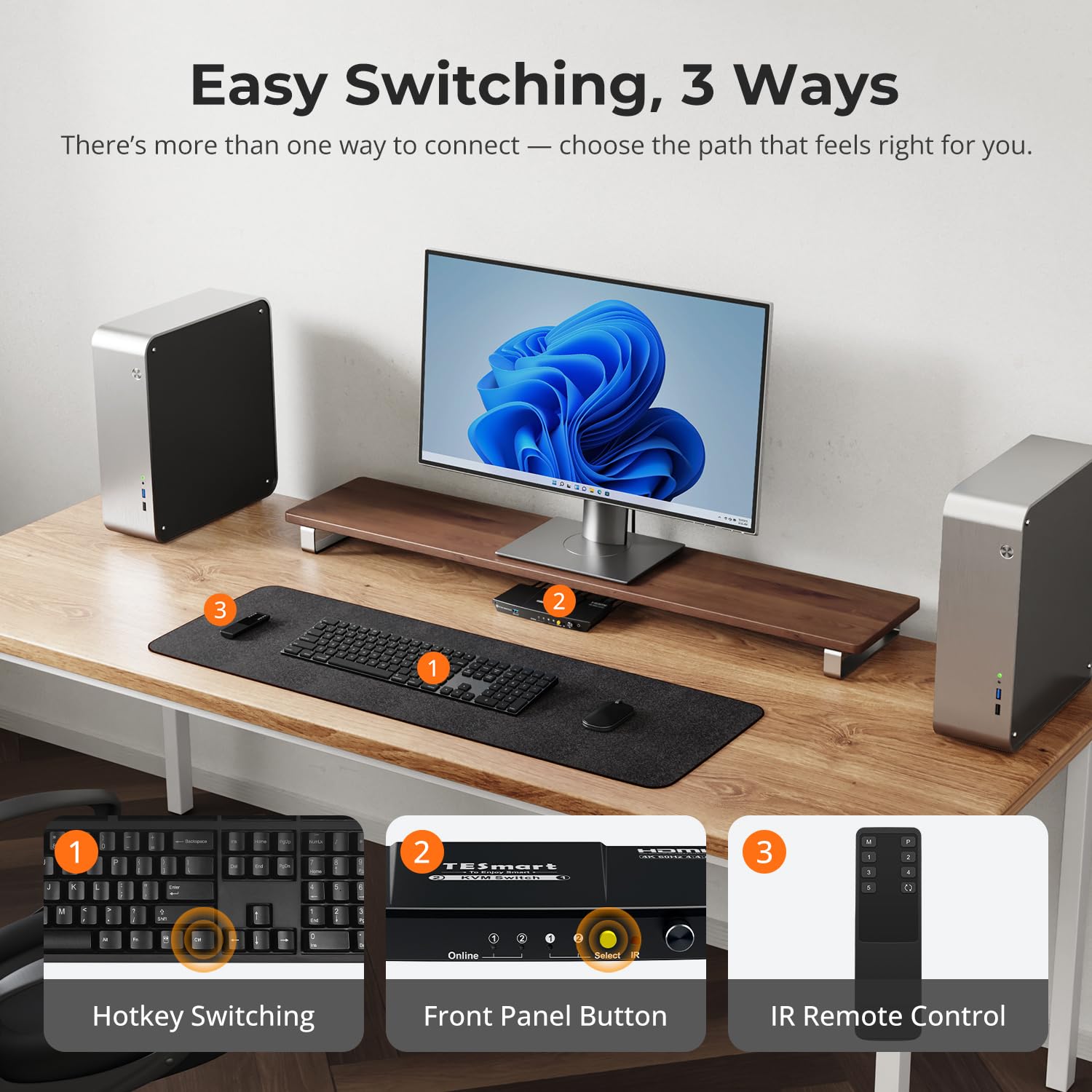


🎯 Master your workspace with TESmart: where speed meets seamless control!
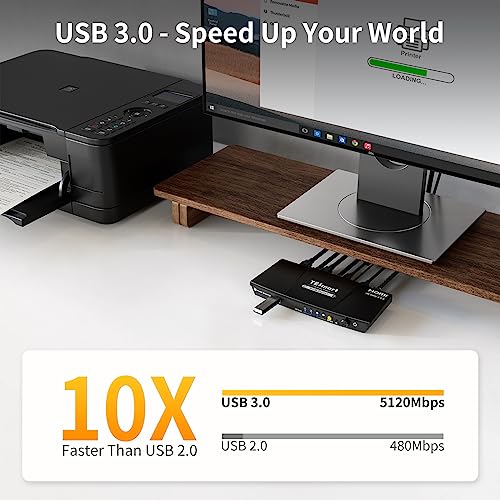
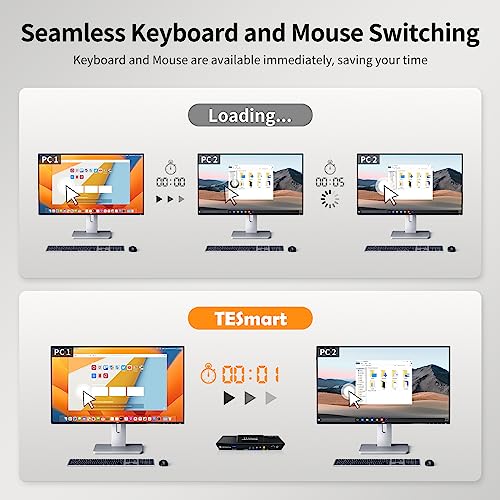
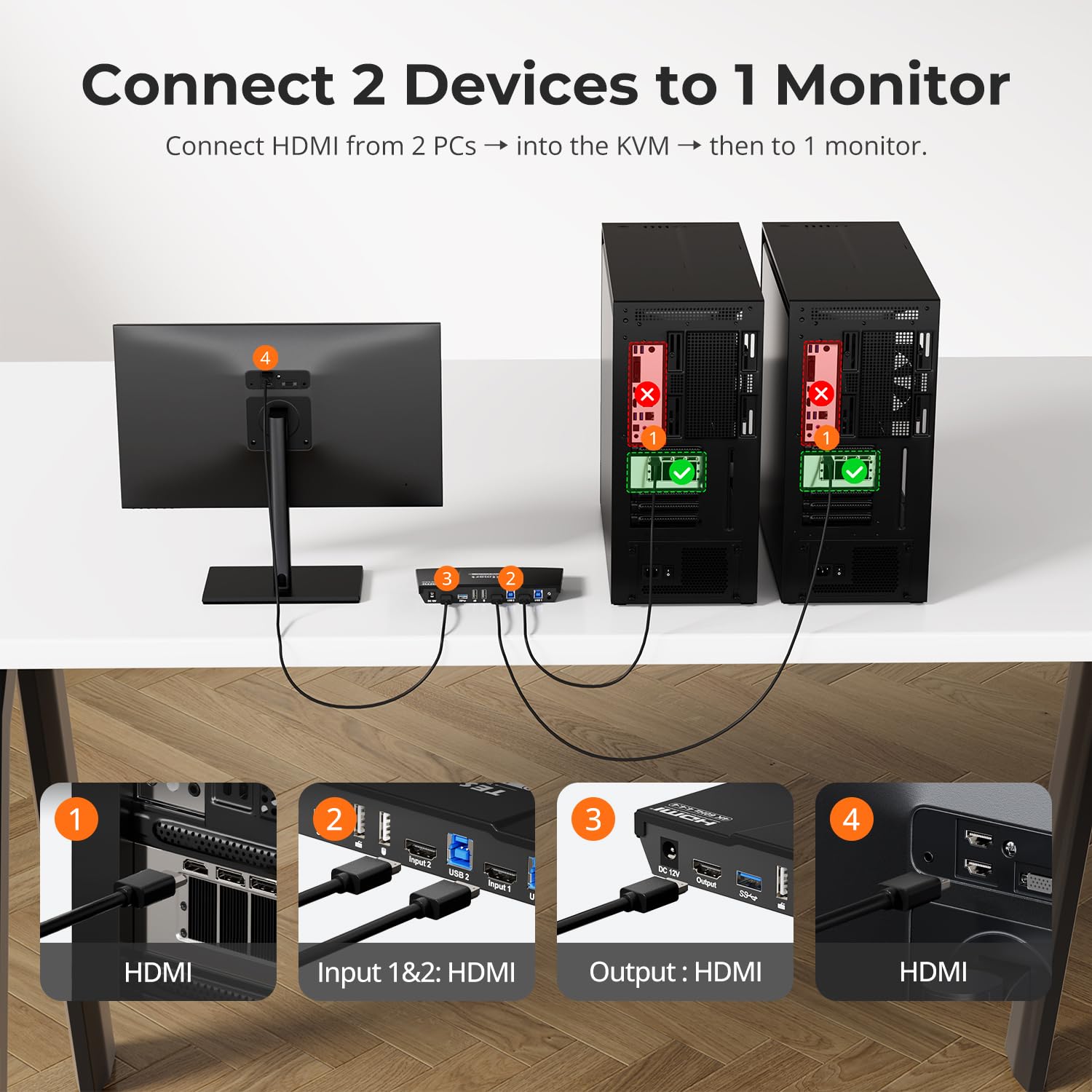
The TESmart USB 3.0 HDMI KVM Switch lets you control 2 computers with a single 4K@60Hz monitor, keyboard, and mouse. Featuring ultra-fast USB 3.0 data transfer, integrated audio/mic support, and versatile switching options—including remote and hotkeys—this switch is designed for professionals and gamers seeking efficient multi-device management. Compatible with major OS platforms and equipped with EDID emulators, it ensures stable display settings and plug-and-play ease.


| ASIN | B0C6XSNPK1 |
| Actuator Type | Push Button |
| Are batteries included? | No |
| Brand | TESmart |
| Circuit Type | parallel |
| Colour | Black |
| Connectivity Protocol | Infrared, USB |
| Connector Type | Plug In |
| Contact Material | Aluminium |
| Contact Type | Normally Open |
| Control Method | Remote |
| Controller Type | Push Button |
| Current Rating | 2 Amps |
| Customer Reviews | 3.7 3.7 out of 5 stars (284) |
| Date First Available | 1 June 2025 |
| Item Dimensions LxWxH | 19.5 x 7.8 x 2.8 Centimeters |
| Item Height | 1.1 Inches |
| Item Weight | 263 g |
| Item Width | 3.07 Inches |
| Item dimensions L x W x H | 19.5 x 7.8 x 2.8 Centimeters |
| Item model number | HKS201-P23 |
| Manufacturer | TESmart |
| Model number | HKS201-P23 |
| Net Quantity | 1.0 Count |
| Number of Items | 1 |
| Number of Positions | 2 |
| Operating Voltage | 12 Volts (DC) |
| Operation Mode | ON-OFF |
| Product Dimensions | 19.51 x 7.8 x 2.79 cm; 263.08 g |
| Terminal | Solder |
| Wattage | 36 Watts |
S**D
This switch did NOT work well for me - please read if you have a gaming keyboard (or otherwise non-standard keyboard) and count on Bluetooth dongles for your setup. A gaming keyboard (one that comes with its own macros and RGB lights etc) does not work well with this switch. This is a known issue with these keyboards and KMV switches in general. This means the dedicated keyboard port does not recognize the keyboard, which means I had to use a different port and then the keyboard shortcut to switch computers did not work. In addition, the USB3 ports interfere with Bluetooth (this was not a problem with USB2, the previous generation) according to their tech support. This causes jerky movements with the mouse. Depending on your setup and how many devices you have (and how far away the mouse is from the dungle) this might not be a problem for you. This is a good brand and I had a previous model that worked well. Their support was responsive and answered my quesions, so I've giving them 3 stars... but I'm returning mine. A USB switch is less than half the price and doesn't have this problem - and you can get an HDMI switch as well for your screen. Do your research!
J**E
I was replacing a cheap KVM because my keyboard requires power. So far it works except for my monitor (if I get it working I'll give another star for that) and also the remote was clearly not chosen for this task. I don't need an 8 button remote to toggle between two inputs. I bumped it up to 4 stars because I got the monitor working just fine. I'm still reserving a star because of the design of the remote.
C**S
I purchased a switch to toggle between a tablet at my work desk and my work PC. Overall, the physical unit's quite nice, and the power and device selection switches are easy to access. I also appreciate that it comes with the necessary cables for both devices The feedback is responsive (for the most part, but we'll get to that), and swapping devices is almost instant in terms of input. The monitor swapping takes a second or two longer, but again, nothing intolerable or even annoying. The main issue I've had is that it appears that at times, the keyboard/mouse input will drop an input or become stuck here or there (such as a down keypress becoming stuck and entering that same key several times until I press it once more). I'm not the best typist, so I originally simply chalked it up to mis-input on my part, but the sheer number of times I noticed this caused me to begin doubting. I wondered if it may have been a keyboard issue, so I swapped the membrane keyboard I had out with a mechanical I had on hand that I usually use for another PC, as cleaning the keyboard also had no effect. Unfortunately, the problem persisted. After digging through several posts regarding dropped inputs via KVM, I started searching specifically for posts including "TESmart". I stumbled upon one that suggested that I try moving the keyboard to the USB 2.0 port on the back, rather than the dedicated keyboard slot. So far, it seems much more stable, which is great. This does unfortunately disable the usage of the built-in keyboard shortcuts, but considering the switch is right on my desk right behind my keyboard, it's not an issue for me. This is something I would definitely try to keep in mind if you do purchase it; this does mean you either need to use the remote, or keep the unit in arm's reach, but otherwise, it works pretty well and at a decent price for what it does.
D**C
UPDATE ON SECOND UNIT: Knocked this down to 1 star. The second unit that had a small issue is now useless. This unit is for 2 computers only - and channel 2 failed without warning. This is 4 days PAST the return date!! UPDATE: I am still pretty happy with this 2-port KVM, so much so that I bought a second one to replace the old VGA KVM. While this new unit works, the "buzzer" that is supposed to tell you when you change computers of if something goes wrong, DOES NOT WORK AT ALL! Does not seem like a big deal except those sounds would have let me know about some initial connection issues - IF THEY WERE WORKING. I am tempted to take a star off my previous rating but will try to get used to the silent treatment while using this second unit. Still recommending this product, however. Since I like to start and end with an "up" comment, let's start with set-up. Reading the manual (what there is of it) is hard to follow but OK. I give the manual 3 stars for organization and 2 stars for completeness. Plug this here and plug that there then turn things on. However, don't turn both of your computers on at once. Things go sideways if you do, and the easiest way I found to fix that is to shut down everything and start over. OK - let's go for the more positive side. Start 1 computer at a time and BE PATIENT!. You will get all kinds of beeps so just wait a couple seconds until they stop. Until then your keyboard and mouse won't work. That's OK! I did not get any more beeping issues when I started the second PC and keyboard and mouse worked right away. Now I switched to a wireless keyboard but left the mouse wired. ForTESmart's info, my Logitech K520 wireless works fine so you can add to your manual that this works. I did not try a wireless mouse. Considering I am using a PC connected through this KVM, it is working just fine. Please be patient with this unit when changing computers. There is a little lag - maybe a second or two. However, when the screen changes it is perfectly correct with no hesitation. The EDID works flawlessly. I have used KVM's from another mfr in the past and my last one is still in operation but is almost 7 years old and it is only VGA and not HDMI. Considering inflation it was the same cost then as this KVM is now so I am very happy with comparisons in this review. I was extremely happy with my previous unit and am just as happy with this one now - keeping fingers crossed that it endures. If this TESmart 2-port KVM lasts as long as my previous unit, it will be a home run! Wanted to give you all that info to read because these devices can be vastly different. I love giving mostly positive reviews for reasonably priced items and hope this helps. I will update if things change in time but as of now I definitely recommend this KVM.
D**E
This KVM switcher claims to forward mouse signals but in my case it doesn't. I have a fairly run-of-the-mill Logitech M500 mouse. When the mouse is in freewheel mode (i.e. it doesn't have little bumps when you turn the mouse wheel) that signal is not passed on correctly to one of my computers (my work laptop) and therefore doesn't work. The freewheel does work on the other computer (my home desktop). This same mouse does, however, work when connected directly to my work laptop so the problem isn't with the mouse or the computer. The problem is with the KVM switch. To solve this I now have 2 directly connected mice which I have to switch using when I switch computers. Also note that I tried connecting the M500 mouse to both the designated mouse USB connector (next to the designated keyboard connector) AND to the general-purpose USB connector and neither location worked. The other thing the switch claims to do but actually doesn't do is keep the display settings from changing when switching away from and then back to my desktop computer despite whatever the "EDID emulator" thing is they claim in their ad. It doesn't work. The way I can tell is that when I switch away from my desktop computer and then switch back all the windows I had open are smaller - as if the monitor resolution changed. This is a minor annoyance as I can just resize the windows, but they claim it doesn't do that and it really does. The other functions work as advertised. Switching works properly. If you connect your keyboard to the designated keyboard USB port it correctly intercepts switch commands from the ScreenLock key. Sound works properly with some minor system changes as per their instructions. So overall I'm giving it three stars. It's a decent product that doesn't quite do all the things claimed in the ad.
Trustpilot
1 month ago
2 days ago